
Connect LinkedIn Recruiter to Discovered
Overview
Connecting LinkedIn Recruiter to your Discovered ATS allows you to automatically route applicants from LinkedIn into your Discovered account. Once connected, LinkedIn job applications will flow into the correct job posting, and you can manage candidates entirely within Discovered.
There are two possible setup paths depending on how LinkedIn displays your configuration screen. This guide walks you through both options so you can successfully connect your accounts.
How to Connect LinkedIn Recruiter to Discovered:
1. Access LinkedIn Recruiter Settings:
- Log in to your LinkedIn Recruiter account.
- Click the menu in the top-right corner.
- Select Product Settings from the dropdown.

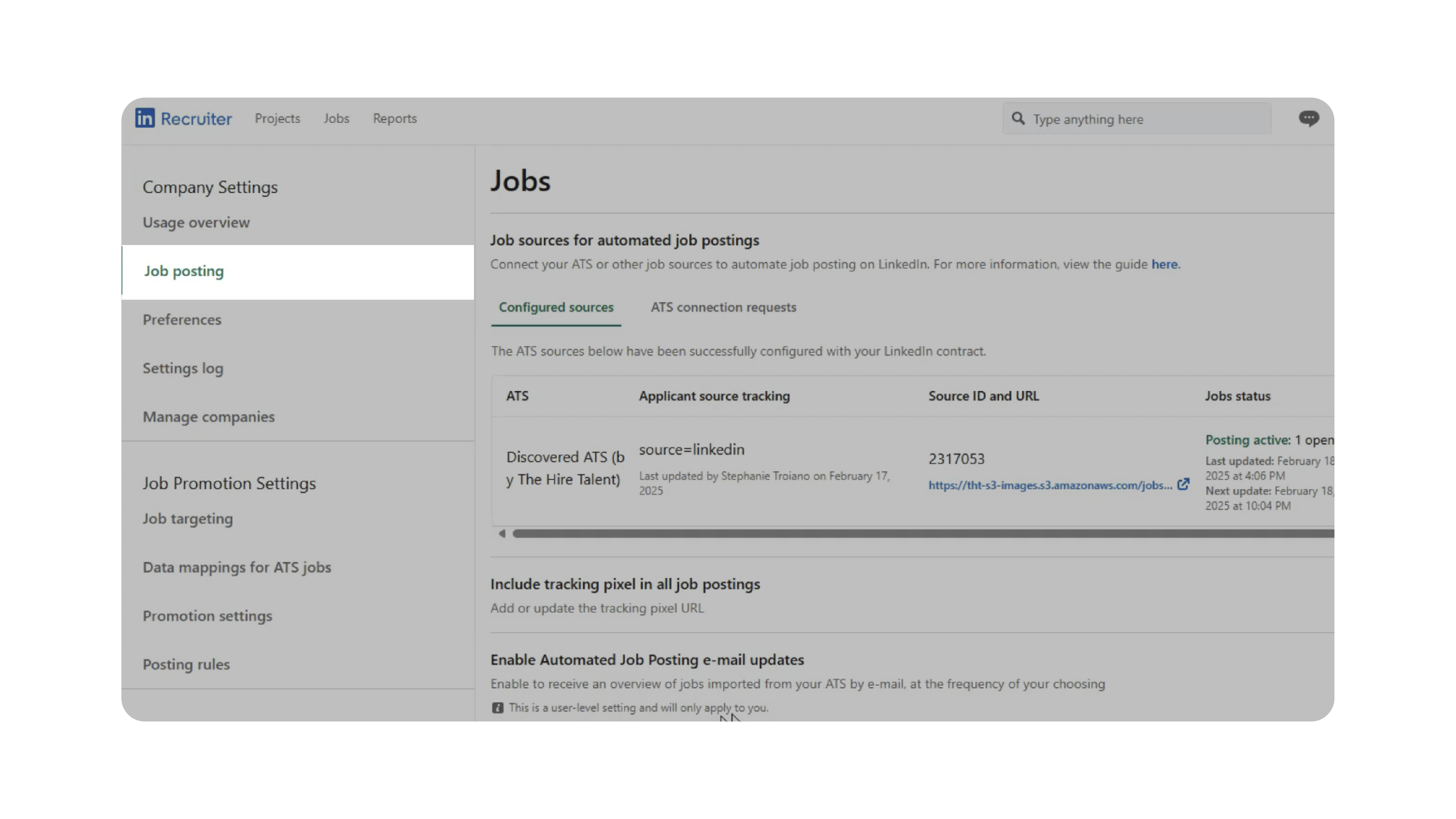
- In the left sidebar under Company Settings, click Job Posting.
2. Add Discovered as a Job Source:
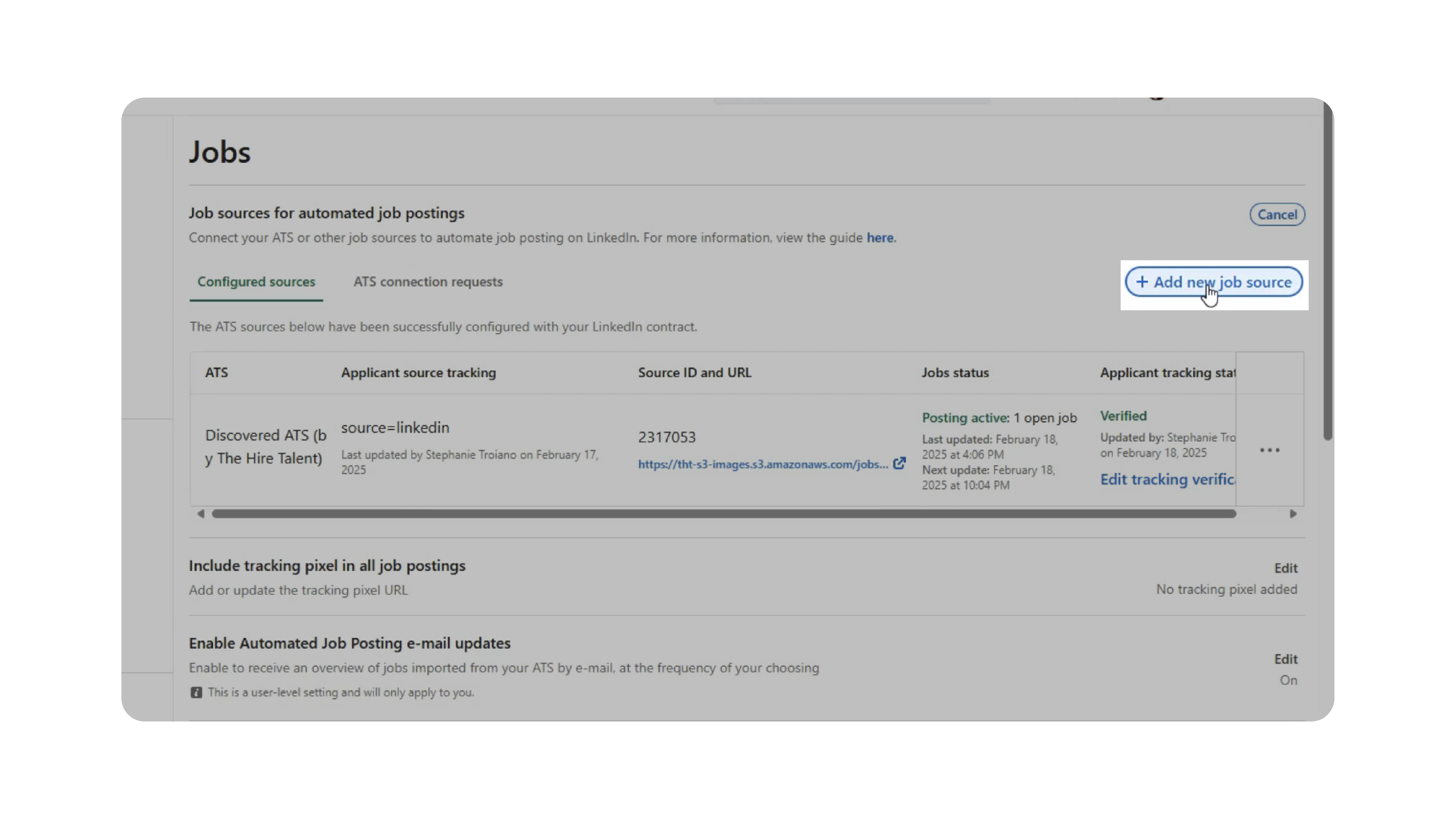
- On the Job Posting page, click Add New Job Source.
- From the ATS dropdown list, choose Discovered.
- Enter your company name.
- If multiple versions appear, verify the correct one by matching it to your existing job postings.
- Click Add ATS Source.

If LinkedIn recognizes your postings, your setup may be complete after this step.
3. Follow the Alternate Setup (If Prompted):
If LinkedIn asks for additional fields, complete them as follows:
Job Source URL:
- In Discovered, go to your Company Page → click your Career Page link under Active Postings.
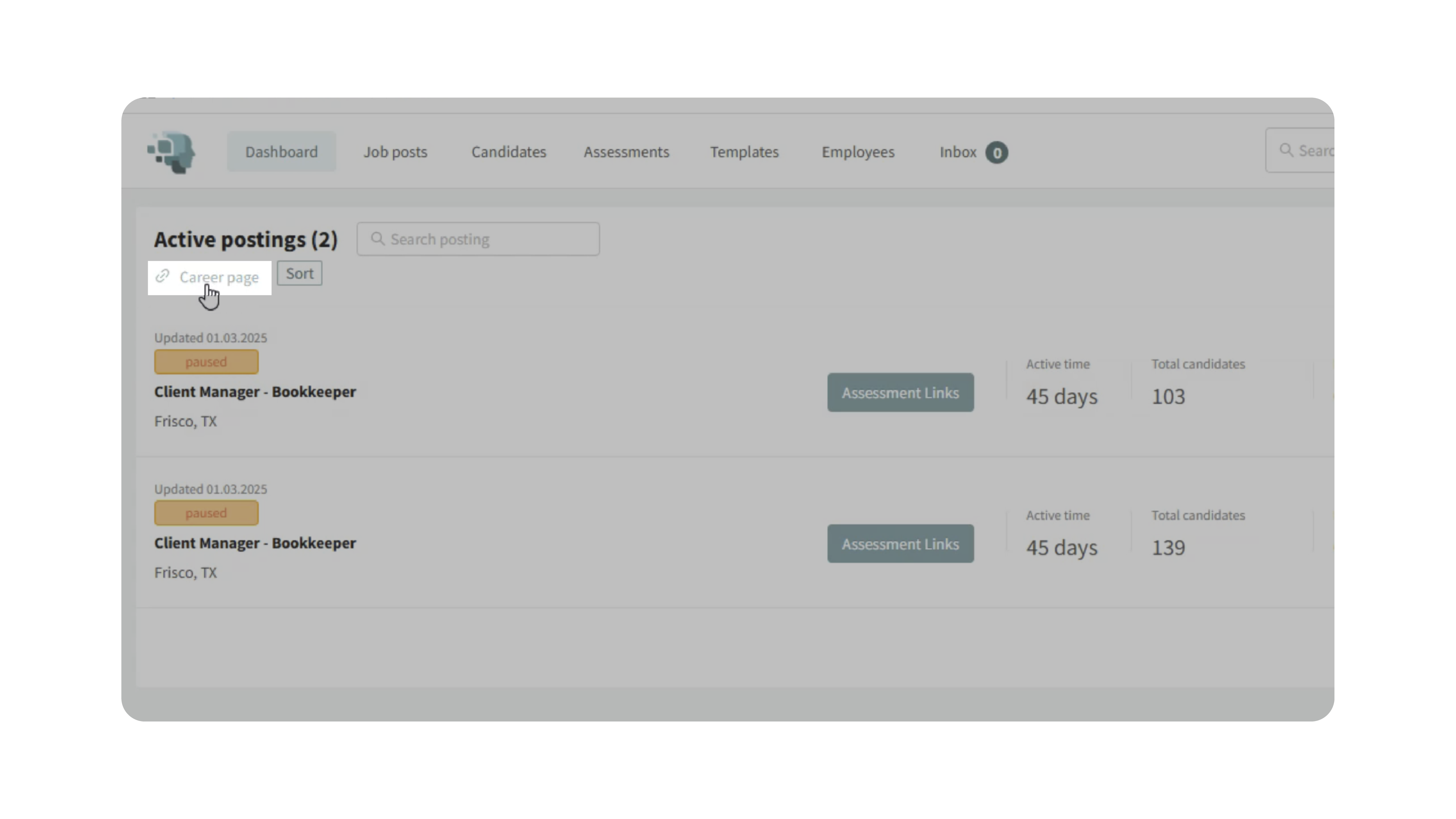
- Copy the URL (formatted like: yourcompanyname.discovered.ai).
- Paste the URL into LinkedIn’s Job Source URL field.
Source Tracking Code:
- Enter exactly: source=linkedin
Number of Jobs:
- Select the estimated range of jobs you plan to post (e.g., 1–20).
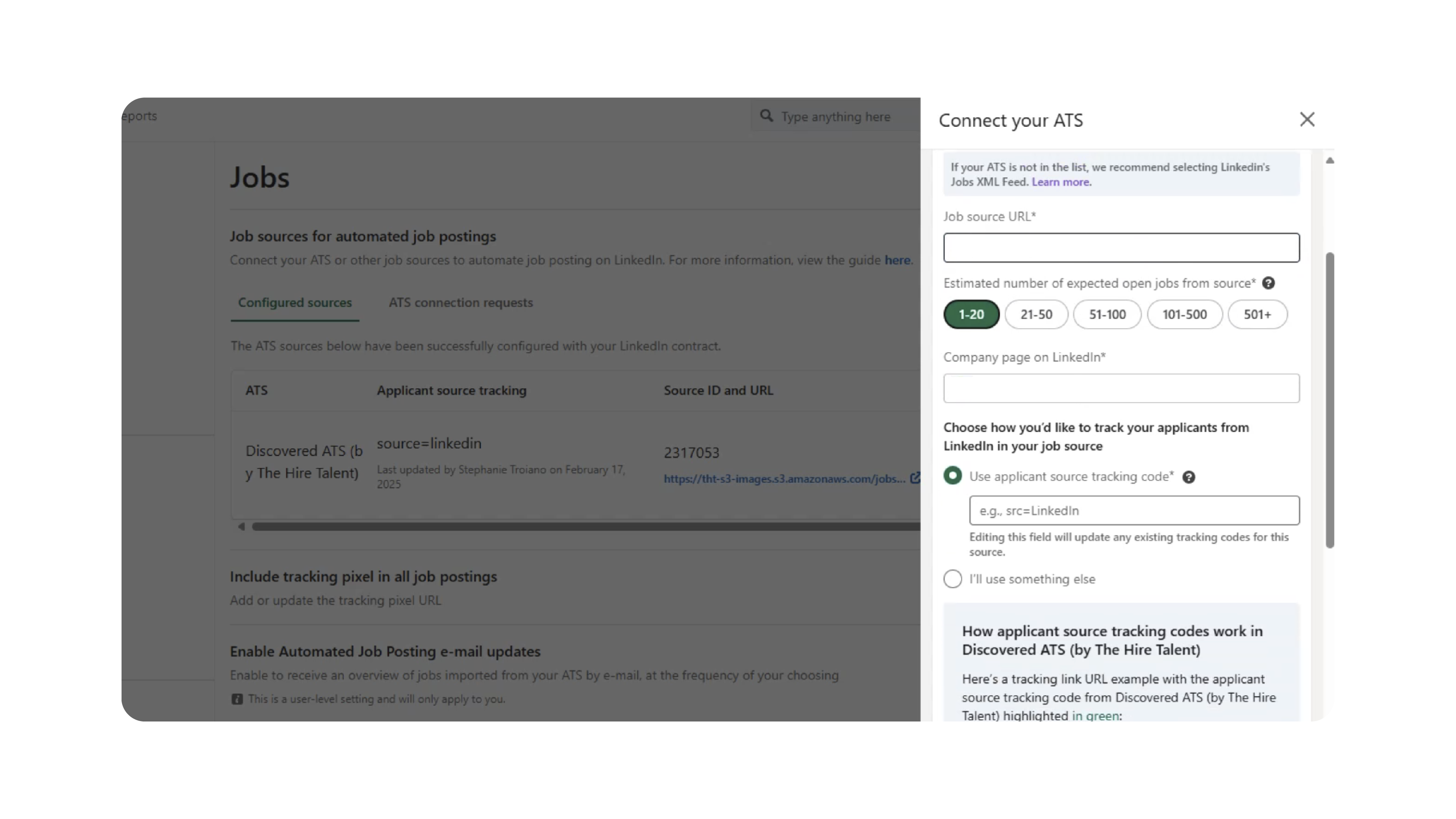
Once all fields are complete, click Request ATS Connection.
4. Confirm the Connection Request:
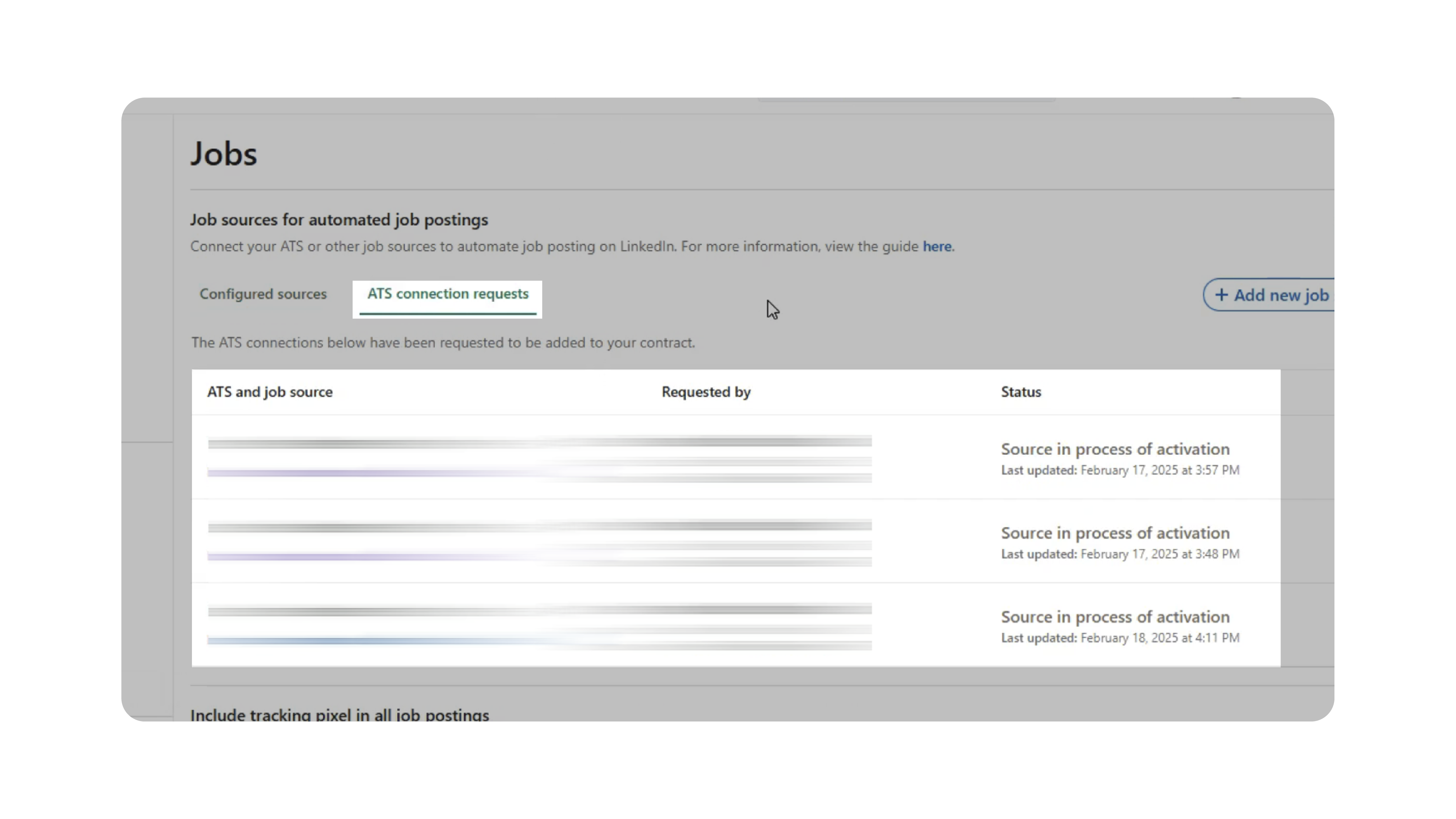
After submission, LinkedIn will display a confirmation message. To verify:
- Refresh the page.
- Click the ATS Connection Requests tab.
- Your request should appear as Pending or Approved, depending on processing stage.
5. Test the Connection:
Once approved:
- Go to your Jobs page in LinkedIn Recruiter.
- Submit a sample application to one of your active job posts.
- Check your Discovered ATS to ensure the test candidate appears correctly.
If the candidate flows into the correct job posting, your integration is fully connected.
Why This Matters
Integrating LinkedIn Recruiter with Discovered ensures:
- Smooth, automatic importing of LinkedIn applicants.
- Accurate source tracking for better reporting.
- Faster evaluation of candidates inside Discovered.
- Reduced manual data entry and fewer errors.
- A more seamless recruiting workflow.
This connection helps your team save time and maintain consistent tracking across platforms.
Use Cases
Recruiters & Talent Teams:
- Automatically funnel LinkedIn applicants into job postings
- Maintain organized pipelines without manual uploads
Agencies:
- Manage candidates across multiple client accounts smoothly
- Reduce duplicate entry and source confusion
Hiring Managers:
- Review LinkedIn candidates directly in Discovered without navigating multiple systems
Best Practices
- Verify your company name carefully before adding the job source.
- Ensure your career page URL is correct if using the alternate setup.
- Run a test application after approval to confirm everything is working.
- Check the ATS Connection Requests tab if you’re unsure of your status.
What Happens Next
Once LinkedIn Recruiter is connected to Discovered:
- LinkedIn applicants automatically appear in your Discovered jobs.
- Source tracking identifies these applicants as LinkedIn candidates.
- You can manage, message, evaluate, and process them like any other candidate.
- If at any time you need assistance, our support team is here to help.
For help or troubleshooting, contact info@thehiretalent.com.