
Assessment Configuration
Overview
The Assessment Settings tab lets administrators configure assessment-related options across the platform. This includes candidate consent, demographic data collection, automatic movement of unqualified candidates, and integrity-focused rules. These configurations ensure that assessments are fair, compliant, and aligned with your hiring standards.
How To Access the Assessment Configuration:
1. Access Assessment Settings
- Log into Discovered.
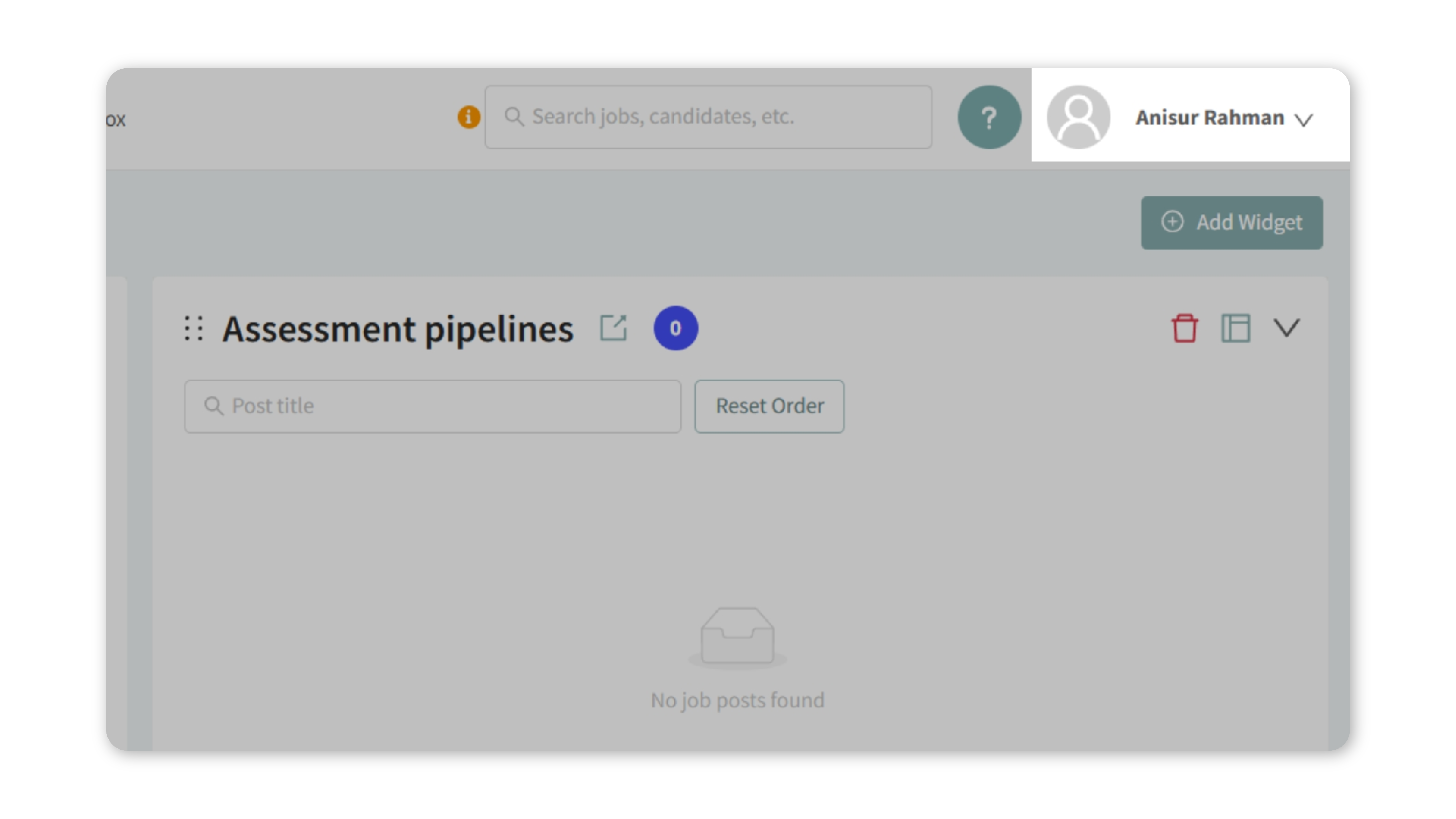
- Click your name in the top-right corner.
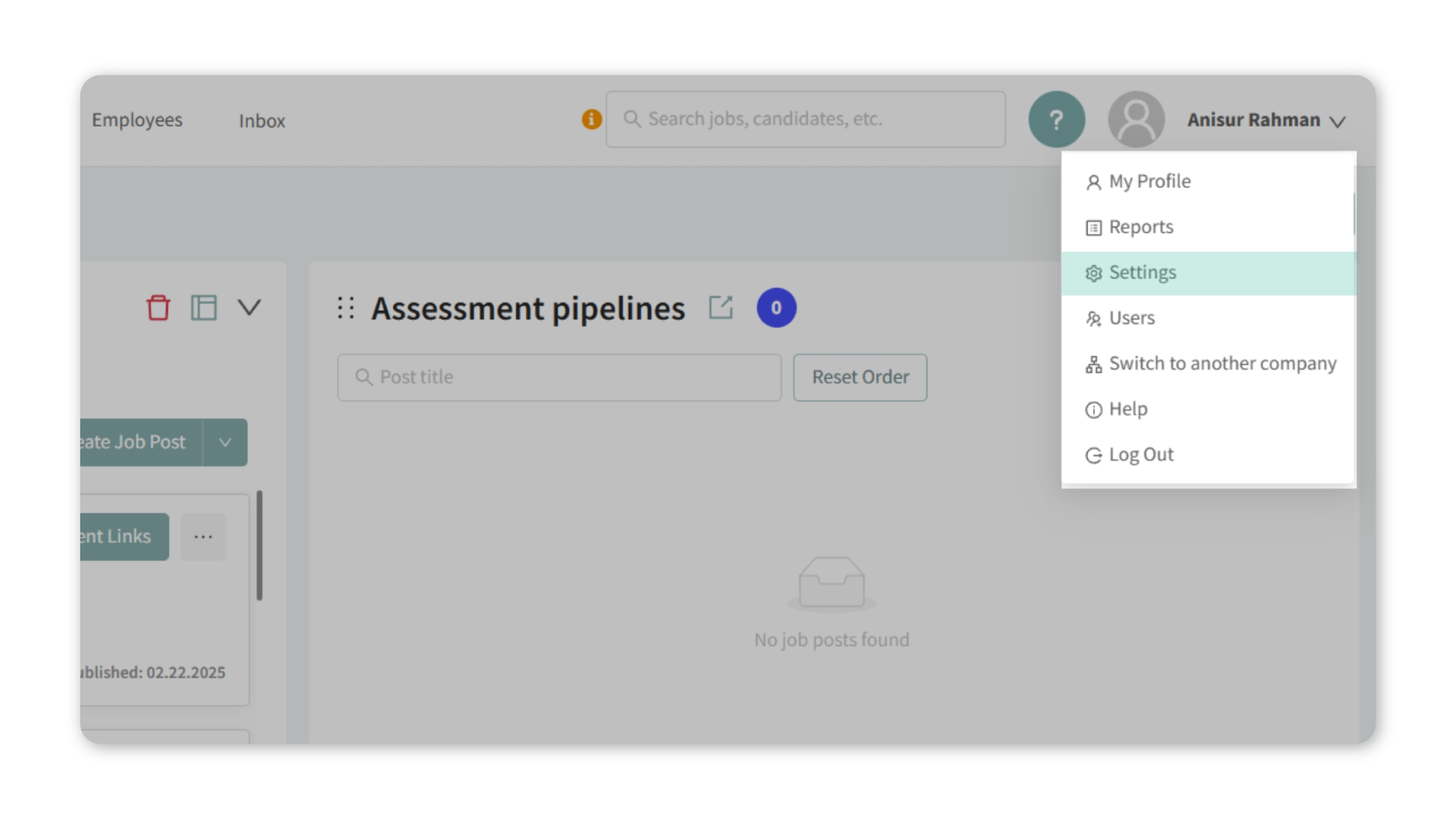
- From the dropdown, select Settings.
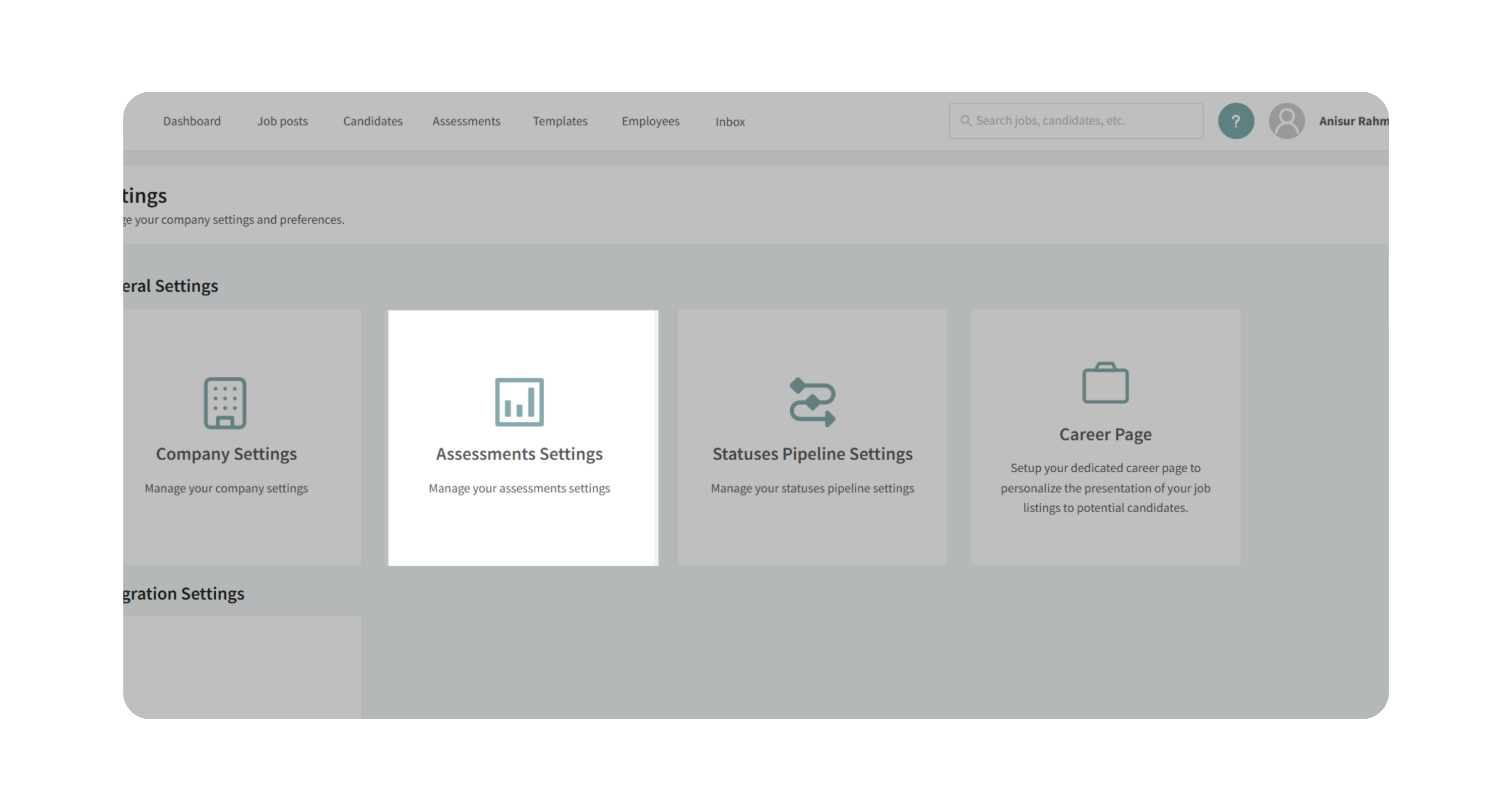
- Open the Assessment Settings tab.
2. Enable or Adjust Settings
a. IntegrityFirst Assessment Automation
- Locate the option: Automatically Move IntegrityFirst Unqualified Candidates to Rejected.
- Check the box to activate.
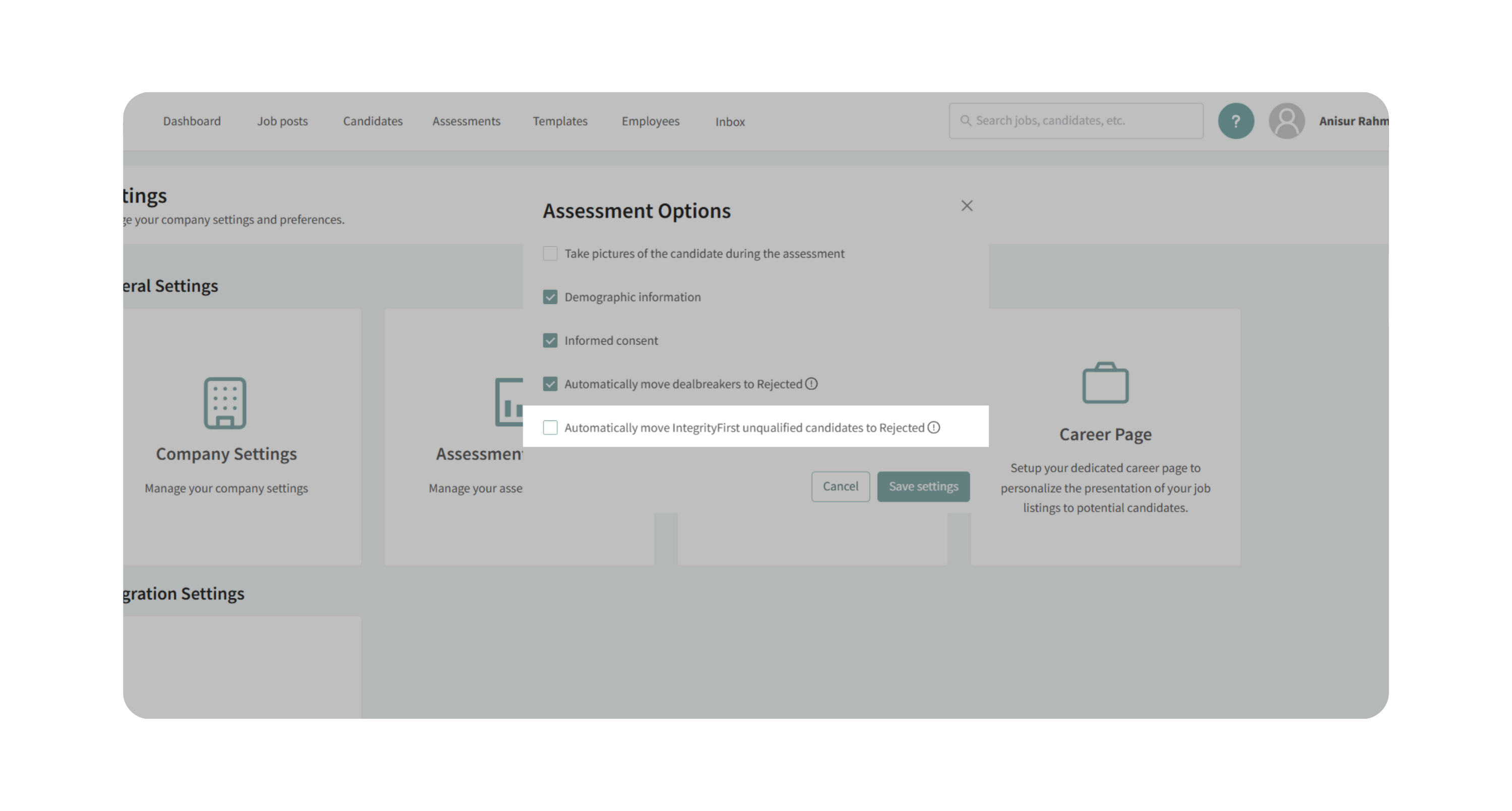
- Click Save.
- Result: Any candidate who completes the IntegrityFirst Assessment and receives an “Unqualified” result will automatically move from their current stage (e.g., New Candidate) to Rejected.
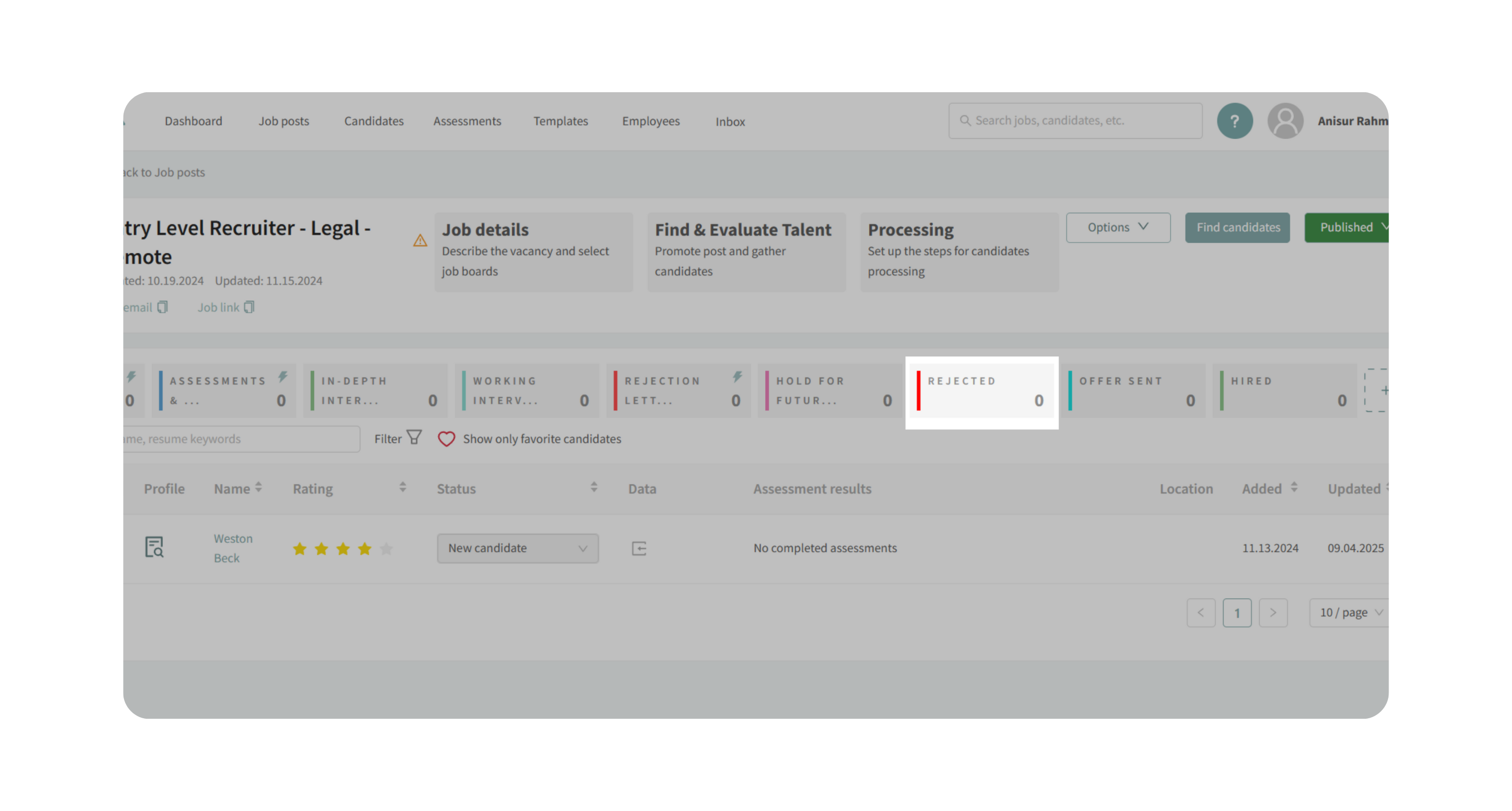
b. Dealbreaker Screening Questions
- Locate: Automatically Move Dealbreakers to Rejected.
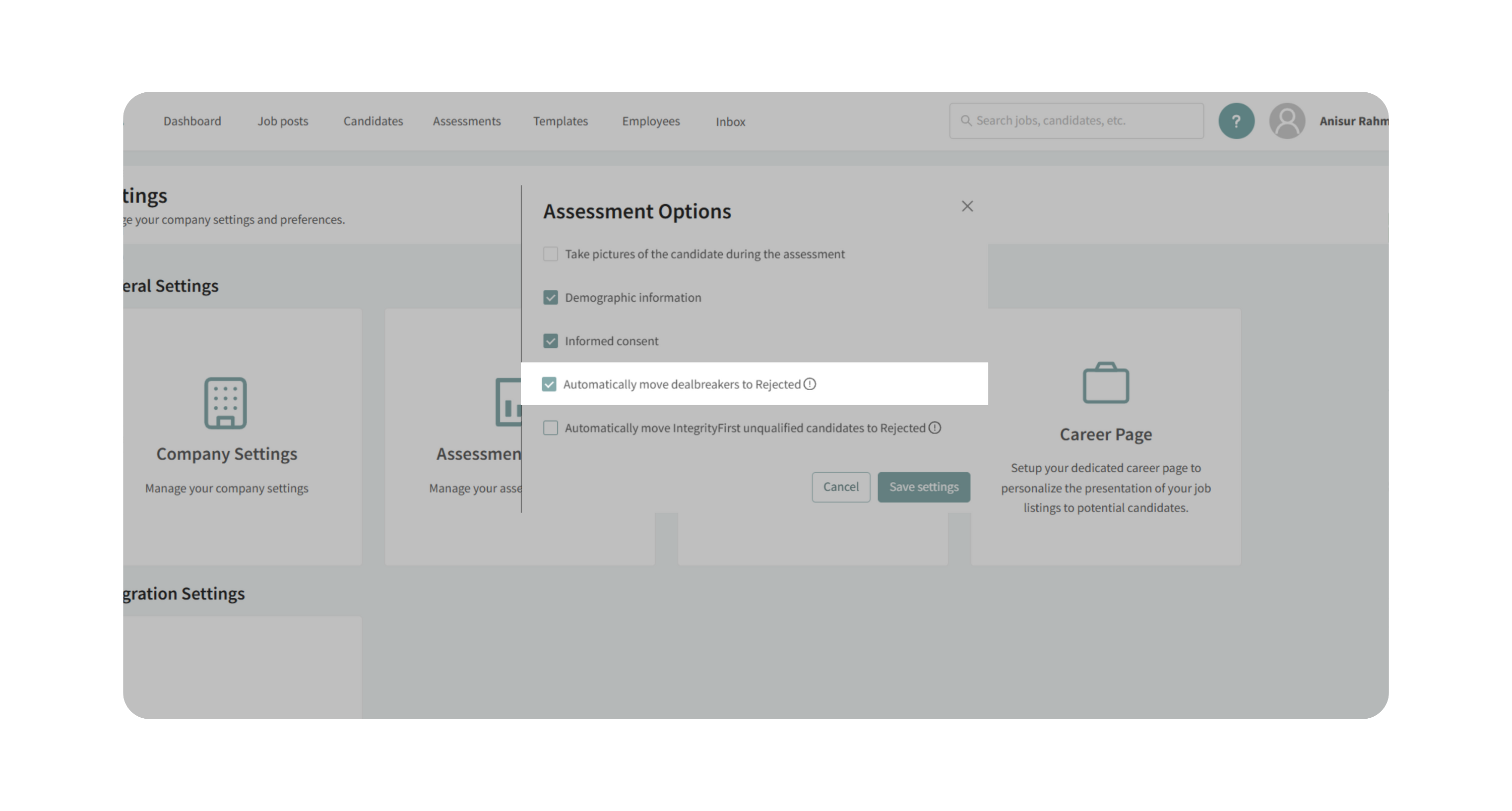
- When enabled, candidates who select dealbreaker answers on screening questions will be moved to Rejected automatically.
c. Informed Consent
- Toggle this setting to require candidates to provide informed consent before starting an assessment.
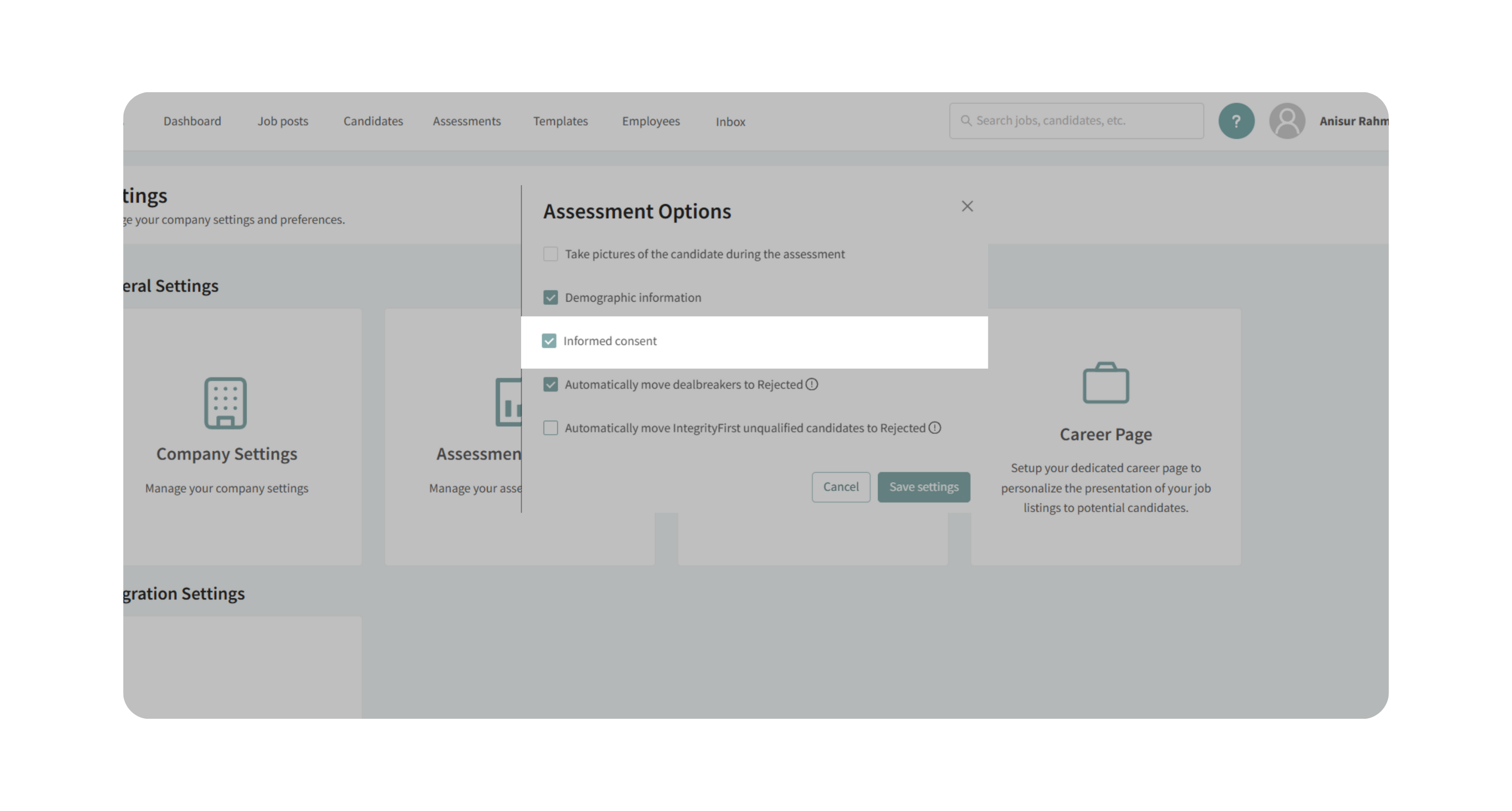
- Candidates must agree to how assessments will be used in your hiring process before they can continue.
d. Demographic Information
- By default, demographic data collection is enabled.
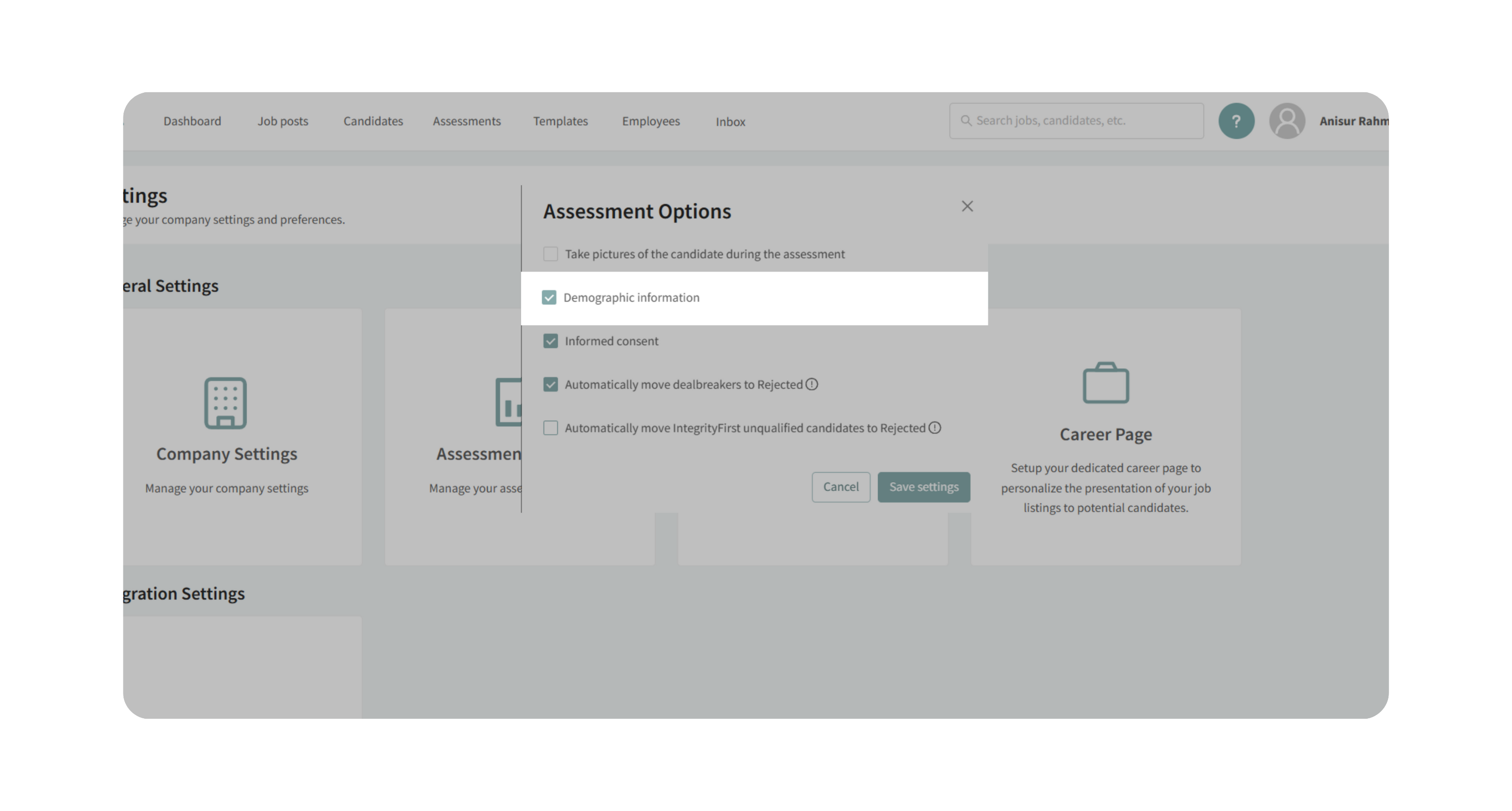
- This helps validate that assessments are unbiased.
- Only turn this off if required by law in your jurisdiction.
e. Candidate Photo Monitoring (Optional)
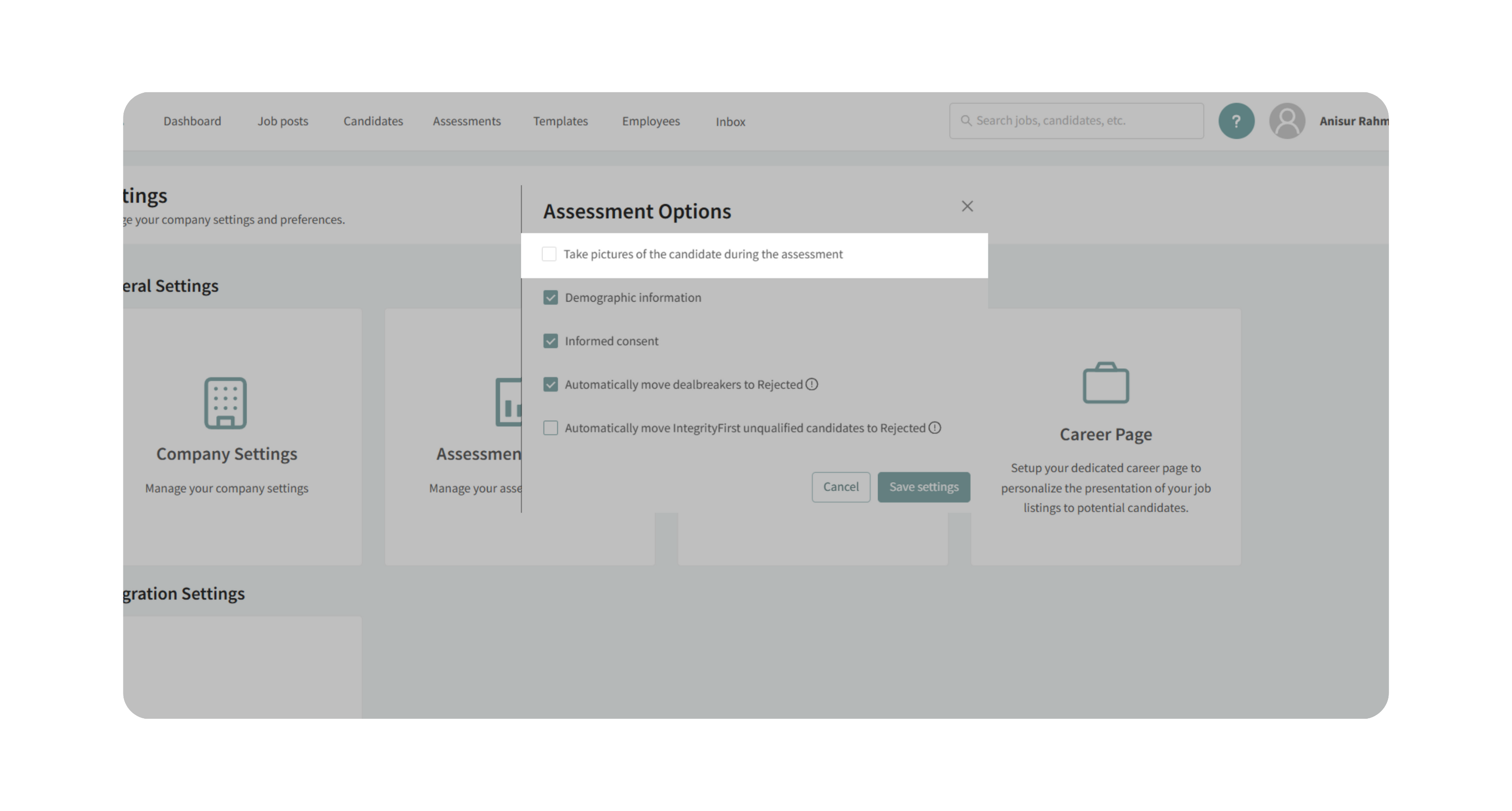
- Enable Take picture of the candidate during the assessment to take photos of candidates once per minute during assessments.
- Candidates must grant explicit camera access before starting.
- Completed photos will be stored in the candidate’s profile.
Important: Check local law before you use the settings in this feature to be 100% compliant in your hiring process.
FCRA and Candidate Access to IntegrityFirst Results
IntegrityFirst is not treated by Discovered as a consumer report under the Fair Credit Reporting Act (FCRA).
Because of that, employers do not have a Discovered-imposed FCRA requirement to provide candidates with a copy of their IntegrityFirst assessment results.
IntegrityFirst assessment reports are intended for internal hiring use and are not designed to be shared directly with candidates through the platform.
Employers should still review their own hiring and disclosure requirements with qualified legal counsel, especially when operating across different jurisdictions or using multiple screening tools.
Why This Matters
Configuring assessments correctly helps you:
- Maintain compliance with privacy and employment laws.
- Reduce bias by collecting demographic information responsibly.
- Automate the rejection of candidates who clearly fail dealbreaker questions or the IntegrityFirst Assessment, saving recruiter time.
- Protect candidate transparency through informed consent.
- Safeguard assessment integrity with optional proctoring features.
Use Cases
- You want to automatically reject candidates who fail the IntegrityFirst Assessment.
- You want to enforce informed consent before candidates begin assessments.
- You need to demonstrate non-biased compliance by collecting demographic data.
- You want to enable photo monitoring during assessments for security.
Best Practices
- Only enable automation (IntegrityFirst or dealbreakers) if your team is comfortable with immediate rejection workflows.
- Always review compliance laws before enabling demographic data collection or photo monitoring.
- Customize informed consent wording to align with your company’s hiring policies.
- Periodically review assessment settings to ensure they still align with your hiring process.
What Happens Next
Once configured:
- Candidates will be required to meet your consent and compliance rules before taking assessments.
- Any failing results (based on your enabled automation) will automatically update candidate status.
- Recruiters can still review and override AI decisions if needed.