
Indeed Integration Settings
Overview
Every Discovered client who posts jobs to Indeed will automatically benefit from this upgrade — no setup required. Jobs and updates are now delivered to Indeed instantaneously instead of every several hours.
If you go one step further and connect your Indeed employer account, you unlock additional capabilities: live job status tracking and direct posting to your Indeed account.
Note: If you do not see the Indeed Settings tab in your account, it means Indeed has not been activated for your company. Please contact Discovered support to enable it.
How To Access the Indeed Integration Settings:
1. Access Indeed Settings
- Log into your Discovered account.
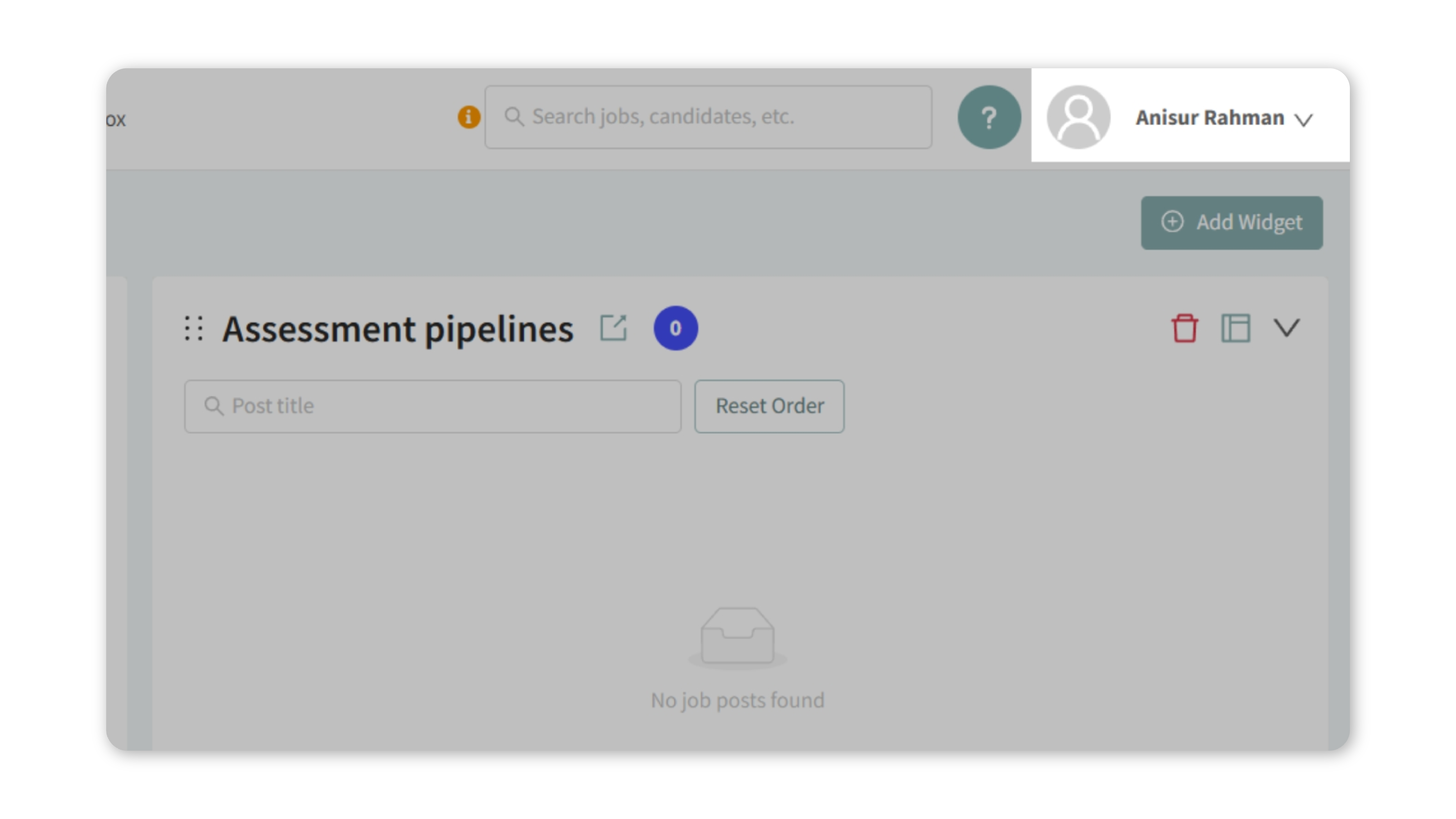
- Click your name in the top-right corner.
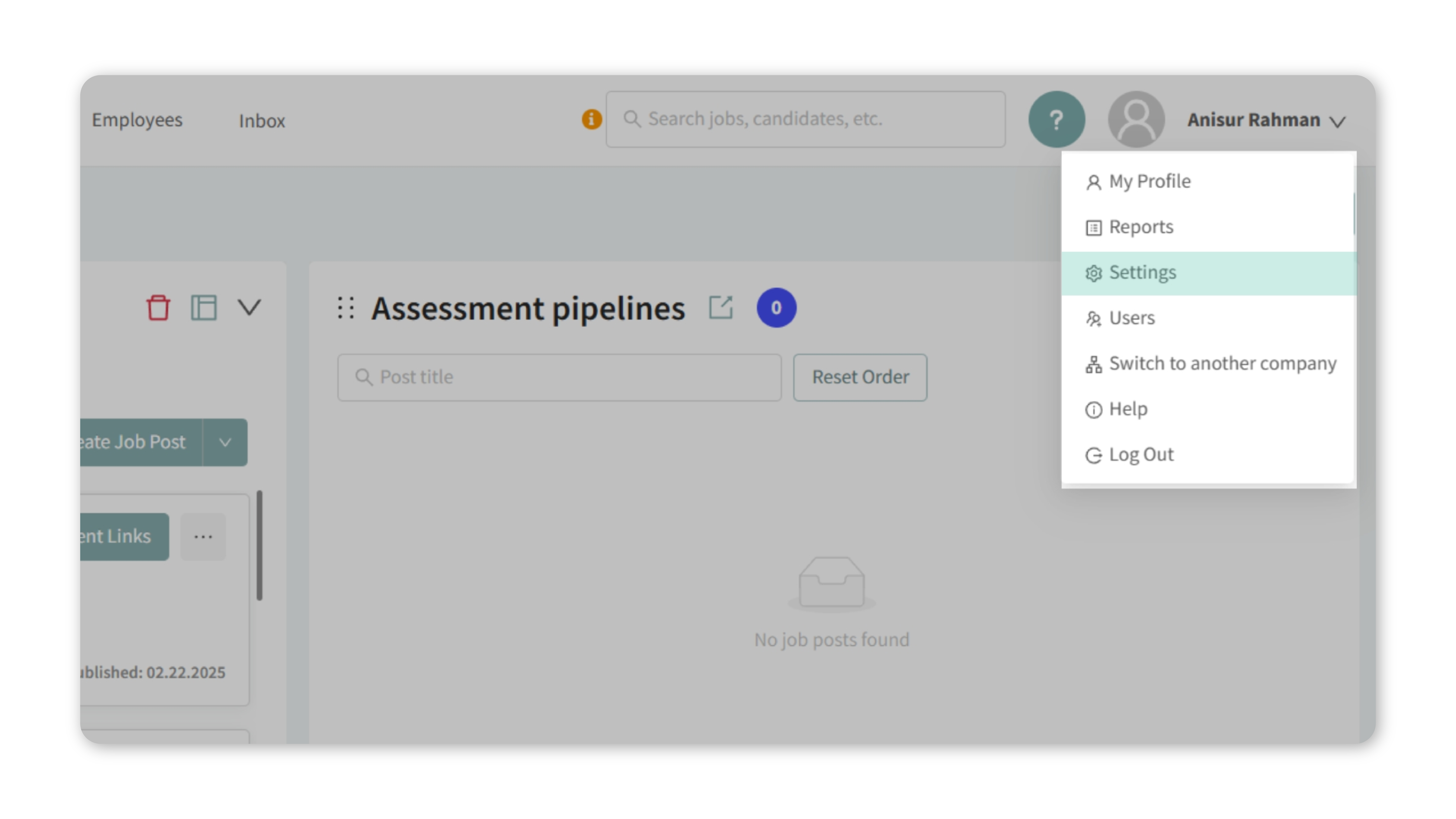
- Select Settings from the dropdown.
- Click the Indeed Settings tab.
2. Connect Your Indeed Account
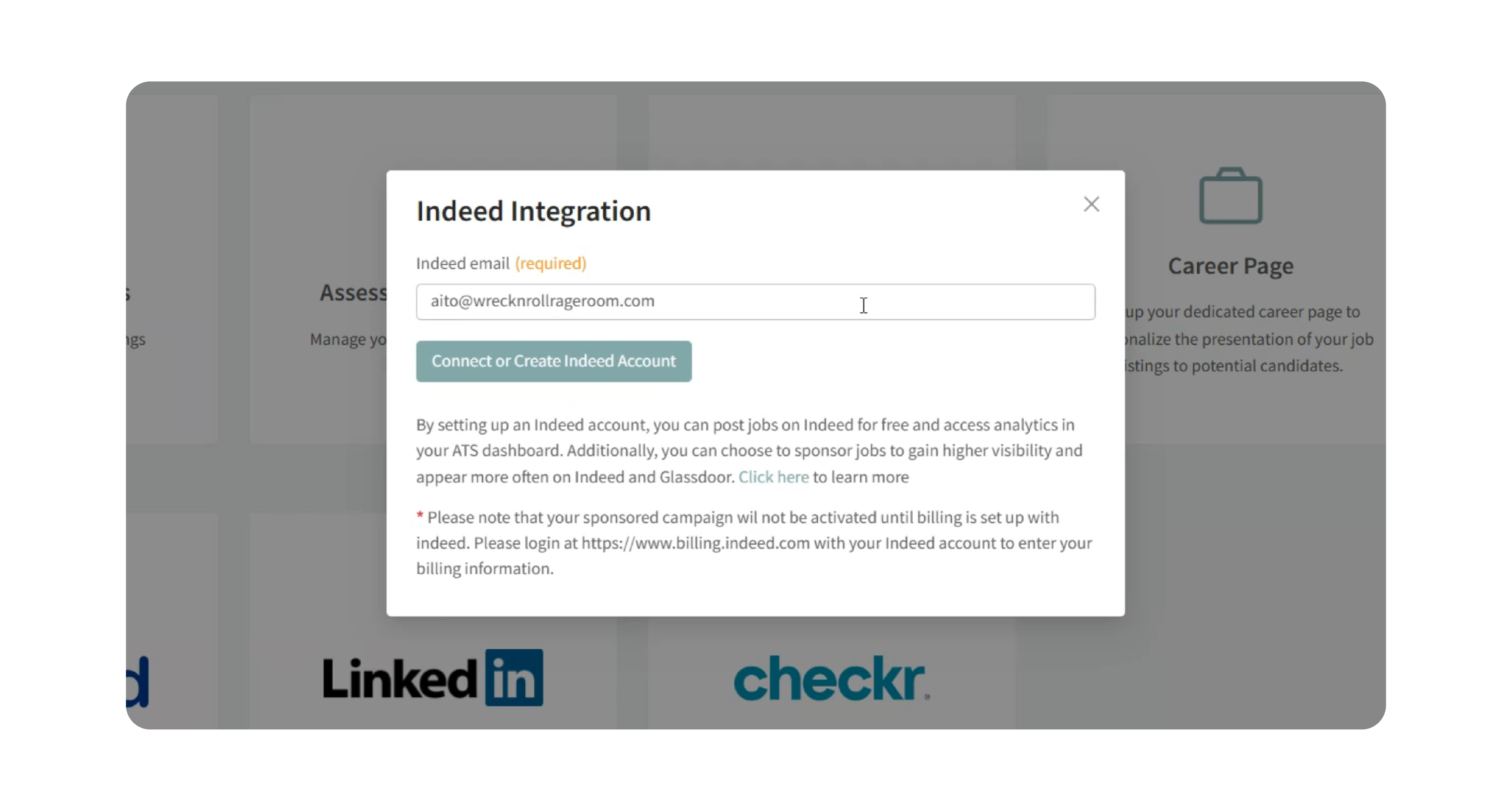
- Enter the email address you use for your Indeed account.
- Click Connect or Create Indeed Account.
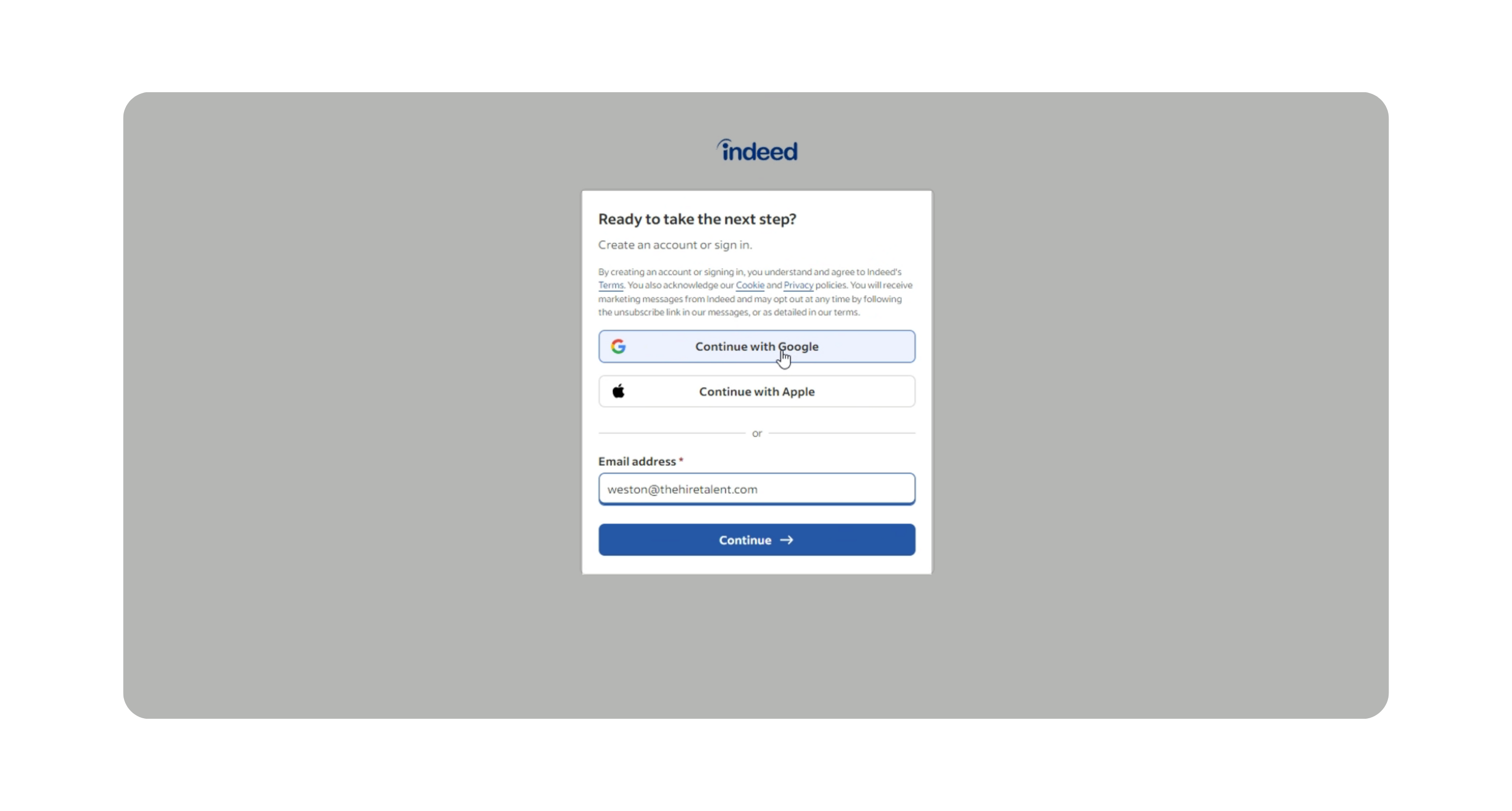
- Choose your preferred login option (e.g., Continue with Google or Microsoft).
- Review the requested permissions from Indeed and click Allow.
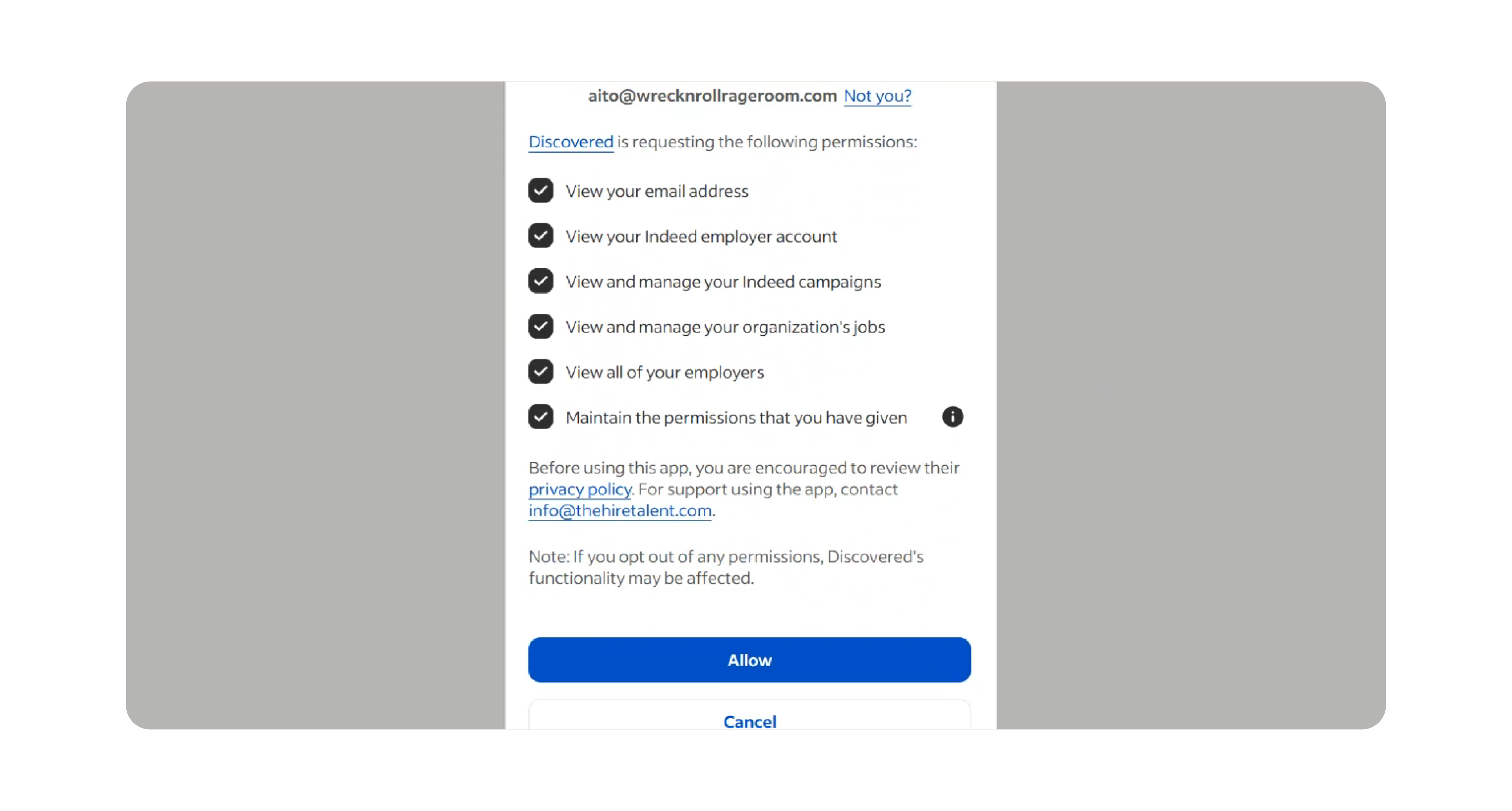
- Once authenticated, you’ll be redirected back to Discovered, and your Indeed account will appear as connected.
3. Manage Your Integration
After connecting, you’ll be able to:
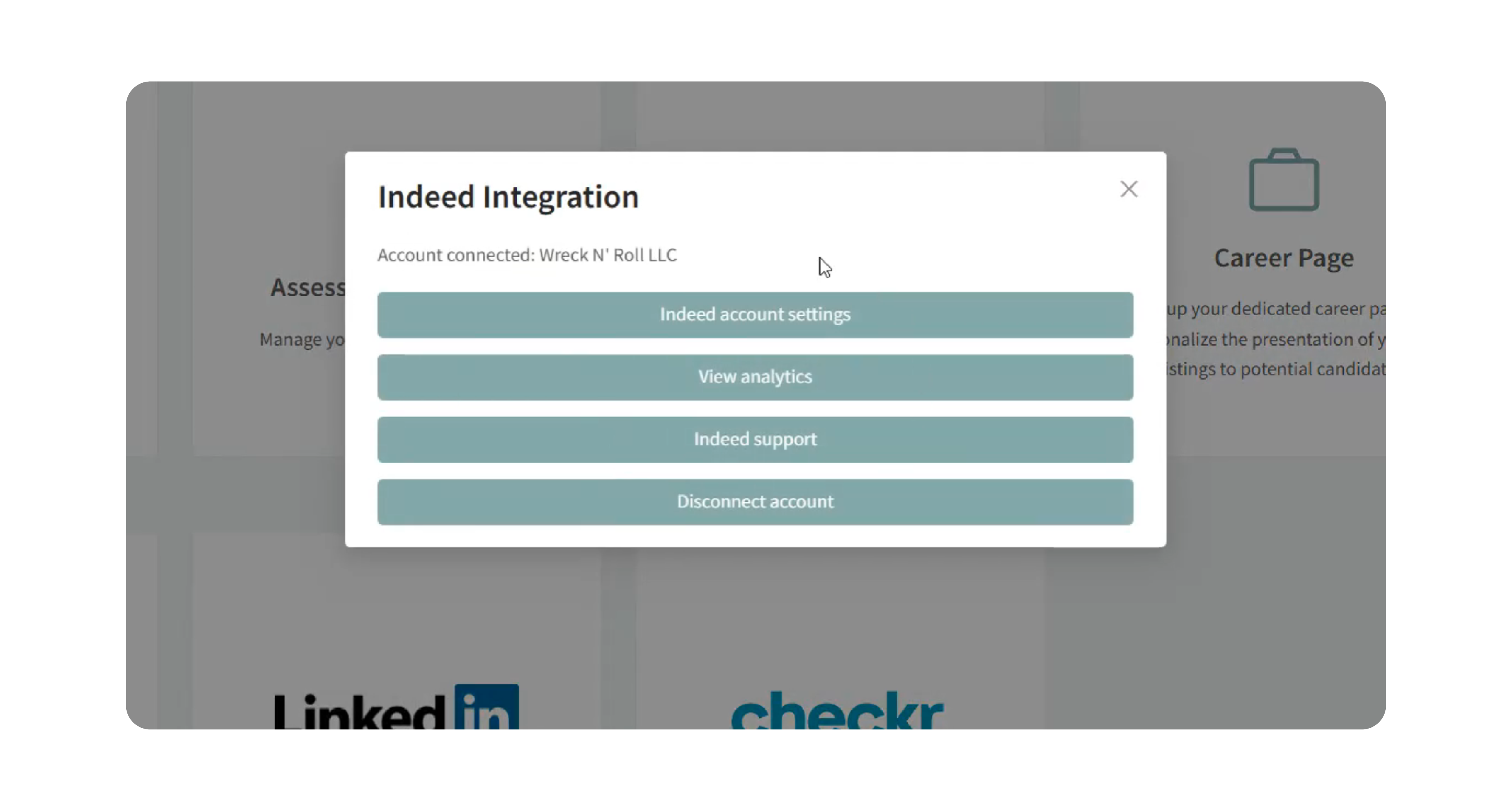
- Indeed Account Settings: Confirm which Indeed account is connected.
- View Analytics: Open your Indeed performance data directly from within Discovered.
- Indeed Support: Use the built-in link if you need assistance.
- Disconnect Account: Select this option if you no longer want to integrate with Indeed. A confirmation warning will appear before finalizing.
What You Get Automatically (No Setup Needed)
All Discovered clients posting to Indeed benefit from the following without any action required:
- Instant job delivery — Jobs and updates reach Indeed immediately instead of taking several hours.
- More reliable syncing — The direct API connection is more stable than the XML feed it replaces.
What You Unlock by Connecting Your Indeed Account
If you connect your Indeed employer account to Discovered, you get two additional benefits:
- Live job status tracking — See the real-time status of your Indeed postings directly inside Discovered, including whether a job is active, pending, or flagged.
- Direct account posting — Jobs are posted directly to your Indeed employer account.
- Faster issue visibility — If something isn't right with a posting, you'll know immediately instead of wondering why you're not getting applicants.
- Sponsorship management — Sponsor jobs on Indeed without leaving the Discovered platform.
Already connected for sponsoring? You're all set — Discovered is already using that connection and you don't need to do anything else.
View Indeed Job Performance
When your Indeed account is connected, you can open the Indeed posting directly from the job’s candidate pipeline view in Discovered.
- Open the relevant job posting.
- Go to the candidate pipeline view.
- In the top-right area, locate the Indeed status indicator.
- Click the external-link icon next to the Indeed status.
- This opens the corresponding job in Indeed, where you can review performance metrics such as impressions, clicks, applications, and other campaign analytics available for that posting.
Use these metrics to compare visibility and application performance before increasing sponsorship spend.
Why This Matters
- Centralized Management: No need to switch between platforms to manage job sponsorships.
- Efficiency: Sponsor and track jobs on Indeed directly from Discovered.
- Flexibility: You can connect, view settings, review analytics, and disconnect at any time.
- Automatic Organic Posting: Jobs can still post organically to Indeed even if you don’t connect your account. Integration is only required for sponsorship management.
Use Cases
- You want to sponsor jobs on Indeed directly from Discovered.
- You want to view Indeed analytics inside your Discovered account.
- You want to manage all hiring activity in one place without juggling multiple dashboards.
Best Practices
- Connect the correct Indeed employer account that matches your active job postings.
- Only users with appropriate admin permissions should manage the integration.
- Keep your integration active if you regularly sponsor jobs on Indeed to avoid disruptions.
- Remember: even without connecting your account, Discovered automatically pushes your jobs to Indeed through the Job Sync API.
What Happens Next
Once connected, you can:
- Sponsor jobs on Indeed directly from Discovered.
- Access sponsorship settings and analytics in one place.
- Disconnect and reconnect accounts at any time if needed.