
Managing Employees
Overview
The Employee Talent Grader in Discovered allows you to manage employee performance in a clear and structured way. From a single dashboard, you can adjust ratings for effectiveness and core value match, assign goals, schedule review dates, and add comments for context.
You can move employees on the performance chart manually or with sliders, set automated review reminders, and even use goal templates for faster, standardized goal-setting. If needed, you can export detailed employee profiles to PDF or archive inactive employees—keeping historical data intact for future reference.
This feature ensures that performance tracking remains visual, data-driven, and easy to maintain over time.
How to Manage Employees:
1. Access the Employee Talent Grader:
- Navigate to the top navigation menu and click Employees.
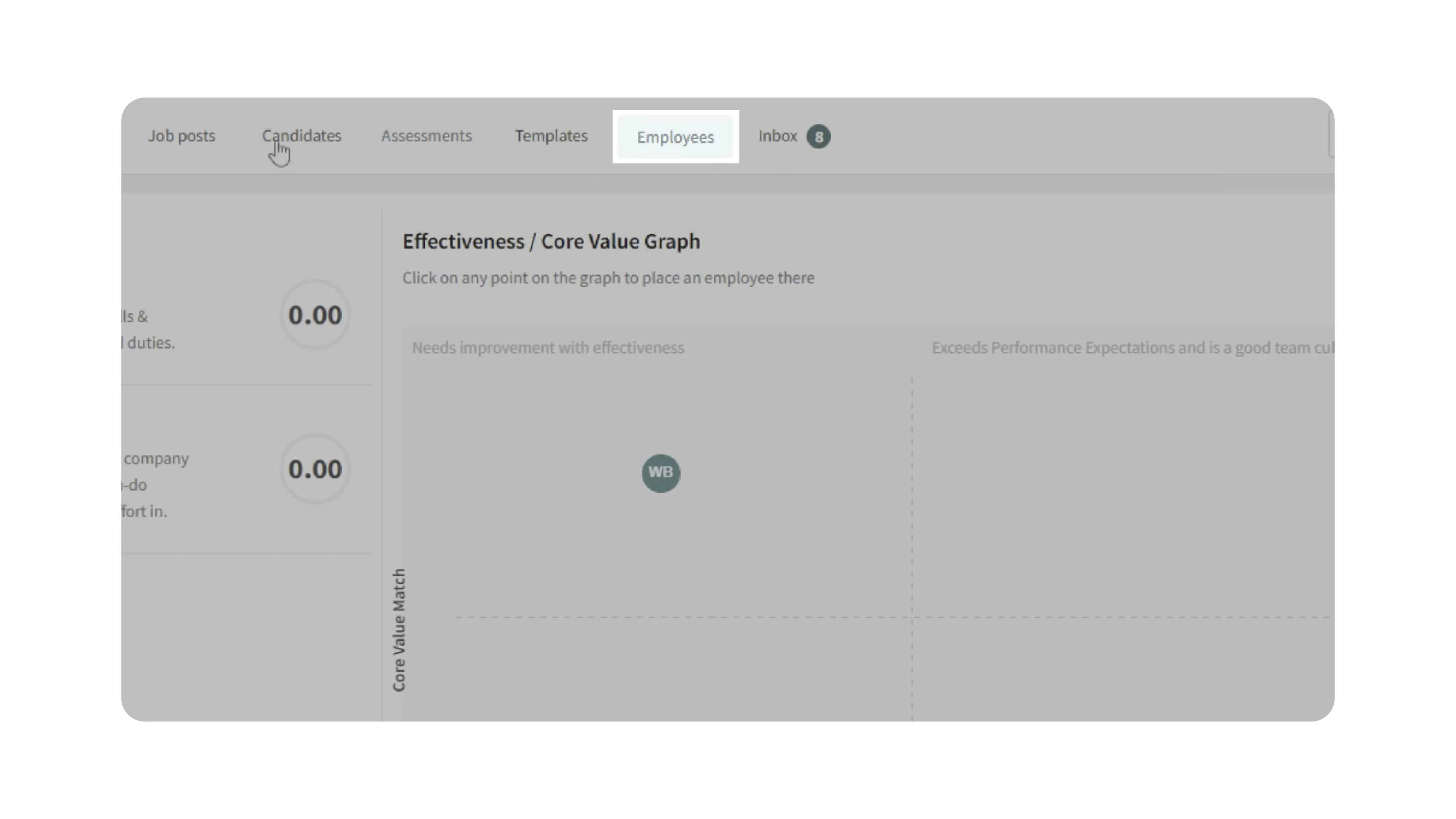
- You’ll arrive at the Employee Talent Grader page, displaying all current employees on the performance chart.
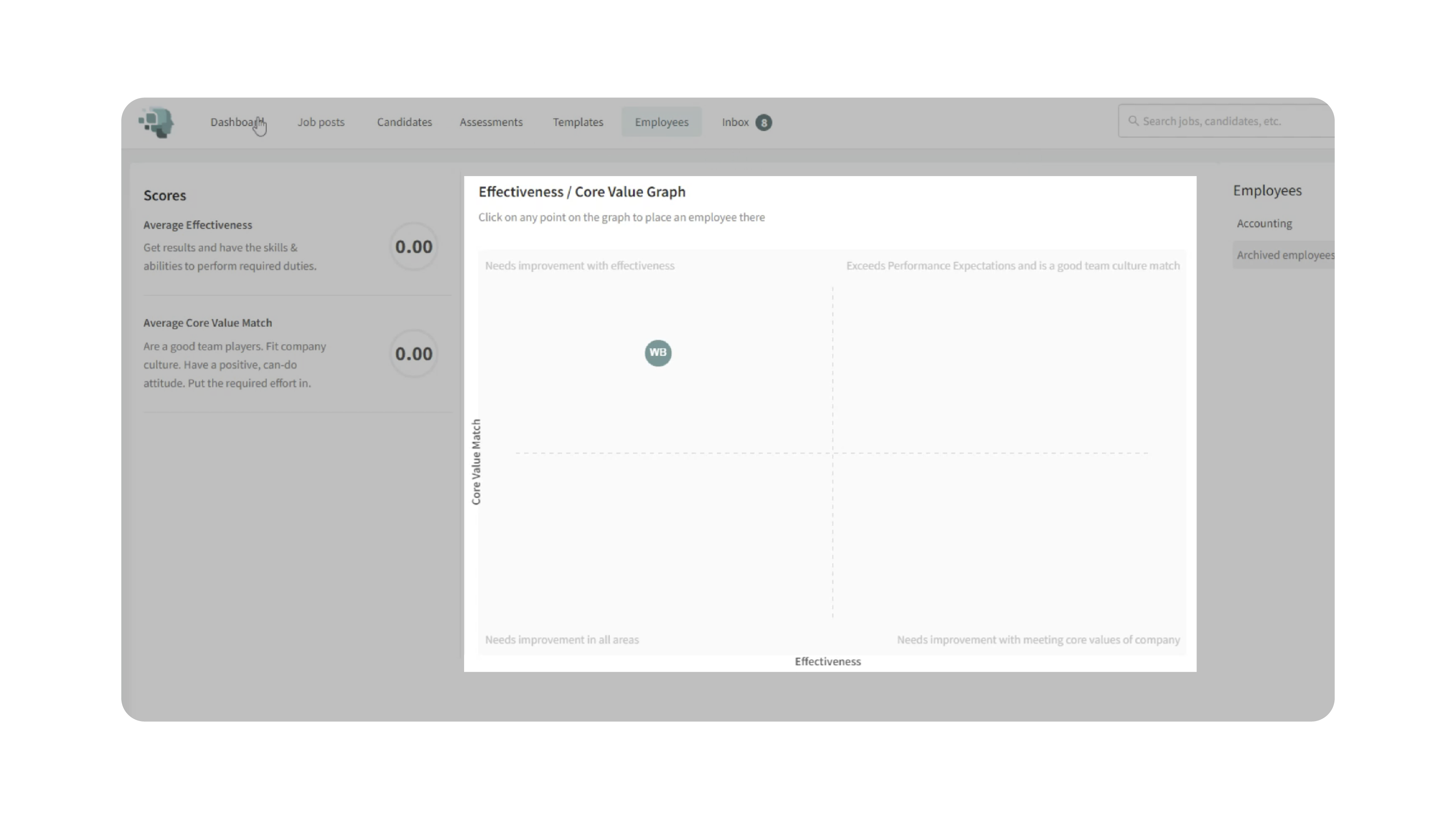
- To manage a specific employee, locate them on the chart or expand a department in the sidebar and click their name to open their profile.
2. Adjust Performance Scores:
- Review the employee’s current Effectiveness and Core Value Match ratings.
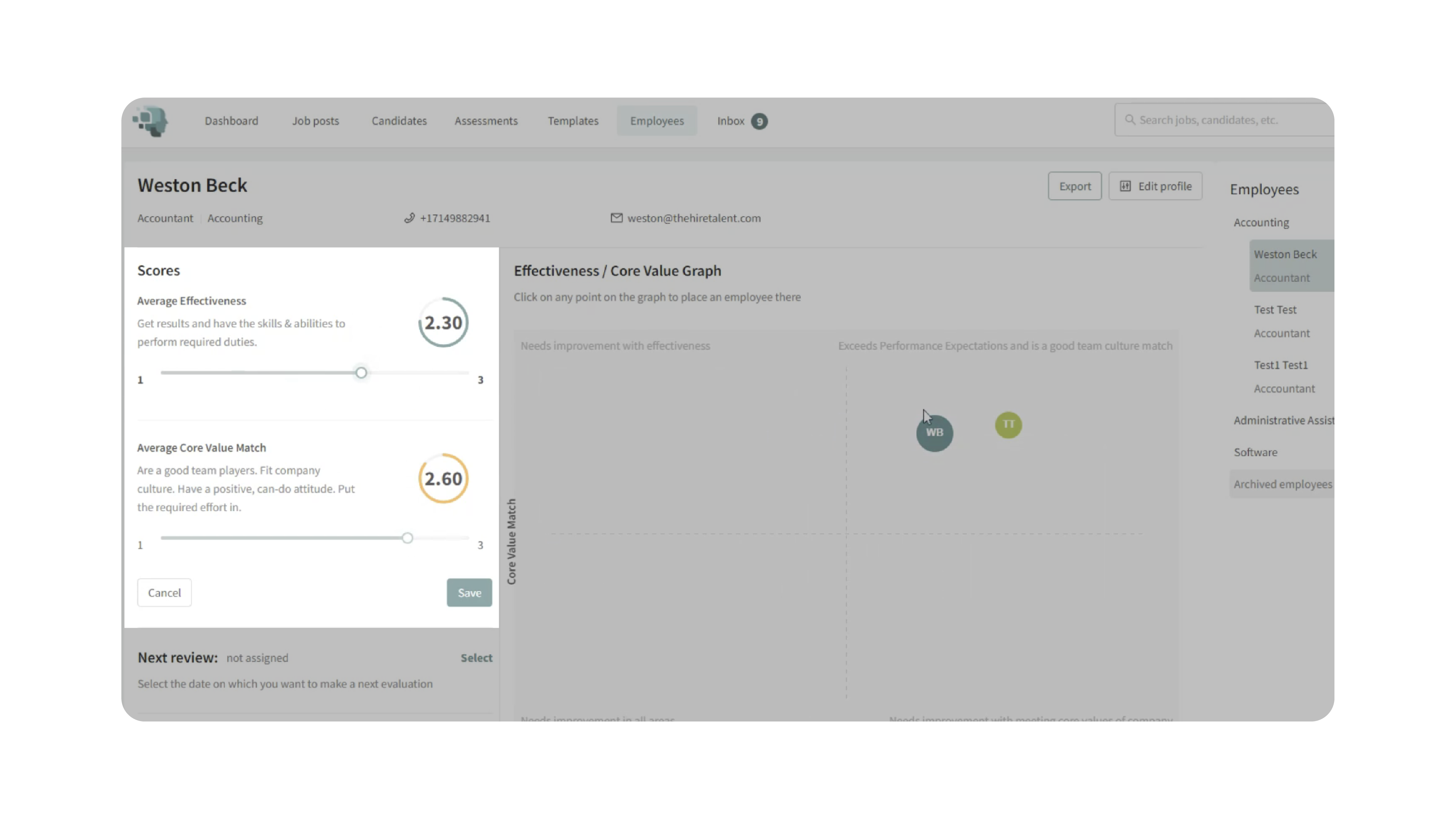
- Adjust ratings in either of two ways:
- Use Sliders: Increase or decrease numeric values directly.
- Drag and Drop: Move the employee’s icon on the chart to a new location that represents updated performance and values.
- Click Save to confirm any score changes.
- Scroll down to view score history, which tracks past changes for performance trend analysis.
3. Assign Next Review Date:
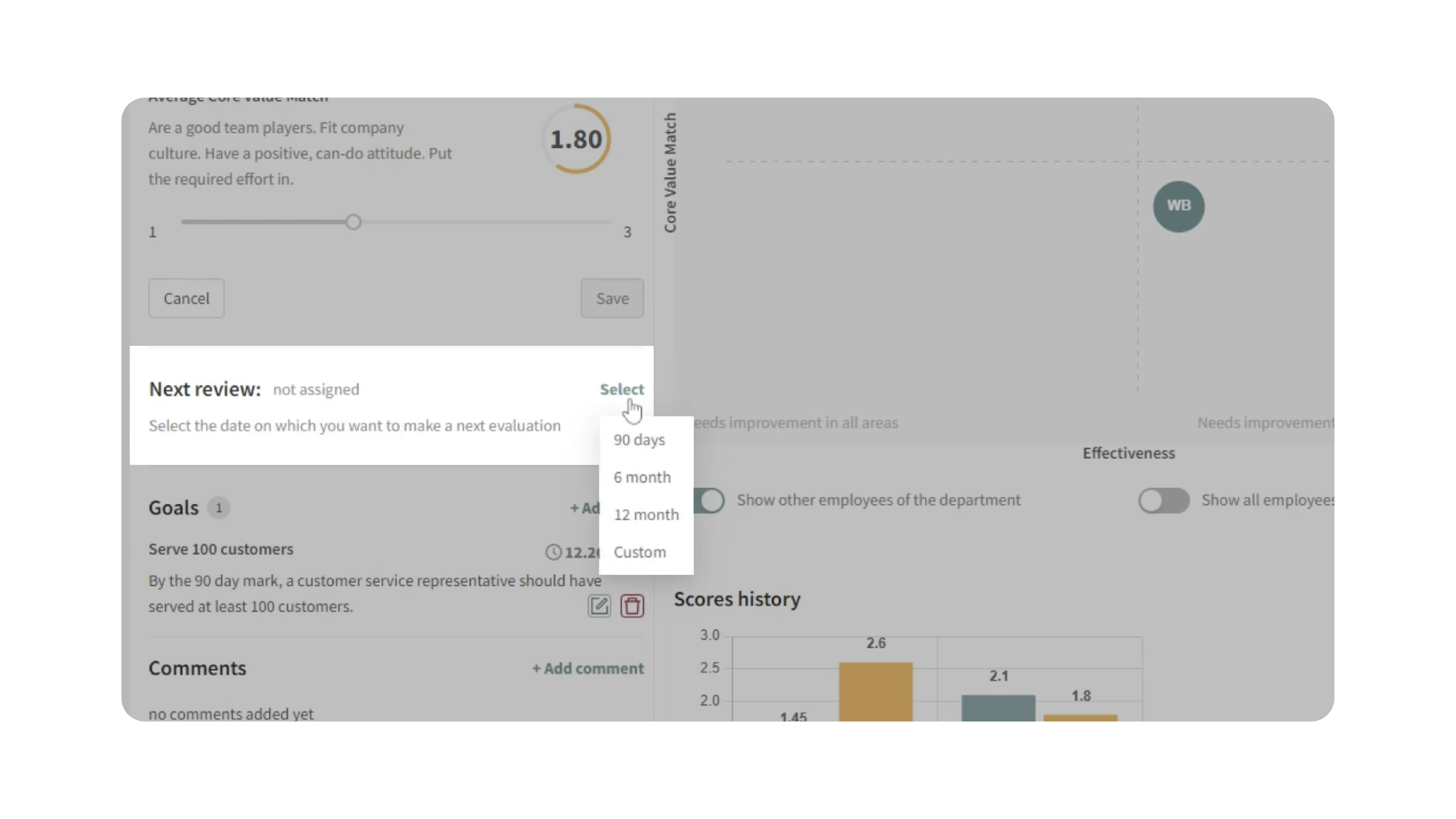
- In the Next Review section, click Select to set the next evaluation date.
- Choose from preset options (90 days, 6 months, 12 months) or set a Custom Date.
- Once saved, Discovered automatically schedules a reminder to review the employee on that date.
4. Set Goals:
- Under Goals, click Add Goal to create specific objectives tied to the employee’s development.
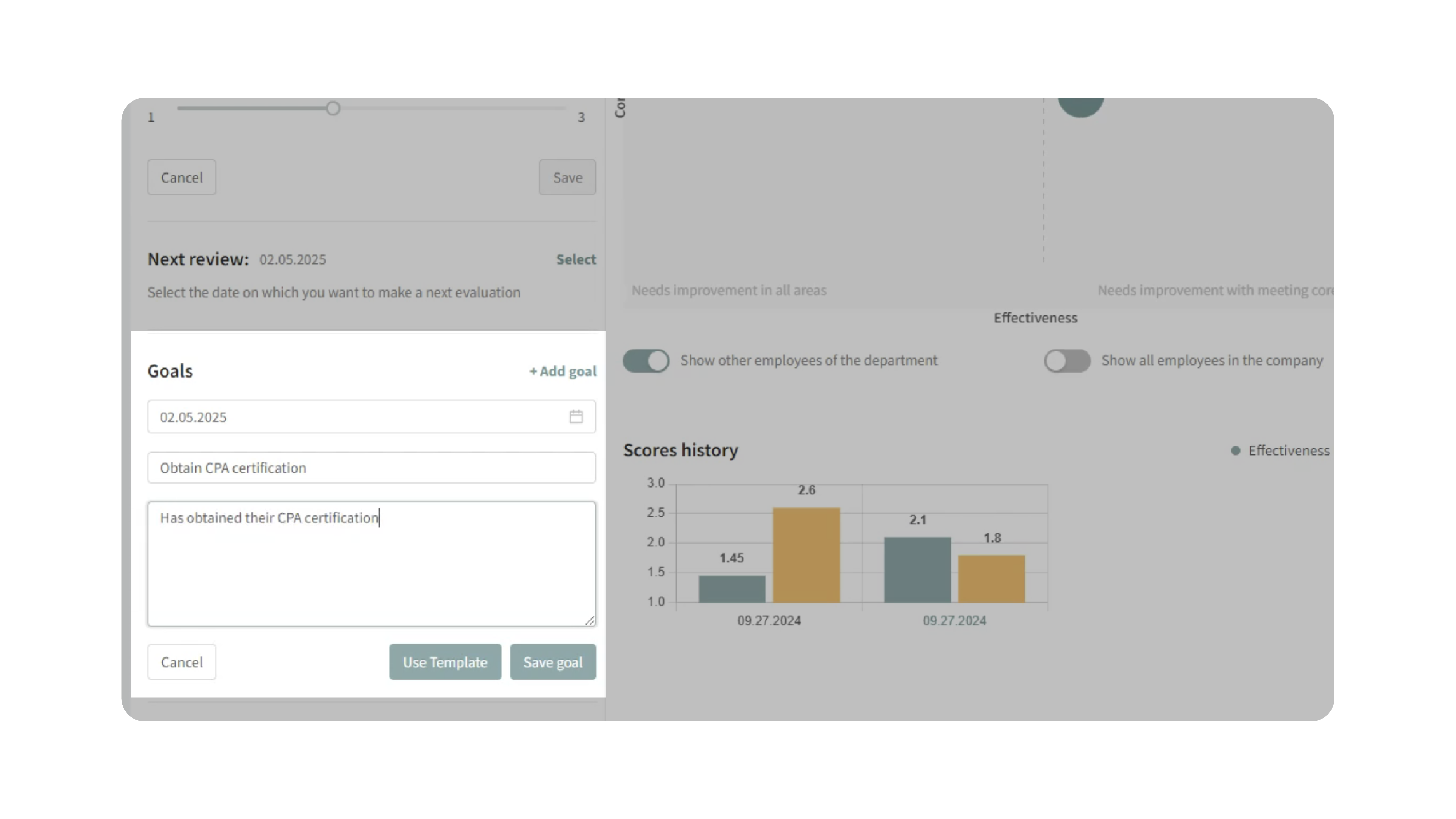
- Define:
- Goal Title (e.g., “Obtain CPA Certification”)
- Description (optional details about expectations)
- Deadline (align with the next review date if appropriate)
- Click Save Goal.
- Alternatively, click Use Template to apply a pre-built Employee Goal Template for consistent and efficient goal-setting.
5. Leave Comments:
- Add comments in the employee profile to record performance feedback or notes.
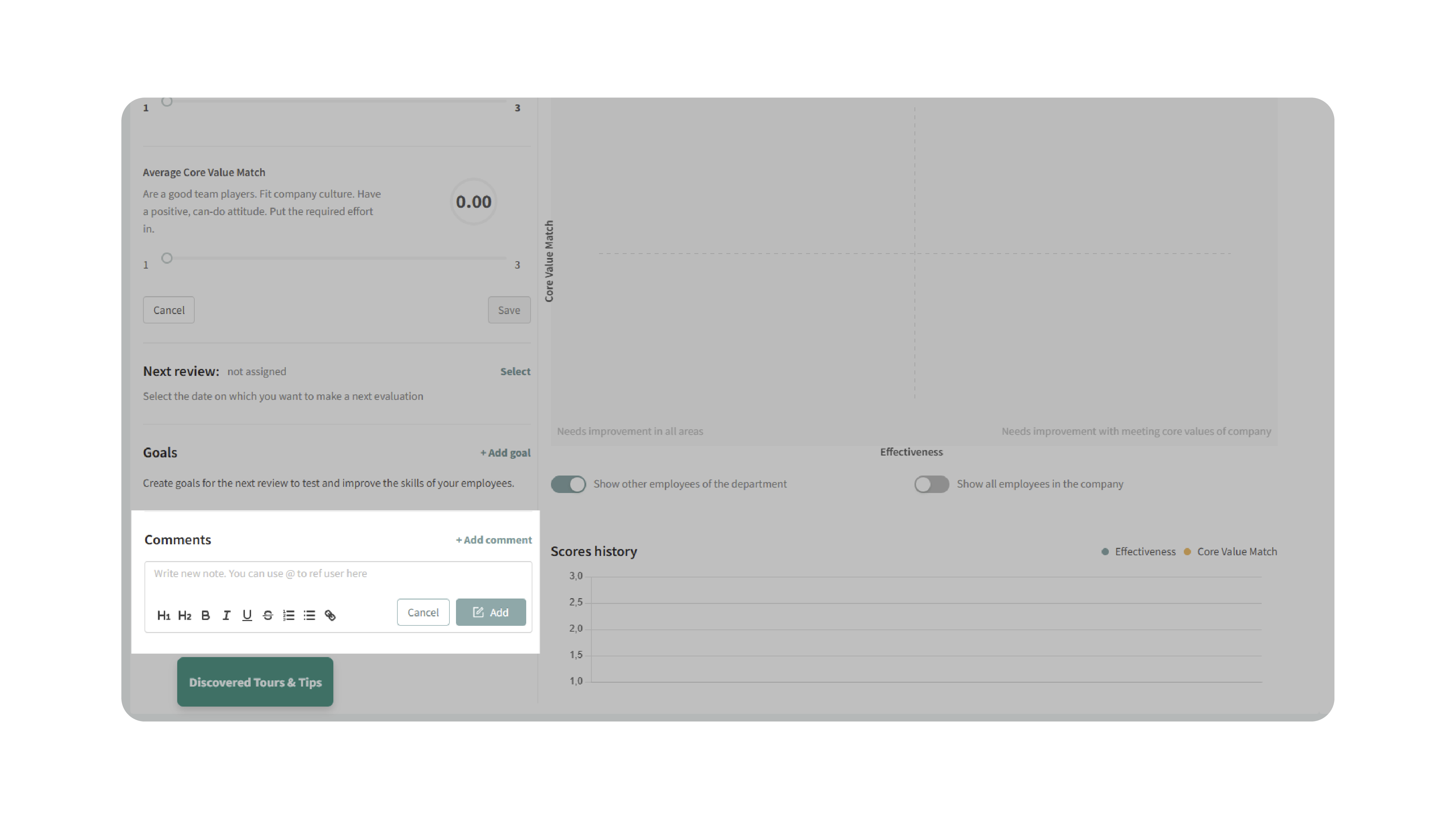
- Use @mentions to tag other users within your organization, which notifies them directly.
- Comments can be edited or deleted anytime to keep notes current and accurate.
6. Export Employee Profile:
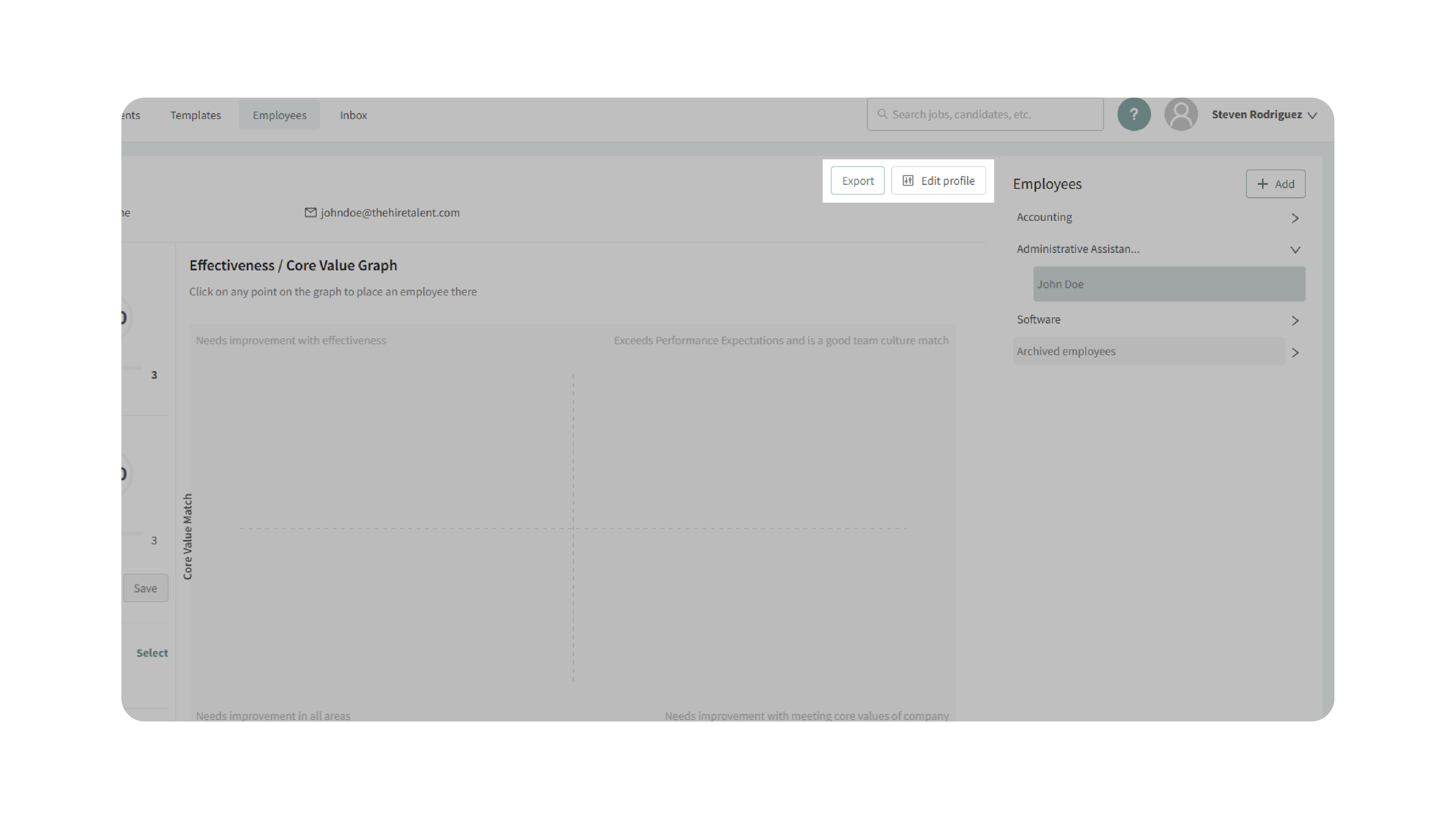
- Click Export to download a PDF copy of the employee’s profile, including performance metrics, goals, and comments.
- Use this for internal reviews, record-keeping, or sharing with leadership.
7. Archive or Restore Employees:
- To archive an employee (e.g., if they leave the company):
- Click Edit Profile.
- Select the trash icon.
- Confirm by clicking Archive Employee.
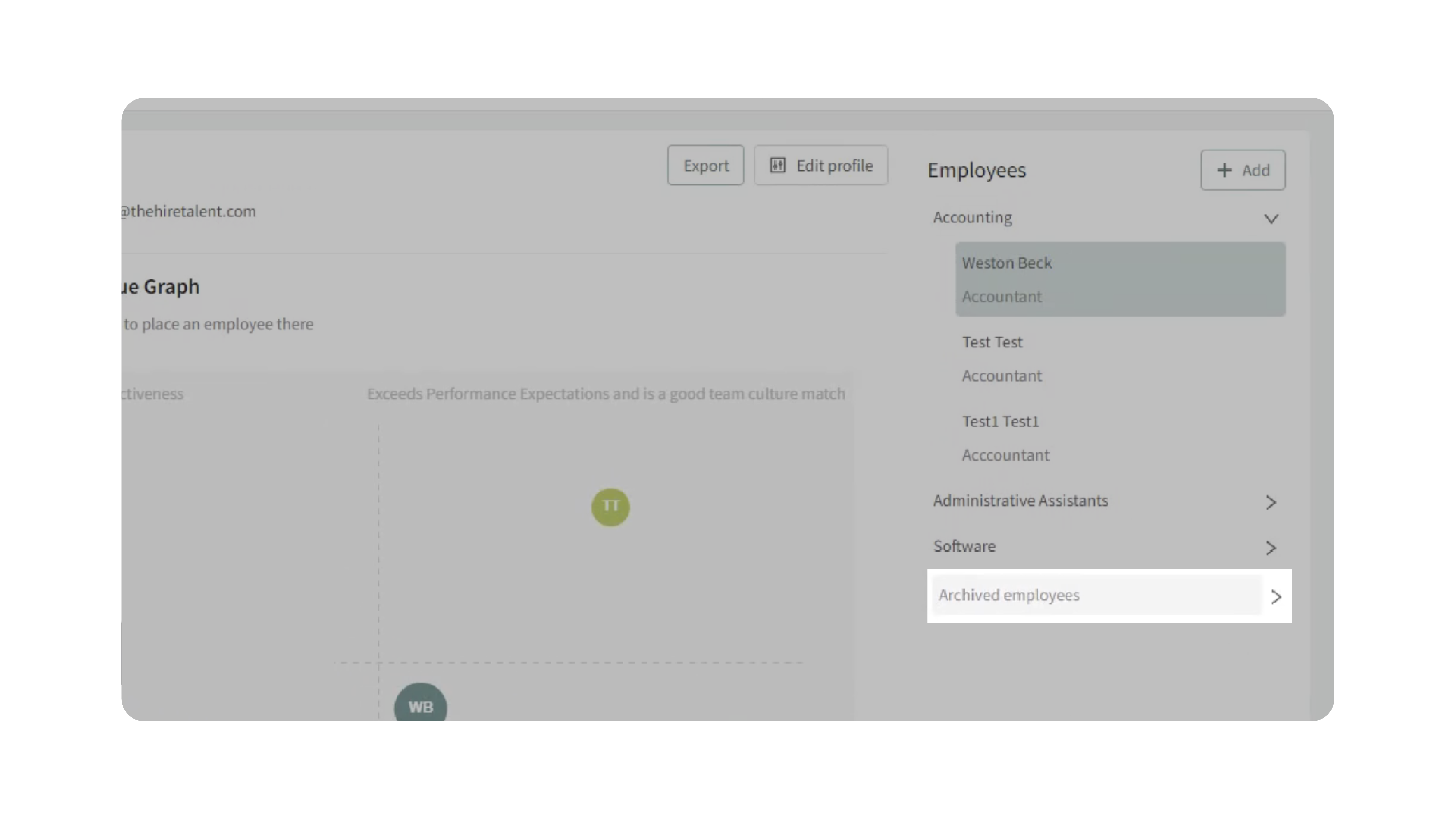
- Archived employees appear under the Archived Employees section for reference.
- To restore an archived employee, click Restore Employee — their data and history will return to the active Talent Grader view.
Why This Matters
Accurate, up-to-date employee data ensures that performance management decisions are informed and fair. By centralizing evaluations, comments, and goals, you:
- Maintain consistent performance records across departments.
- Simplify review cycles with automated reminders.
- Improve goal alignment between employees and company objectives.
- Preserve historical data for rehired or reinstated employees.
Use Cases
- HR Managers: Conduct quarterly or annual reviews directly from the employee profile.
- Team Leaders: Adjust performance ratings in real-time after reviews or projects.
- Executives: Export performance reports for departmental analysis.
- Recruiting Teams: Move hired candidates into active tracking and begin performance evaluation early.
Best Practices
- Review Regularly: Update employee scores after major reviews or projects.
- Set SMART Goals: Ensure goals are Specific, Measurable, Achievable, Relevant, and Time-bound.
- Tag Collaborators: Use @mentions in comments to involve other team members in feedback.
- Maintain Accuracy: Verify ratings reflect true performance outcomes.
- Use Templates: Standardize goals for consistency across similar roles.
- Archive Thoughtfully: Archive rather than delete employees to retain their full performance history.
What Happens Next
Once employees are updated in the Employee Talent Grader:
- Their latest scores, goals, and comments appear instantly on the performance chart.
- Review reminders trigger automatically based on selected dates.
- Exported PDFs can be stored or shared for management meetings.
- Archived employees remain accessible for record-keeping and can be restored as needed.
With these tools, managing employee performance becomes a structured, transparent, and continuous process—ensuring your team stays engaged, aligned, and growing.