
Employee Talent Grader Overview
Overview
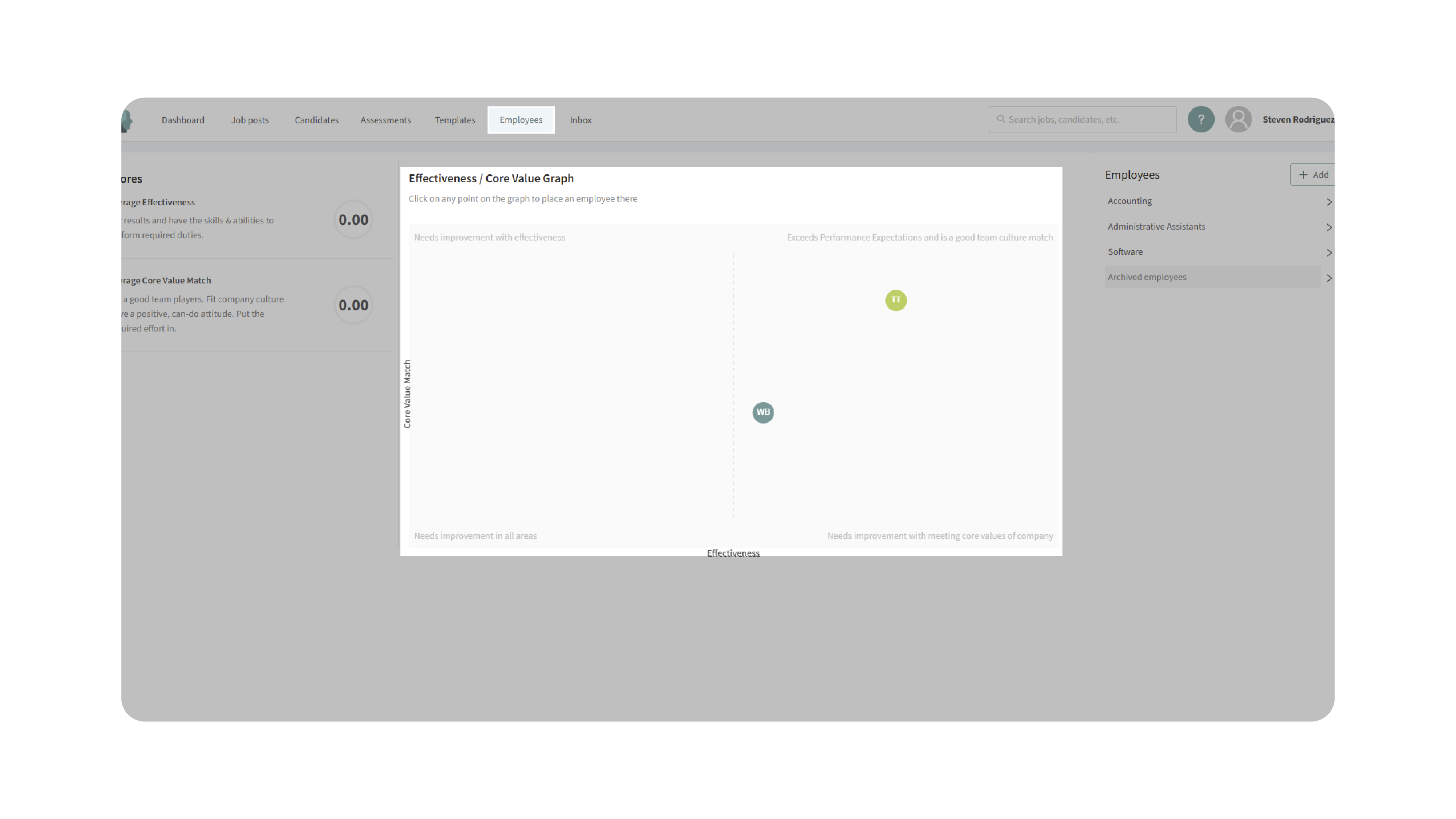
The Employee Talent Grader in Discovered helps you evaluate and manage employee performance with a simple, visual chart. Each employee appears on an XY Cartesian plane where the X-axis reflects effectiveness at the job and the Y-axis reflects core value alignment with your company. High performers who strongly embody company values land in the top-right quadrant; employees who need support or coaching will appear elsewhere on the grid.
From this page you can open any employee profile, update details, assign goals, set review dates, track score history, and organize teams by department—all from a single hub.
How to Access Employee Talent Grader:
1. Access the Talent Grader:
- From the top navigation, click Employees.
- You’ll land on the Employee Talent Grader page.
2. Understand the Chart:
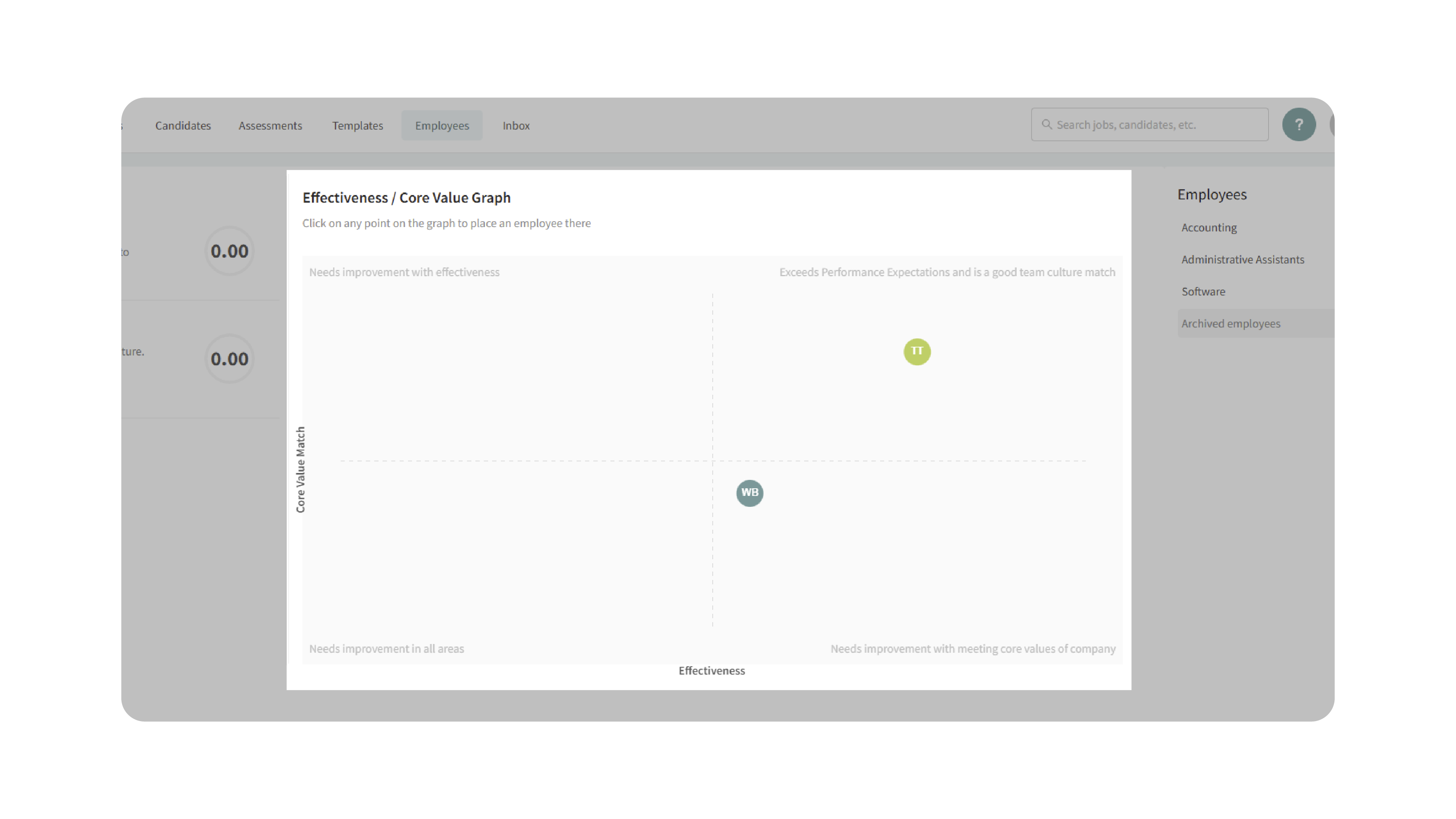
- X-axis (horizontal): Effectiveness at the job.
- Y-axis (vertical): Core value match with the company.
- Employees are plotted based on their current ratings.
Quadrants at a glance
- Top-right: Effective + strong core values (ideal).
- Bottom-right: Effective + weak core values (monitor alignment/fit).
- Top-left: Strong values + lower effectiveness (coach/enable).
- Bottom-left: Low effectiveness + weak values (urgent intervention).
3. Explore Employees on the Grid:
- Hover over a dot to preview effectiveness and core value scores.
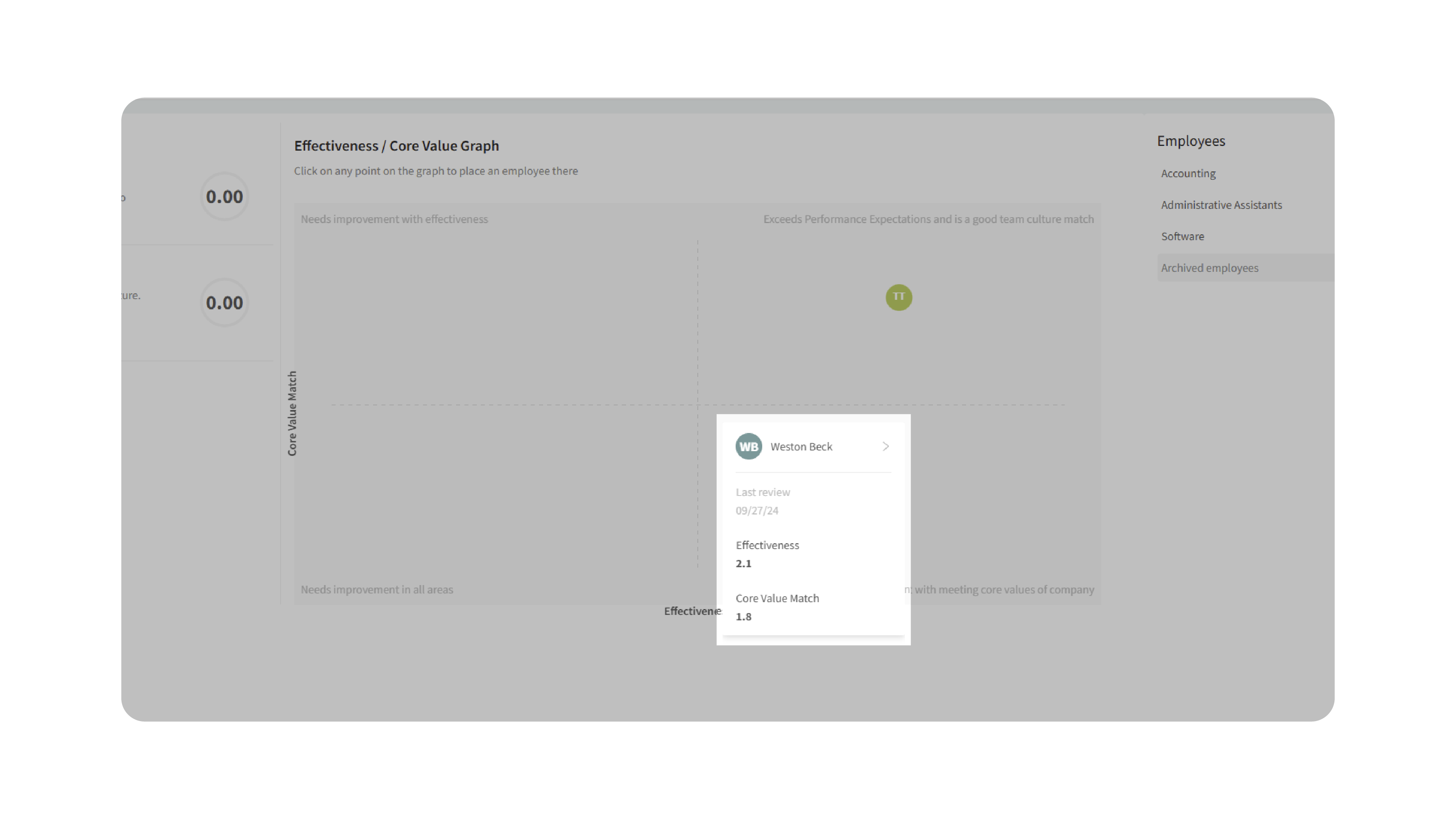
- Click an employee’s name to open their full profile.
4. Manage Employee Profiles:
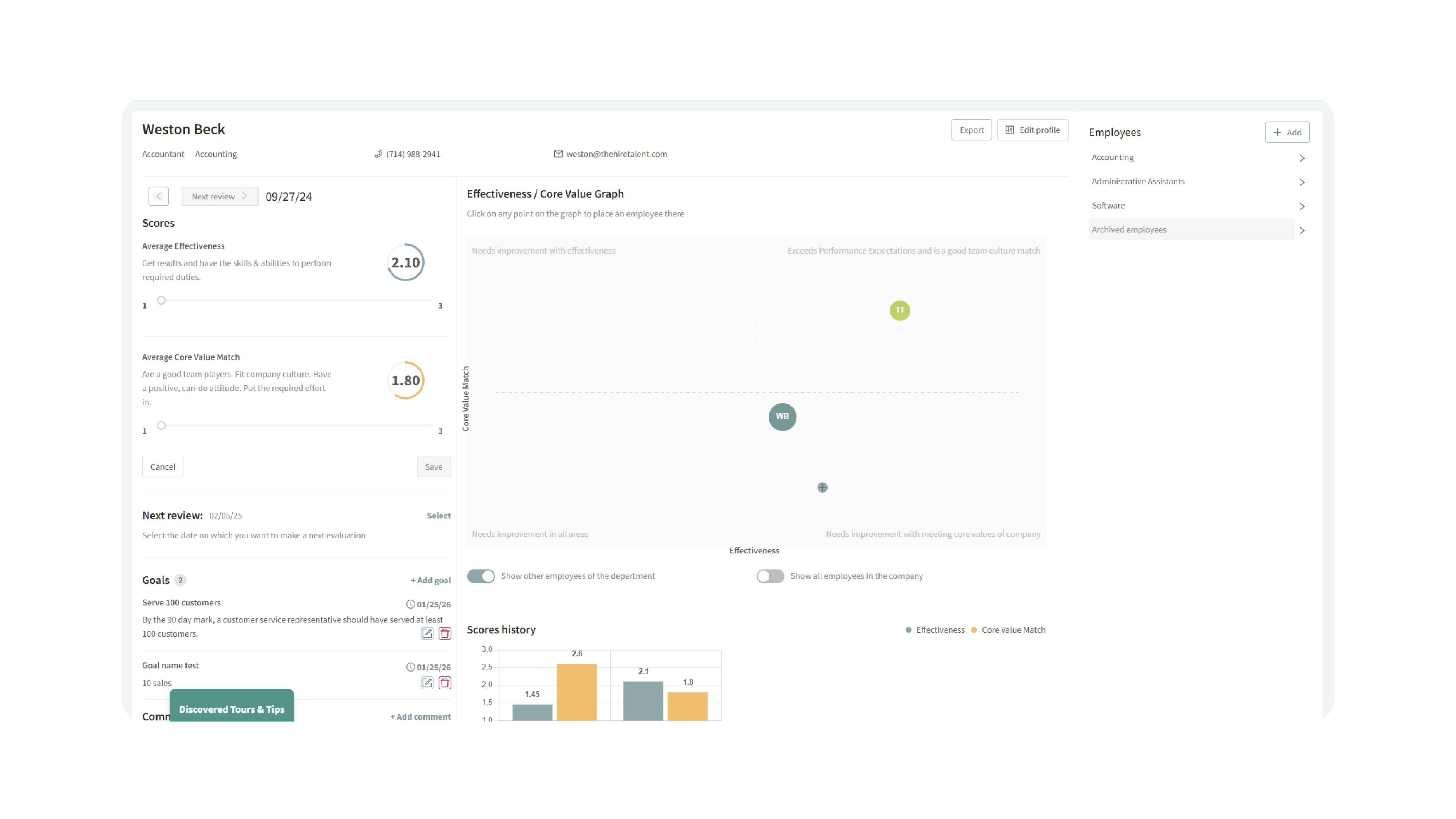
Inside a profile you can:
- Edit information (role, department, contact).
- Add review dates to schedule performance check-ins.
- Assign goals with due dates and track completion.
- Add comments/notes for ongoing context.
- Review score history to see trends over time (e.g., effectiveness in green, core values in yellow).
5. Manage Departments:
- Create or update departments and assign employees accordingly.

- Add new employees and place them on the chart by selecting a quadrant/position and entering their details.
6. Keep Ratings Current:
- Periodically update effectiveness and values ratings to reflect recent performance, feedback, or goal outcomes.
- Use the chart to identify coaching opportunities, top performers, and team balance.
Why This Matters
The Talent Grader turns scattered feedback into a single, actionable view so you can:
- Spot top performers and recognize them early.
- Identify coaching needs with clarity (skill gaps vs. values gaps).
- Drive fair, consistent reviews with shared definitions and visuals.
- Align goals and development plans to what matters most.
- Plan staffing and department moves with data, not guesses.
Use Cases
- People Leaders: Run quarterly talent reviews directly from the grid.
- HR/Operations: Standardize performance conversations and documentation.
- Team Managers: Assign goals and track progress between review cycles.
- Execs: Get an at-a-glance health check of culture fit and performance across departments.
Best Practices
- Calibrate ratings: Align managers on what each score means before plotting employees.
- Update frequently: Refresh ratings after major projects, reviews, or goal completions.
- Pair with goals: When someone lands outside the top-right quadrant, assign clear, time-bound goals.
- Document context: Add comments when ratings change so trends make sense later.
- Use departments wisely: Keep department data current to filter, compare, and plan moves.
- Be consistent: Use the same criteria across teams to keep the chart trustworthy.
Caution: Inaccurate or outdated ratings reduce the usefulness of the grid. Always double-check effectiveness and values scores before finalizing placements.
What Happens Next
Once you begin using the Employee Talent Grader:
- Employees appear on the chart based on current effectiveness and core values ratings.
- You can open profiles to edit info, set review dates, assign goals, and track history.
- Departments can be added/updated to keep your org structure accurate.
- Over time, the grid becomes a living snapshot of team health—guiding promotions, coaching plans, and workforce decisions.