
Interview Guides Templates
Overview
Interview Guide Templates in Discovered allow you to create and reuse structured sets of interview questions across multiple jobs. Instead of manually adding the same questions for each position, you can build a predefined interview guide once and apply it wherever needed — ensuring consistency, saving time, and improving the interview experience.
Whether you’re conducting interviews for specific roles or using Discovered’s pre-built generic templates, this feature helps hiring teams maintain consistent evaluation criteria and streamline their interview preparation.
This feature is ideal for recruiters, hiring managers, and interviewers who want to ensure fair, consistent, and organized candidate interviews while reducing manual setup.
How to Access Interview Guides Templates:
1. Access Interview Guide Templates:
- Navigate to the top navigation bar in Discovered.
- Click the Templates button.
- Select the Interview Guides tab to view all existing templates.
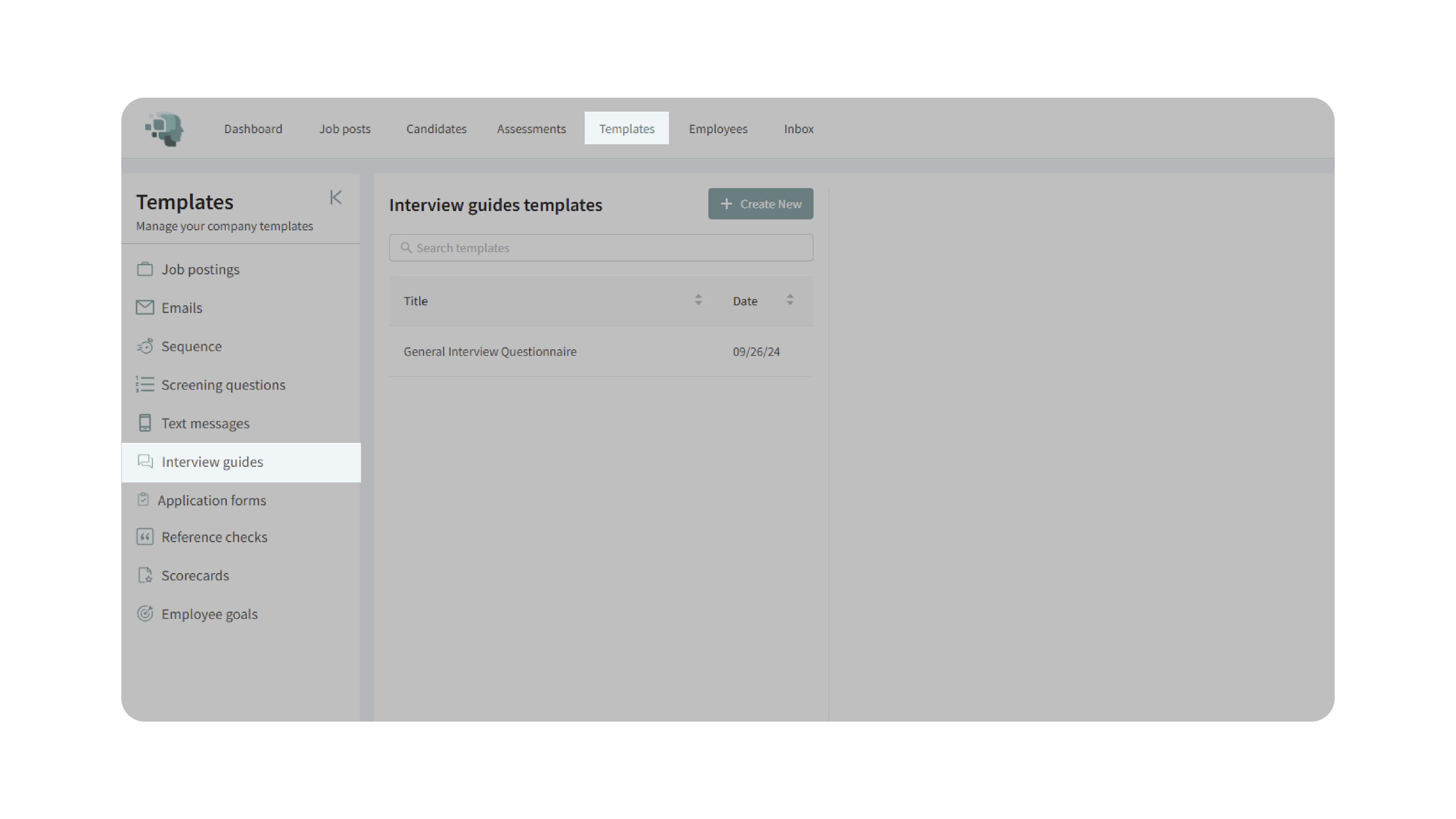
2. Create a New Template:
- Click Create New to start building a new interview guide template.
- Enter a title for the template (e.g., Software Engineer Interview Guide or Customer Success Questionnaire).
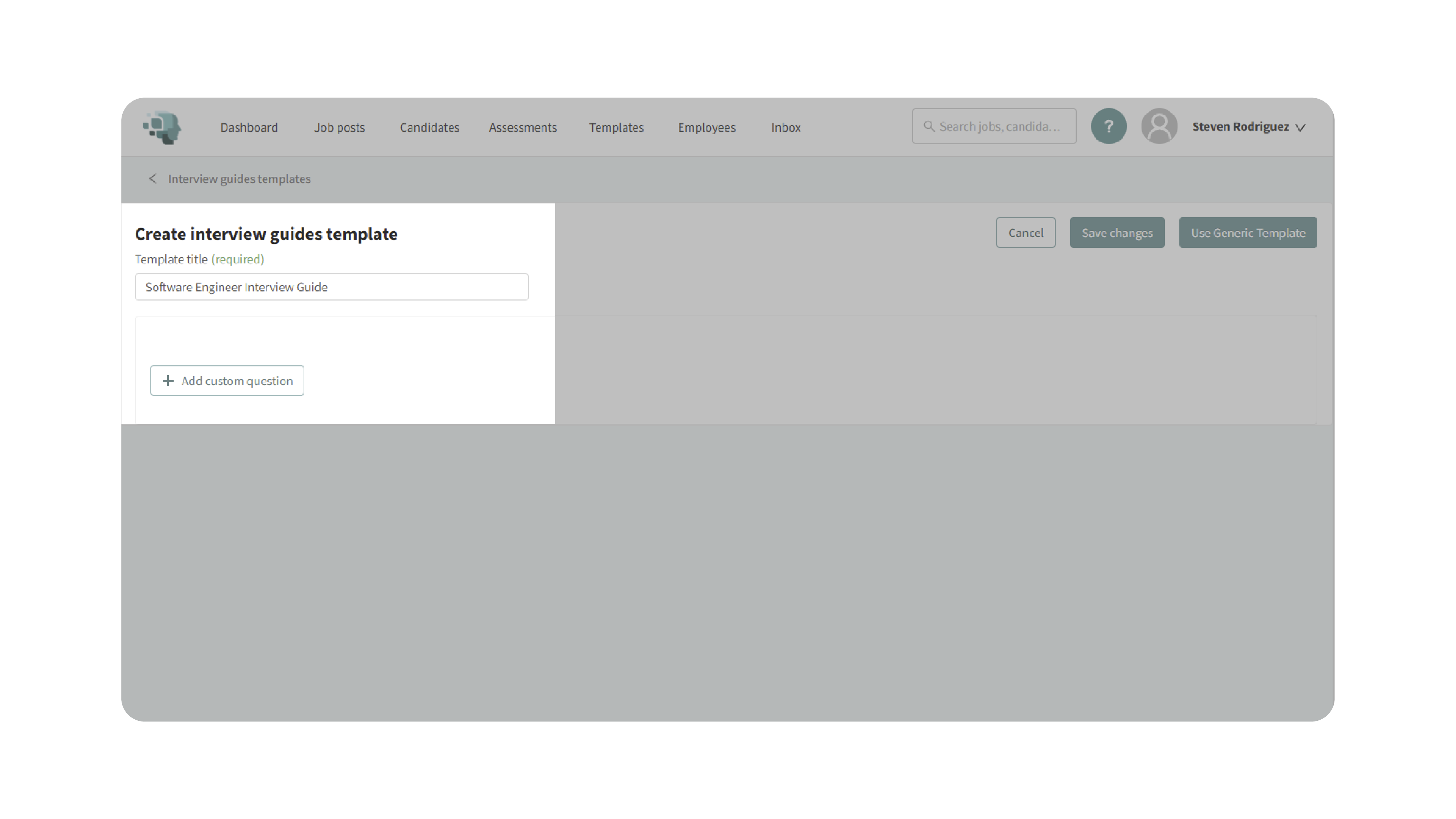
3. Add Questions:
- Click Add Custom Question to begin adding questions to your template.
- Type each question and press Enter on your keyboard to add it.
- Use tokens (optional) if you’d like to include dynamic information such as the company name, job title, or candidate name within your questions.
- Reorder questions by dragging and dropping them into your desired order.
- To remove a question, click the Delete button and confirm your choice.
- Once all desired questions are added, click Save Changes to save the template.

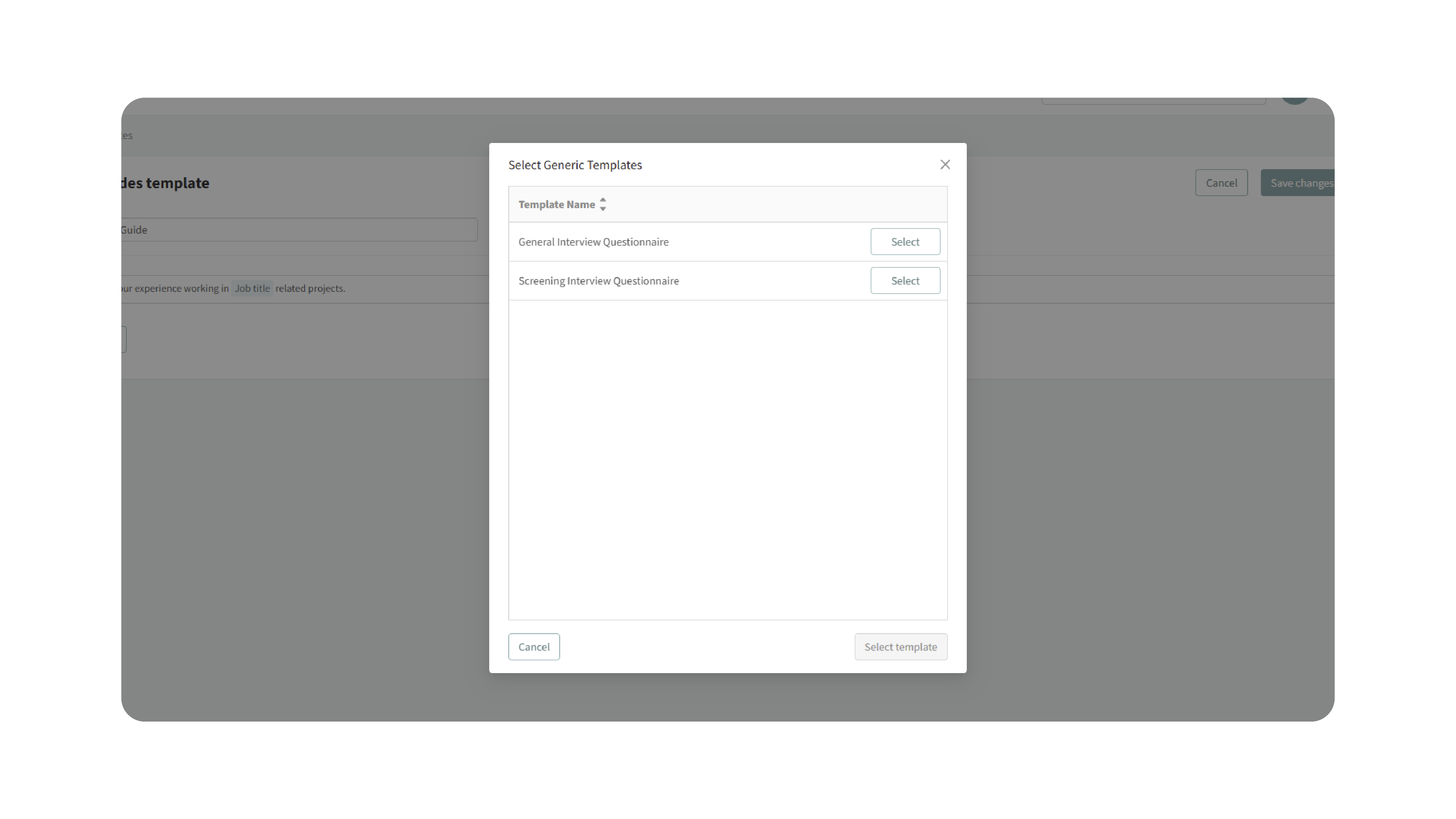
4. Use Generic Templates (Optional):
Discovered offers generic interview templates for commonly used question sets.
- Click Use Generic Template to view available pre-made guides.
- Select the template that best fits your needs.
- Click Save Changes to apply the template to your account.
These templates are designed to serve as a strong starting point for general interviews and can be customized as needed.
5. Apply a Template to a Job:
You can apply your saved interview guide template to any job posting:
- Navigate to the specific job where you want to apply the interview guide.
- Click the Find & Evaluate Talent tab.
- Scroll down to the Interview Guides or One-Way Interviews section.
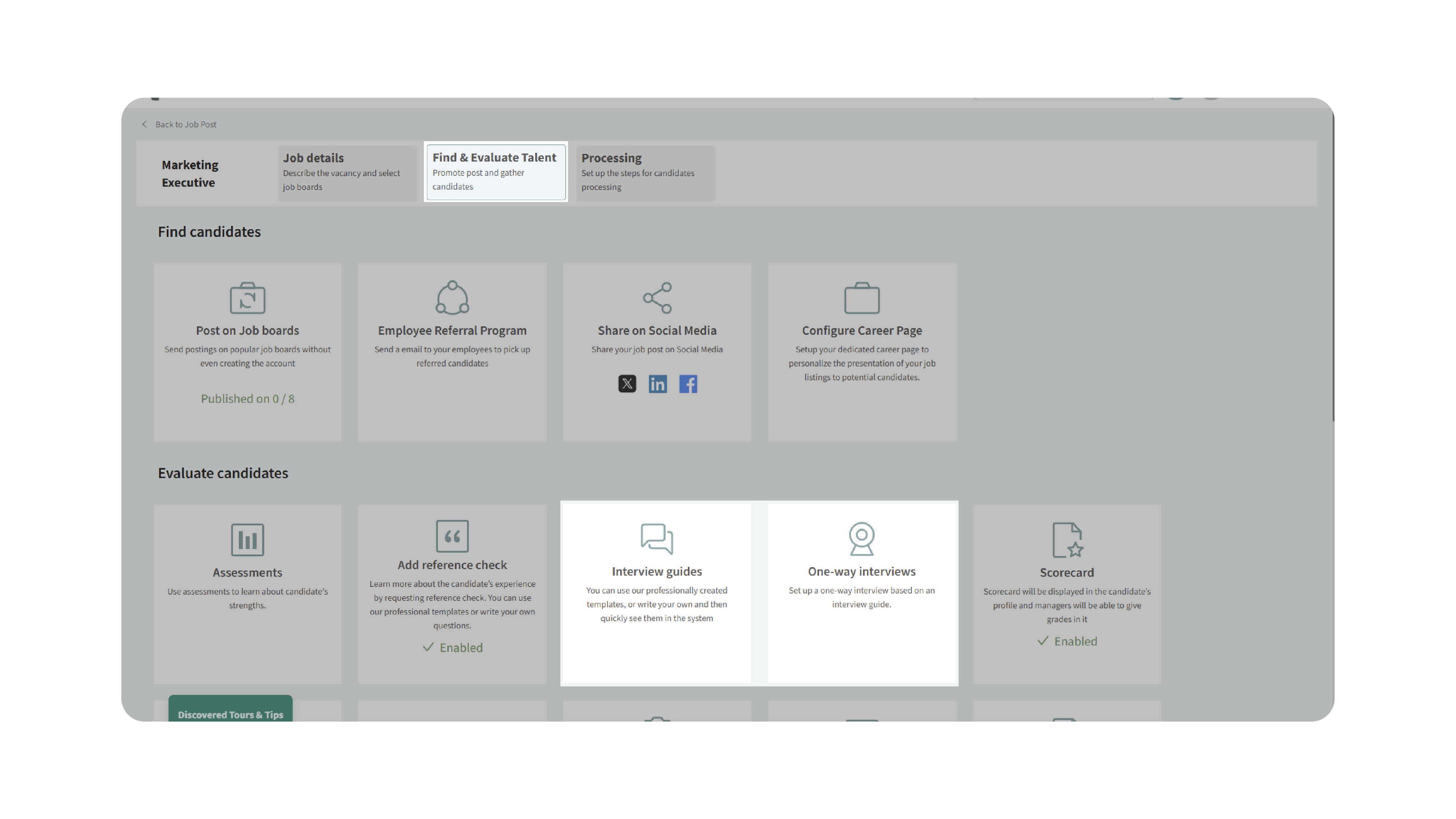
- Click Create New Interview Guide.

- Select your desired template from the dropdown menu.
- Review and click Submit to apply the interview guide to the job.
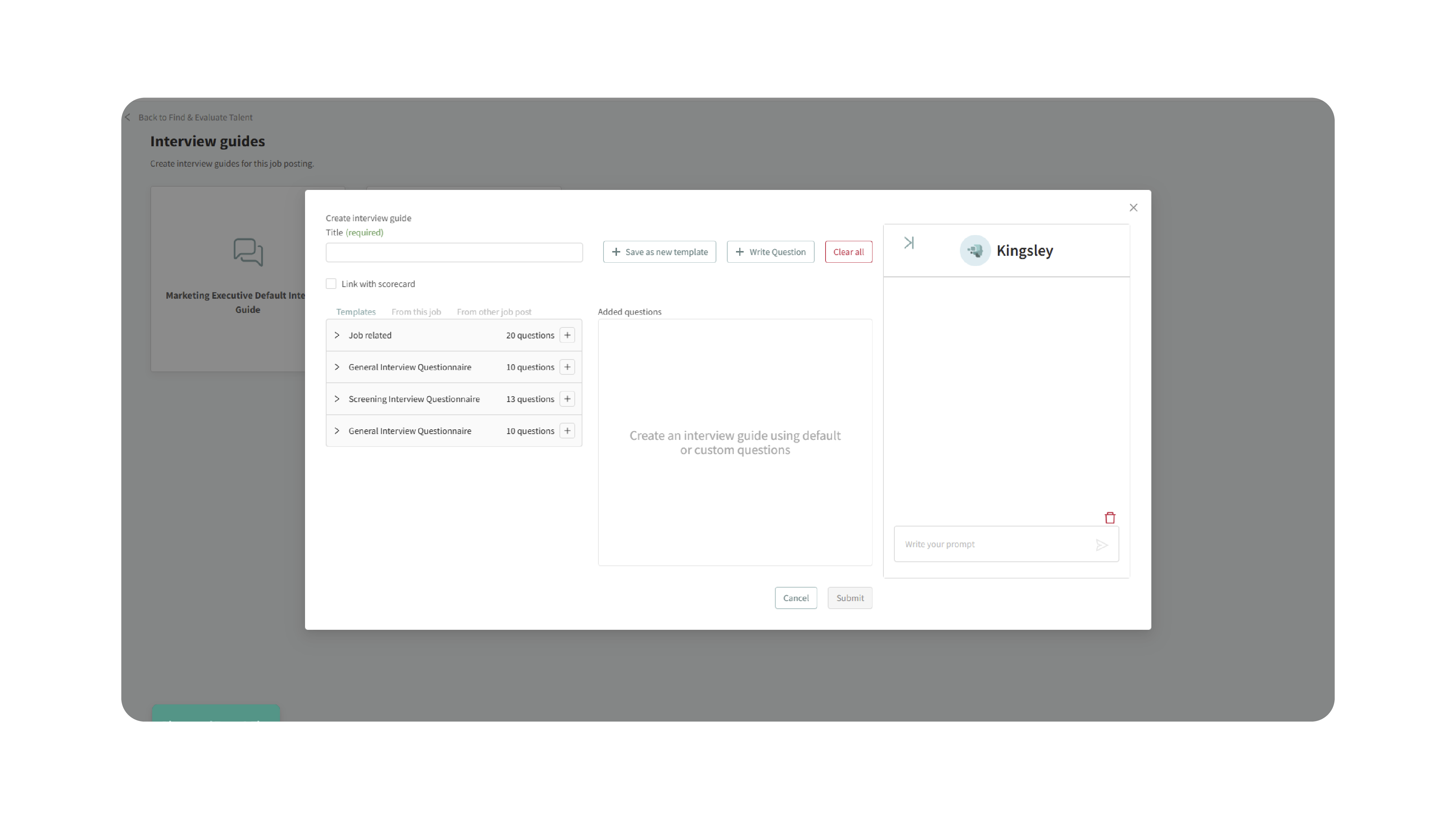
Once applied, the selected interview guide becomes accessible to interviewers for all candidates associated with that job posting.
6. Utilize the Interview Guide During Interviews:
When candidates are added to a job:
- The assigned interview questionnaire will appear in the Interview section of the candidate’s profile.
- Interviewers can reference or follow the guide during interviews to ensure structured and consistent questioning.
Why This Matters
Interview Guide Templates make your interview process more organized, fair, and efficient. By reusing well-structured question sets, hiring teams can:
- Maintain consistent interview standards across roles and departments.
- Save time preparing for interviews by reusing existing guides.
- Ensure every candidate receives a uniform, fair evaluation experience.
- Help interviewers stay focused and organized during interviews.
This consistency strengthens hiring decisions and enhances the candidate experience by ensuring that each interview is purposeful and structured.
Use Cases
- Recruiters: Build and share reusable guides for initial screening or behavioral interviews.
- Hiring Managers: Standardize interviews across different roles within their department.
- Agencies: Maintain consistent questioning frameworks across multiple client accounts.
- Teams: Quickly apply company-approved interview templates to new job postings.
Best Practices
- Use clear, concise, and job-relevant questions.
- Organize questions logically (e.g., general → technical → behavioral).
- Regularly review and update interview guides to align with current job expectations.
- Create specialized templates for different roles or departments.
- Test new guides internally before using them in live interviews.
What Happens Next
Once your Interview Guide Template is created:
- It becomes available under Templates → Interview Guides for reuse.
- You can edit, duplicate, or delete templates at any time.
- Templates can be applied to new or existing jobs directly.
- When candidates are added to those jobs, the interview guide automatically appears in their Interview section for easy reference.
By using Interview Guide Templates, your team ensures consistent, efficient, and professional interviews — helping you make better hiring decisions while saving time and maintaining fairness across all candidates.