
Reference Check Templates
Overview
Reference Check Templates in Discovered allow you to create and reuse structured questionnaires for gathering feedback from a candidate’s references. Instead of building new questionnaires for every job posting, you can design one template and apply it across multiple roles — saving time and ensuring consistency in how reference feedback is collected.
Each template can include a variety of question types such as yes/no, short or long responses, rating scales, or date formats. You can also use tokens (like the candidate’s first name) to personalize questions automatically.
This feature is ideal for hiring teams looking to streamline the reference checking process while maintaining standardized, professional questionnaires across roles.
How to Access Reference Check Templates:
1. Access Reference Check Templates:
- Navigate to the top navigation bar in Discovered.
- Click the Templates button.
- Select the Reference Checking tab to view existing templates.
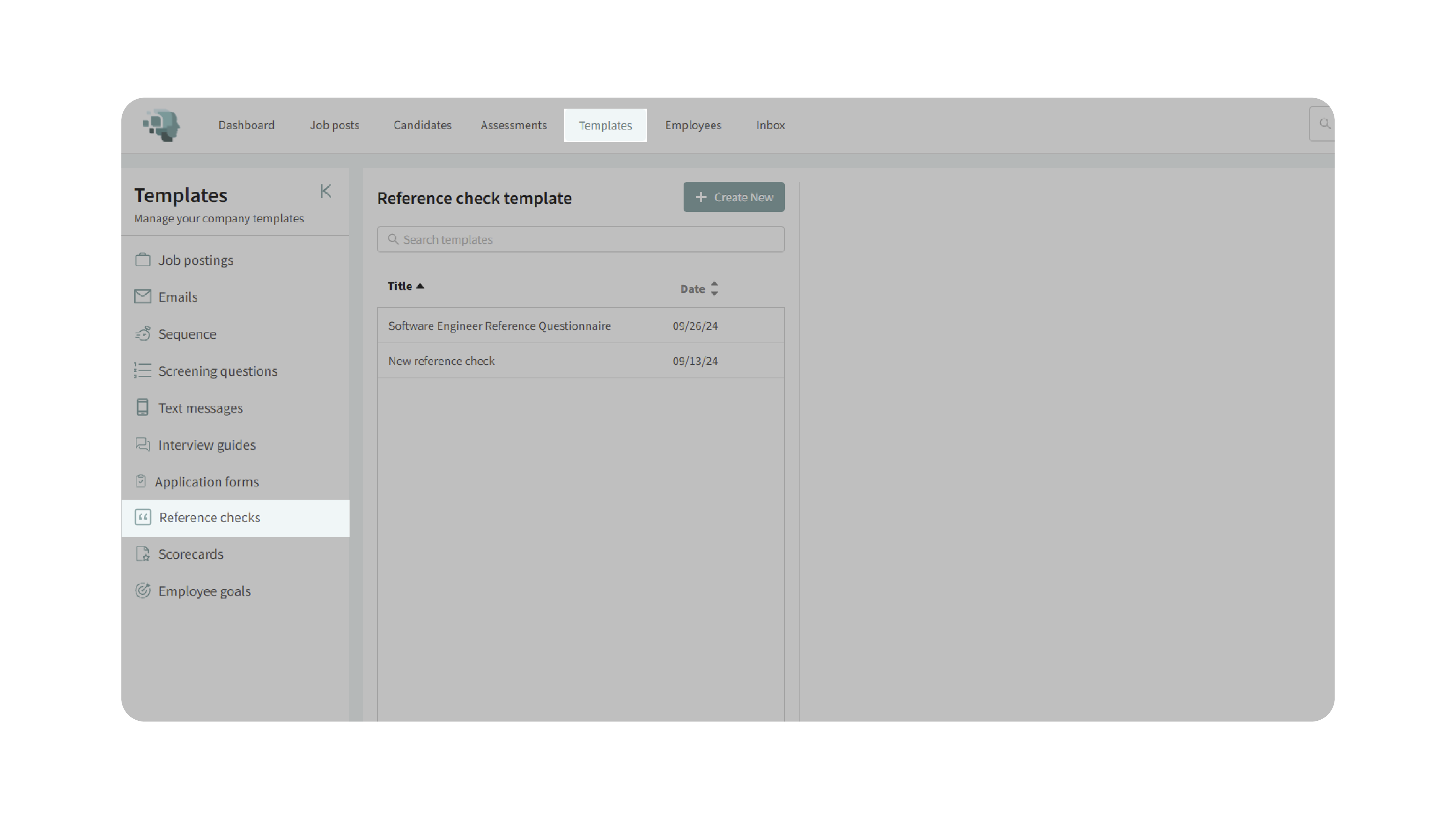
2. Create a New Template:
- Click Create New at the top of the page.
- Enter a descriptive title for the template (e.g., Software Engineer Reference Questionnaire or General Reference Check).
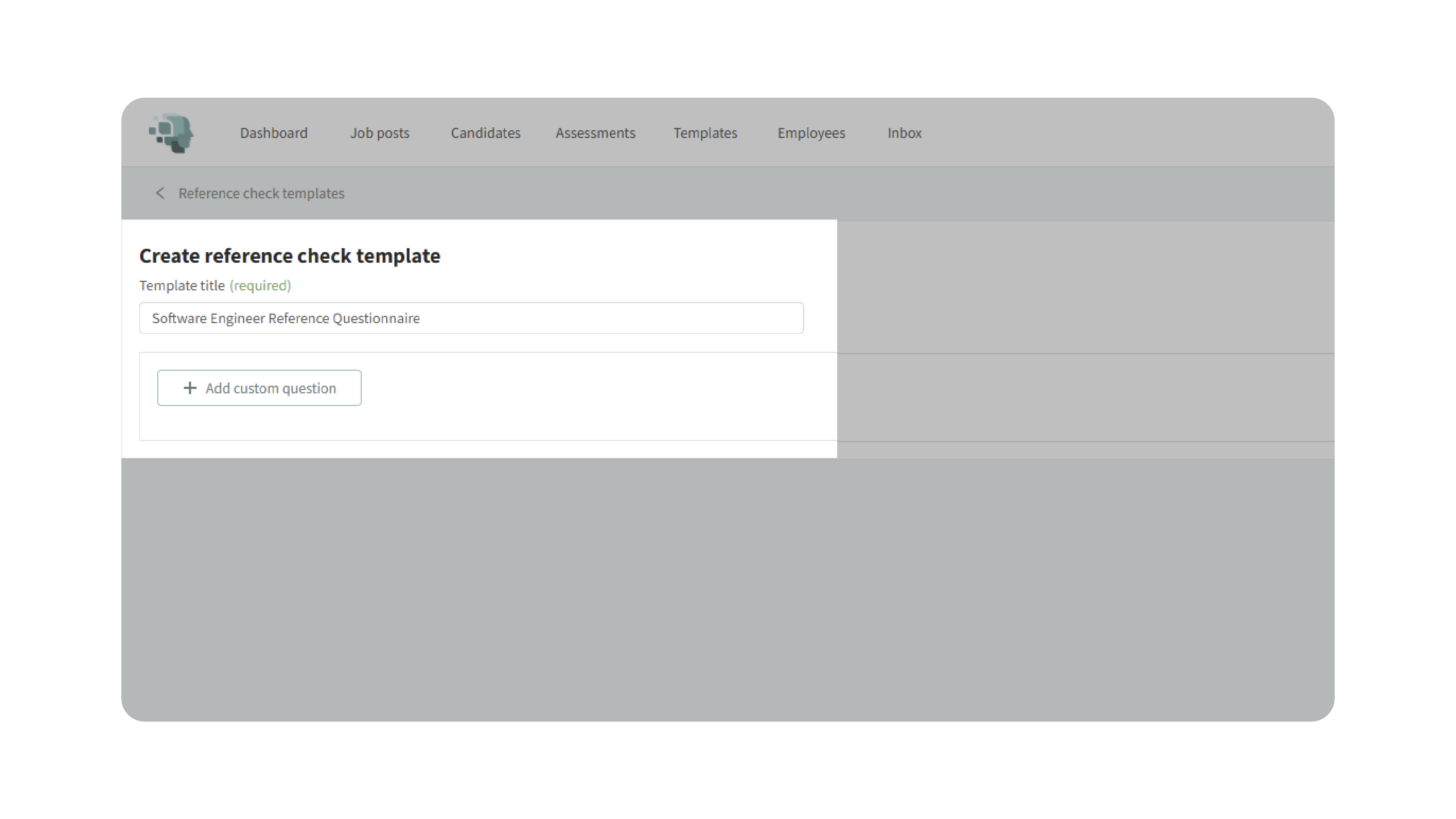
3. Add Custom Questions:
- Click Add Custom Question to begin creating your questionnaire.
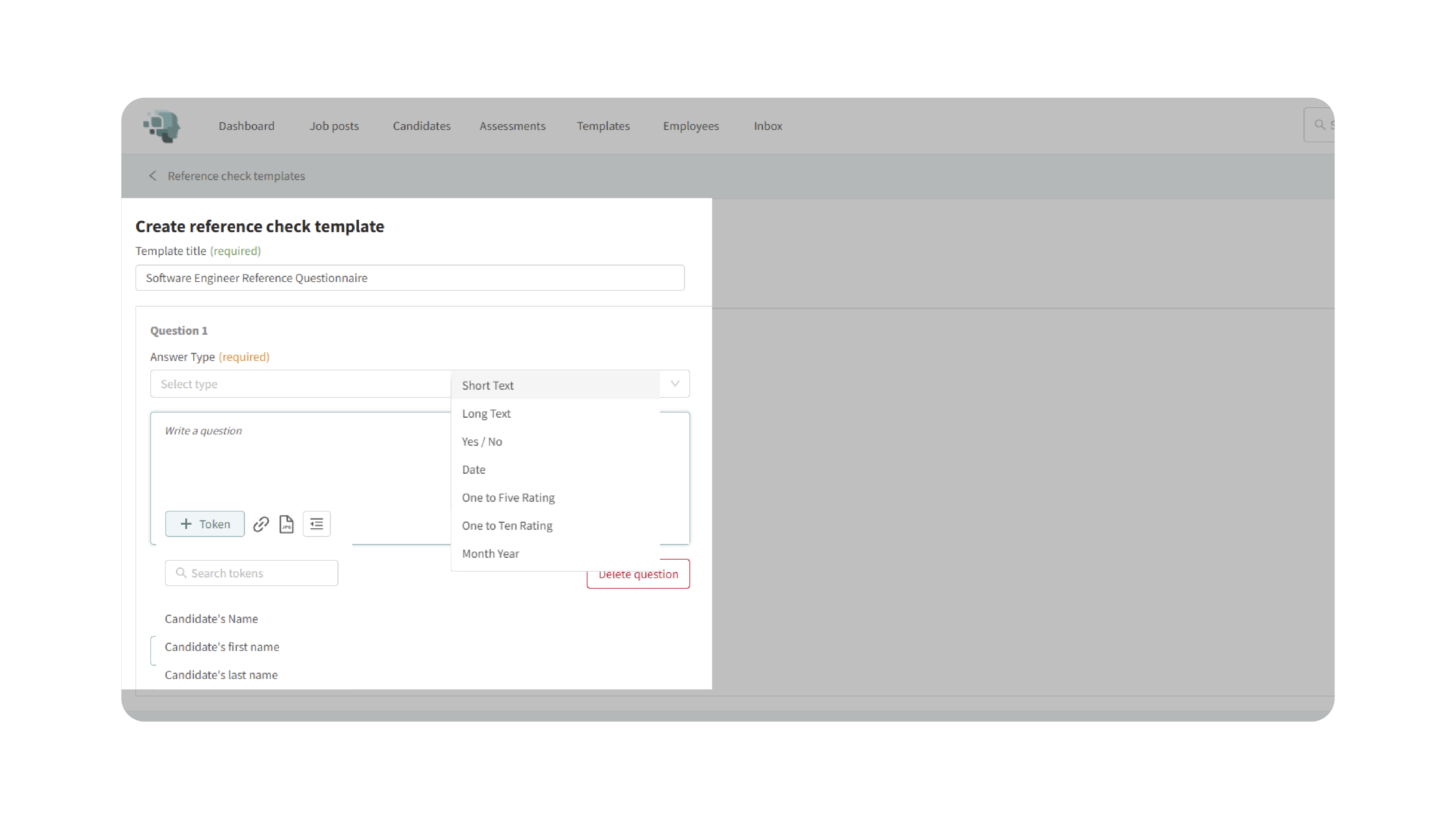
- Choose the question type based on the information you want to collect:
- Short Response: For brief text answers.
- Long Response: For detailed, open-ended feedback.
- Yes/No: For simple confirmations.
- Rating Scale: To assess performance on a numeric scale (e.g., 1–5 or 1–10).
- Date Format: For entering dates, such as employment duration.
- Use tokens to personalize the question automatically.
- Type your question and press Enter to add it to the list.
- Continue adding as many questions as needed.
- Click Save Changes once you’re satisfied with your questionnaire.
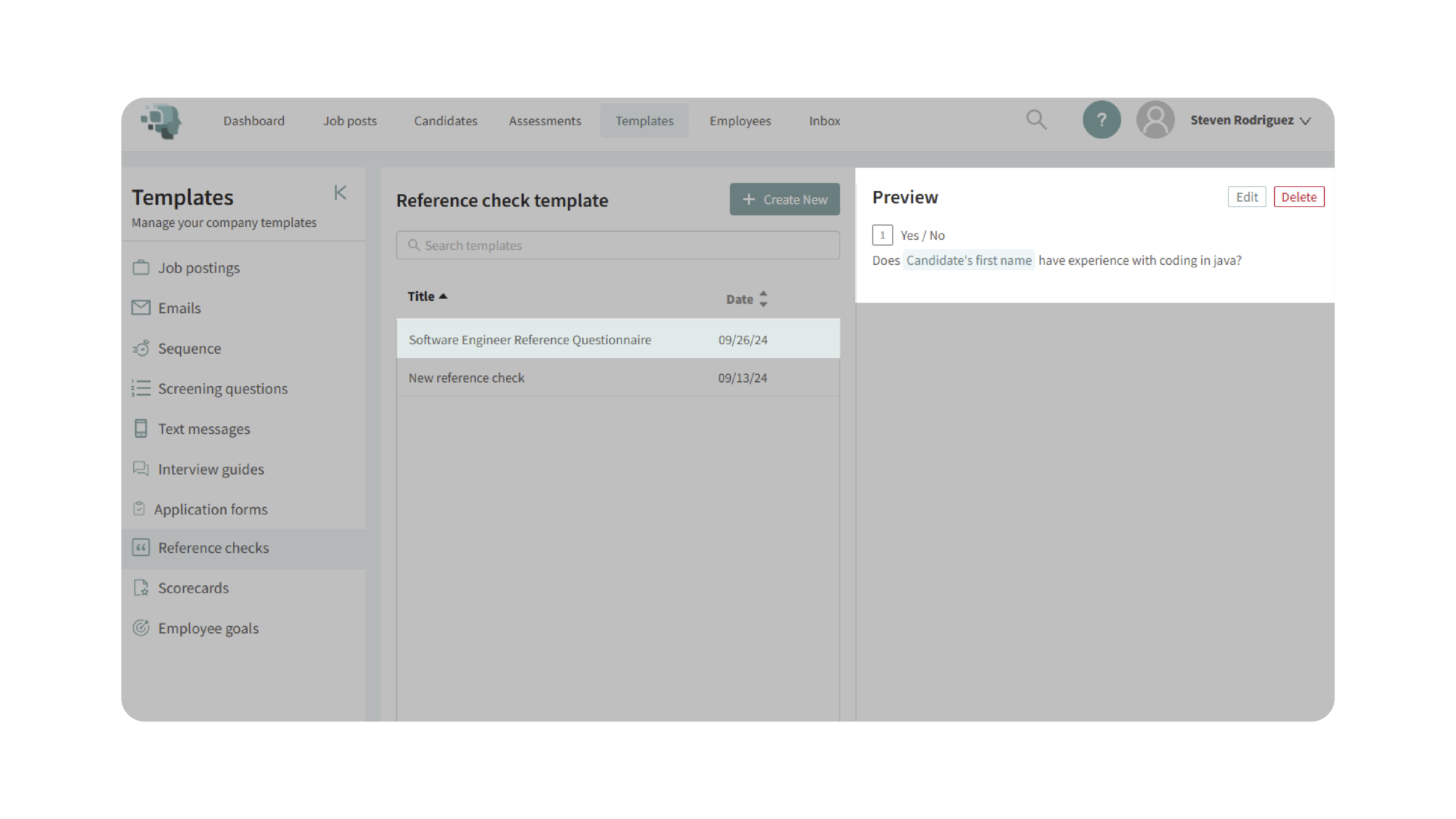
4. Edit or Update an Existing Template:
- To edit a template: locate it in your list and click the Edit button to make changes.
- To delete a template: click the Delete option next to the template name.
Editing and maintaining your templates ensures that they stay relevant and aligned with your organization’s evolving reference check standards.
5. Assign a Template to a Job:
- Once your template is ready, you can apply it directly to any job posting:
- Navigate to your job posting.
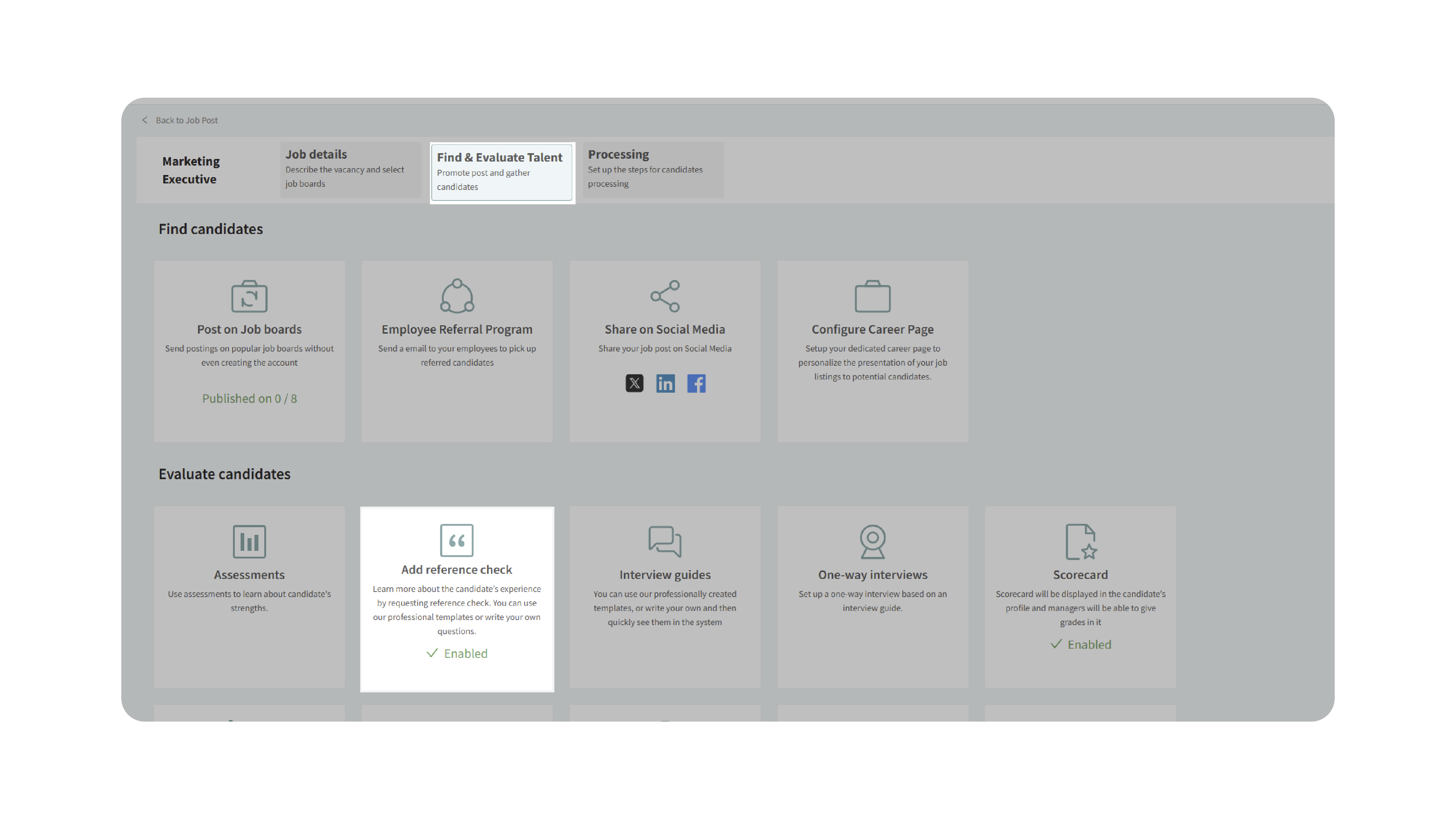
- Click on Find & Evaluate Talent.
- Scroll down to Add Reference Check.
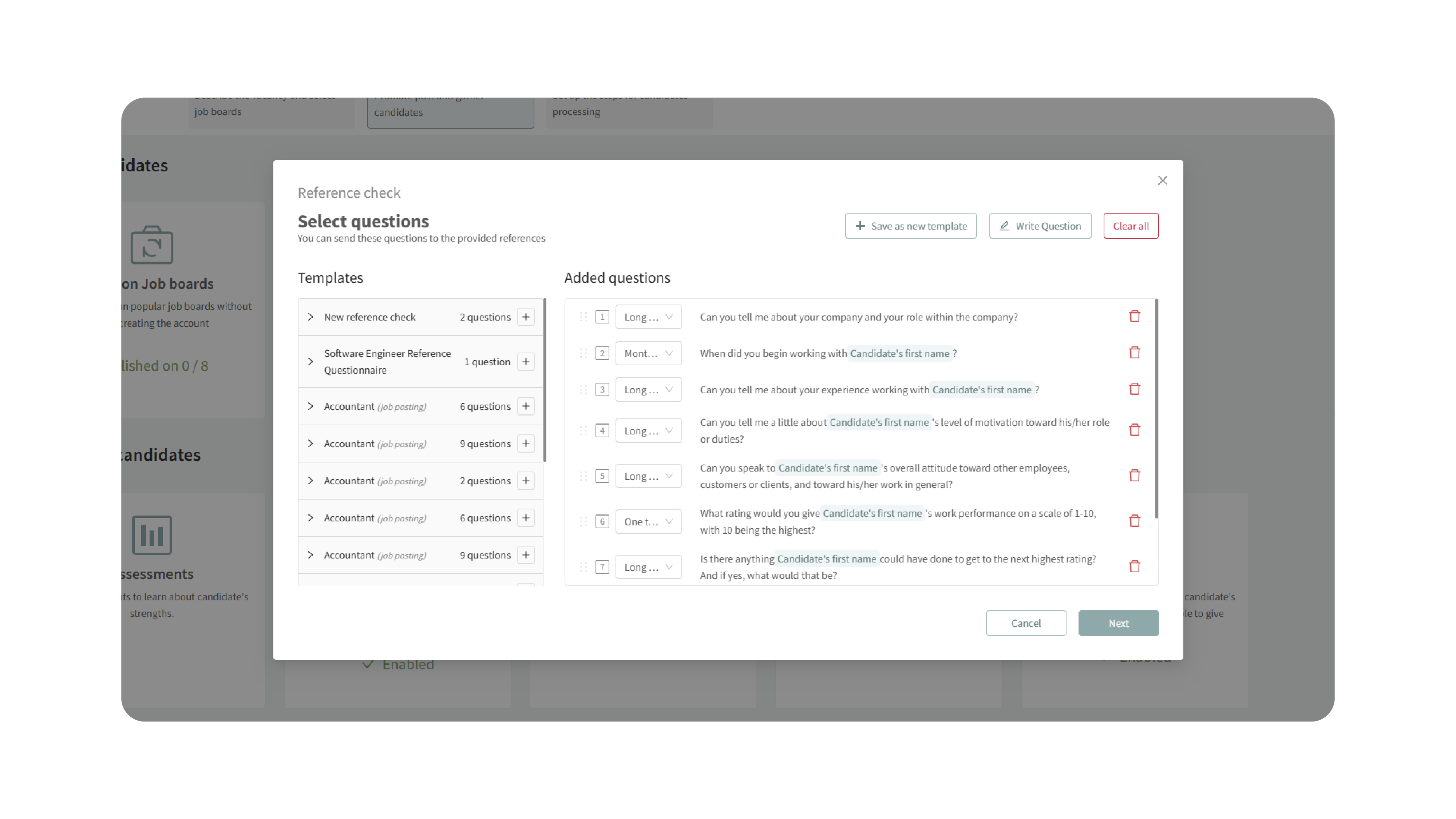
- Clear any default questions if necessary.
- From the dropdown, select the template you created.
- Review the questionnaire and click Save Changes.
- The assigned questionnaire will now be automatically used when reference checks are initiated for candidates on that job.
Why This Matters
Reference Check Templates save valuable time and promote consistency in your hiring process. By standardizing your reference questionnaires, your team can:
- Ensure all candidates are evaluated using the same structured criteria.
- Eliminate repetitive setup work for each new job.
- Collect more accurate, comparable reference data across roles.
- Provide a smoother, more professional experience for both candidates and their references.
Use Cases
- Recruiters: Quickly send out standardized reference questionnaires across multiple positions.
- Hiring Managers: Collect consistent, role-specific feedback from candidate references.
- Agencies: Maintain uniform reference check standards across client accounts.
- Teams: Build templates for specialized roles (e.g., technical, sales, or management) to speed up the process.
Best Practices
- Use clear and professional language in all questions.
- Include a mix of quantitative (rating scale) and qualitative (open-ended) questions for balanced feedback.
- Use tokens to personalize questions and reduce manual edits.
- Review templates regularly to ensure they align with current hiring goals and compliance standards.
- Test new templates with a few reference checks before deploying widely.
What Happens Next
Once your Reference Check Template is created:
- It becomes available under Templates → Reference Checking for reuse.
- You can edit, duplicate, or delete templates at any time.
- Templates can be assigned to new or existing job postings.
- When a reference check is initiated for a candidate, the assigned questionnaire will automatically be sent to their references.
By using Reference Check Templates, your team can streamline reference verification, ensure consistency, and make data-driven hiring decisions — all while saving valuable administrative time.