
Connecting Discovered with Facebook/Meta
Overview
With Discovered’s email-to-apply feature combined with Facebook Lead Ads and Zapier, you can automatically add new Facebook applicants to any job posting in Discovered. Once the Zap is set up, every lead that submits your Facebook form is instantly converted into a candidate and added to the correct job—complete with a generated resume attachment.
This integration is ideal for teams looking to automate sourcing, streamline high-volume recruiting, and eliminate manual data entry across multiple platforms.
How to Connect Discovered with Facebook/Meta:
1. Create a New Zap:
- Log into Zapier and click Create Zap.
- Give your Zap a descriptive name (e.g., Facebook → Discovered – Accountant Applicants).
2. Set Facebook Lead Ads as the Trigger:
- Click the Trigger section of your Zap.

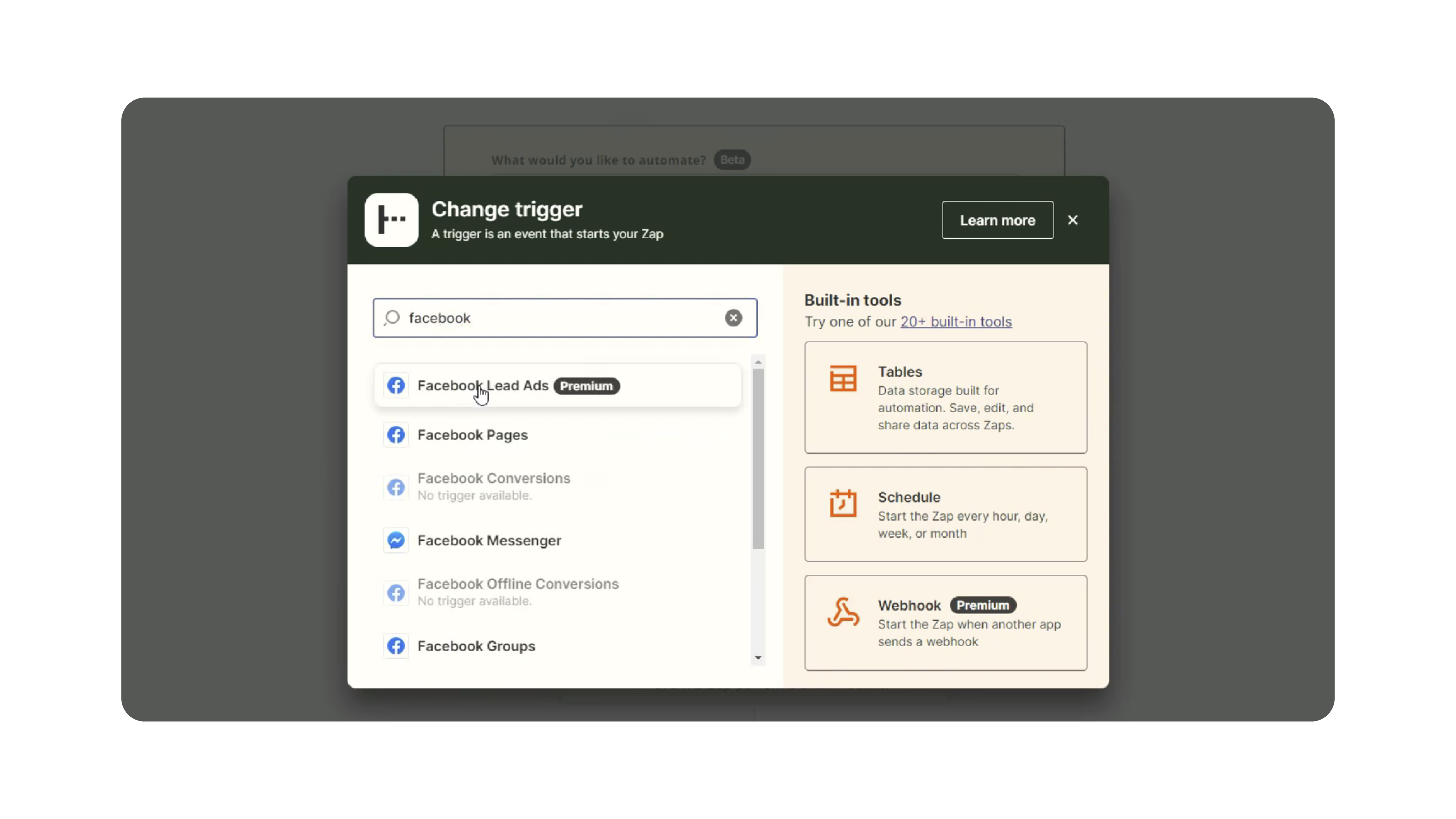
- Search for and select Facebook Lead Ads.
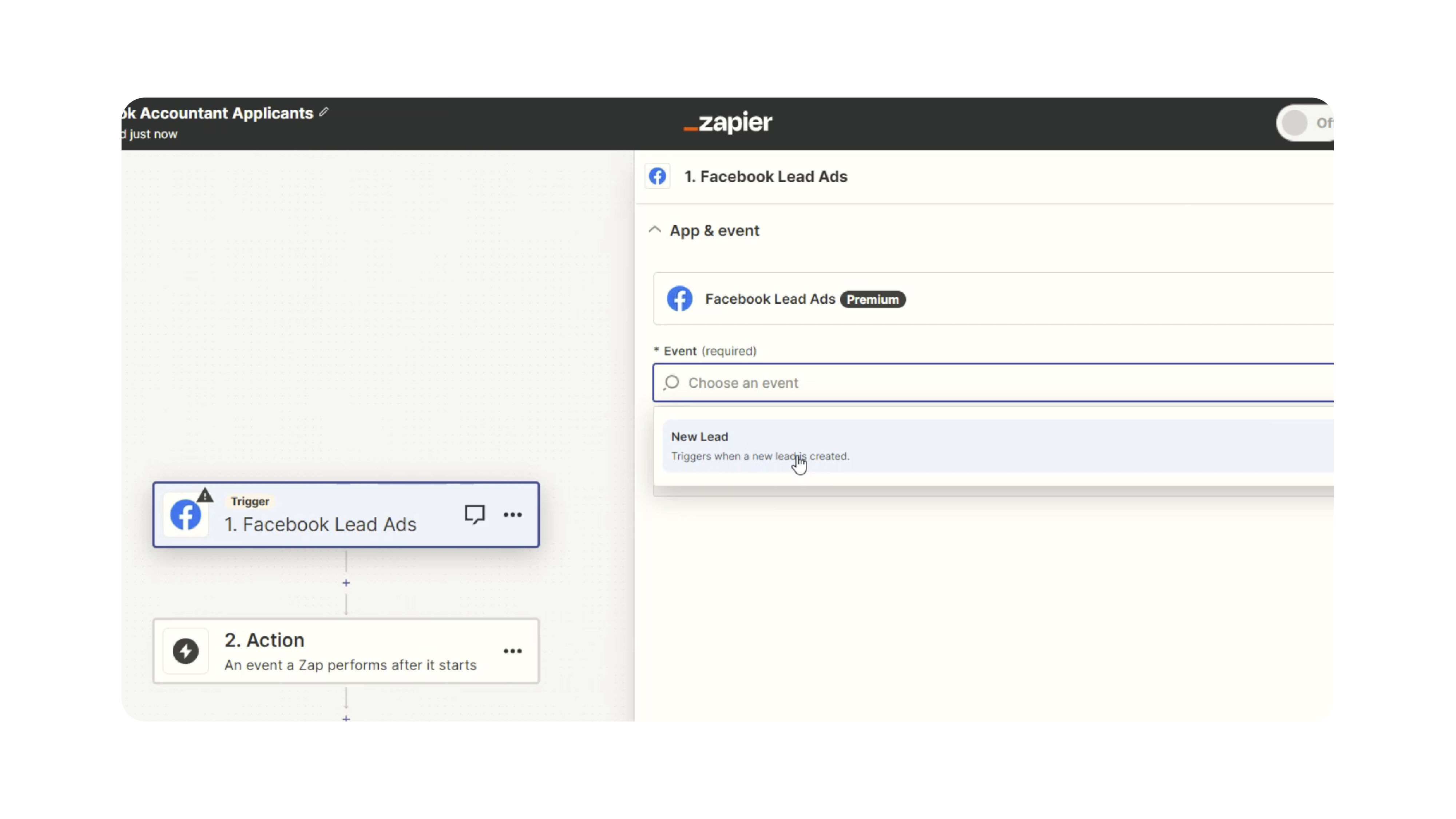
- Choose New Lead as the trigger event.
- Connect your Facebook account.
- Select the correct Facebook Page and Lead Form.
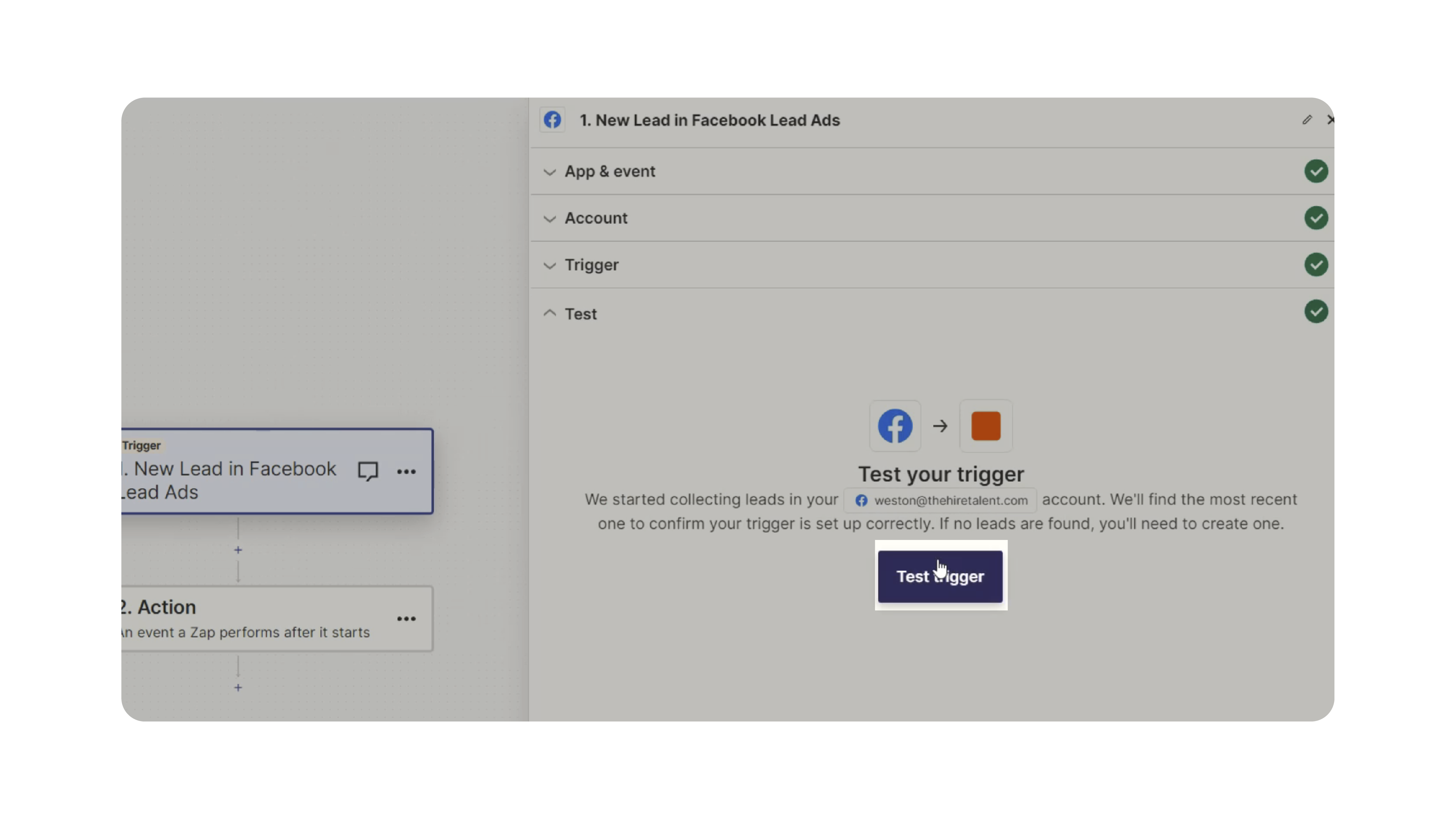
- Test the trigger to confirm Zapier retrieves sample lead data.
3. Add an Email Action (Gmail or Your Email Provider):
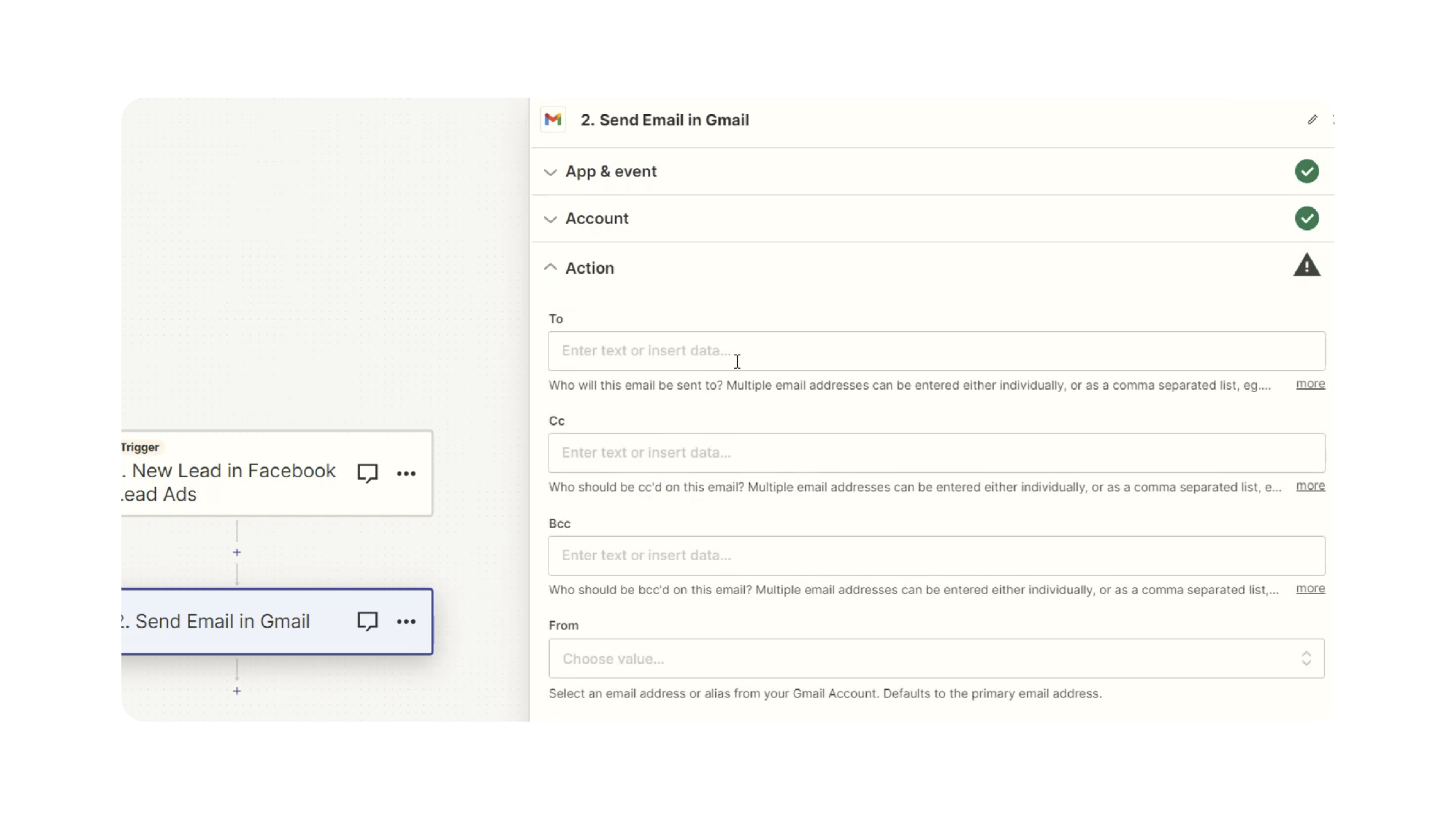
- Click Action and choose your email provider (e.g., Gmail).
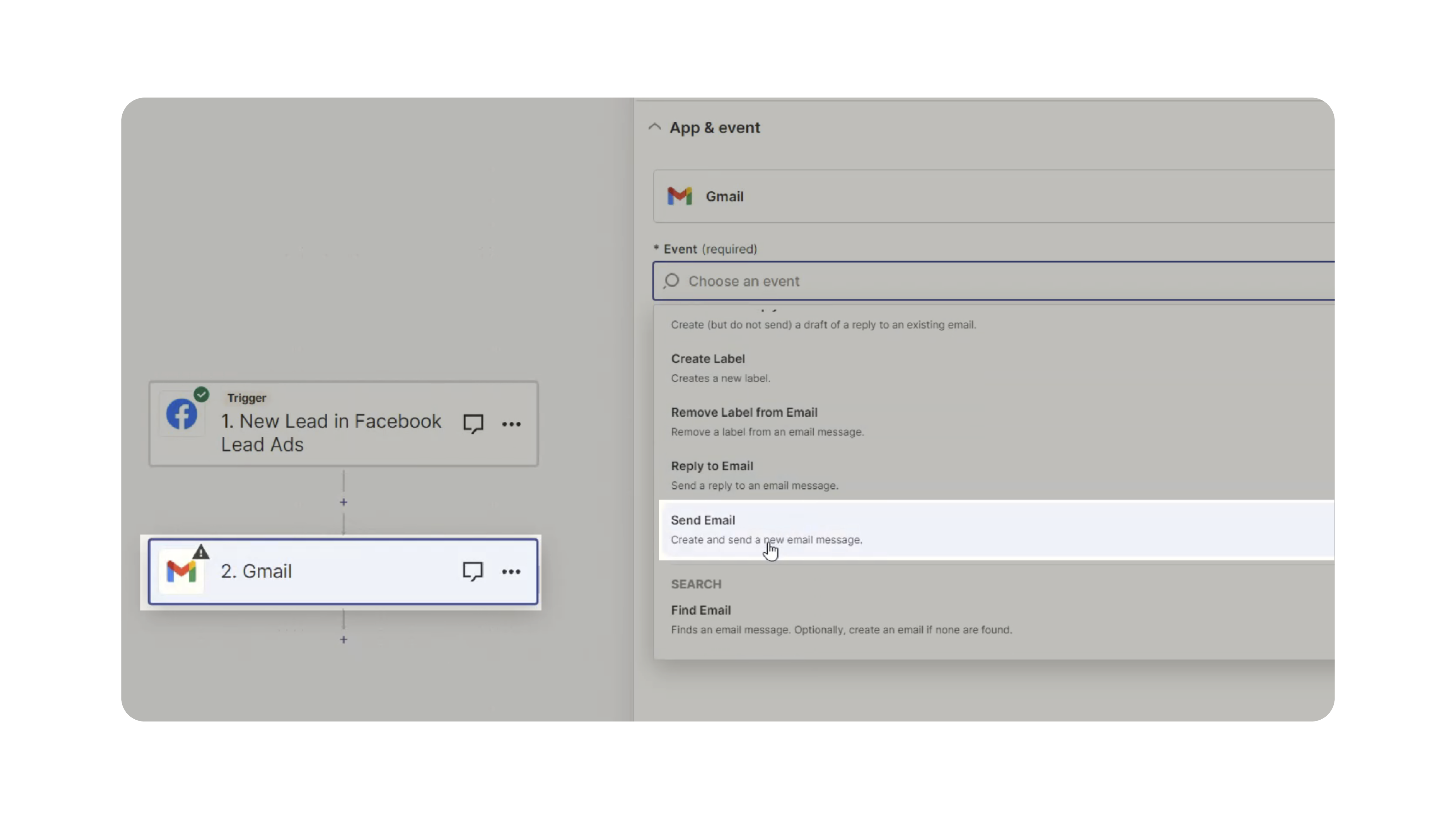
- Select Send Email as the action event.
- Connect your email account if you haven’t already.
- Continue to email configuration.
4. Get the Job Email Address from Discovered:
- In Discovered:
- Open the job posting.
- Click Job Email in the job header.

- Copy the system-generated job email.
- Paste this email into the To field inside Zapier—this is where the candidate data will be sent.
5. Build the Resume Attachment:
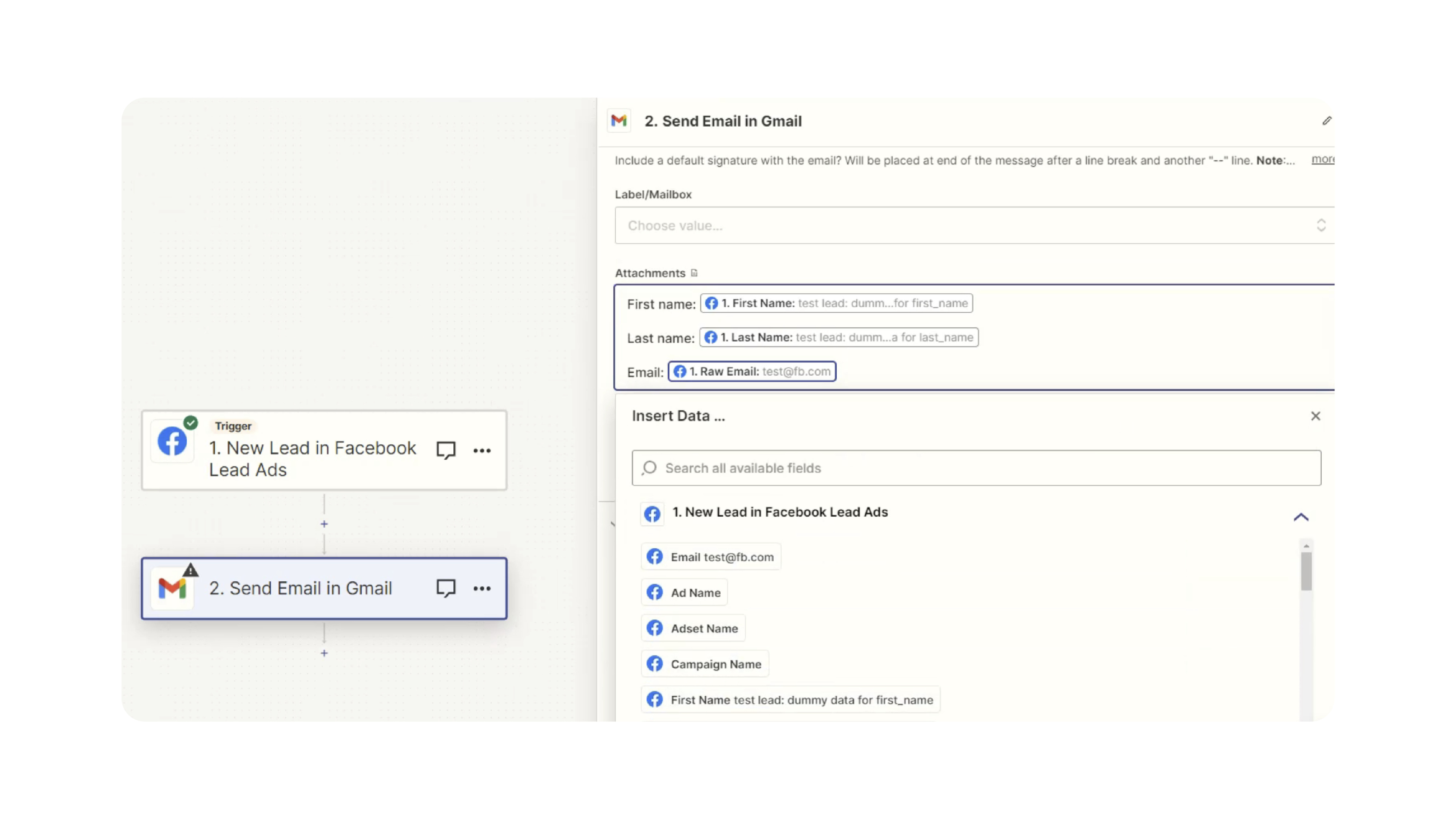
- In the Attachments field:
- Create a simple text-based resume using lead form data.
- Example structure:
- First Name
- Last Name
- Email Address
- Phone Number (if available)
- Zapier will attach this text file to the outgoing email, allowing Discovered to parse the applicant details and create a candidate profile.
- Fill in remaining email fields:
- Subject: Resume
- Body: Resume (or any placeholder text)
- Test the email action to ensure formatting is correct.
6. Publish the Zap:
- Once both the trigger and action test successfully:
- Click Publish.
- Your automation is now live, and new Facebook applicants will flow directly into Discovered.
Why This Matters
Email-to-apply automation eliminates manual copying, pasting, and data entry. This ensures:
- Faster candidate intake
- Zero missing leads
- A smoother, automated applicant experience
- Accurate candidate information delivered directly into Discovered
- Consistent resume formatting for all incoming Facebook applicants
With this setup, your recruiting team can focus on evaluating applicants—not moving data between systems.
Use Cases
- High-Volume Hiring: Automatically pull in hundreds of Facebook applicants without manual work.
- Local Recruiting Campaigns: Perfect for jobs promoted heavily through Facebook Lead Ads.
- Agencies: Centralize leads for multiple clients and jobs.
- Teams Using Zapier: Easily connect multiple Facebook forms to different Discovered job postings.
Best Practices
- Use clear naming conventions for all Zaps (e.g., FB Lead → Job Title).
- Double-check your field mapping to ensure accuracy in the resume file.
- Test the Zap using multiple sample leads before going live.
- Update the Zap whenever your Facebook form fields change.
- Document your Zap steps for future team members or troubleshooting.
What Happens Next
Once your Zap is live:
- Every new Facebook lead is emailed into Discovered automatically.
- Discovered parses the email and creates a new candidate in the associated job posting.
- The candidate shows up immediately on your job’s applicant list.
- You can begin evaluating the applicant using all Discovered tools (AI insights, assessments, communication, etc.).
With this automation in place, you’ll never have to manually transfer Facebook applicants again.