
Employee Goal Templates
Overview
Employee Goal Templates in Discovered make it easy to set up, manage, and reuse standardized goals across employees in similar roles. Designed for use with the Talent Grader feature, these templates help ensure that every employee in a comparable position is evaluated against the same performance expectations.
Whether you’re setting 90-day targets or defining long-term objectives, goal templates simplify performance management by eliminating repetitive setup. Once created, a template can be applied directly to any employee profile — automatically assigning goals, descriptions, and deadlines.
This feature is ideal for organizations that want to maintain consistency in goal-setting, streamline performance tracking, and promote accountability across teams.
How to Access Employee Goal Templates:
1. Access Employee Goal Templates:
- Navigate to the top navigation bar in Discovered.
- Click the Templates button.
- Select the Employee Goal Templates tab to view all existing templates.
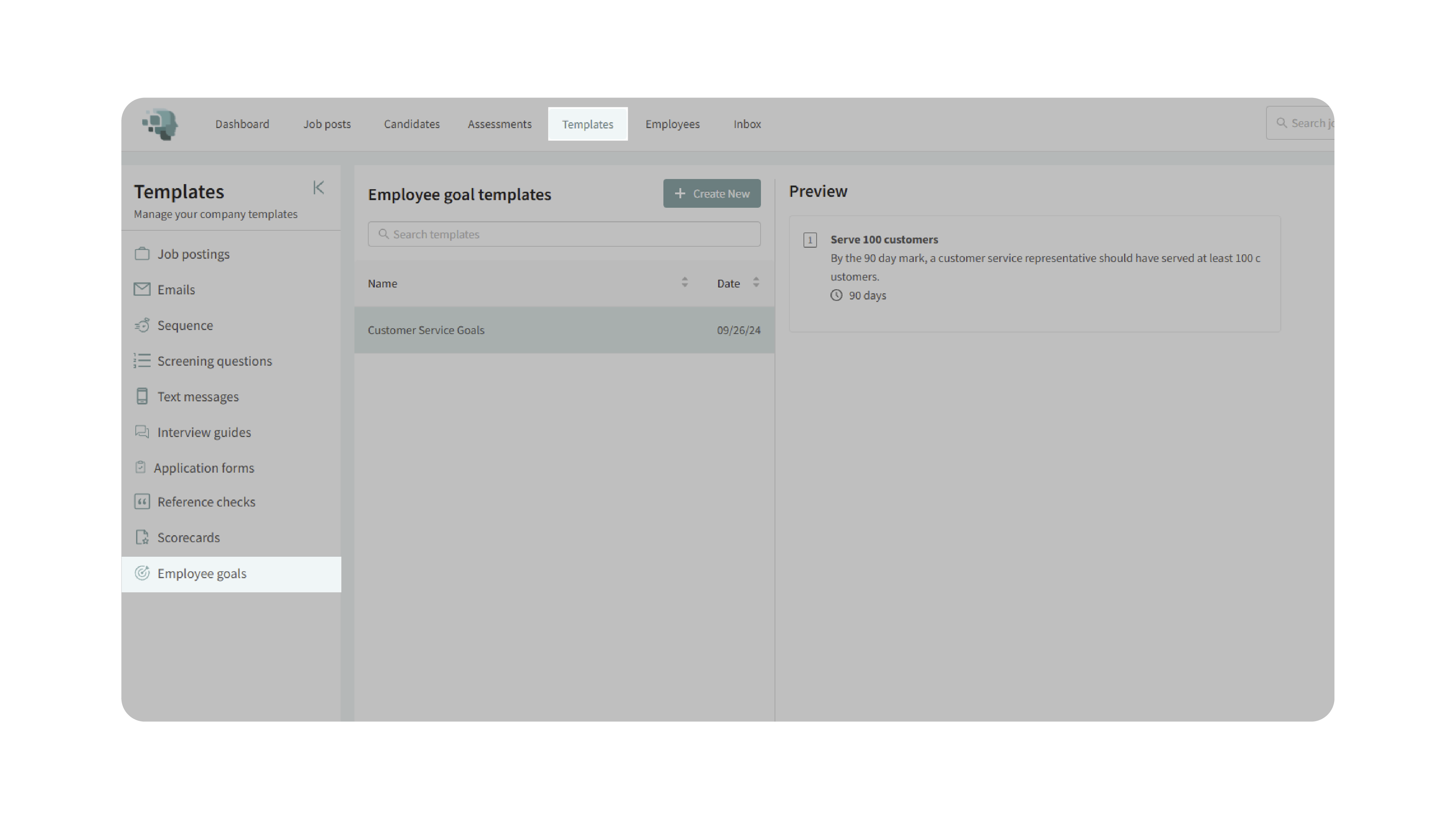
2. Create a New Template
- Click Create New to start building a new goal template.
- Enter a title for the template that reflects the position or department it applies to (e.g., Customer Service Goals or Sales Representative Targets).
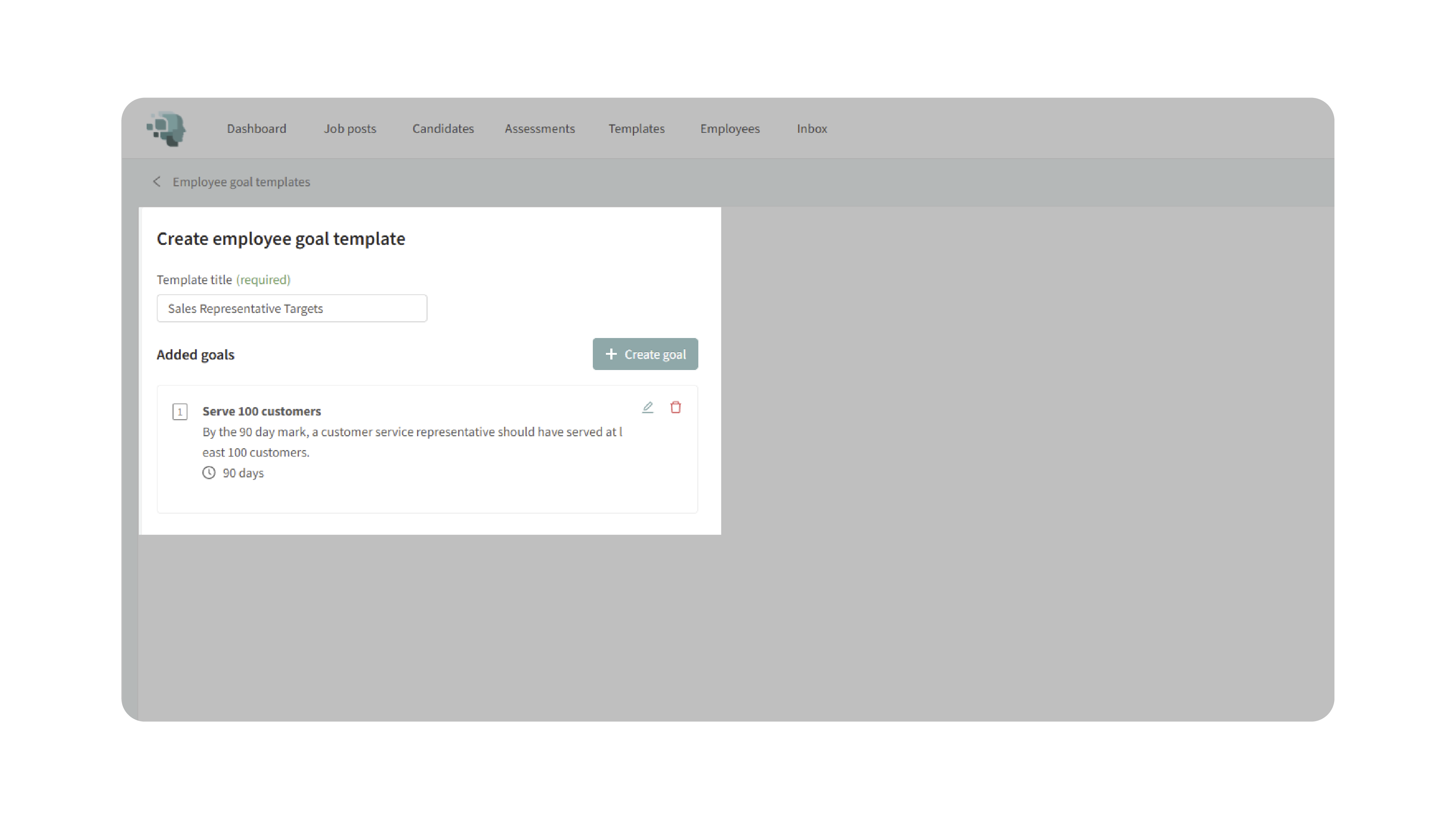
3. Add Goals to the Template:
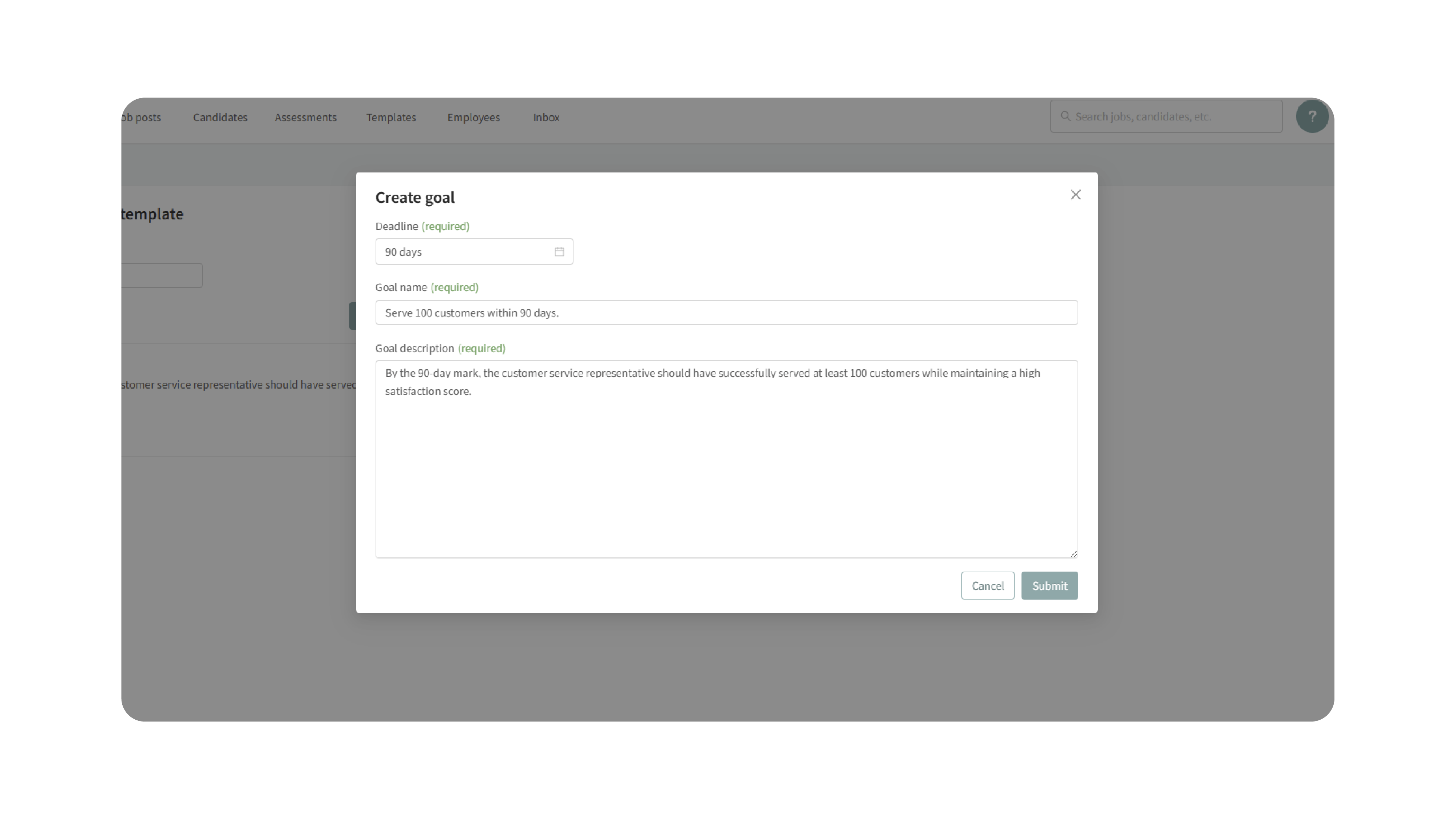
- Click Create Goal to begin adding goals.
- Choose a deadline:
- 90 days.
- 6 months.
- 12 months.
- or select a custom date.

- Enter a goal name and write a detailed description of the goal.
- Click Submit to add the goal to the template.
- Repeat these steps to add multiple goals as needed.
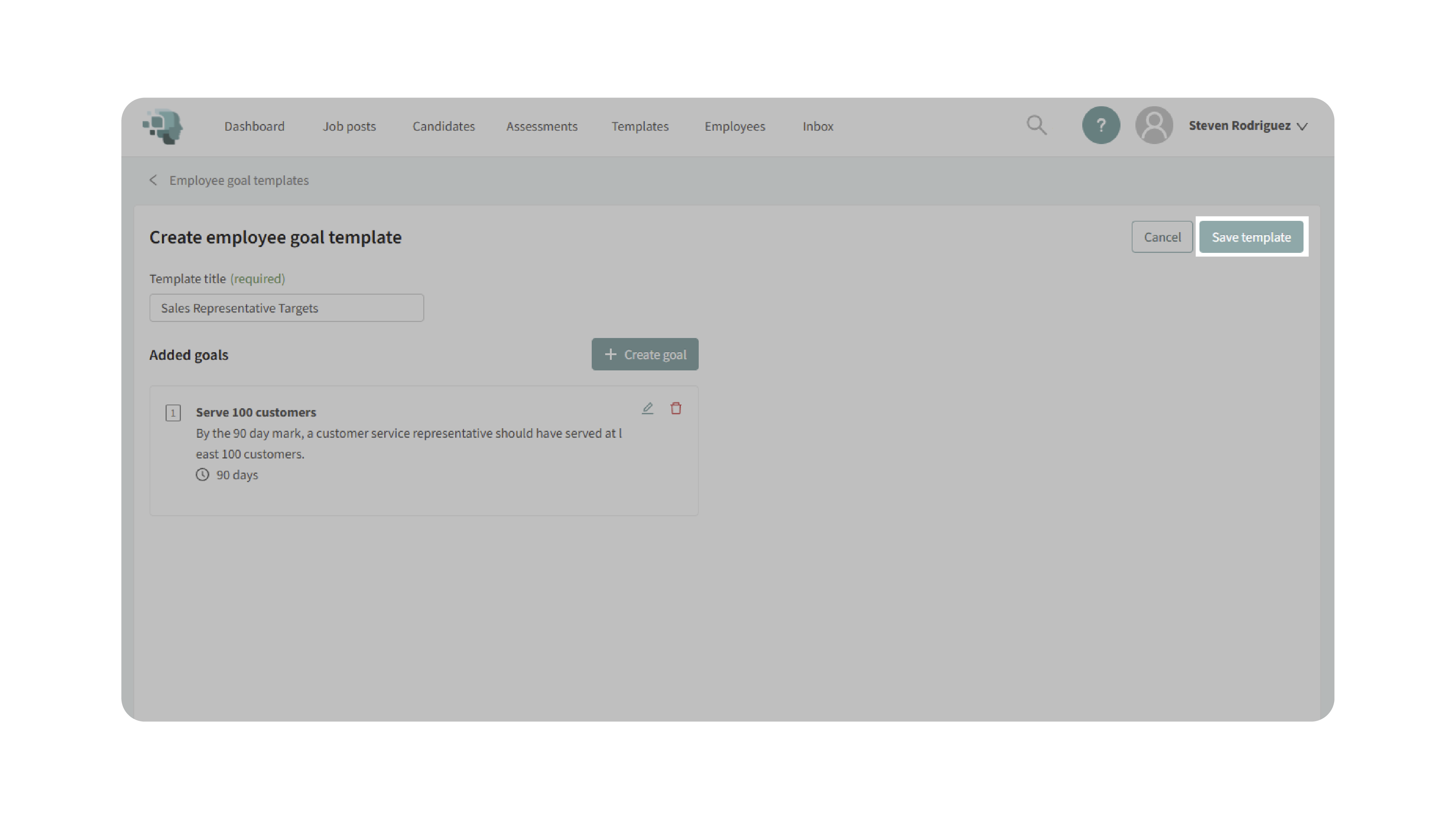
- Once all goals have been added:
- Click Save Template to store it for future use.
Your template will now be available under Templates → Employee Goal Templates for reuse.
- Click Save Template to store it for future use.
4. Assign a Template to an Employee:
- Go to the Employees tab.
- Select the employee you want to assign goals to.
- Scroll to the Goals section in the employee’s profile.

- Click Add Goal, then select Use Template.
- Choose the relevant goal template (e.g., Customer Service Goals).
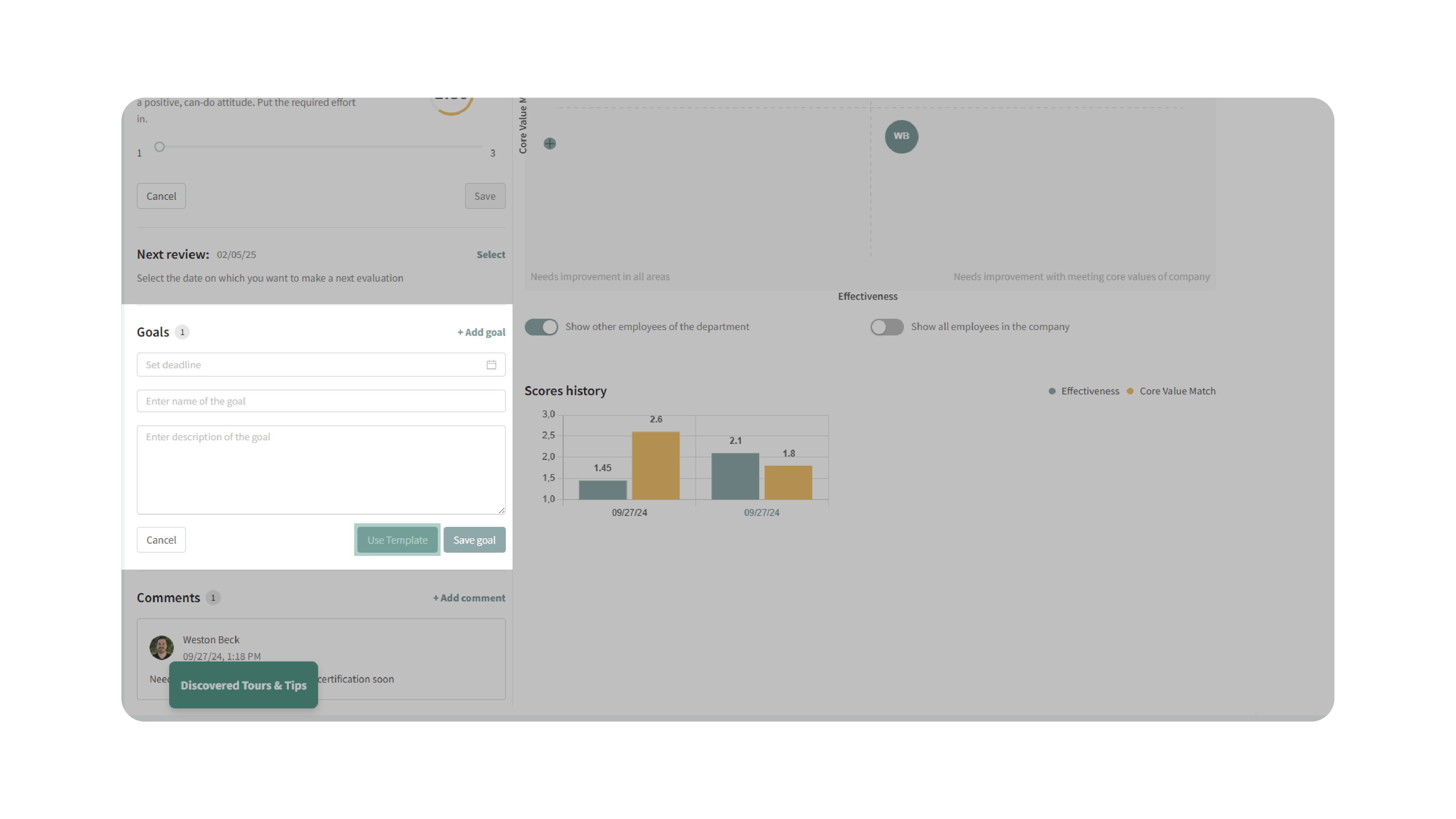
The goals will automatically populate in the employee’s profile, complete with names, descriptions, and deadlines.
5. Track Employee Progress:
- Once the goals are assigned, monitor each employee’s progress directly in their profile.
- Track goal completion rates and review outcomes as part of ongoing performance evaluations.
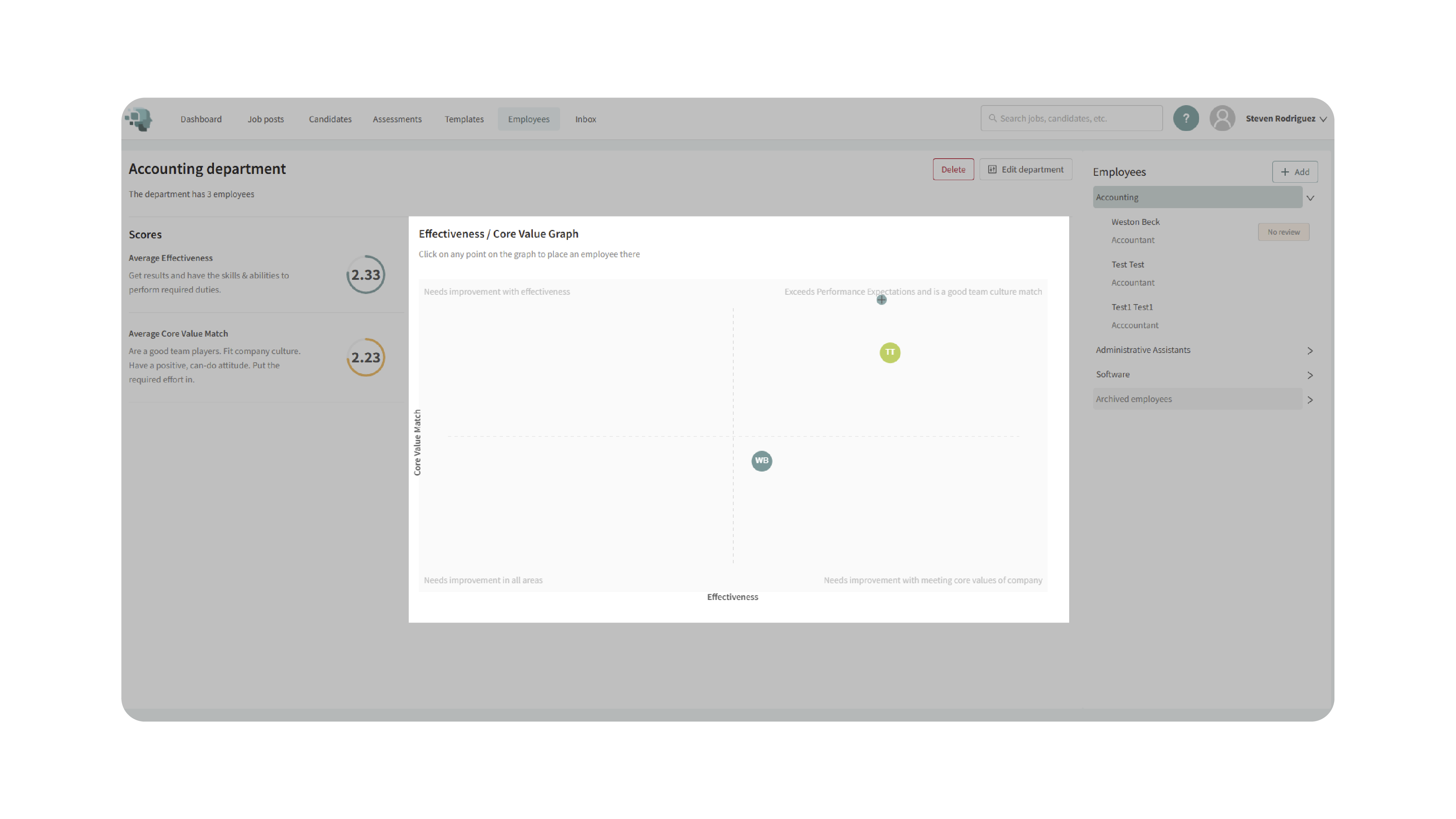
- Use the Talent Grader tool to visualize progress and identify top-performing team members.
Why This Matters
Employee Goal Templates create structure and consistency in how your organization defines, measures, and manages performance. They ensure that every employee is held to the same clear standards, making it easier to:
- Maintain consistent performance expectations across teams and roles.
- Save time by reusing proven goal frameworks.
- Drive accountability through clearly defined metrics and deadlines.
- Support fair and transparent performance evaluations.
Use Cases
- Managers: Quickly assign standardized goals to new hires or team members.
- HR Teams: Maintain consistent performance criteria across departments.
- Leadership: Align individual goals with company-wide objectives.
- Organizations: Streamline onboarding and 90-day performance tracking processes.
Best Practices
- Set clear, measurable goals: Use specific language that defines success clearly.
- Align with company objectives: Ensure goals tie into broader organizational priorities.
- Use descriptive titles: Make templates easy to identify by including department or role names.
- Review regularly: Update templates as roles evolve or business priorities shift.
- Encourage feedback: Use employee input to refine goal relevance and difficulty.
What Happens Next
Once an Employee Goal Template is created:
- It becomes available under Templates → Employee Goal Templates for ongoing use.
- You can edit, duplicate, or delete templates at any time.
- When applied, goals automatically appear in the employee’s Goals section.
- Progress and completion can be tracked directly within the Talent Grader feature.
With Employee Goal Templates, you can maintain consistent, structured performance management across your organization — helping employees stay aligned, motivated, and accountable to clear, measurable goals.