
Quick Job Posts
Overview
Quick Job Posts in Discovered allow you to send assessments to candidates quickly — without setting up a complete job posting. This feature is designed for clients who primarily use Discovered for assessments rather than full recruitment workflows.
With a Quick Job Post, you can choose the assessments you want to send, generate a shareable link, and distribute it directly to candidates. Candidates can then enter their details, complete the assigned assessments, and appear automatically in your candidate dashboard. You’ll be notified as soon as results are available, making this the fastest way to assess candidates efficiently and track their progress.
This feature is ideal for clients who want to simplify candidate testing while maintaining accurate data collection and reporting.
How to Create Quick Job Posts:
1. Access the Assessments Page:
- From the top navigation menu, click Assessments.
- This will open the Assessments Page, where all assessment categories are displayed.
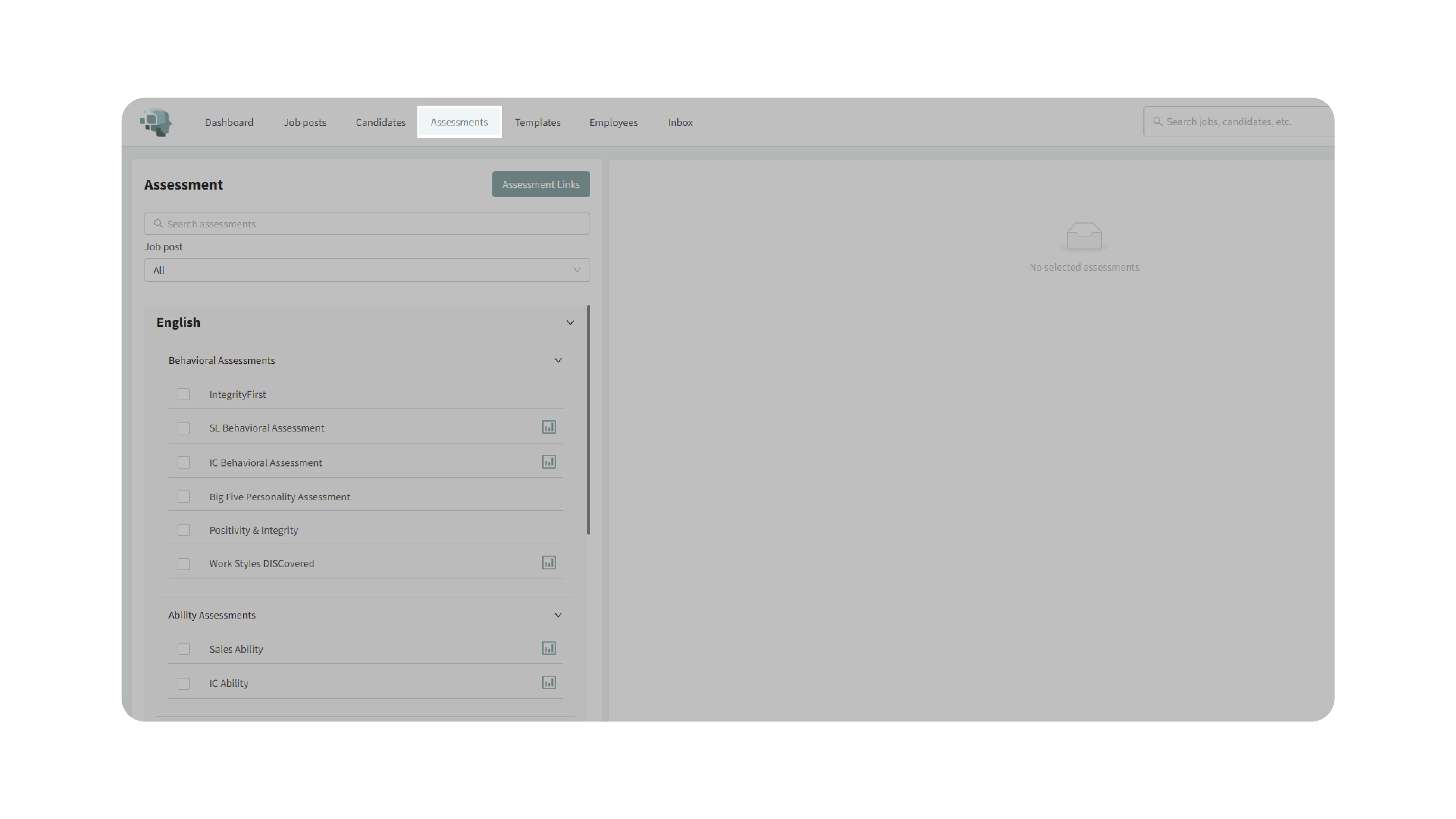
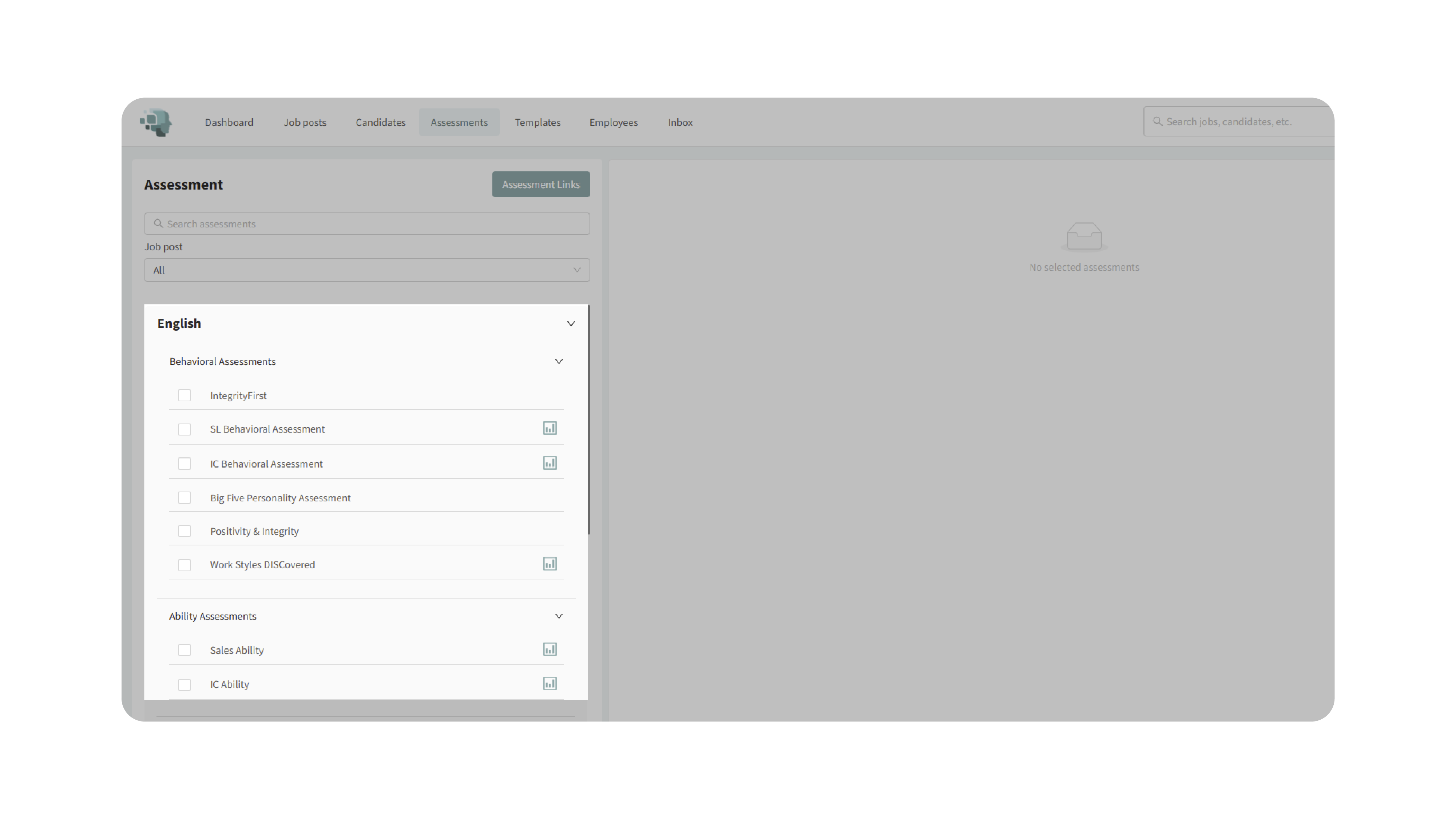
2. Select the Assessments:
- Choose one or more assessments you’d like to include.
- For example, select the SL Behavioral Assessment and Sales Ability Test for a sales role.
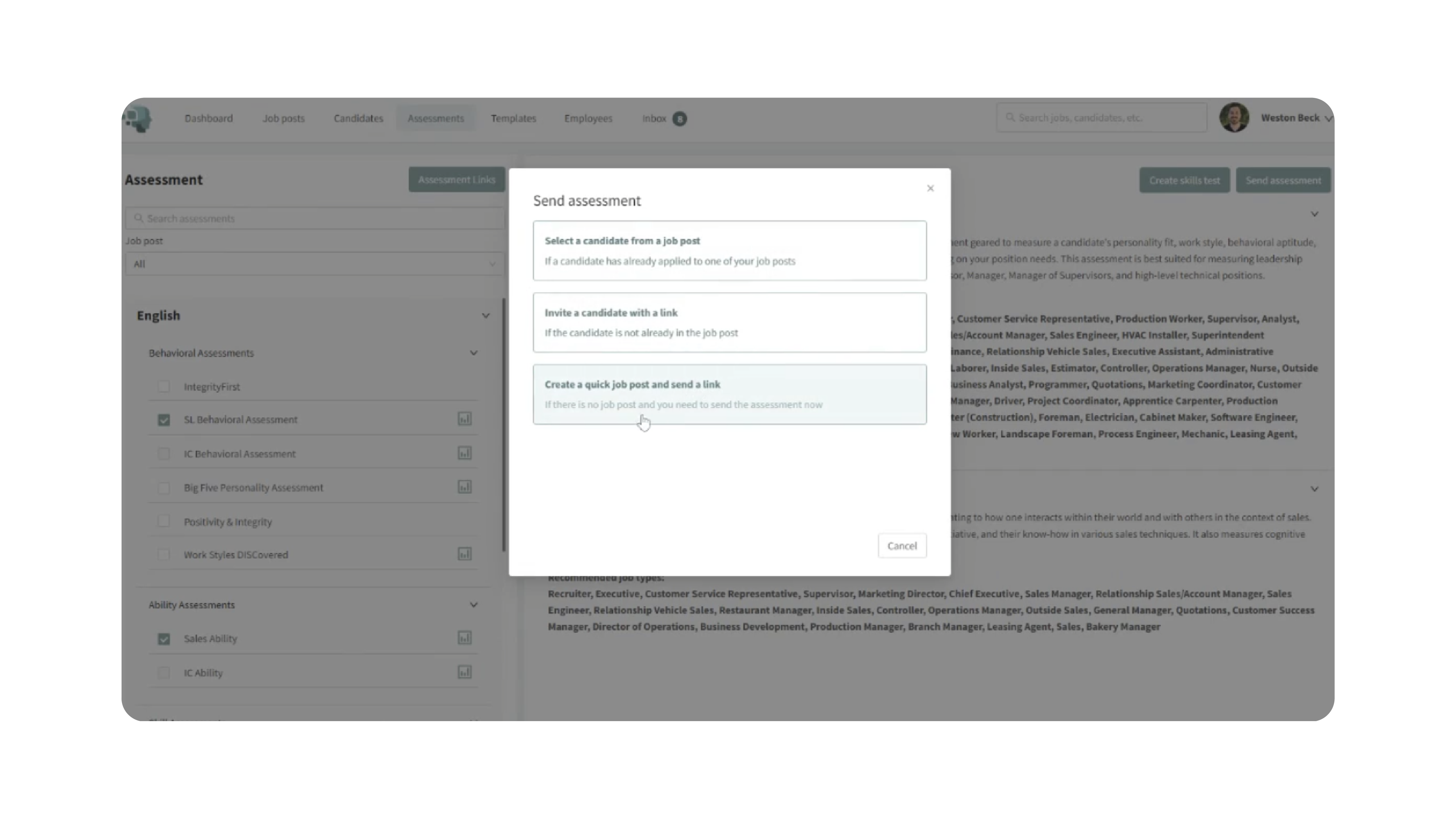
3. Create a Quick Job Post:
- Click the Send Assessment button at the top of the page.
- In the pop-up, choose the option “Create a Quick Job Post and Send a Link.”
- Enter a title for the job post.
- Select a job type category that best matches the position.
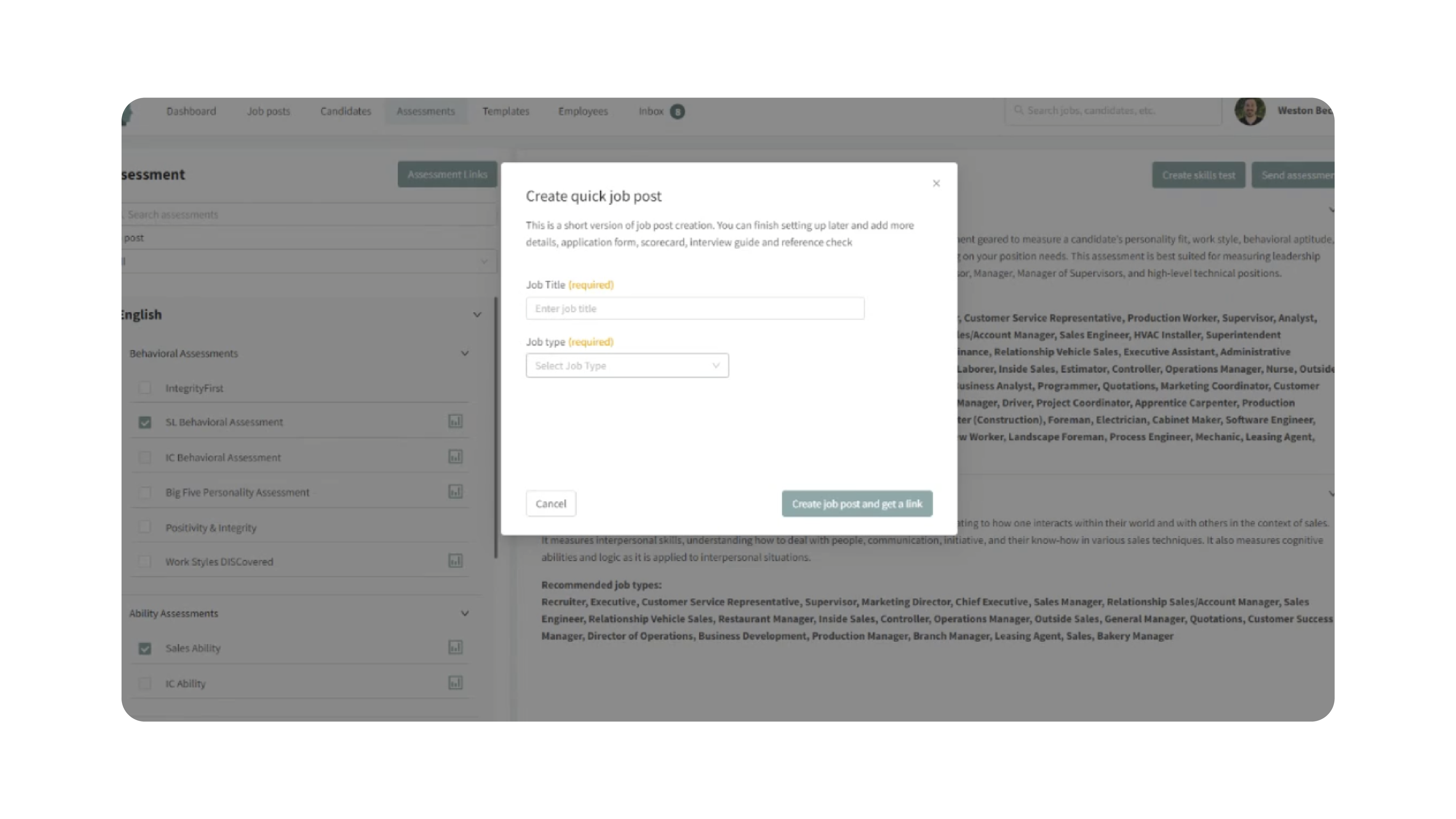
- Click Create Job Post and Get a Link.

Your new Quick Job Post will now appear on your dashboard, and a unique assessment link will be generated automatically.
4. Send the Link to Candidates:
- Copy the generated link from the pop-up window.
- (Optional) Enable the checkbox to request a resume from candidates using the link.
- Share the link through email, SMS, or any communication channel of your choice.
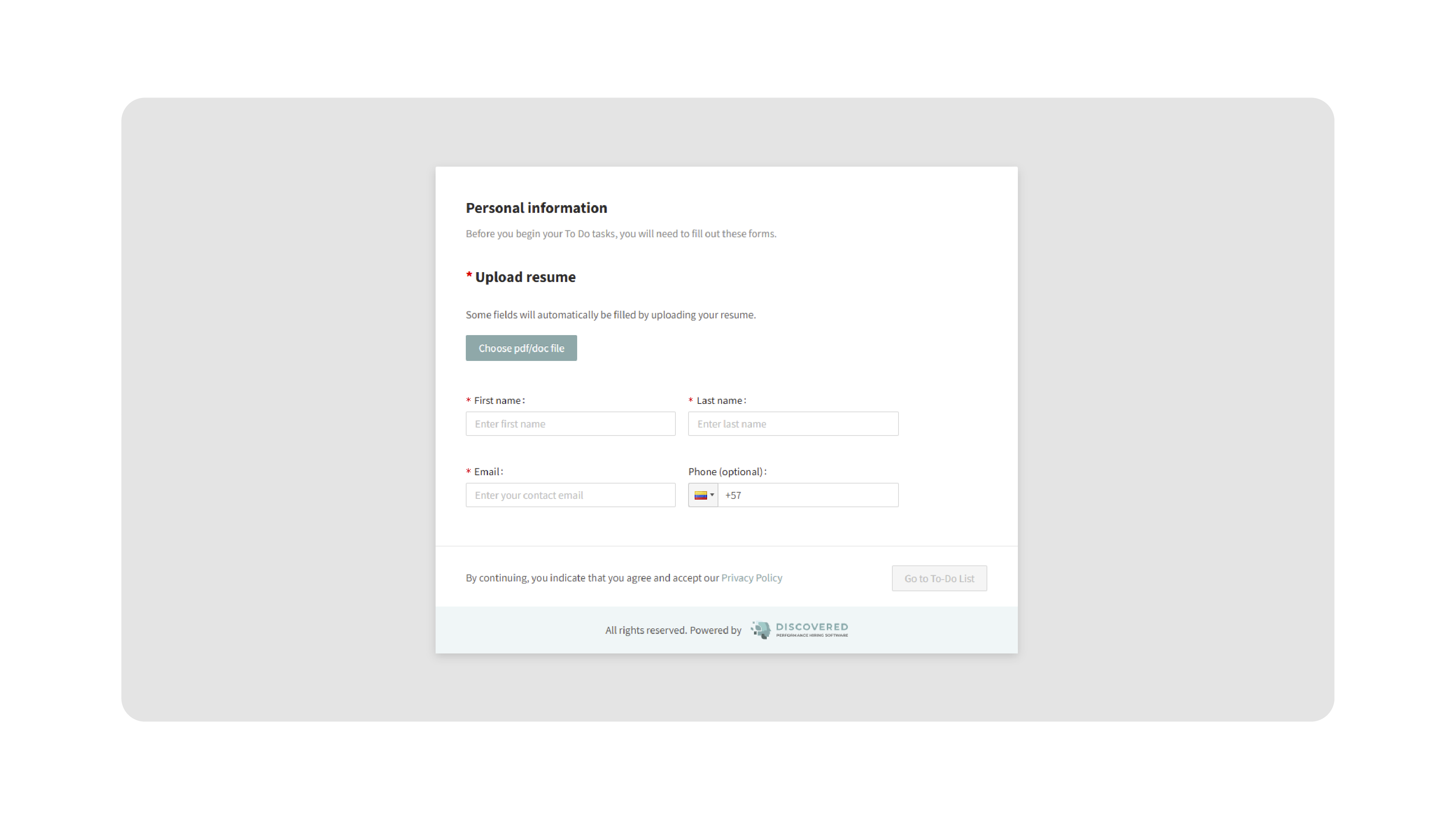
When candidates open the link, they’ll complete a brief form to enter their contact details and agree to the privacy policy before starting their assigned assessments.
5. Monitor Candidate Progress:
- Once a candidate accesses the link, they’ll be automatically added to the Quick Job Post.
- To view their progress, open the candidate’s profile. Go to the Assessments tab, and track completion status or unassign assessments if needed.
- As candidates complete assessments, results will appear in real time within their profile.

- You’ll automatically receive notifications when candidates complete their assessments.
6. Access the Link Later (Optional):
- If you ever need to retrieve the link again, there are several ways to access it:
- From the Dashboard: Find the job and click Assessment Links, then copy the link.
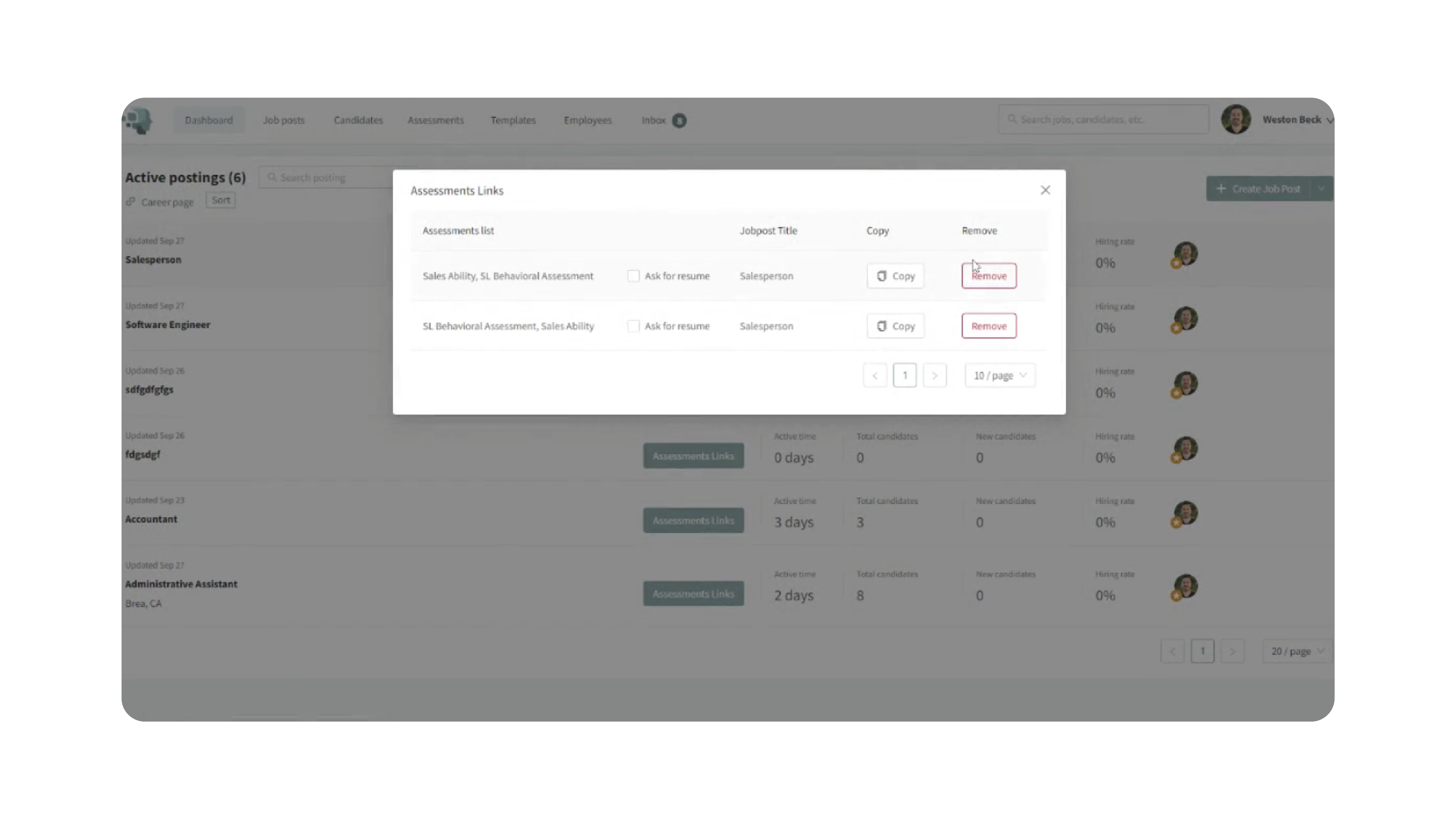
- From the Job Page:
- Click Options → To-Do List Links, or
- Go to Find & Evaluate Talent → To-Do List Links to copy the link directly.
Why This Matters
Quick Job Posts simplify the assessment process by eliminating the need to create a full job posting. This feature enables:
- Speed: Send assessments to candidates in seconds.
- Flexibility: Generate shareable links for any combination of assessments.
- Efficiency: Automatically collect candidate details and track their progress.
- Visibility: Receive instant notifications when results are ready.
- Build custom tests that align with your organization’s unique hiring needs.
With Quick Job Posts, you can focus on evaluating results instead of managing job setup — ideal for teams prioritizing candidate testing.
Use Cases
- Assessment-Only Clients: Send assessments to candidates without maintaining job listings.
- Recruiters: Quickly evaluate a pool of candidates for pre-screening.
- Agencies: Create separate Quick Job Posts for different clients or roles.
- Teams: Use links for walk-in candidates, bulk outreach, or training evaluations.
Best Practices
- Use descriptive titles: Label Quick Job Posts clearly (e.g., Customer Support Assessments).
- Select relevant assessments: Ensure the chosen tests align with the job type or role.
- Test the link: Open it once before sharing to confirm it loads properly.
- Monitor progress regularly: Track assessment completion and follow up promptly.
- Save links for reuse: Keep a record of Quick Job Post links for future candidate testing.
What Happens Next
Once a Quick Job Post is created:
- The generated assessment link can be reused anytime.
- Candidates completing assessments are automatically added to your job dashboard.
- Notifications alert you when results are ready.
- You can review, download, or analyze assessment data directly from candidate profiles.
With Quick Job Posts, you can create, share, and manage assessments instantly — making it the simplest way to test candidates efficiently while maintaining full visibility of results and progress.