
Assessments Overview
Overview
The Assessments Page in Discovered serves as your central hub for exploring and managing a wide range of assessment tools. From behavioral, ability, and skills assessments to custom tests you’ve created, this page allows you to send assessments, view sample reports, and learn about each assessment’s purpose and recommended use cases.
You can also explore pairing recommendations, such as combining behavioral and ability assessments for more comprehensive insights into candidate performance. This page helps ensure your assessment process is efficient, data-driven, and tailored to each job role.
How to Access Assessments:
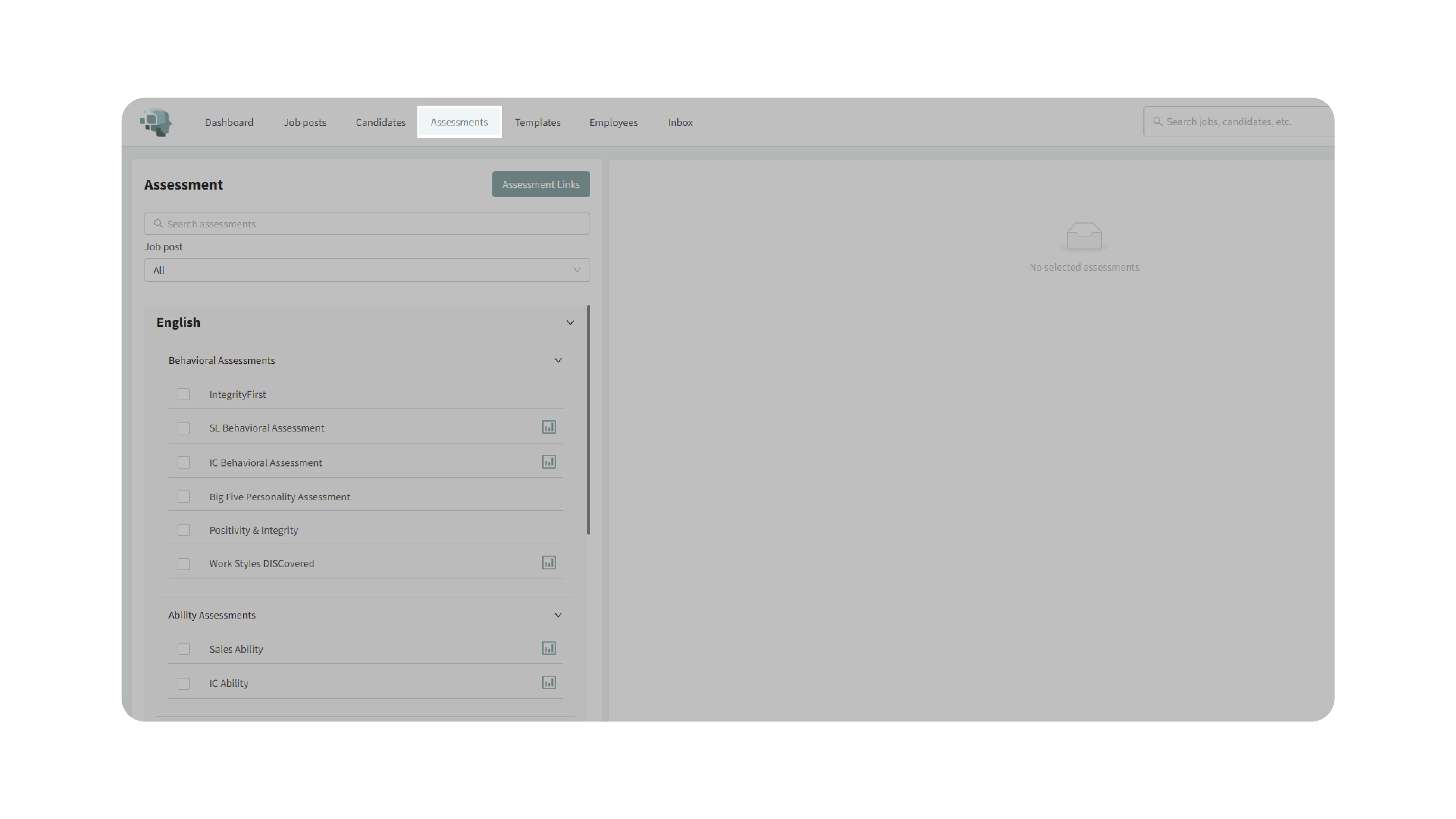
1. Access the Assessments Page:
- From the top navigation menu, click Assessments.
- This will open the Assessments Page, where all assessment categories are displayed.
2. Explore Assessment Categories:
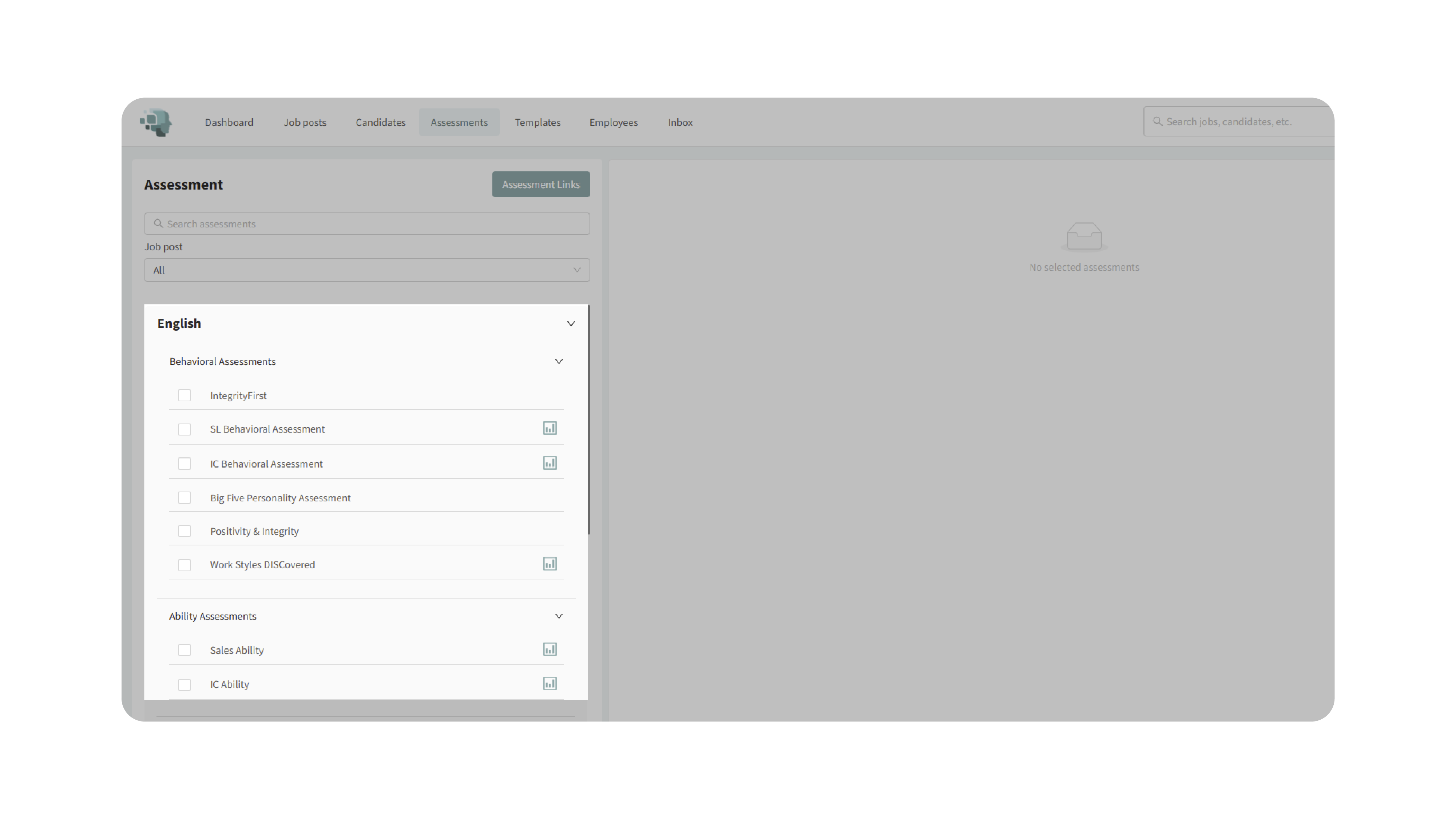
- Browse assessments organized by category:
- Behavioral Assessments – measure personality traits and work behaviors.
- Ability Assessments – evaluate reasoning and problem-solving capabilities.
- Skills Assessments – test job-specific or technical skills.
- Custom Assessments – show assessments you’ve built using the Custom Assessment Builder.
- Spanish Assessments – translated versions of existing tests.
3. View Assessment Details:
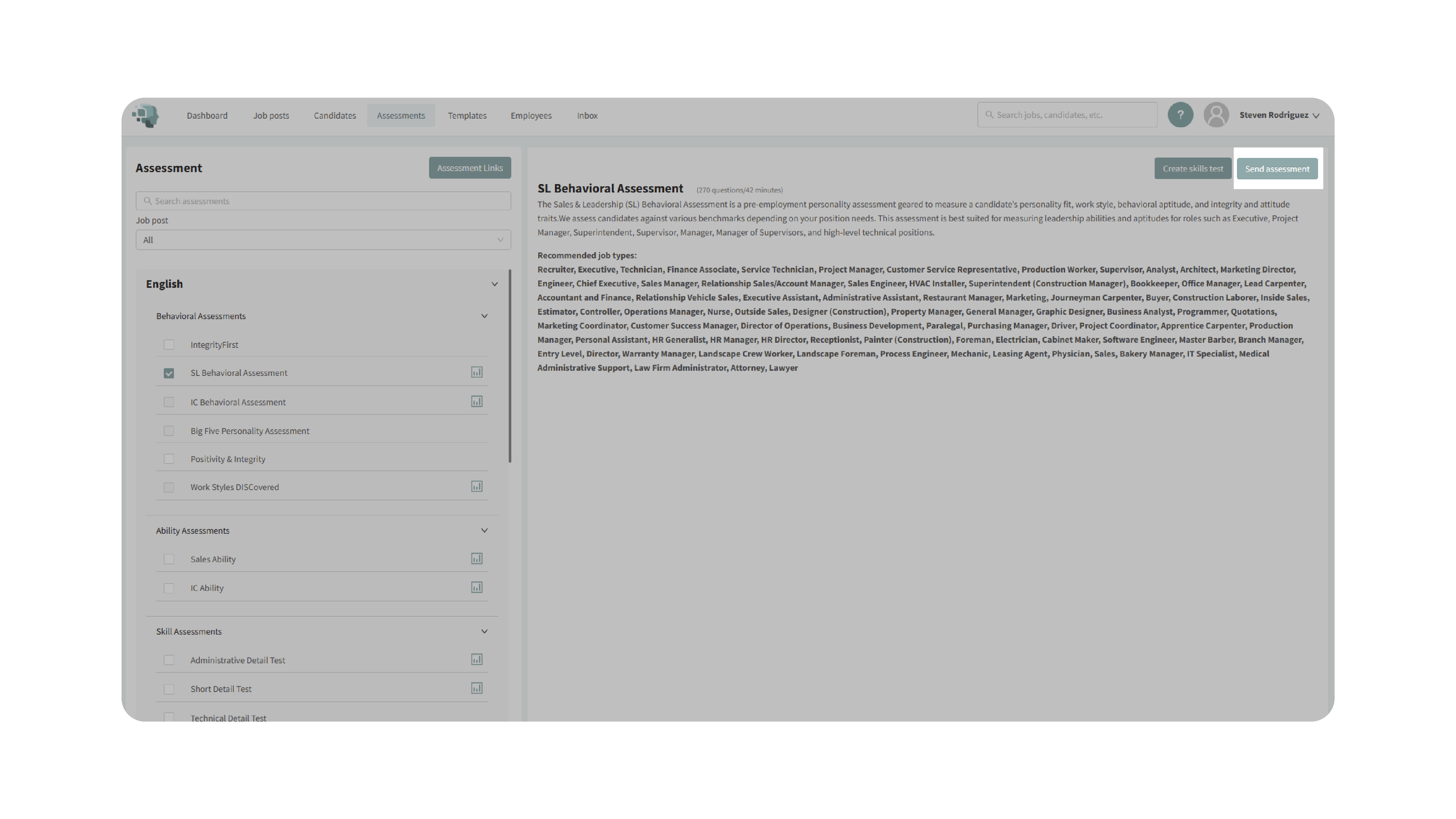
- Click an assessment name to view a description and recommended job types.
- To see what results look like, click the sample report icon next to the assessment.
- Review the content and purpose of the assessment before sending it to candidates.

4. Send an Assessment:
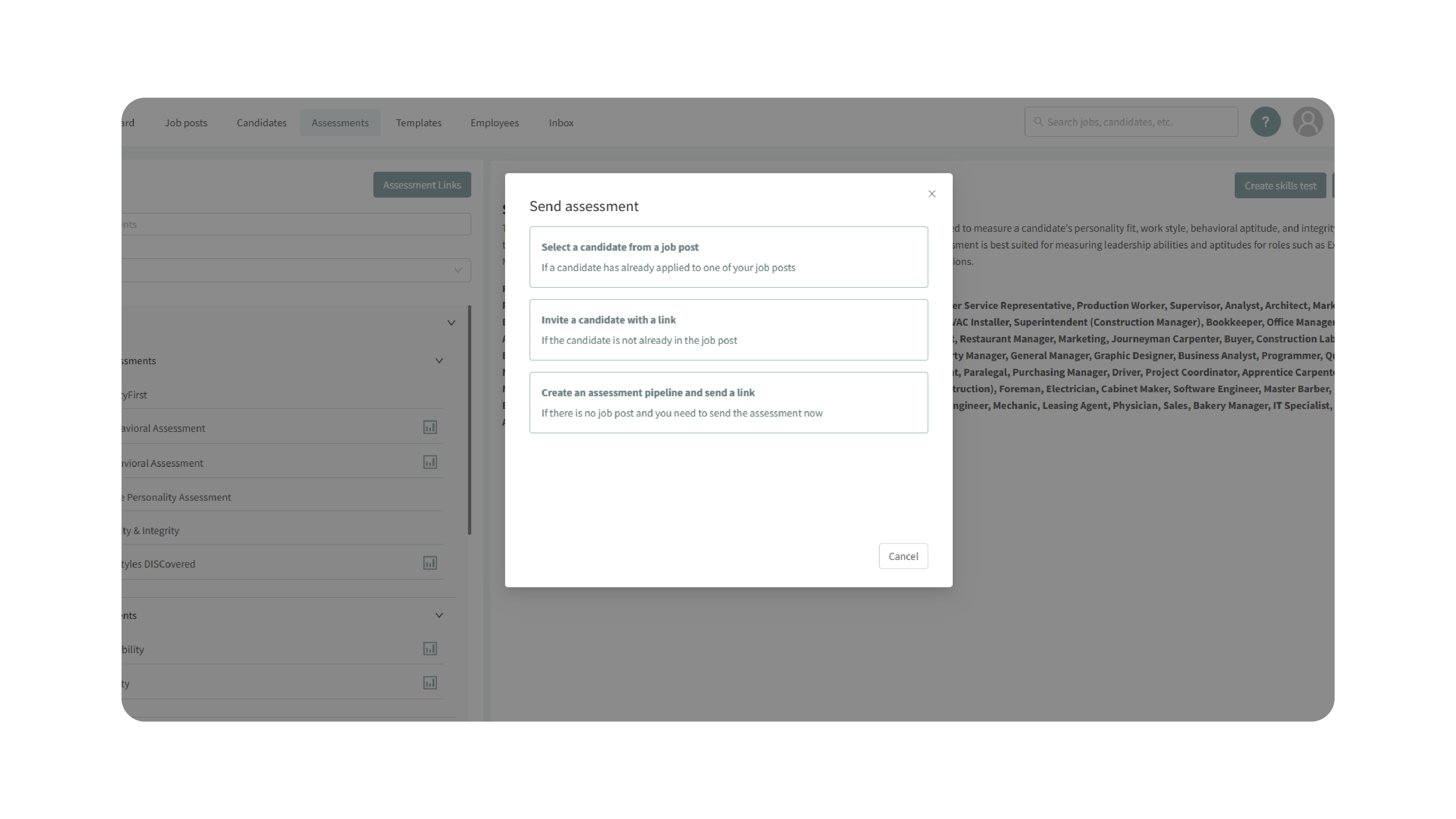
- Click Send Assessment to assign an assessment directly to a candidate or job posting.
- Select the candidate(s) and confirm your choice.
- The selected assessment will be sent, and results will populate automatically when completed.
5. Create a Custom Assessment:
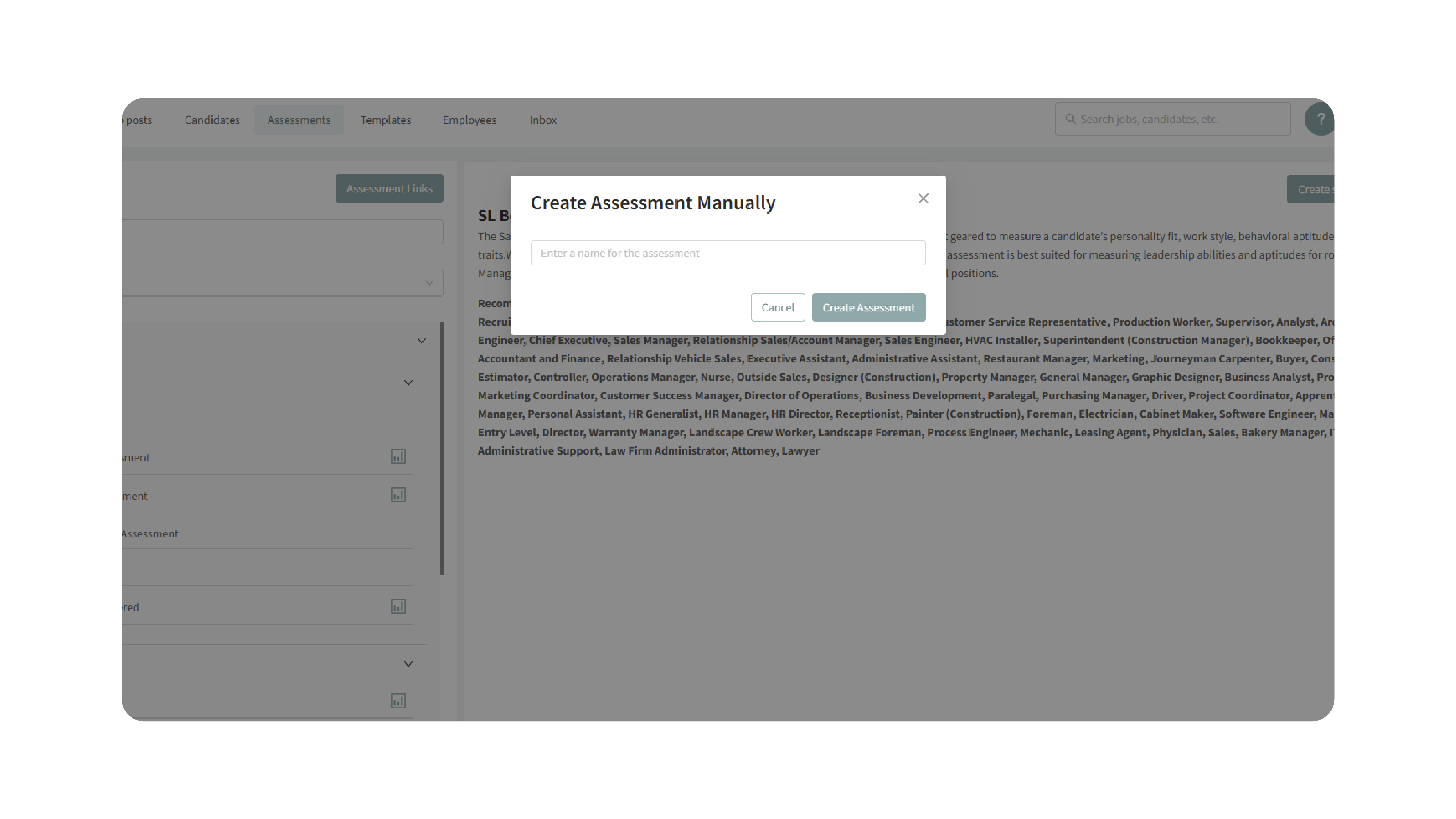
- Click Create Skills Test to open the Custom Assessment Builder..
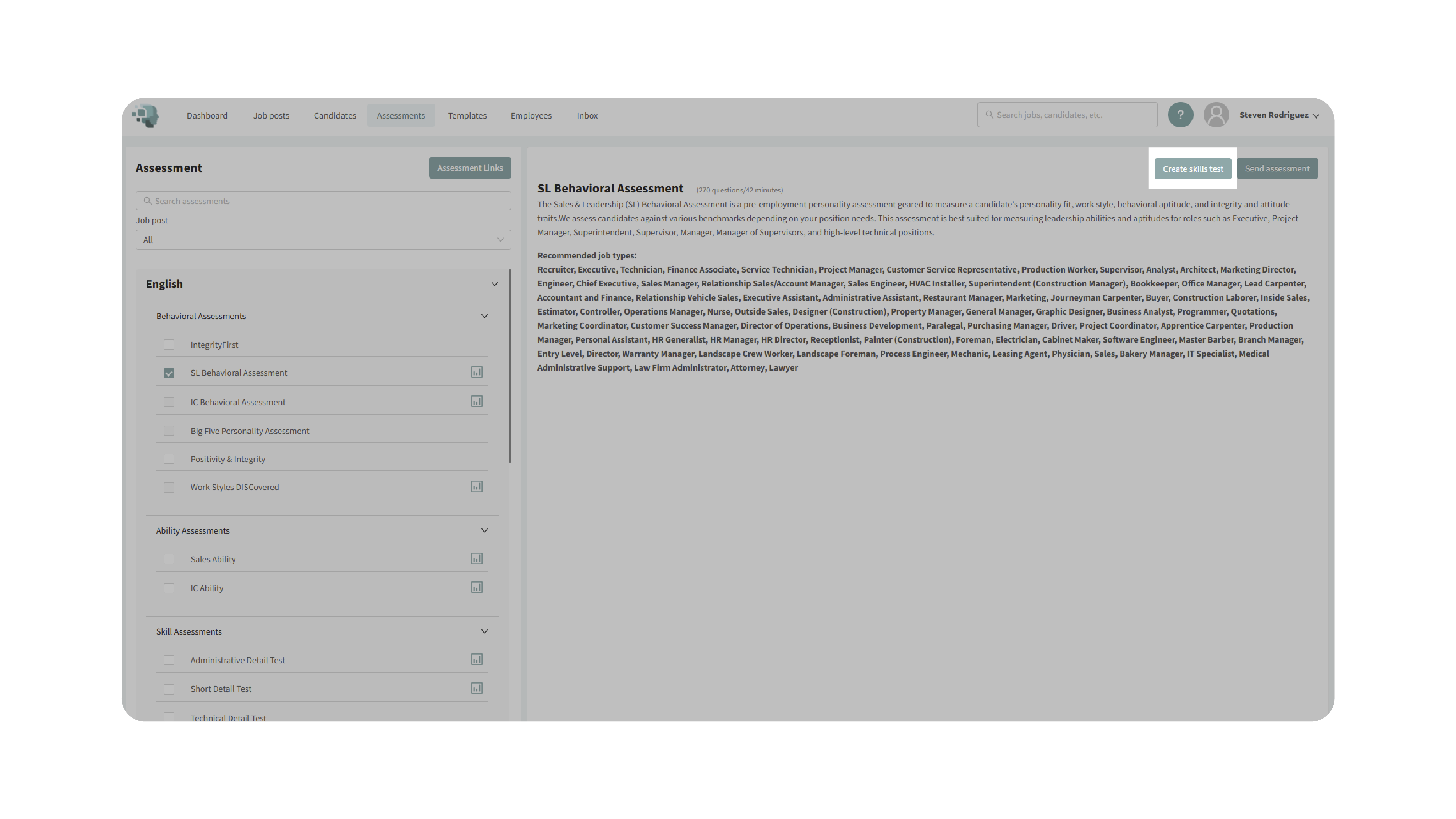
- Build your own test by writing questions, adding multiple-choice or open-ended responses, and setting scoring criteria.
- Save your test to make it available under the Custom Assessments category.
6. Manage Assessment Links:
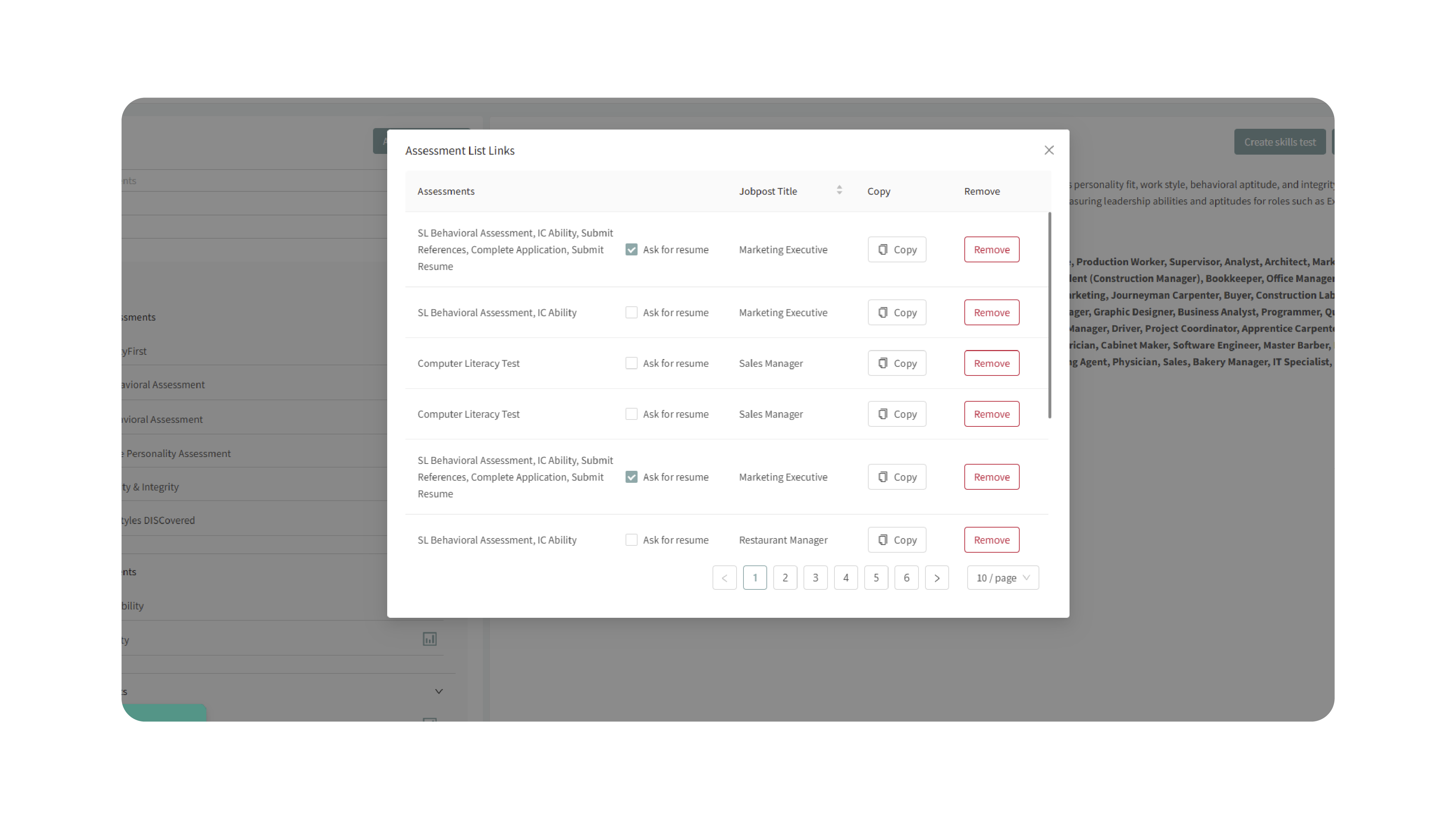
- Use the Link Management feature to:
- View existing assessment links.
- Associate links with specific jobs or candidates.
- Remove or deactivate old links.
- Use the Search Bar to quickly find specific assessments or categories.
Why This Matters
Assessments provide an objective way to measure candidates’ skills, abilities, and behavioral tendencies, helping your team make more informed hiring decisions. The Assessments Page makes it easy to:
- Access all available assessments in one location.
- Send and track candidate assessments quickly.
- View sample reports to understand scoring and insights.
- Combine behavioral and ability assessments for a more holistic evaluation.
- Build custom tests that align with your organization’s unique hiring needs.
This ensures a consistent, fair, and data-backed approach to evaluating every candidate.
Use Cases
- Recruiters: Quickly send preconfigured assessments to candidates for screening.
- Hiring Managers: Pair behavioral and ability tests to evaluate both personality and aptitude.
- Agencies: Use the centralized library to manage multiple clients’ assessments.
- HR Teams: Create and deploy custom assessments aligned with company-specific skills.
Best Practices
- Avoid duplication: Don’t send multiple behavioral assessments that measure similar traits to the same candidate (e.g., SL Behavioral, IC Behavioral, Big Five Personality, or Work Styles DISCovered).
- Pair assessments wisely: Use SL Behavioral or IC Behavioral together with Sales Ability or IC Ability for enhanced accuracy.
- Use the search function to locate specific assessments quickly.
- Preview before sending: Always review the sample report to ensure it aligns with your job requirements.
- Leverage custom assessments: Use the Custom Assessment Builder to tailor evaluations for niche or specialized roles.
What Happens Next
Once an assessment is sent:
- The candidate receives a secure link to complete it.
- Results appear automatically in the candidate’s profile under the assigned job.
- You can view detailed reports, compare scores, and pair results for deeper insights.
- Custom assessments you create become available for reuse under the Custom Assessments section.
By utilizing the Assessments Page, you can efficiently manage, send, and interpret assessments — ensuring your hiring process is both consistent and insight-driven.