
Connecting Discovered with OnlineJobs.ph
Overview
Discovered’s email-to-apply feature makes it simple to route applicants from OnlineJobs.ph straight into the correct job posting inside your Discovered ATS. By placing your job’s unique email-to-apply address into the OnlineJobs.ph job form, every applicant who submits their information is instantly sent to Discovered, parsed, and added as a candidate—no manual downloading, forwarding, or uploading required.
This integration is ideal for teams hiring virtual assistants, remote workers, or offshore talent and want all candidates centralized inside Discovered for consistent screening and workflow management.
How to Connect Discovered with OnlineJobs.ph:
1. Access Your Job Email in Discovered:
- Open the job posting within Discovered.
- At the top of the posting, click Job Email.
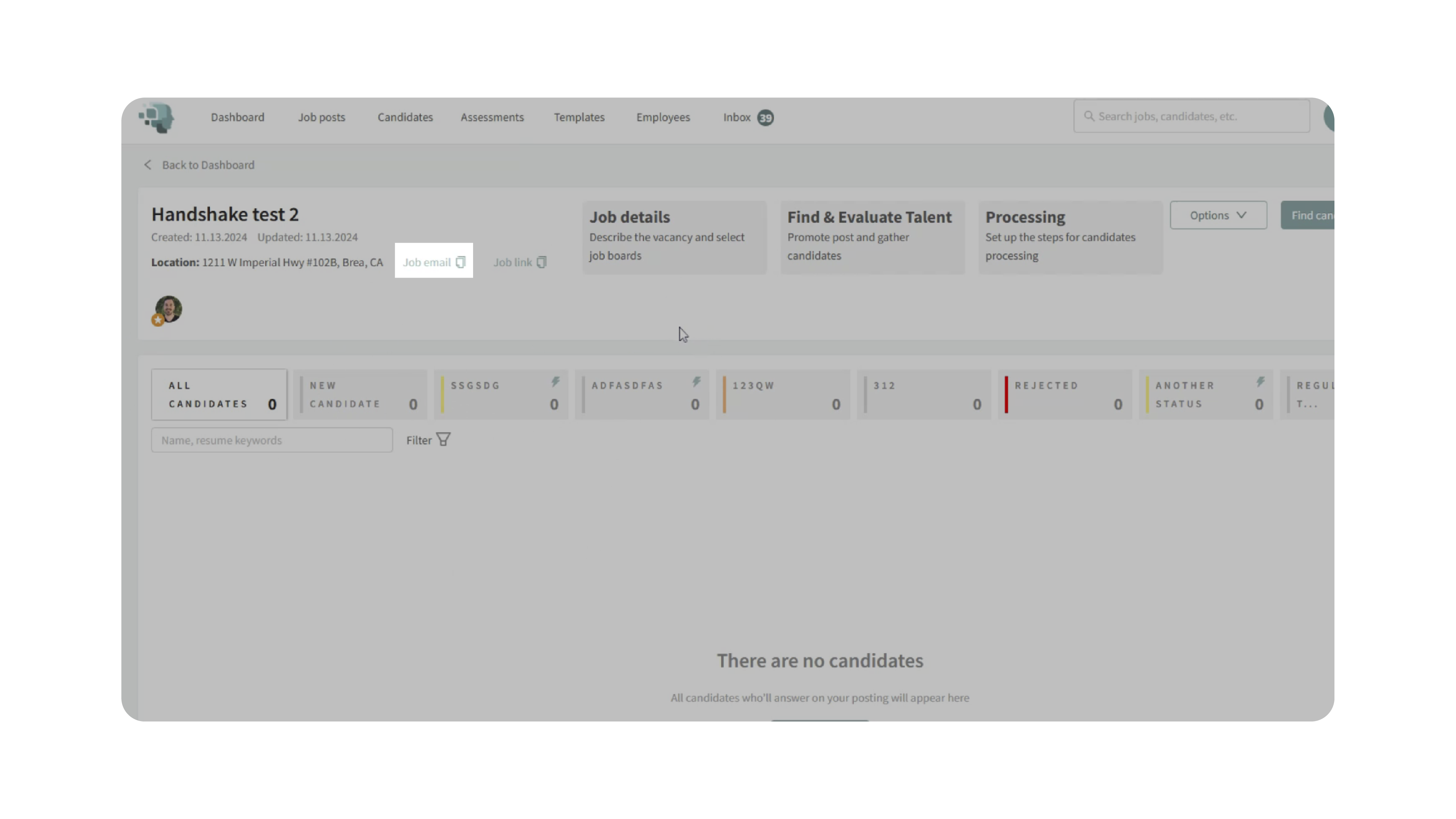
- This copies your unique email-to-apply address, which Discovered uses to match incoming applicants to the correct job.
2. Create or Edit Your Job on OnlineJobs.ph:
- Log into your OnlineJobs.ph employer account.
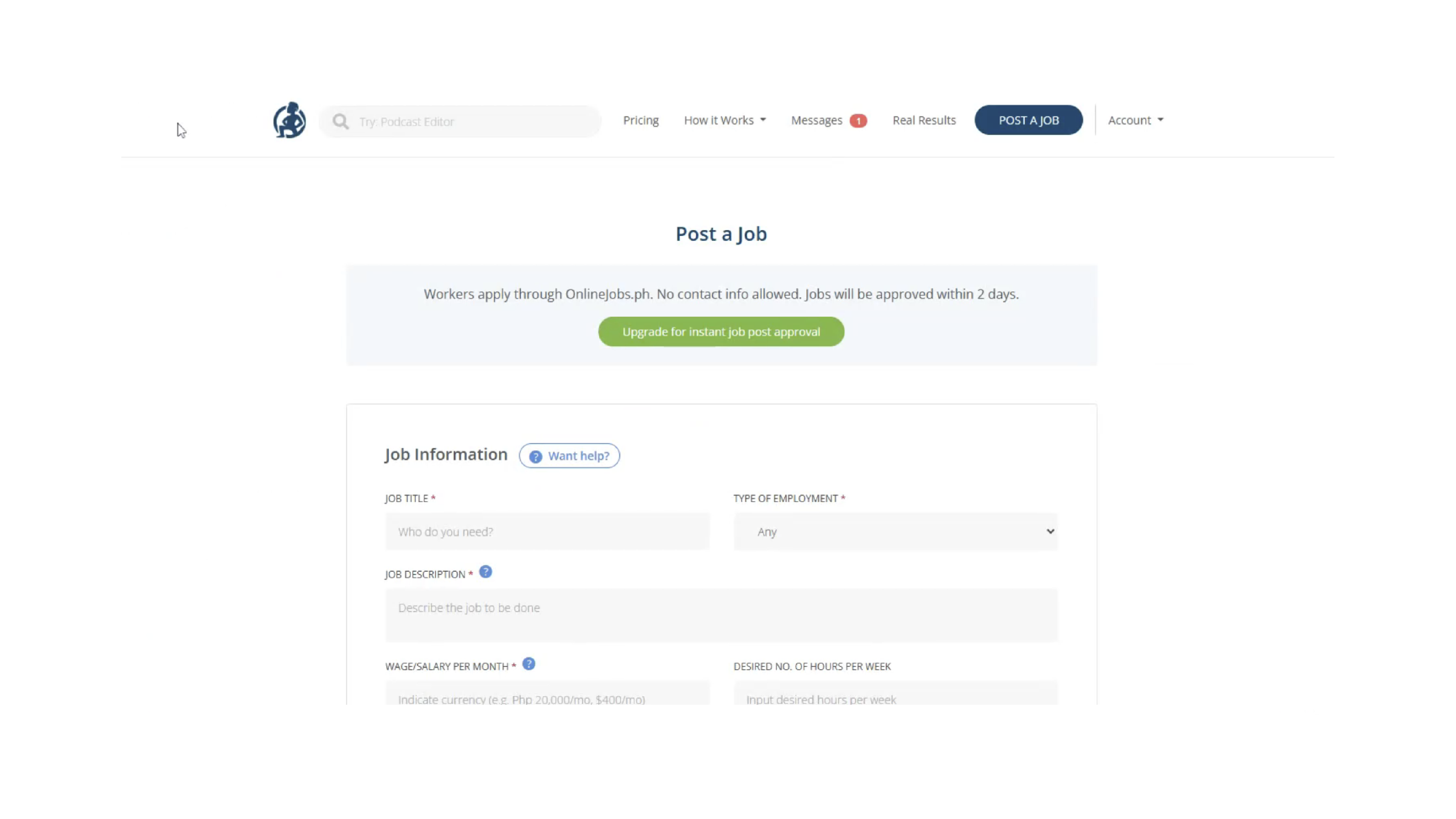
- Click Post a Job (or edit an existing job).
- Fill out the required fields: job title, schedule, employment type, job description, salary range, etc.
3. Insert the Email-to-Apply Address:
- Locate the Email field on the OnlineJobs.ph posting form.
- Delete the default email shown.
- Paste the email-to-apply address copied from Discovered.
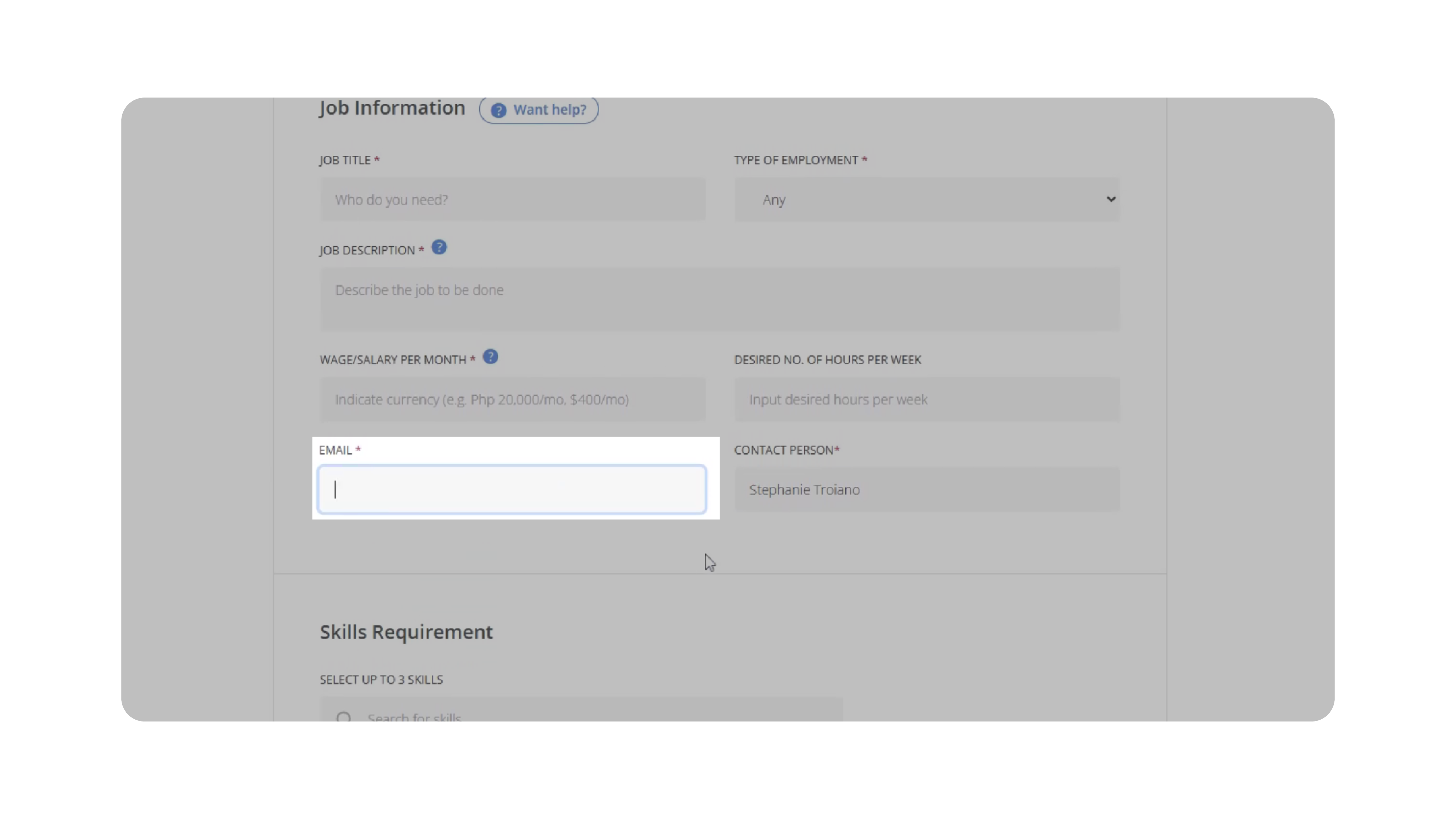
- This ensures all applicant submissions flow into the correct job in Discovered.
4. Enable Email Delivery of Applications:
- Scroll to the section labeled Send all applications immediately to my email address.
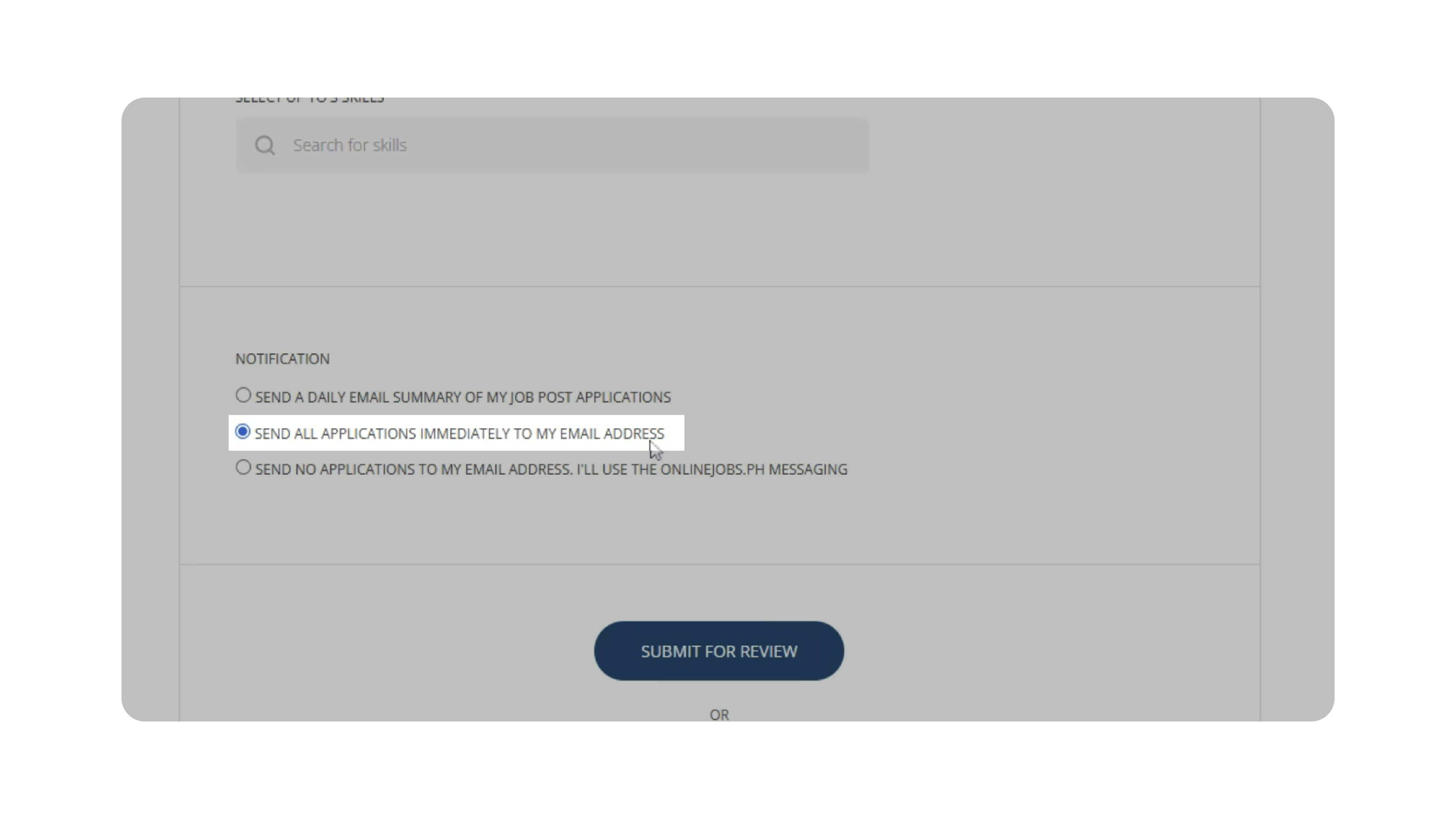
- Select this option.
- This setting directs OnlineJobs.ph to forward applicant submissions to the email you pasted—your Discovered job email.
5. Submit the Job Posting:
- Review your information for accuracy.
- Click Submit for Review (or Submit instantly if you have a paid account).
- Once approved, your job is live and ready to collect applicants.
Why This Matters
Connecting OnlineJobs.ph to Discovered through email-to-apply allows you to manage all candidates in one central system. This creates:
- Automatic applicant importing without downloading resumes
- Accurate candidate records tied to the correct job
- Streamlined screening using Discovered’s assessments and AI tools
- Faster hiring workflows for offshore and remote roles
- Reduced manual administrative work
For teams hiring high-volume remote roles, this dramatically speeds up candidate intake and ensures consistent evaluation.
Use Cases
- Remote hiring teams: Funnel applicants from OnlineJobs.ph directly into Discovered for centralized review.
- Virtual assistant staffing agencies: Sync all incoming VA applications into job-specific pipelines.
- Large hiring operations: Eliminate manual resume handling across multiple platforms.
- Frequent remote job postings: Avoid repetitive setup by reusing job emails consistently.
Best Practices
- Always verify the correct email-to-apply address is pasted into OnlineJobs.ph.
- Use clear job titles across platforms for easy tracking.
- Save your job email in a note or template if you'll reuse it often.
- Ensure OnlineJobs.ph is set to send all applications immediately to avoid delays.
- Monitor the job in Discovered after publishing to confirm applications are flowing correctly.
What Happens Next
Once your OnlineJobs.ph job is connected:
- Applicant submissions are automatically forwarded to your Discovered email-to-apply address.
- Discovered parses the resume and builds a candidate profile instantly.
- Candidates appear directly within your job posting’s pipeline.
- You can start screening using assessments, Kingsley AI, messaging, and workflows.
This integration keeps your hiring process fully streamlined—no manual import steps and no missed applicants.