
Save Job as Template
Overview
When you’ve created a job post that worked well—complete with customized workflows, pipelines, and evaluation tools—you don’t need to start over next time. Discovered allows you to save any existing job post as a template, so you can quickly recreate the same structure for similar roles in the future.
Saving a job as a template helps you:
- Speed up job creation by reusing proven configurations.
- Maintain consistency across departments or job types.
- Reduce manual setup and prevent errors from copy-pasting information.
This feature is ideal for recurring roles or when you’ve built a particularly effective job posting that aligns with your hiring process.
How to Save Job as Template:
1. Identify the Job Post to Save
From your Dashboard, locate and open the job posting you’d like to save as a template.
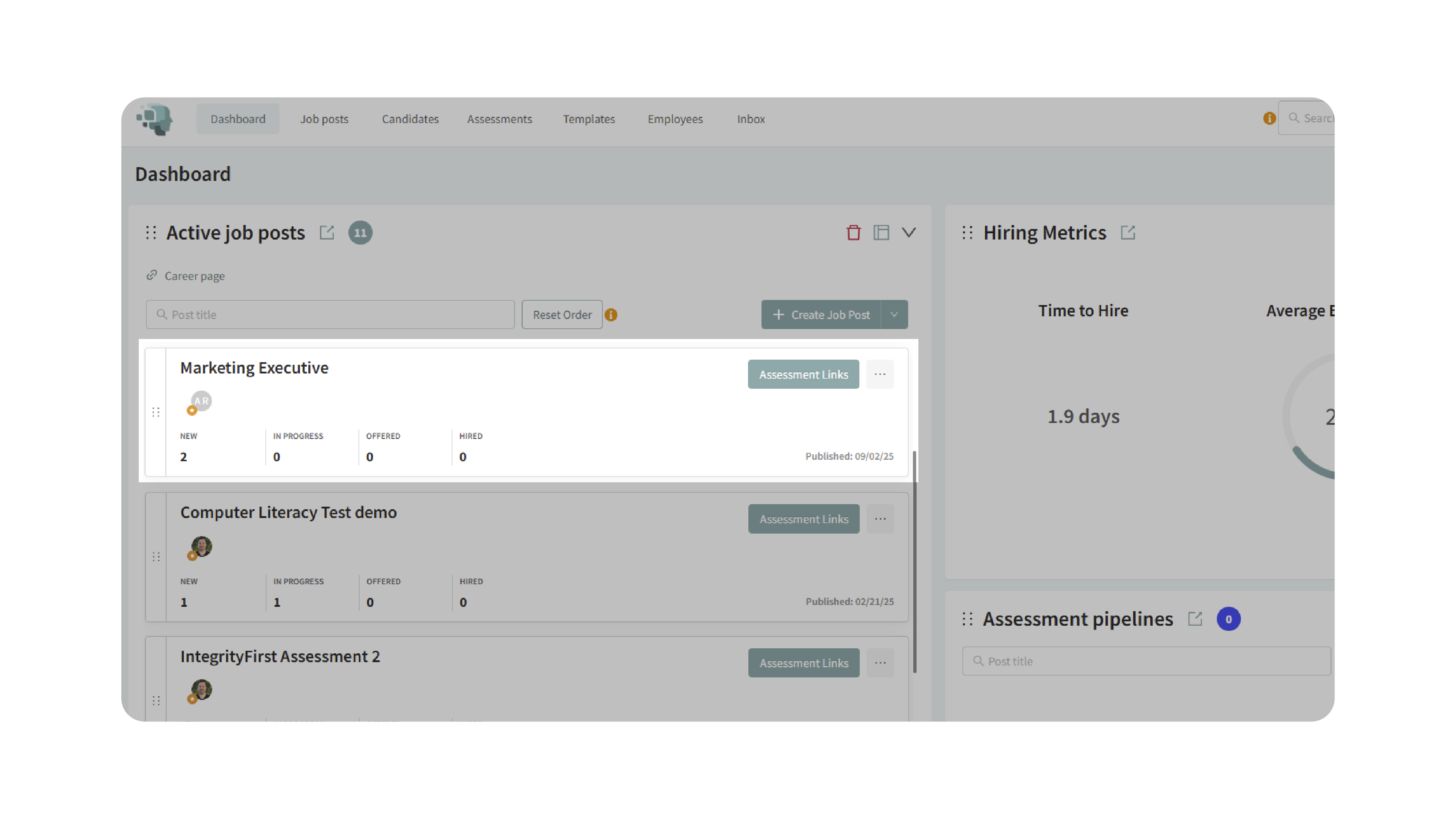
2. Select “Save as a Template”
- In the upper-right corner, hover over the Options menu to reveal additional actions.
- Click Save as a Template from the dropdown.
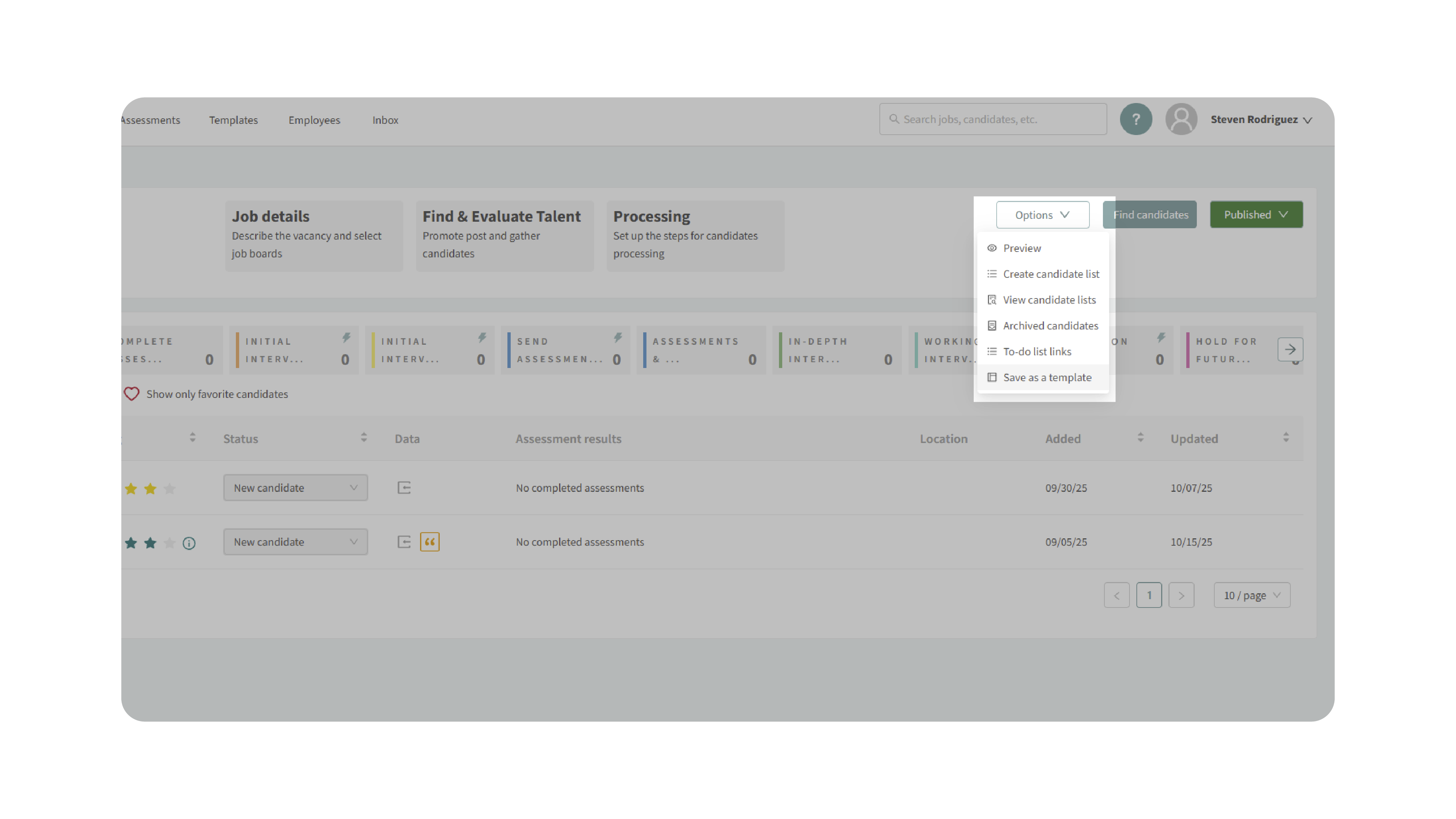
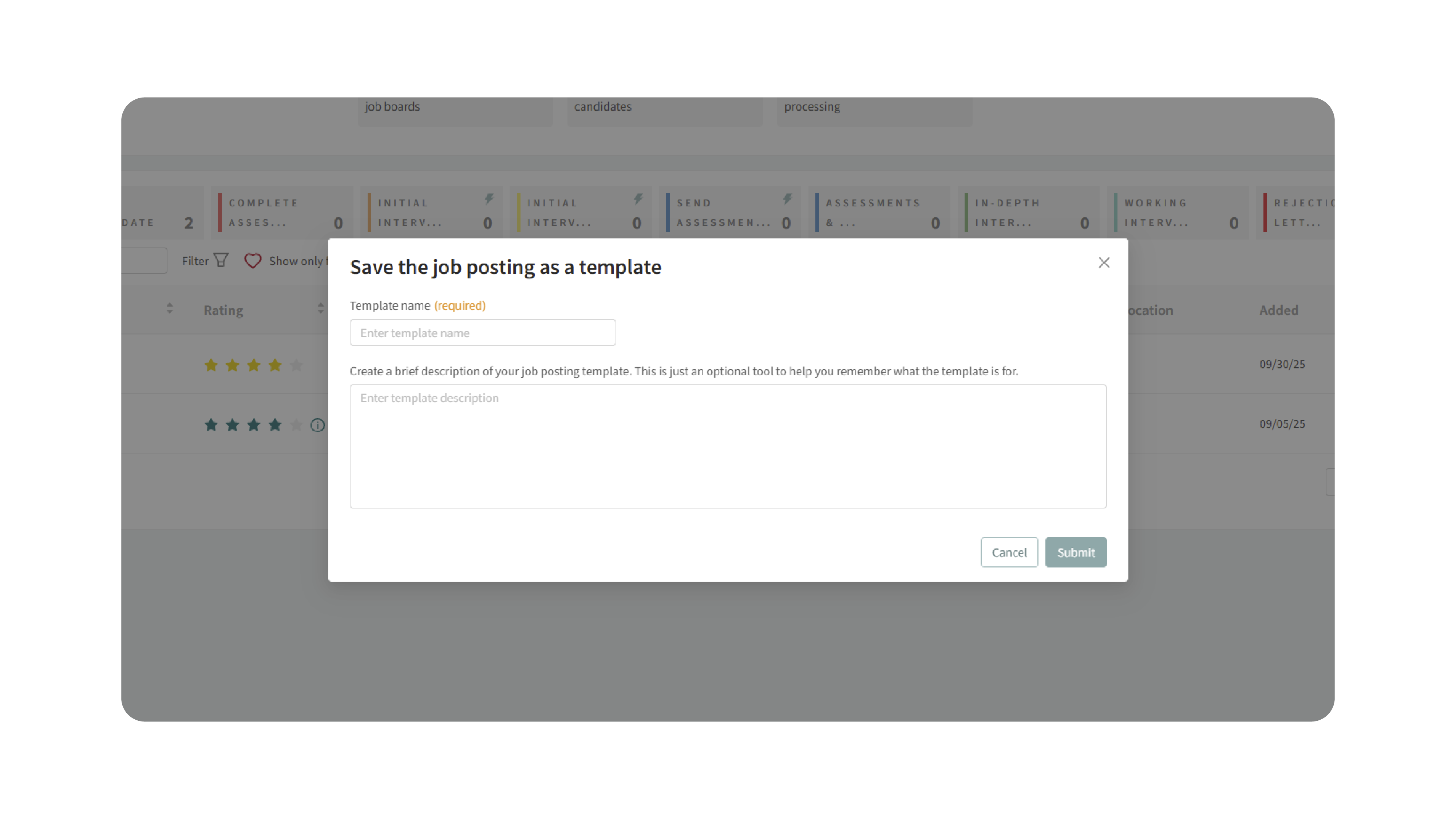
- A prompt will appear where you can name and describe your new template.
3. Enter Template Details
- Name the Template: Choose a clear, descriptive name.
- Add an Optional Description: Note the purpose or context of this template.
- Click Submit when finished.
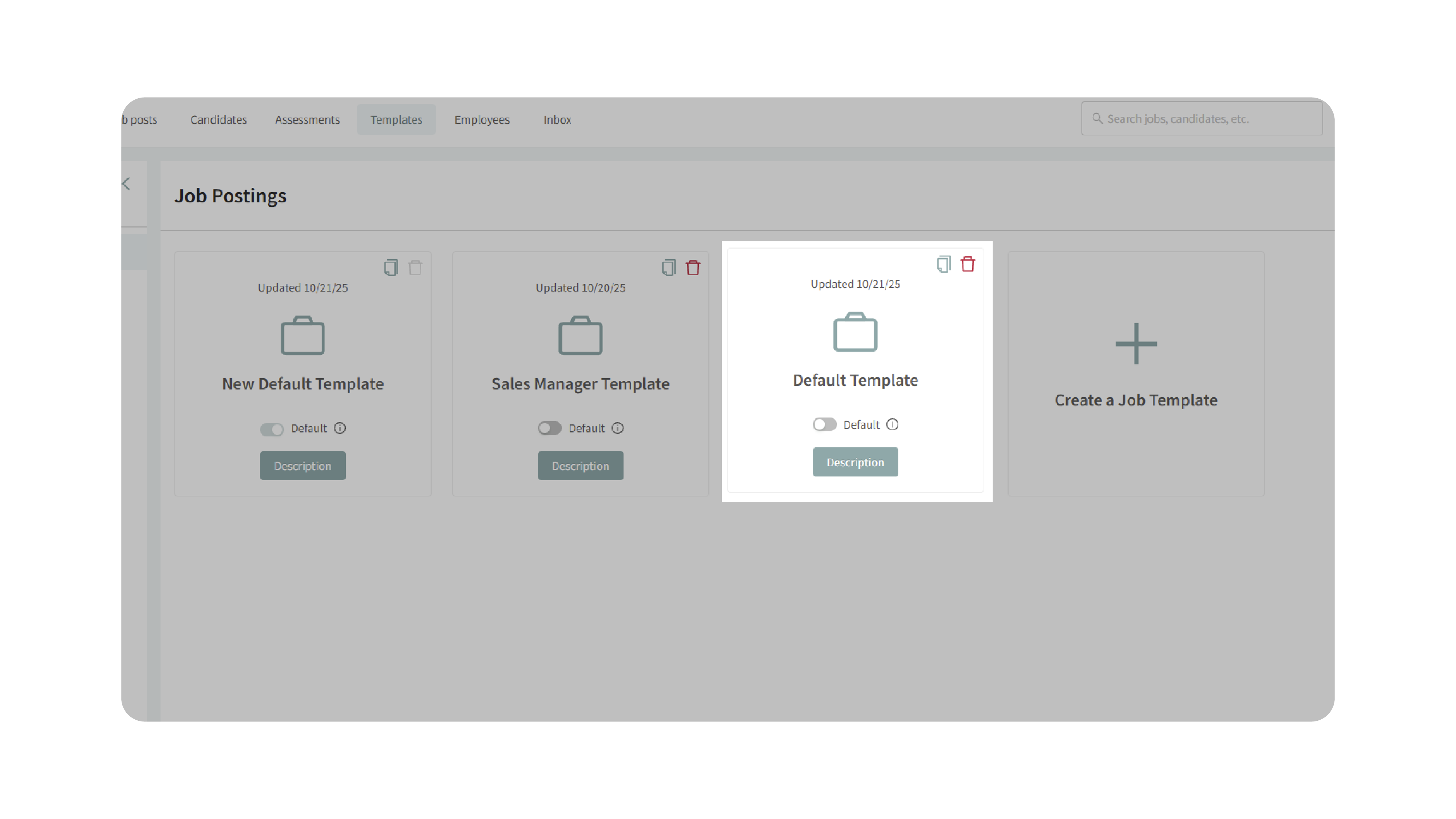
4. Confirm Your New Template
After saving, navigate to Templates → Job Postings in the top navigation bar. You’ll see your newly created template listed among your job posting templates.
From here, you can:
- Edit the template to fine-tune details.
- Use it to create new job postings.
- Set it as your default template if it will be used frequently.
Why This Matters
Saving job posts as templates turns your best hiring setups into reusable blueprints—ensuring every new role starts from a tested, consistent foundation. This approach helps you:
- Reuse configurations that already perform well.
- Maintain standardized workflows and pipelines.
- Eliminate repetitive setup for similar jobs.
- Scale your hiring process with efficiency and accuracy.
Use Cases
- Recruiters: Reuse successful job setups for recurring positions.
- Hiring Managers: Maintain uniform workflows across departments.
- Agencies: Standardize client job postings and reuse proven templates.
- Small Teams: Simplify setup for frequent hires without losing structure.
Best Practices
- Use clear naming conventions (e.g., Template – Customer Support (Remote)).
- Regularly update templates with new workflows or evaluation tools.
- Delete or archive outdated templates to keep your list organized.
- Set your most frequently used template as the default to save even more time.
What Happens Next
Once your job is saved as a template:
- It becomes available under Templates → Job Postings.
- You can select it when creating new jobs from the Create Job Post dropdown.
- All configurations (details, workflows, and pipelines) are instantly applied to new postings.
With Save a Job Posting as a Template, you can transform a single successful job post into a scalable, repeatable process—ensuring every new hire starts on the right track.