
Treat as Rejection Status
Overview
The Treat as Rejection Status feature in Discovered allows you to classify certain job statuses as rejections—even when they aren’t hard “no” decisions. This is especially useful for statuses like Hold for Future Consideration, where a candidate has completed the process but is not moving forward at this time.
By marking a status as a rejection, candidates moved into that stage will be counted as Rejected in pipeline reporting instead of remaining In Progress. This keeps your pipeline data accurate and easier to interpret without limiting future engagement with the candidate.
This feature is ideal for teams that want cleaner reporting while maintaining flexibility in candidate decision-making.
How to Treat Candidate Status as Rejection in Your Job Posting Workflow:
1. Access the Job Posting:
- Locate your job postings on the dashboard (or any view where jobs are listed). Click into the job posting you want to update.
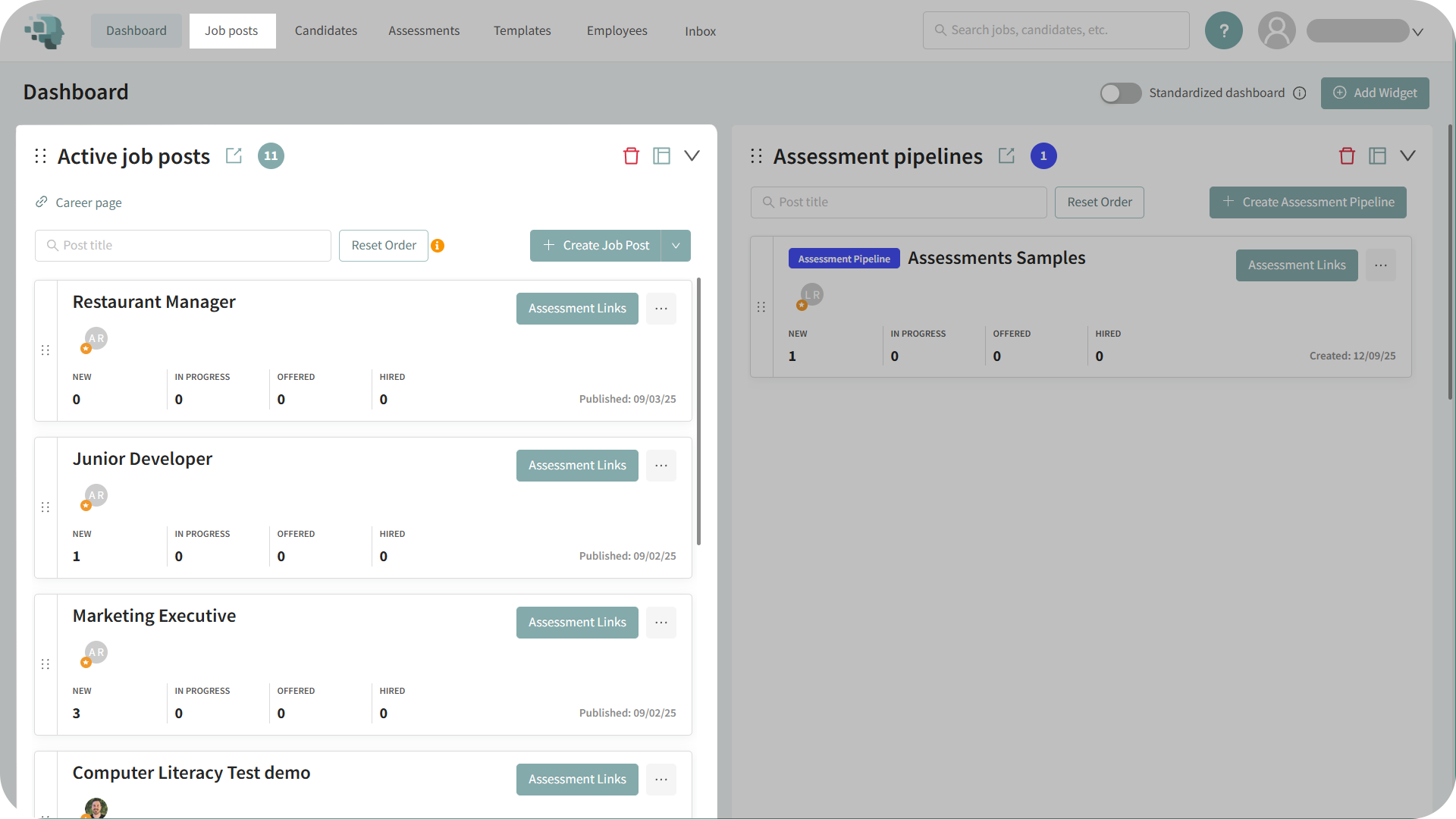
2. Open the Processing Tab:
- Inside the job posting, go to the Processing tab.
- This is where you manage candidate statuses and pipeline behavior.
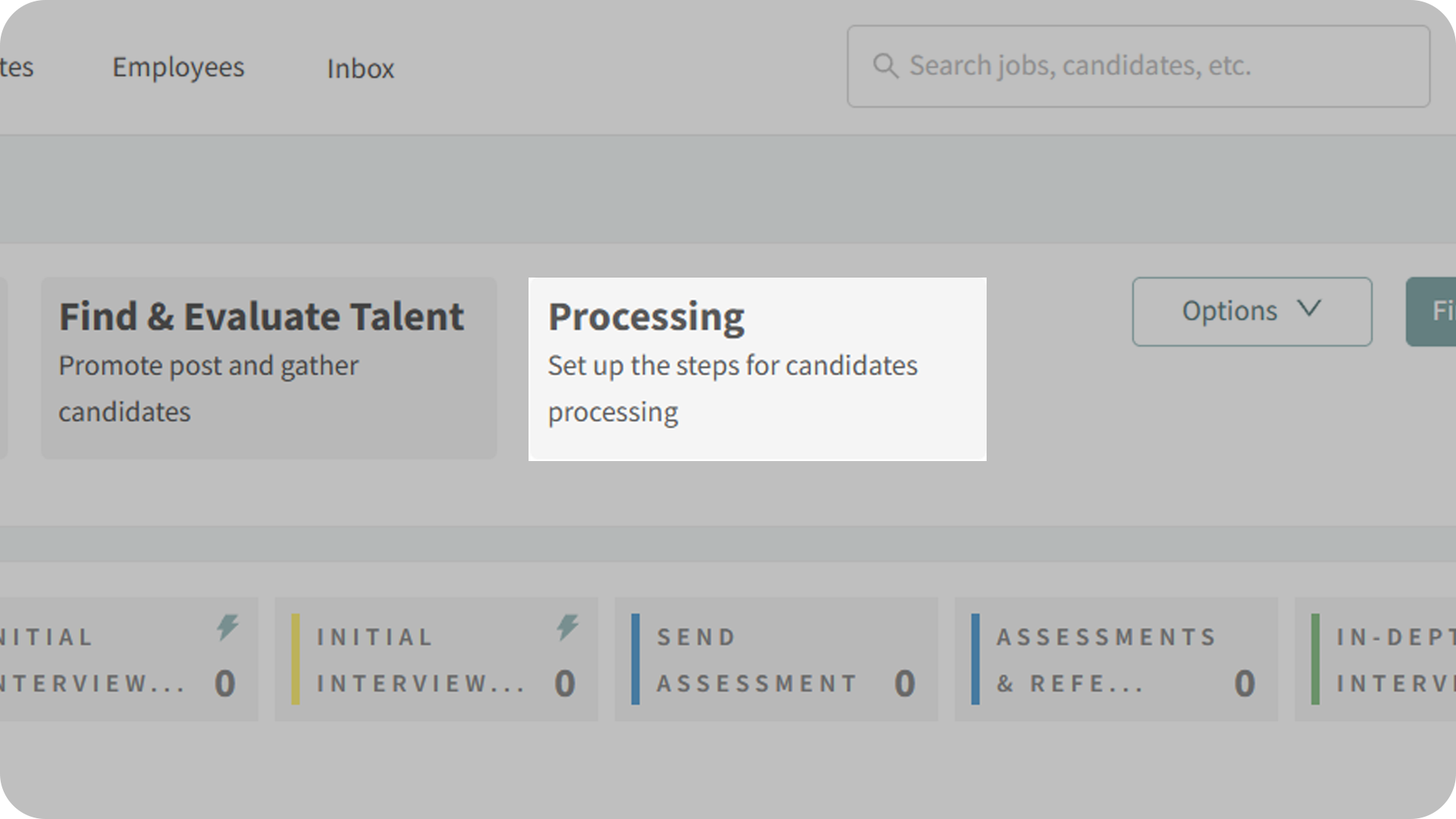
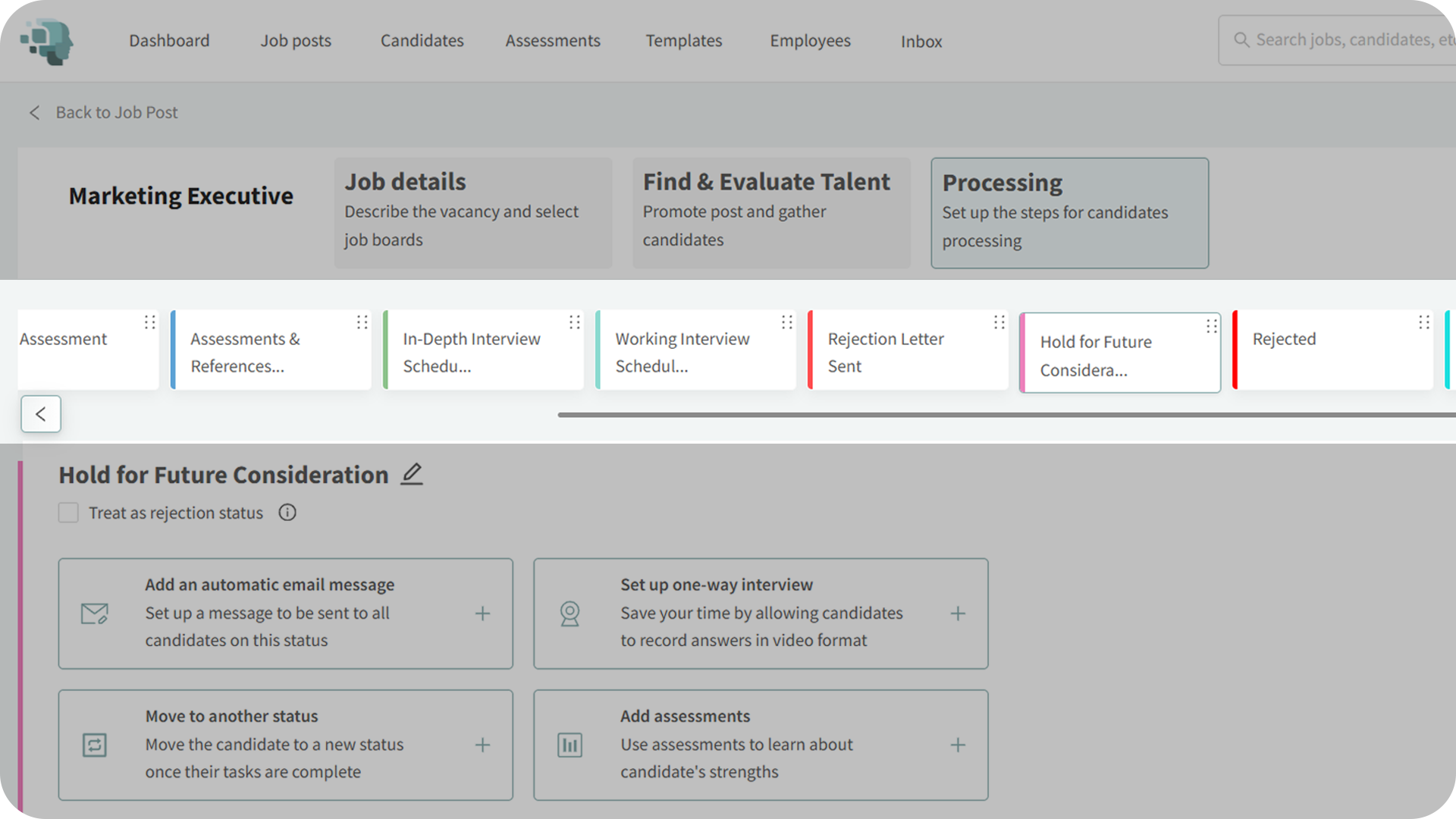
3. Select the Appropriate Status:
- Find the status you want to treat as a rejection.
- For example: Hold for Future Consideration.
- This type of status is not a permanent rejection, but it indicates the candidate has completed the process and is not being advanced at this time.
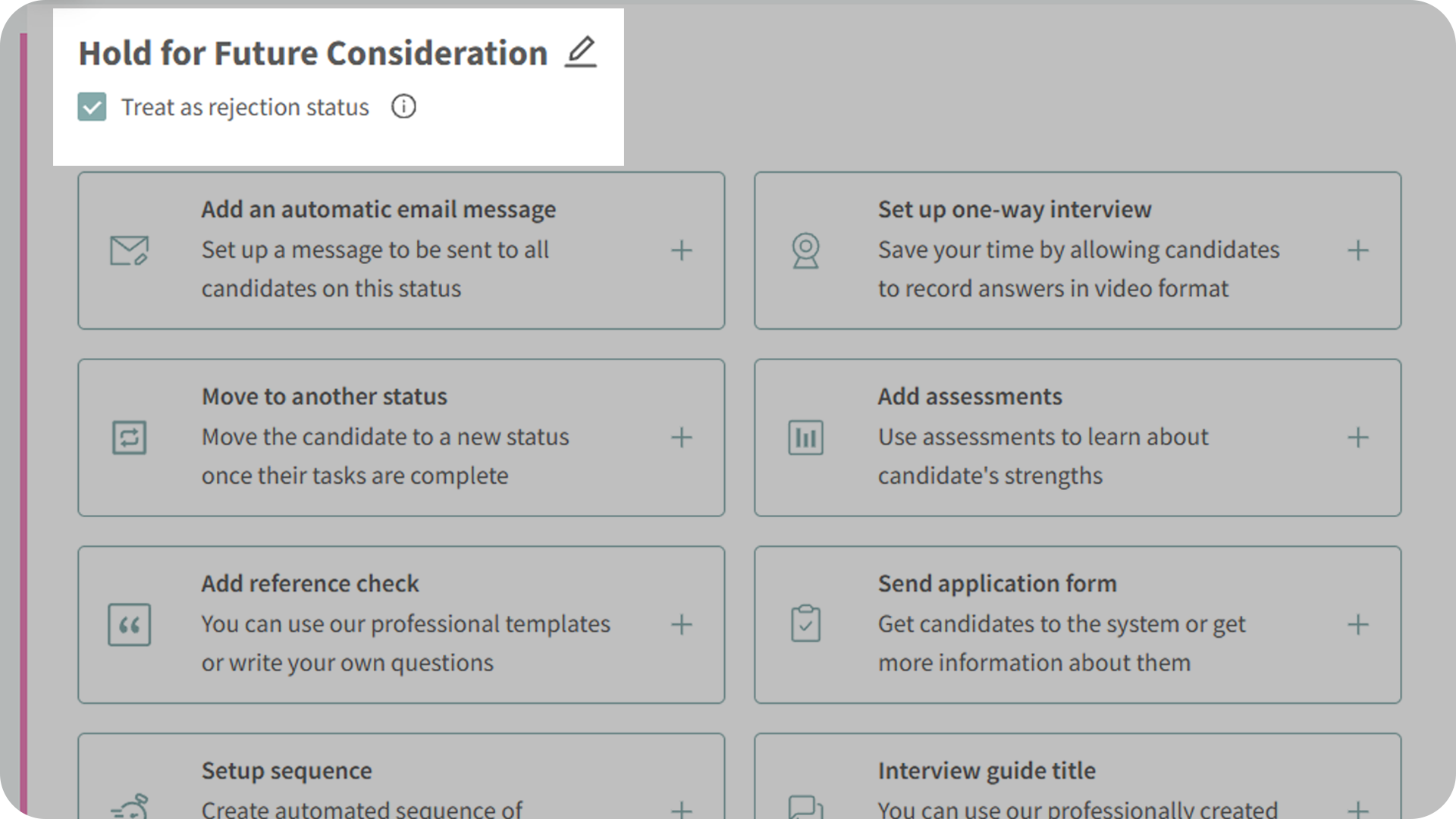
4. Enable “Treat as Rejection Status”:
- Check the box labeled Treat as Rejection Status for the selected status.
- Once enabled, any candidate moved into this status will be classified as Rejected in the pipeline.
Why This Matters
Accurate pipeline data is essential for understanding hiring performance and bottlenecks. Treating certain statuses as rejections ensures your metrics reflect real hiring decisions, even when those decisions are flexible rather than final.
This helps ensure:
- Cleaner, more accurate pipeline reporting.
- Better visibility into true candidate drop-off points.
- Reduced confusion when reviewing hiring progress.
- More reliable data for leadership and recruiting insights.
Use Cases
- Recruiters: Mark “Hold for Future Consideration” as a rejection to keep pipelines clean while preserving future outreach options.
- Hiring Managers: Ensure pipeline dashboards accurately reflect which candidates are actively progressing.
- Agencies: Standardize how soft rejections are counted across multiple clients and job postings.
- Teams: Improve reporting consistency without forcing hard rejection decisions.
Best Practices
- Use Treat as Rejection Status for final-but-flexible decisions, not early-stage pauses
- Review pipeline data after enabling to ensure metrics align with expectations
- Keep naming conventions clear so team members understand the intent of each status
- Align status usage across jobs for consistent reporting
What Happens Next
Once a status is marked as a rejection:
- Any candidate moved into that status appears under Rejected in the pipeline overview
- The status can still be used normally for candidate tracking
- You can update or remove the setting at any time from the Processing tab
- Historical pipeline reporting reflects the updated classification
With Treat as Rejection Status, you gain clearer pipeline insights while maintaining flexibility in how you manage candidate decisions—ensuring your hiring data stays accurate, actionable, and aligned with real-world workflows.