
Archived Candidates
Overview
Managing candidates in Discovered provides you with a clear, structured view of everyone applying to your job. The candidate management table makes it easy to filter by status, update information, and monitor progress across your hiring pipeline. You can dive into detailed candidate profiles, rate candidates with star ratings, preview snapshots without opening the full profile, and track sources to see where your applicants are coming from.
With built-in tools for filtering, status changes, and task tracking, you’ll always know exactly where each candidate stands in the hiring process.
How to Manage Candidates:
1. Identify an Archived Candidate
When viewing a candidate profile:
- Look for the Archived tag on the left side of the profile
- Archived candidates:
- Cannot be edited
- Cannot be moved between stages
- Cannot have their status changed (e.g., from Rejected to Interview)
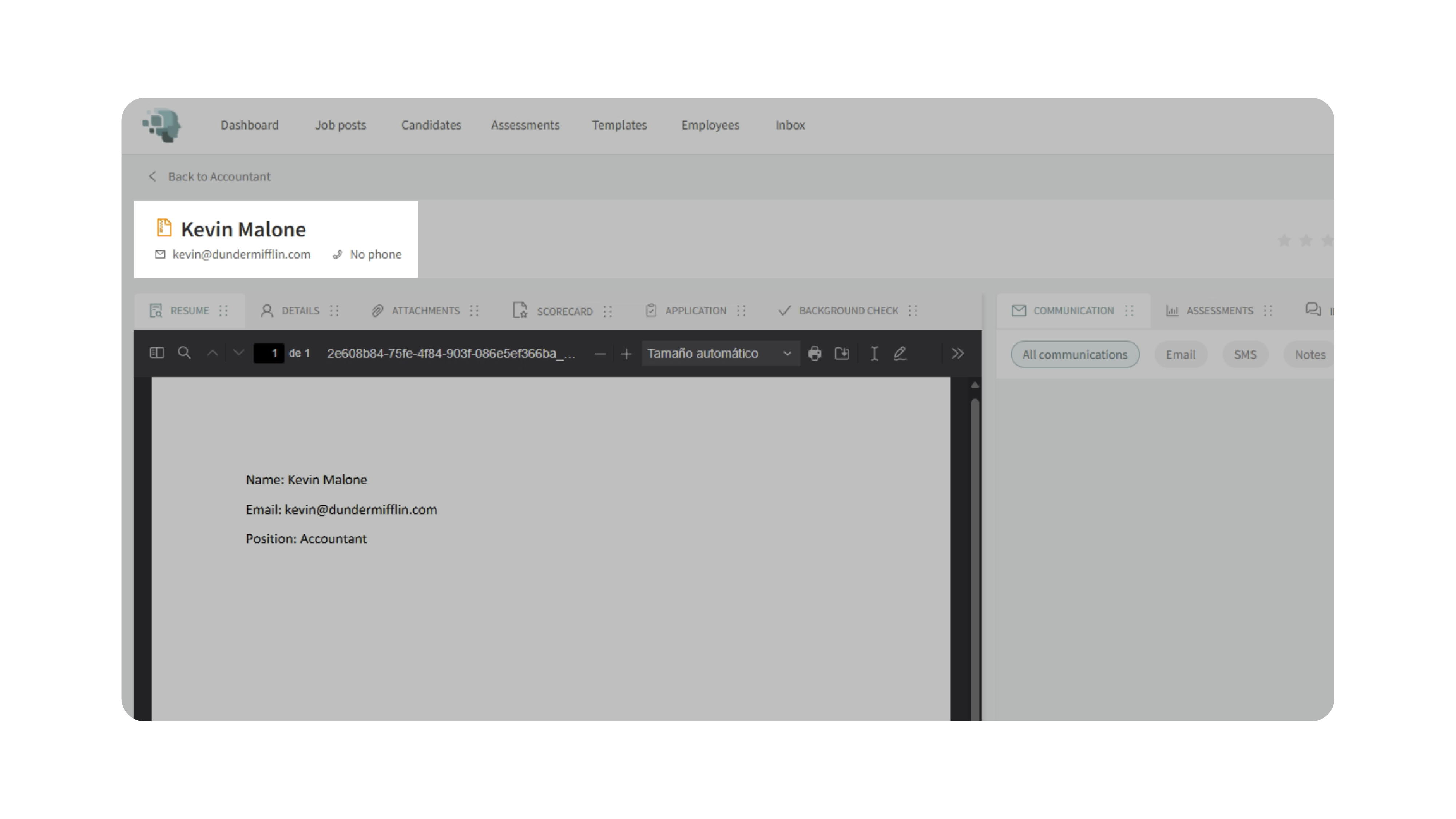
📌 Important: Archiving is different from rejection. A rejected candidate may still be editable—an archived one is not.
2. Navigate to the Job the Candidate Applied To
Archived candidates must be accessed from within the job they were associated with.
- Go to the relevant Job Post
- Open the Candidates tab
- By default, you’ll see Active Candidates
3. Switch the Candidate View to “Archived”
To locate archived profiles:
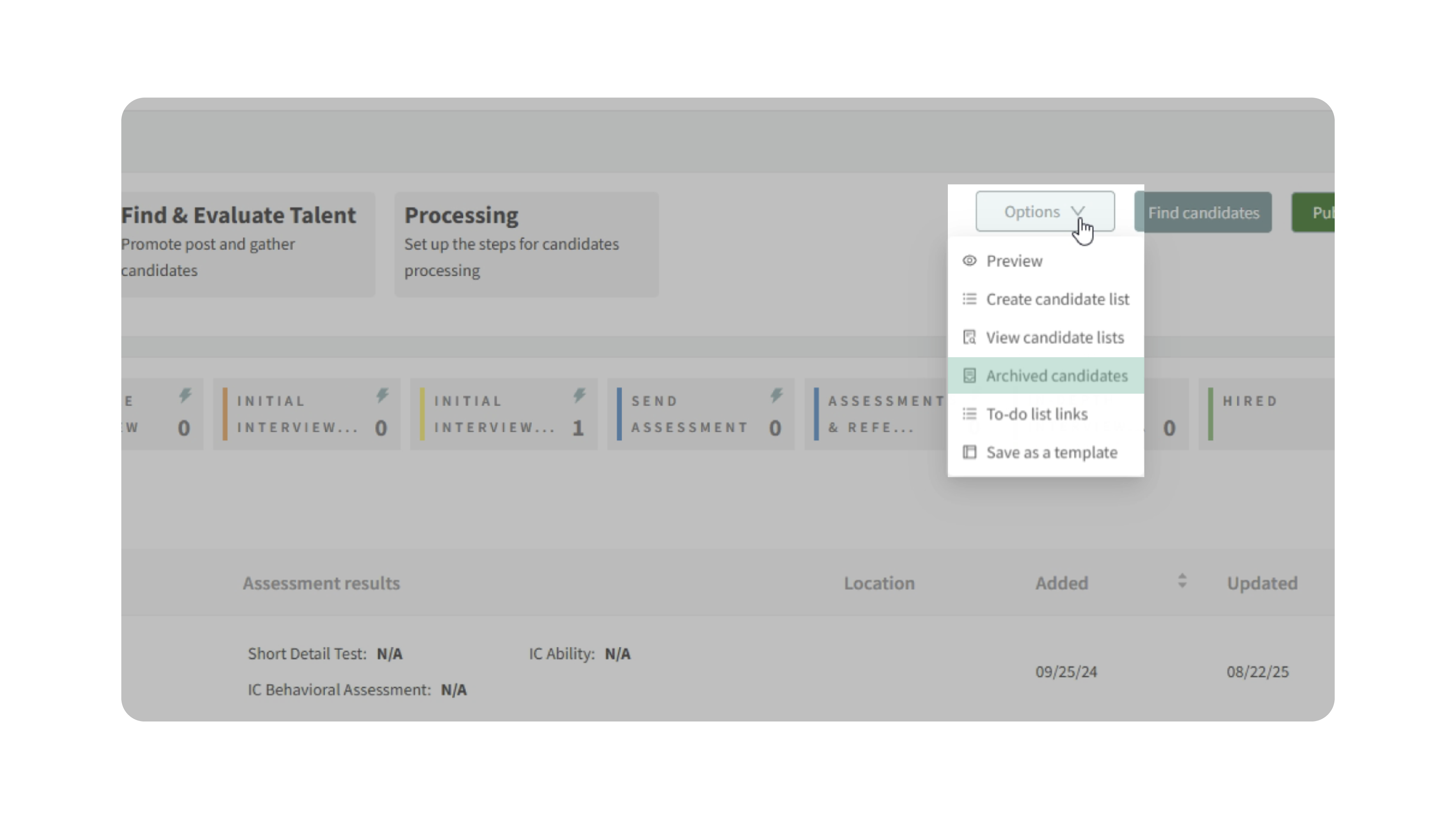
- Click the Options / Filter dropdown
- Change the view from Active Candidates to Archived Candidates
- Use the search bar to find the candidate by name
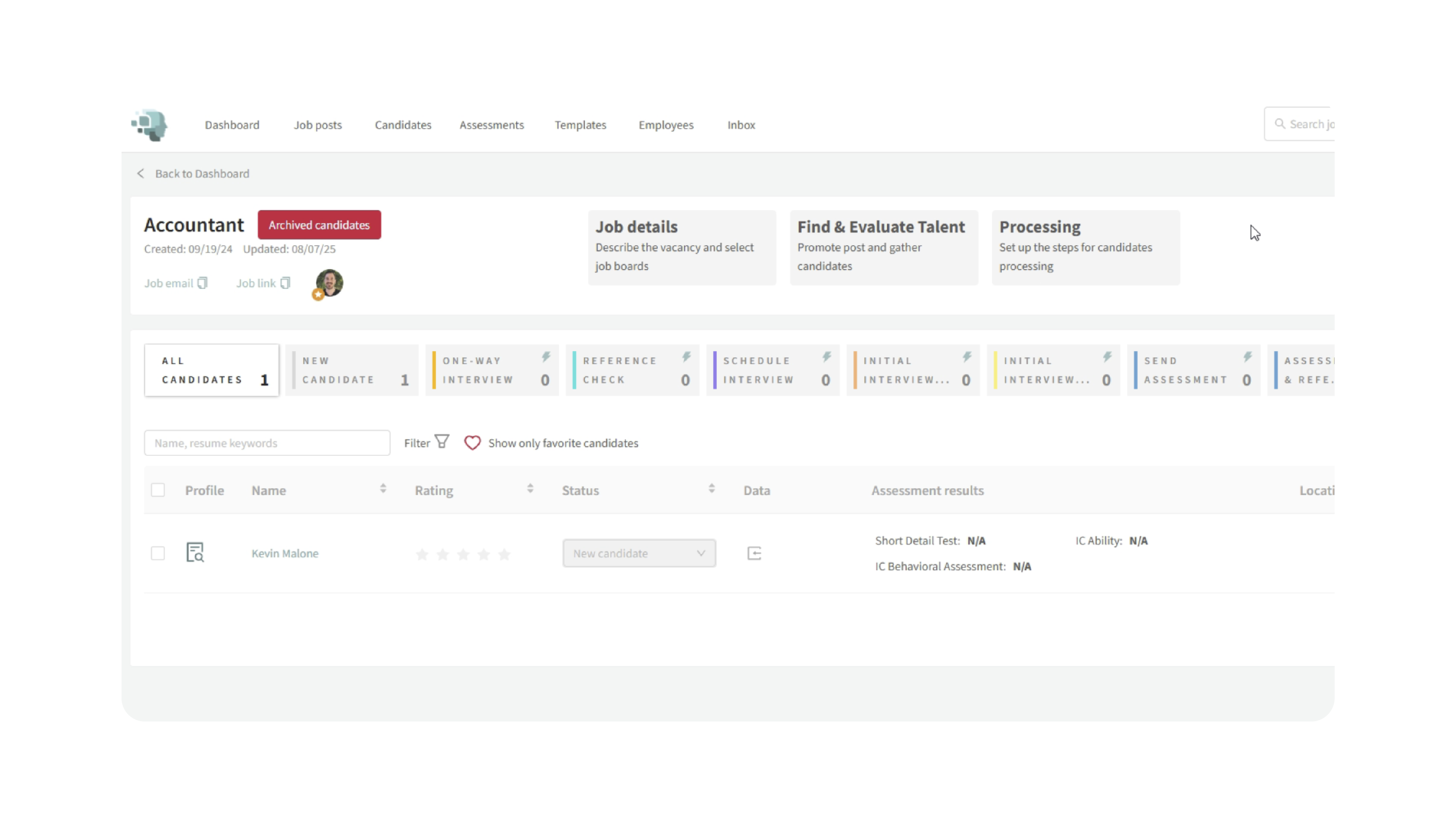
You should now see the archived profile in the list.
4. Unarchive the Candidate
Once you’ve located the archived candidate:
- Select the candidate
- Click Unarchive
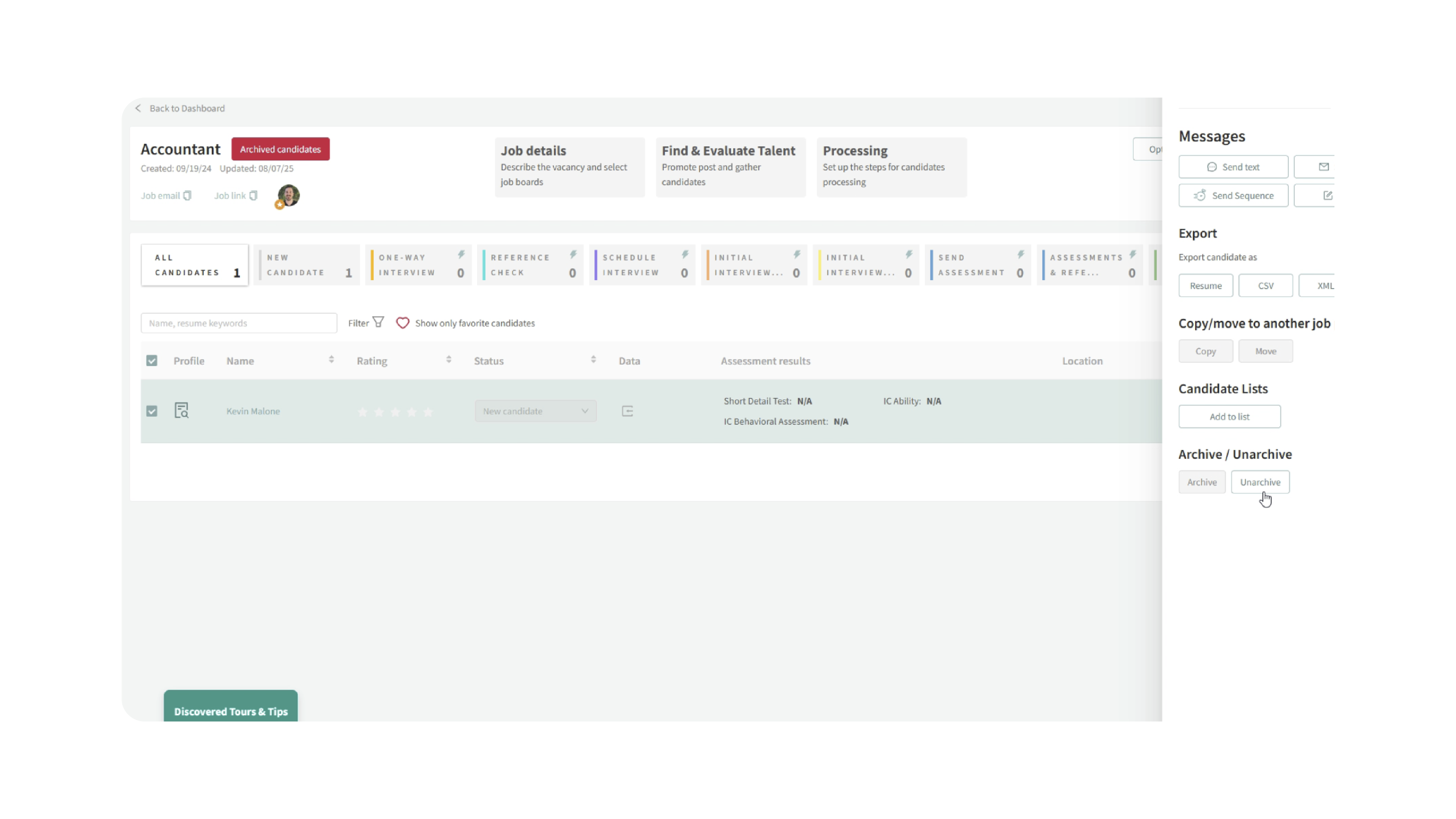
- The candidate will immediately be restored
5. Edit the Candidate Normally
After unarchiving:
- Switch back to Active Candidates
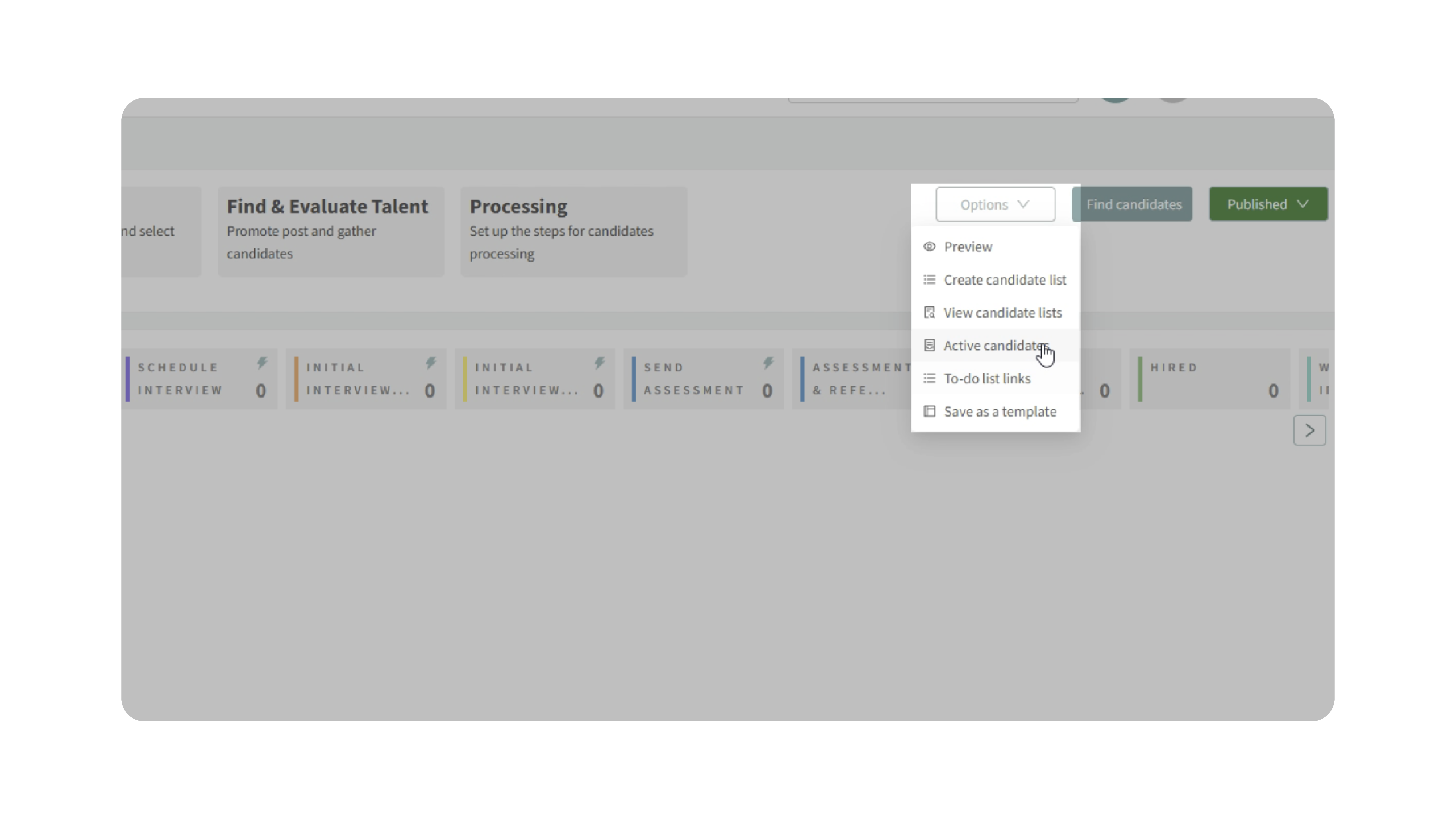
- The candidate will now appear in the list
- You can:
- Change their status (e.g., from Rejected to Interview)
- Move them through the pipeline
- Edit notes and details as usual
✅ The profile is now fully editable again.
Why This Matters:
- Prevents data loss: Archived candidates aren’t deleted—they can be recovered.
- Fixes accidental actions: Candidates are sometimes archived by mistake during rejection.
- Maintains pipeline accuracy: Restoring candidates ensures your hiring stages stay clean and accurate.
- Saves time: No need to re-upload resumes or recreate profiles.
Use Cases:
- A candidate was accidentally archived instead of rejected
- You need to move a previously archived candidate back into the pipeline
- A recruiter can’t edit a profile and needs to restore access
- A strong candidate was archived but should be reconsidered
Best Practices:
- Always check for the Archived tag when a profile isn’t editable
- Train recruiters on the difference between Rejected vs. Archived
- Use archived candidates intentionally for cleanup—not as a default rejection action
- If a profile is “locked,” check the job’s Archived Candidates view first
What Happens Next:
Once unarchived:
- The candidate behaves like any active profile
- You can move them, edit them, and continue the hiring process
- No data is lost during archiving or restoration