
Click-to-Dial & PhoneBurner Integration
Overview
Discovered now includes Click-to-Dial and PhoneBurner integration, making it easier to connect with candidates quickly and efficiently.
With Click-to-Dial, you can instantly call a candidate directly from their profile. With PhoneBurner, you can run bulk dialing sessions, allowing you to contact multiple candidates in sequence without manual dialing.
These features are designed to streamline outreach, improve recruiter productivity, and centralize communication tracking within Discovered.
How to Integrate Click-to-Dial & PhoneBurner:
1. Use Click-to-Dial (Instant Calling)
- Navigate to a candidate profile (or preview a candidate).
- If the candidate has a phone number, you’ll see a phone icon.
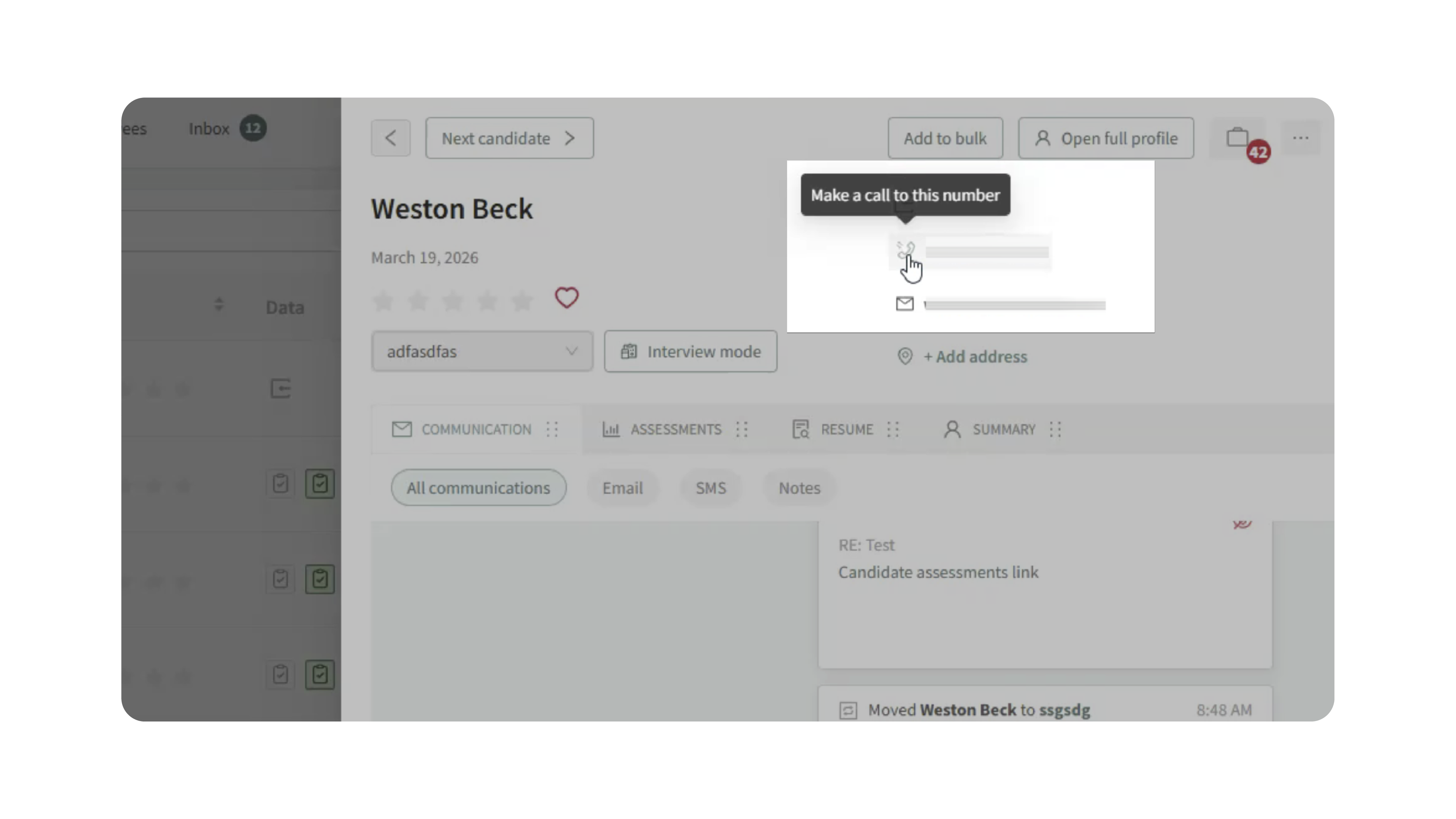
- Click the icon to initiate the call.
- Your default calling software (e.g., 3CX or another dialer) will open with the number pre-filled.
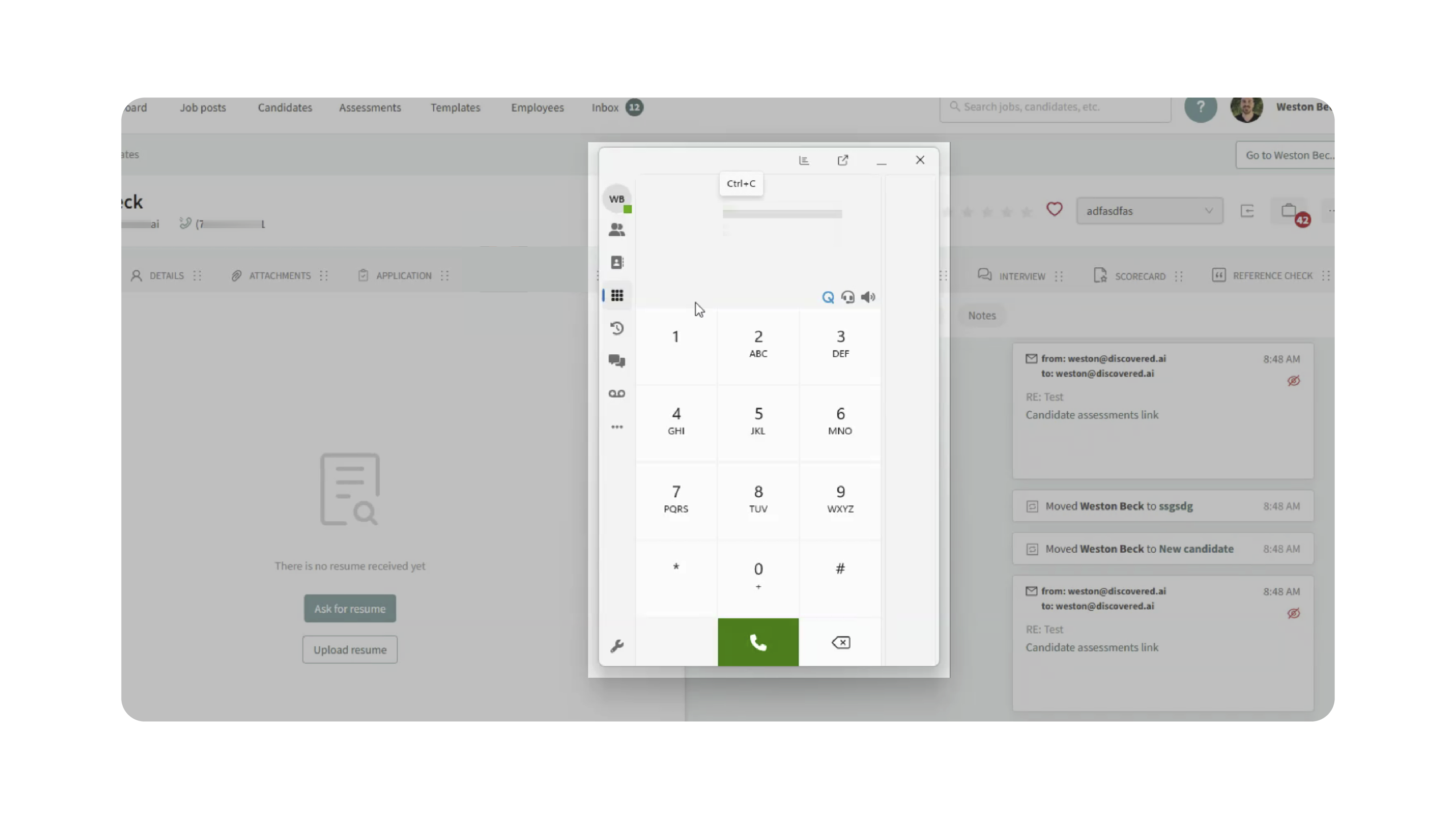
Note: Your browser may ask for permission the first time you use this feature.
2. Enable PhoneBurner Integration (Optional)
Before using PhoneBurner, it must be enabled on your account.
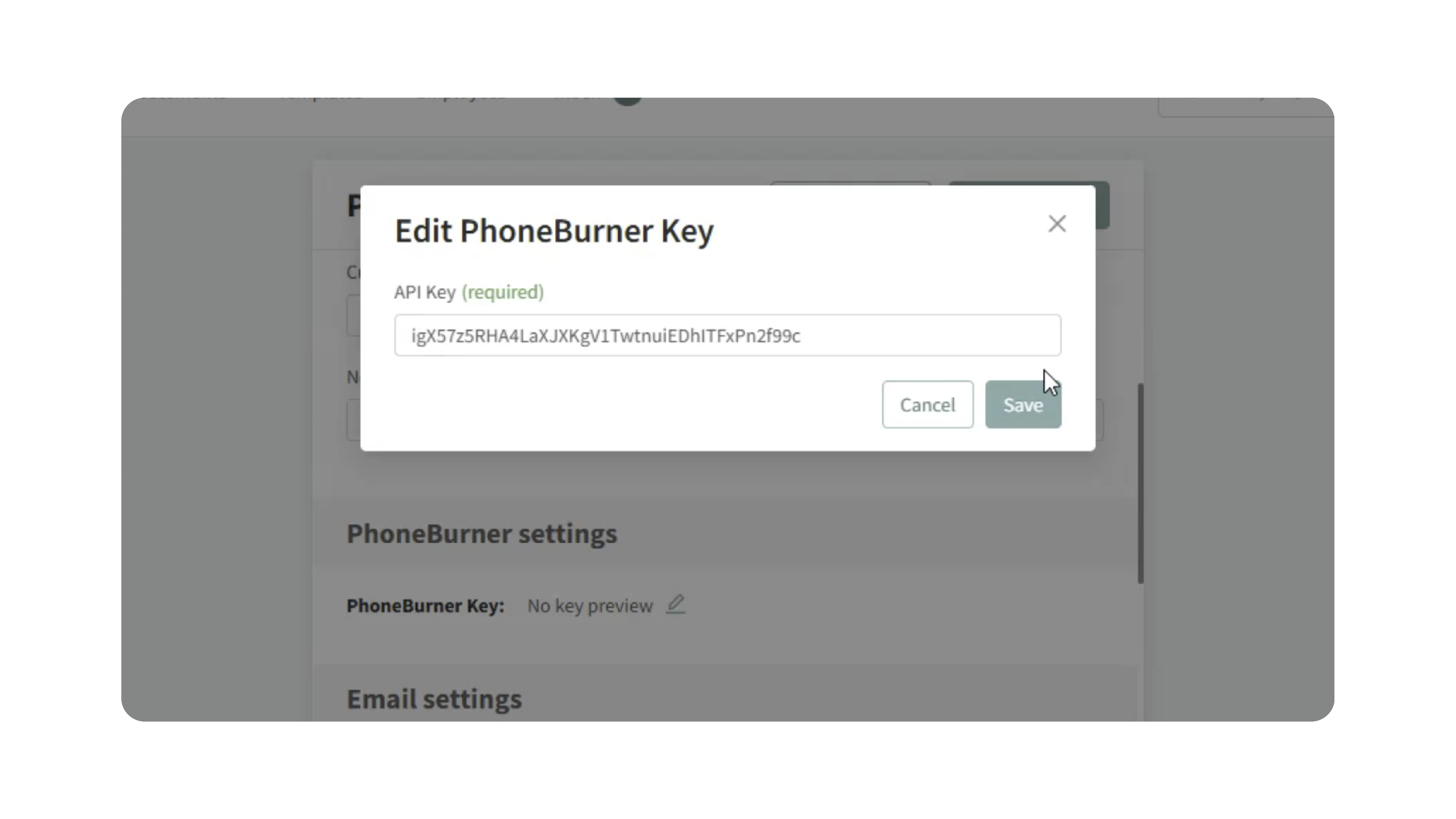
- Go to My Profile in Discovered and Click Edit Profile.
- Locate the PhoneBurner Settings section.
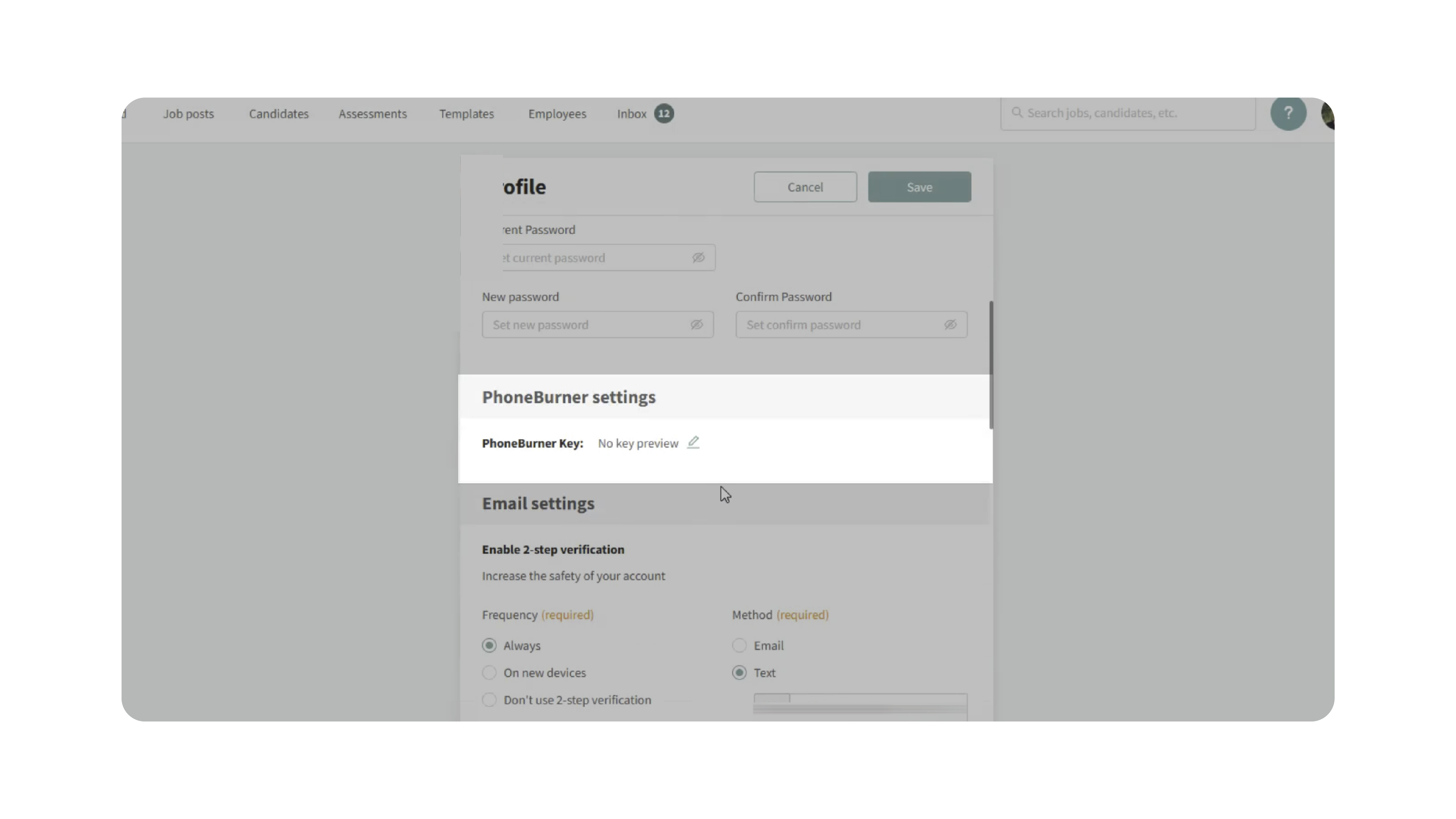
- Paste your PhoneBurner Personal Access Token (API/PAT key).
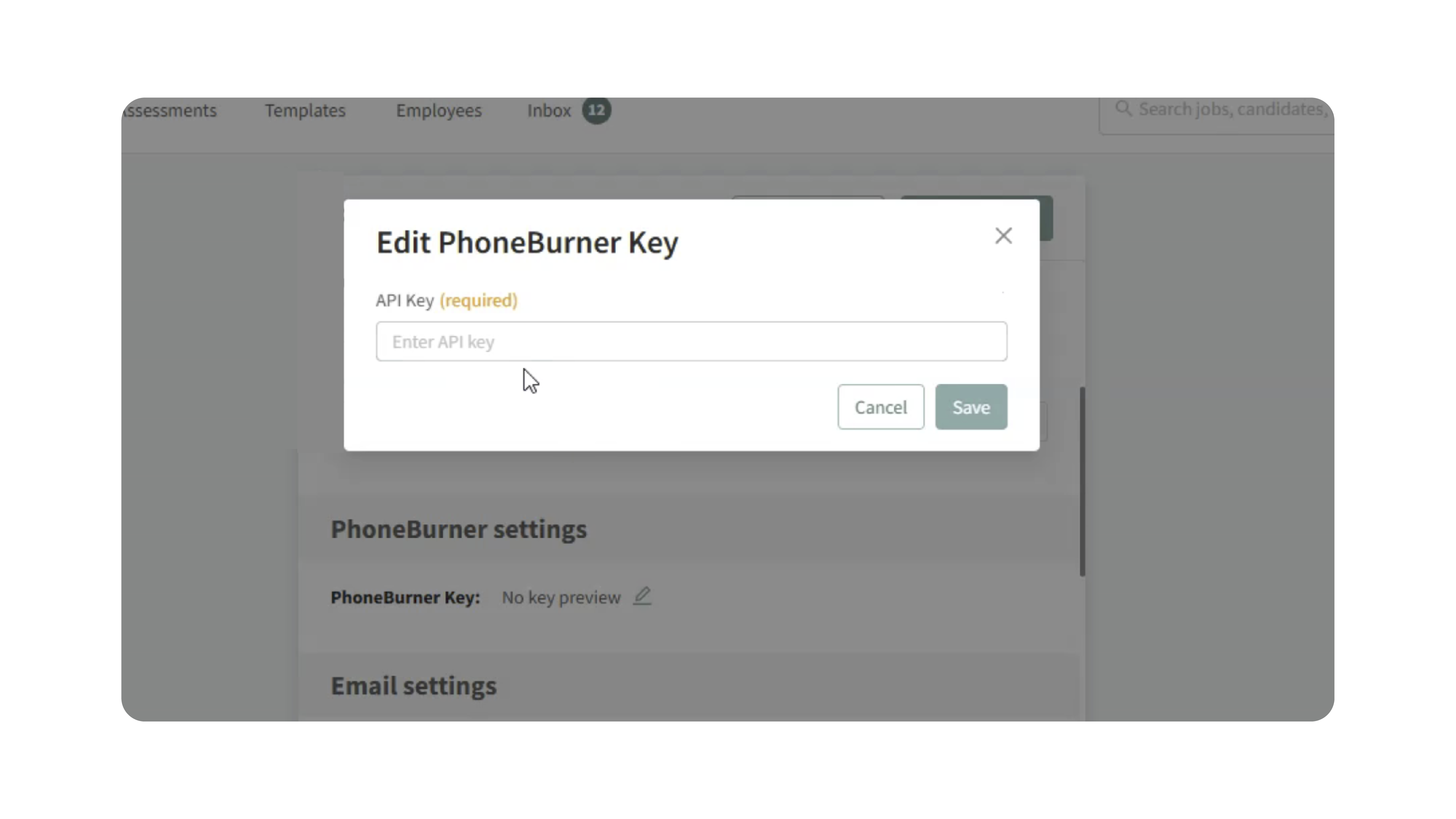
- To find your key:
- Log in to PhoneBurner
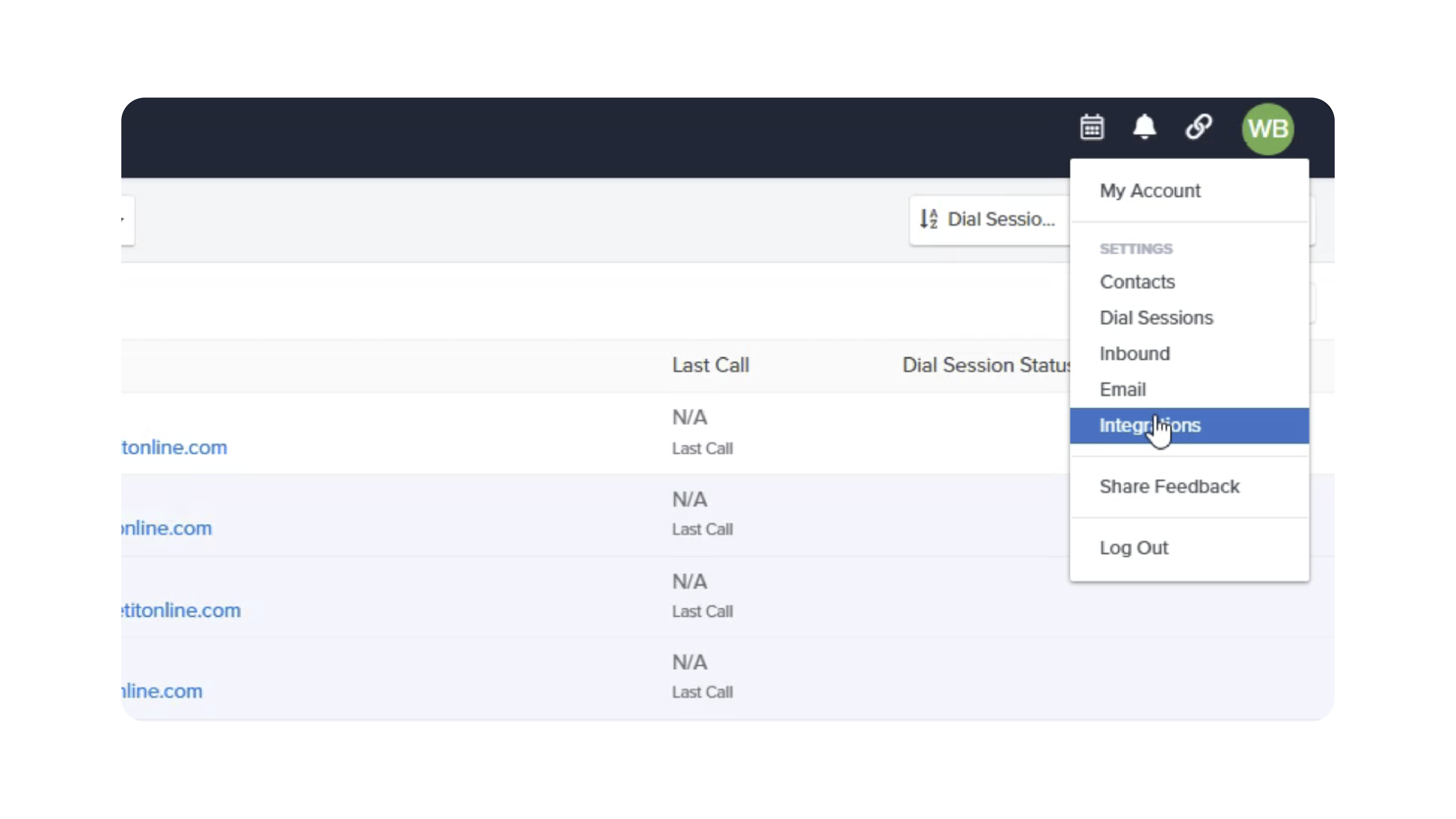
- Click your name → Integrations
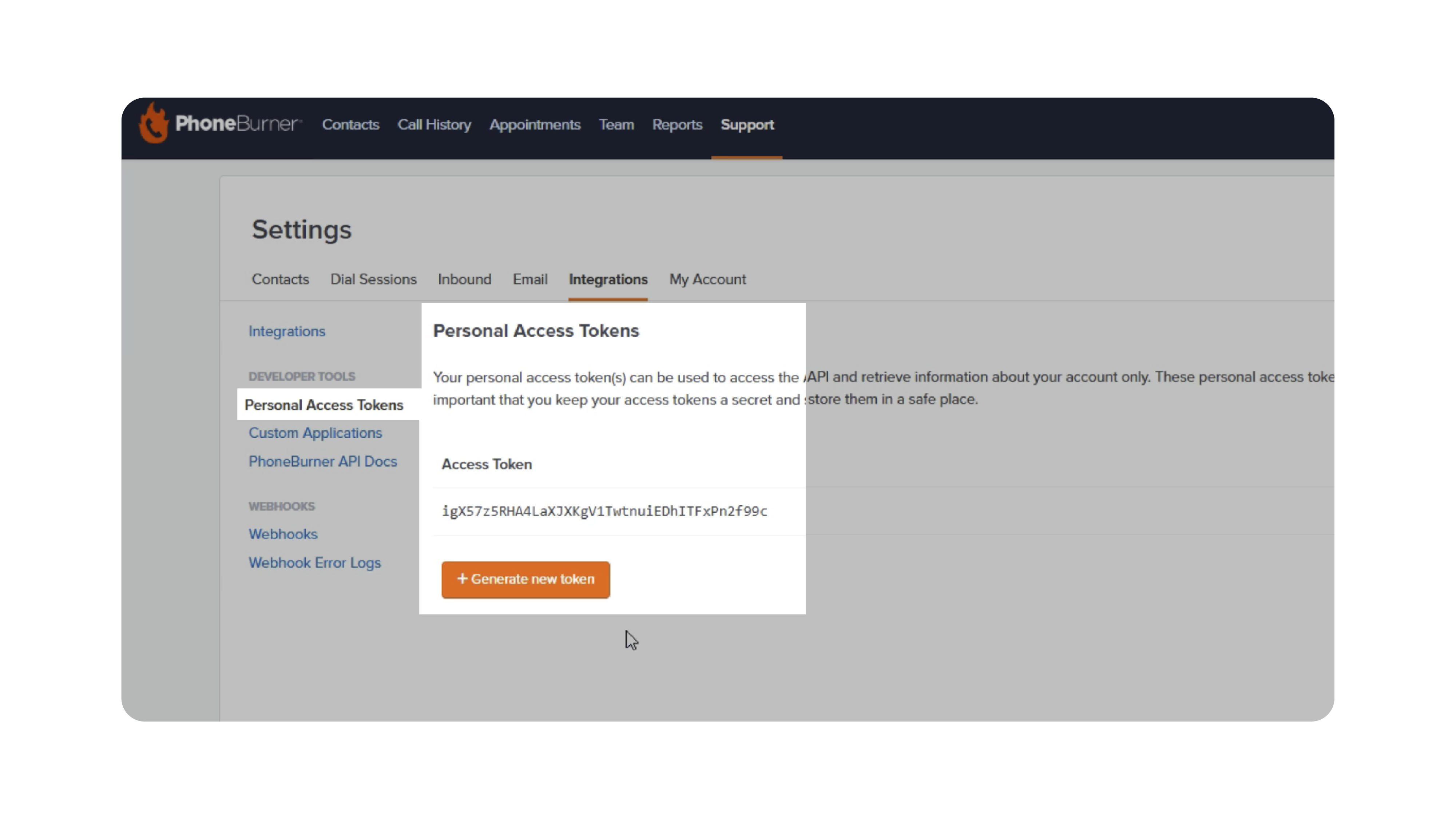
- Select Personal Access Tokens
- Copy or generate a token
- Save your profile.
Note: Access to Personal Access Tokens depends on your PhoneBurner subscription (mid-tier or higher required).
3. Start a Bulk Dial Session
- Go to the Candidates page.
- Select one or more candidates (with phone numbers).
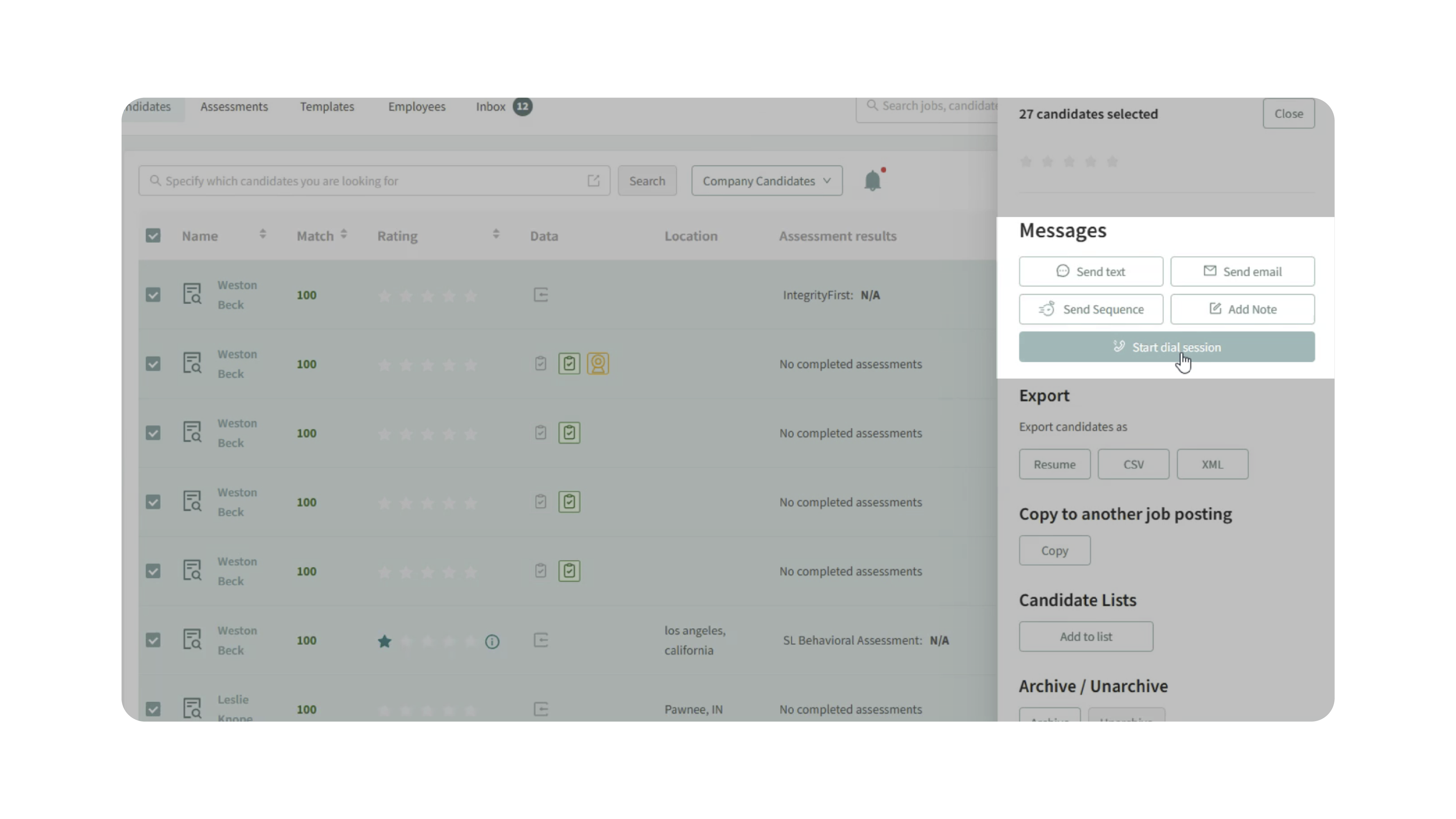
- Click Start Dial Session.
- PhoneBurner will open in a new tab.
- Complete any required setup (e.g., microphone access).
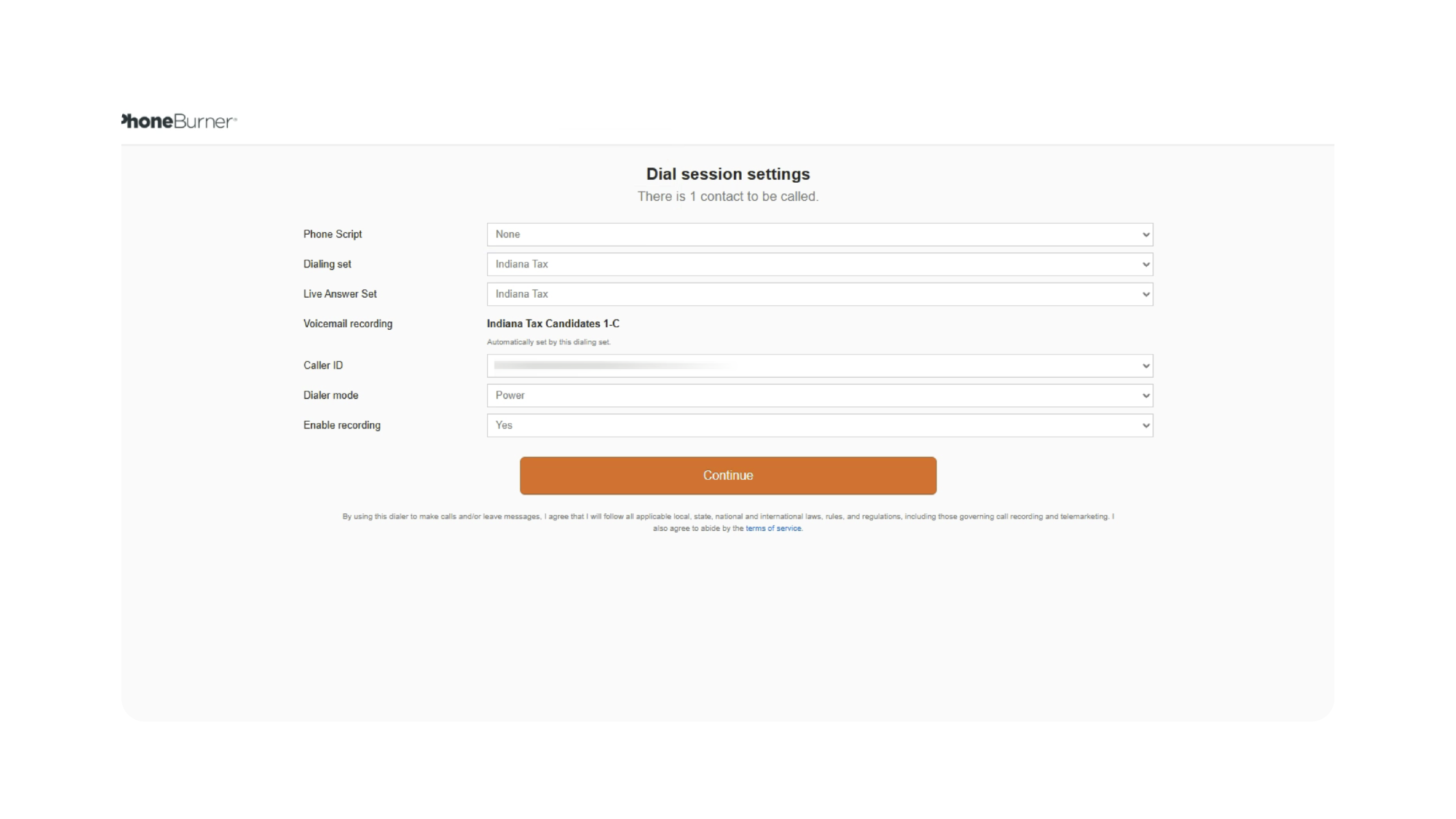
- Click Start Dialing to begin calling candidates sequentially.
4. Log Call Outcomes
After each call:
- Select a disposition (e.g., appointment, follow-up).
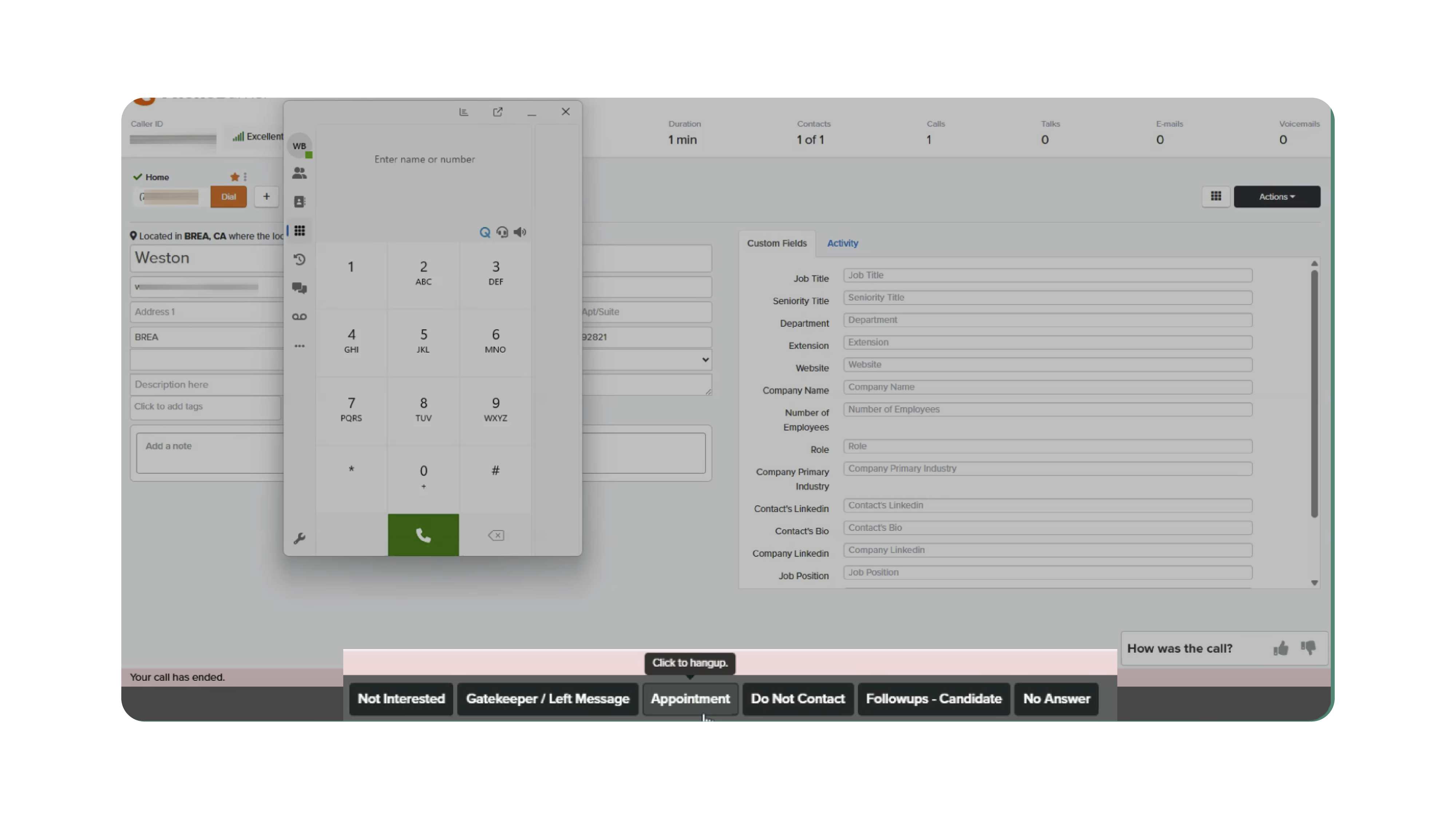
- PhoneBurner will automatically move to the next contact (if applicable).
All call activity is logged in the candidate’s profile, including:
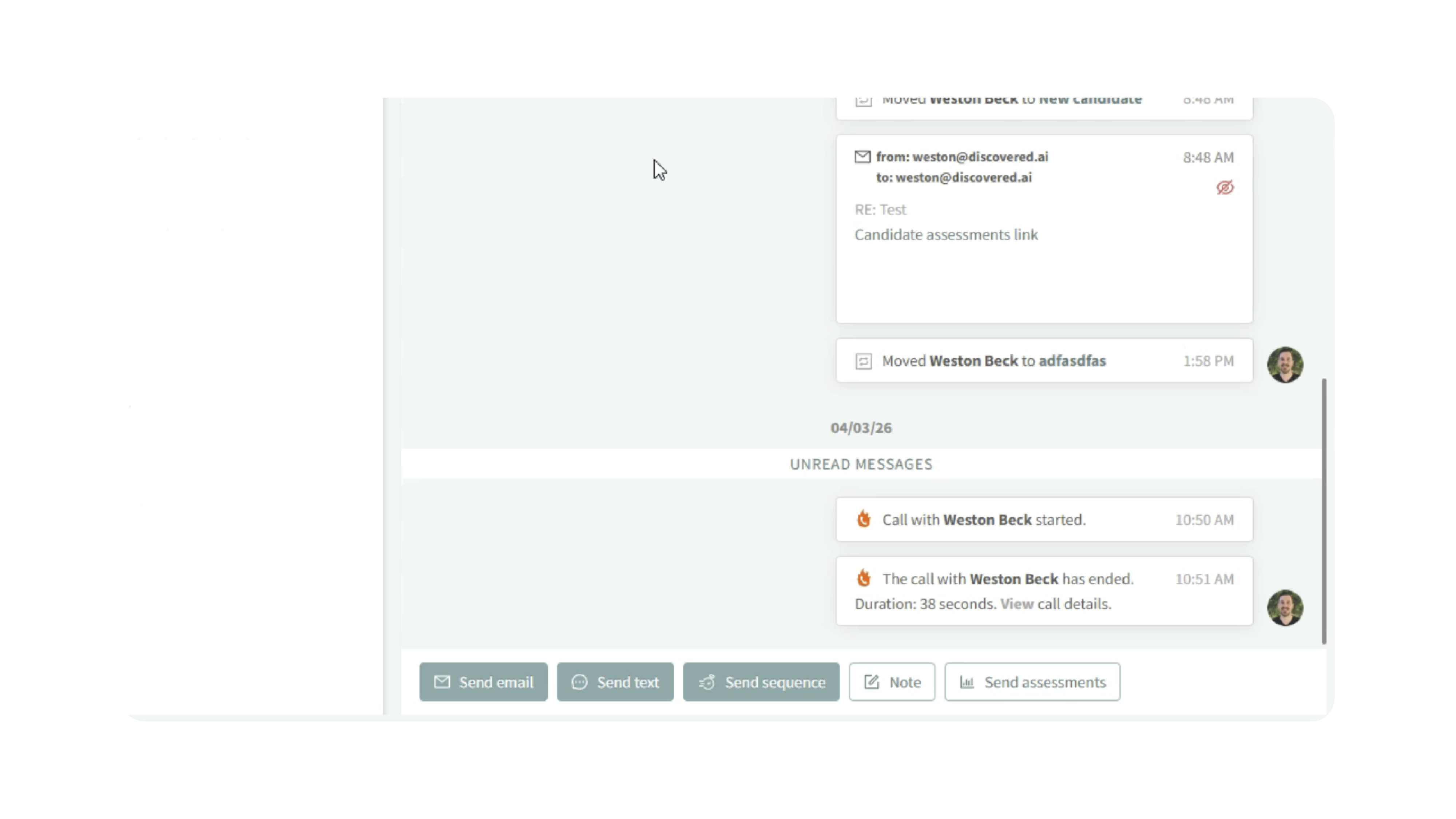
- Call start and end times
- Call details and outcomes
- Recording (if available)
Why This Matters
These features help recruiters:
- Reduce time spent manually dialing numbers
- Reach candidates faster and more efficiently
- Manage high-volume outreach with bulk dialing
- Keep all call activity tracked within candidate profiles
This leads to faster response times and improved candidate engagement.
Use Cases
Recruiters: Quickly call individual candidates directly from their profiles.
Hiring Teams: Run bulk outreach campaigns using PhoneBurner.
Hiring Events: Track call outcomes and optimize outreach workflows.
Best Practices
- Ensure candidates have valid phone numbers before dialing
- Test Click-to-Dial with your calling software before using it at scale
- Securely store your PhoneBurner API/PAT key and avoid sharing it
- Use clear call dispositions to track outcomes consistently
- Allow microphone permissions when prompted during PhoneBurner sessions
What Happens Next
Once configured:
- You can call candidates instantly using Click-to-Dial
- Launch bulk dialing sessions with PhoneBurner
- Automatically log all call activity within candidate profiles
With these tools, Discovered enables faster, more organized candidate outreach—helping your team connect with top talent more efficiently.