
Scheduling Group Interviews with Calendly
Overview
Discovered supports group interview scheduling through Calendly, allowing multiple candidates to book the same interview time while ensuring their interview status updates automatically in the platform.
This feature works by linking a Calendly group event to your Discovered profile. When candidates schedule their interview through the Calendly link, Discovered recognizes the booking and automatically updates the candidate’s status in the hiring pipeline.
This setup is ideal for group interviews, hiring events, or batch interview sessions where multiple candidates can attend the same scheduled time slot.
Before connecting the Calendly event to Discovered, confirm that the event's meeting location and video conferencing settings are configured correctly.
How to Scheduling Group Interviews with Calendly:
1. Create a Group Event in Calendly
Before connecting Calendly to Discovered, ensure your Calendly event is configured correctly.
- Log in to Calendly and create or open the event you want to use for interviews.
- Set the event type to a Group Event (allowing multiple invitees per time slot).
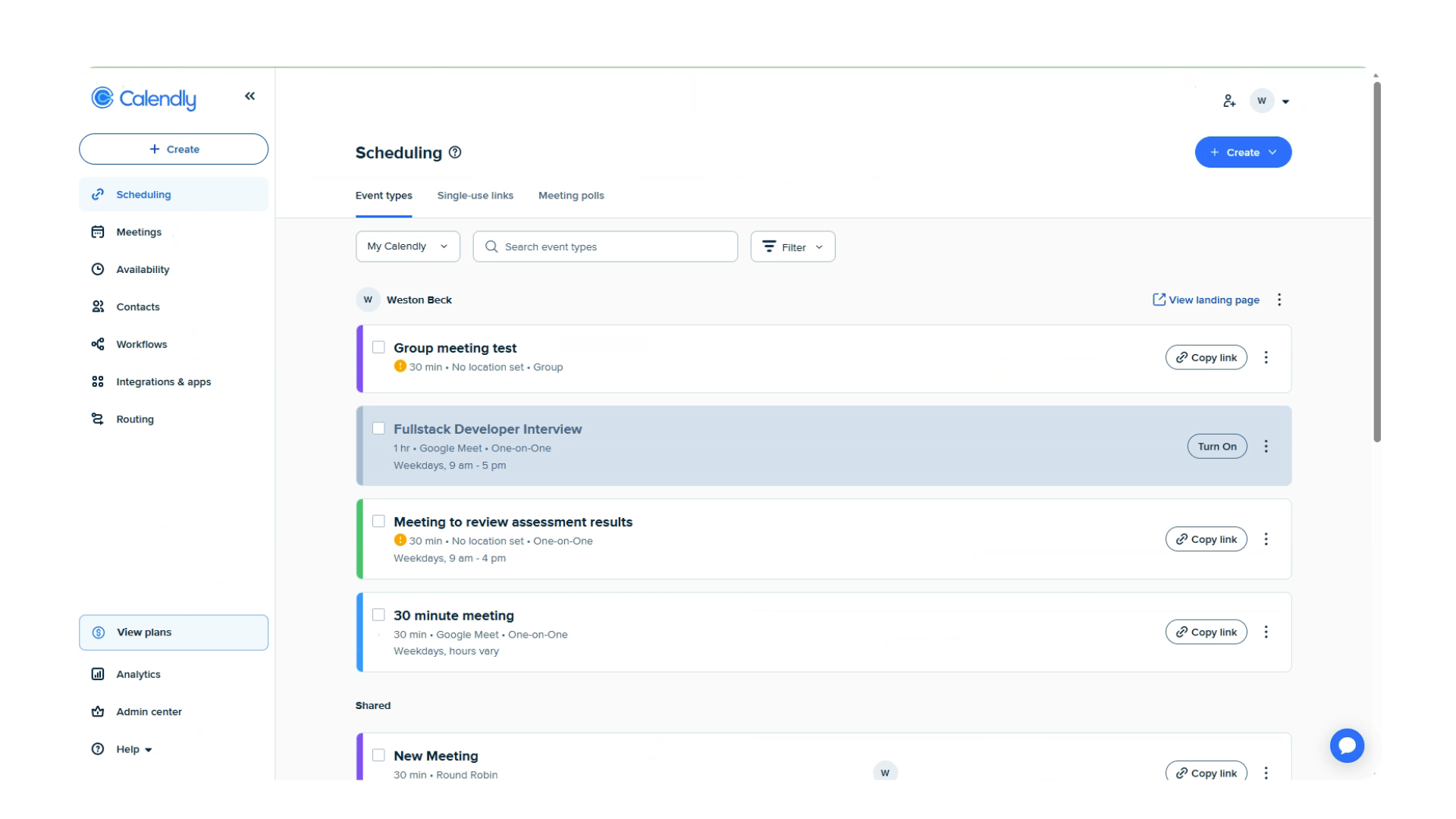
- Under Invitee Form, make sure the following fields are enabled:
- Name
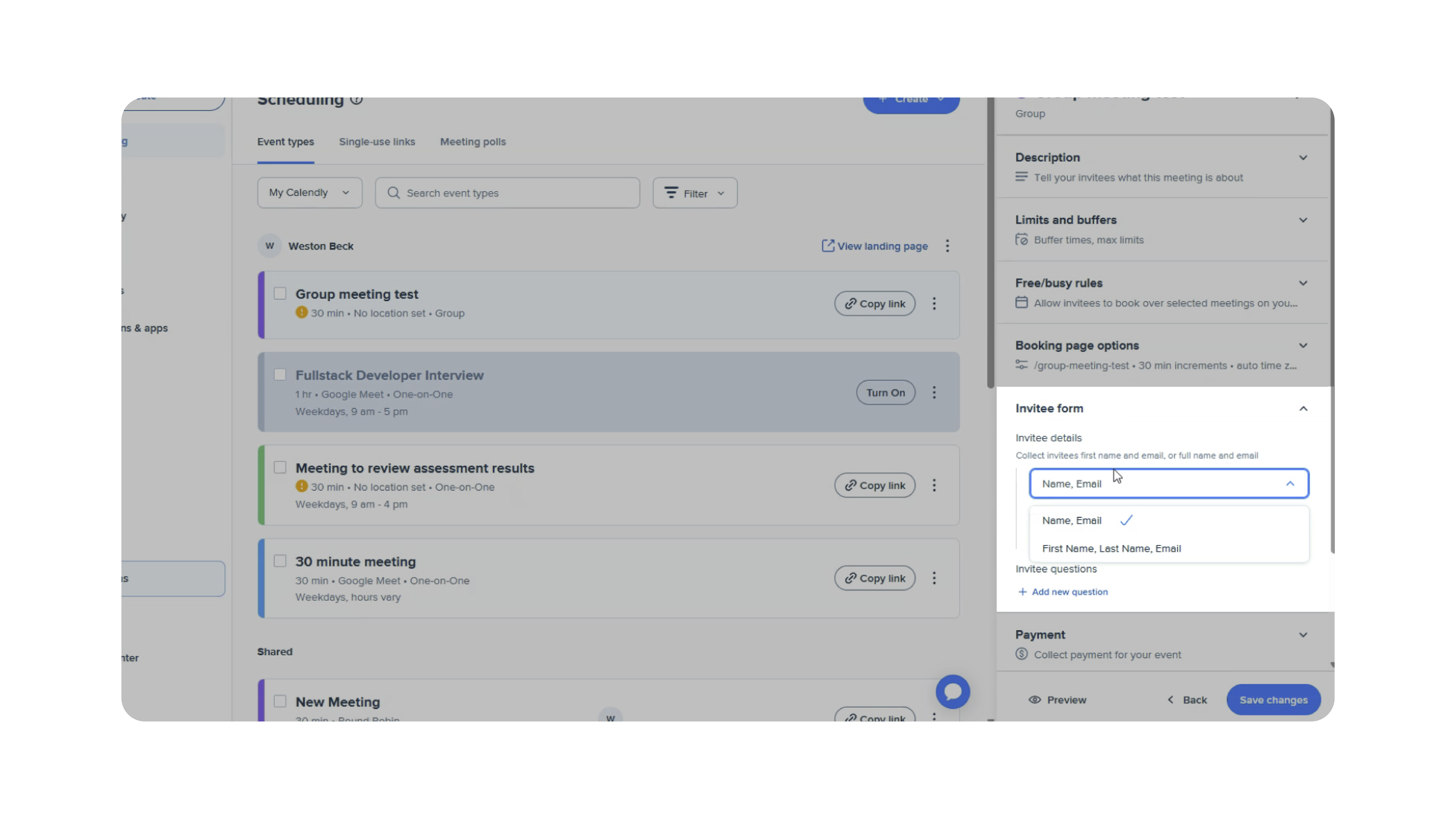
These fields are required so Discovered can identify the candidate when the interview is scheduled.
2. Add Your Calendly Link to Your Discovered Profile
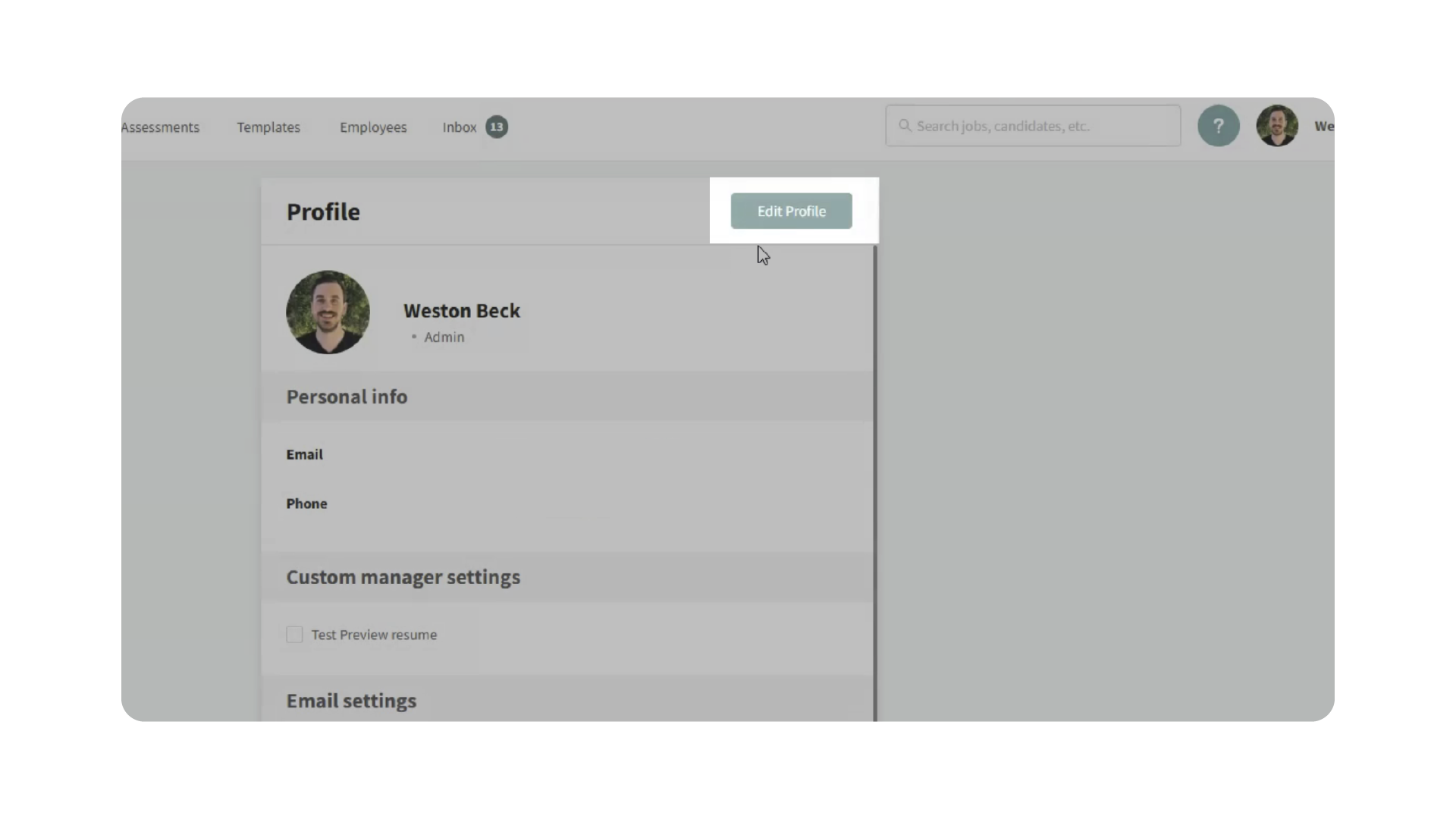
- In Discovered, open your User Profile and Click Edit Profile.
- Paste your Calendly event link into the User Owned Calendar field. (Discovered will detect that the link is a Calendly URL).
- Enable the option indicating that this is a Group Event and Click Save.
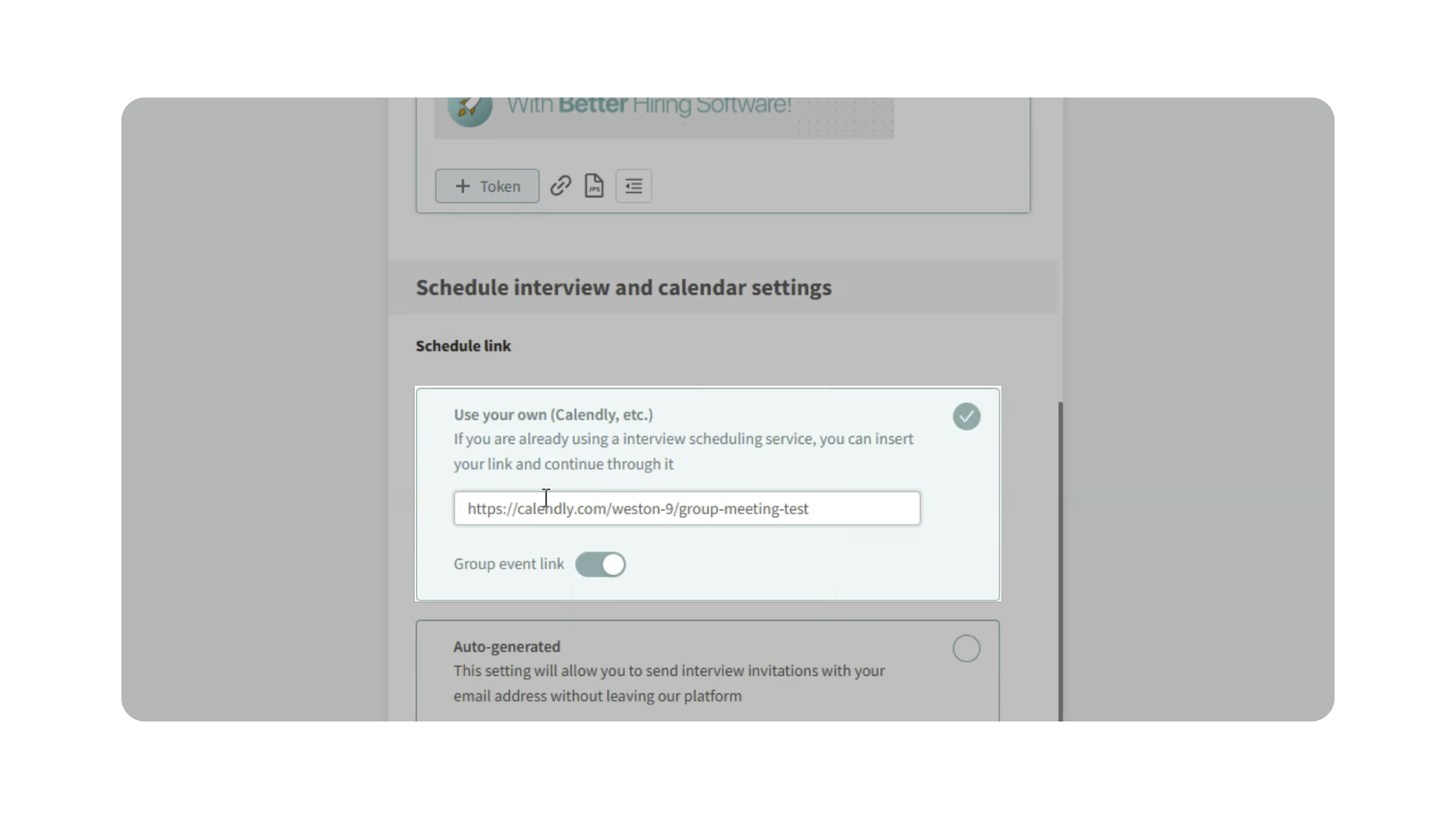
Once saved, Discovered will use this link whenever candidates are invited to schedule interviews.
3. Send the Interview Scheduling Link to Candidates
Once your calendar is connected:
- Move the candidate to a status that includes Interview Scheduling.
- The system will send the candidate a message containing the Calendly scheduling link.
- The candidate selects an available time and schedules their interview.
Because it is a group event, multiple candidates can select the same time slot.
4. Automatic Status Updates
When a candidate successfully schedules the interview:
- Discovered detects the booking.
- The candidate is automatically moved to the next configured status in the pipeline.
Multiple candidates can book the same group interview session and be tracked individually in Discovered.
Why This Matters
Using Calendly group interviews allows hiring teams to:
- Schedule multiple candidates at once
- Reduce manual coordination and scheduling emails
- Automatically update candidate statuses when interviews are booked
- Run group interview sessions or hiring events more efficiently
This helps teams save time and keep hiring pipelines organized.
Use Cases
Recruiters: Schedule large batches of candidates for the same interview session.
Hiring Teams: Conduct group interviews for high-volume roles.
Hiring Events: Allow candidates to self-schedule into shared interview slots.
Best Practices
- Always configure the Calendly event as a Group Event before connecting it to Discovered.
- Ensure the Name and Email fields are required in the Calendly invitee form.
- Avoid modifying the candidate name field during scheduling, as Discovered uses this information to track the booking correctly.
- Test the scheduling flow with a sample candidate before sending invitations at scale.
What Happens Next
Once your Calendly group event is connected:
- Candidates can book interview slots directly through the scheduling link.
- Multiple candidates can join the same time slot.
- Discovered automatically detects bookings and moves candidates through the hiring pipeline.
This integration simplifies scheduling for high-volume interviews while keeping candidate progress accurately tracked in your workflow.