
Automated Candidate Calling
Overview
AI Autocalls help recruiting teams automate candidate outreach by placing AI-powered phone calls to candidates directly from a workflow automation. Instead of relying solely on emails or SMS reminders, Discovered can proactively contact candidates by phone to encourage actions such as scheduling interviews or completing hiring tasks.
This feature is designed to improve candidate engagement, reduce drop-off during the hiring process, and help recruiters move qualified candidates through the pipeline faster. Every call is automatically logged in the candidate’s profile with recordings, transcripts, summaries, and outcomes — giving teams complete visibility into candidate interactions.
AI Autocalls are especially valuable for high-volume hiring environments where rapid follow-up can significantly improve response rates and scheduling completion.
AI Autocalls for Candidate Outreach:
1. Configure an AI Outreach Automation
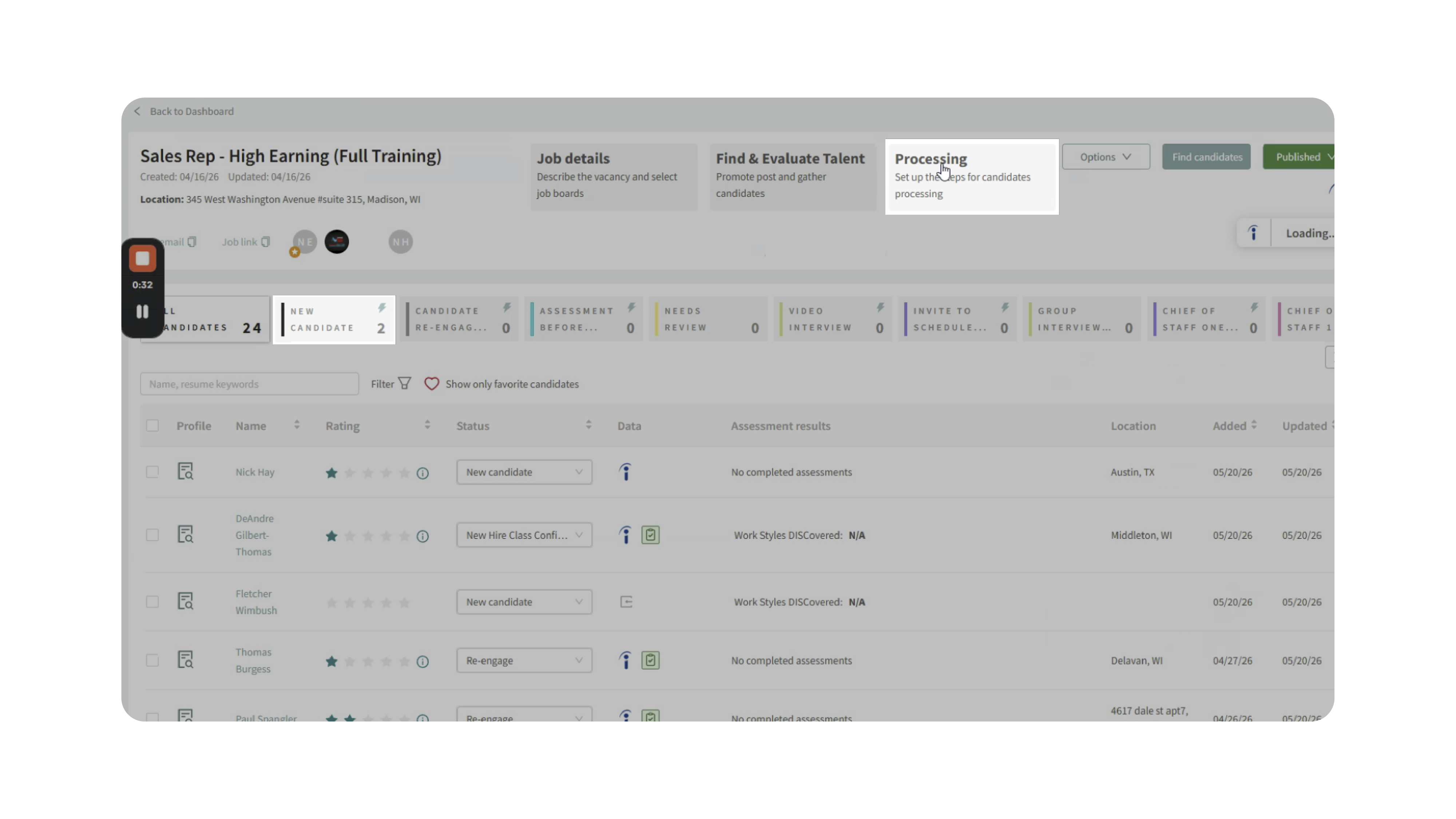
- Open the job posting, Processing and navigate to the workflow status where you want the AI call to occur (for example, New Candidate).
- Add the AI Outreach automation and configure the outreach goal — such as asking the candidate to schedule an interview.
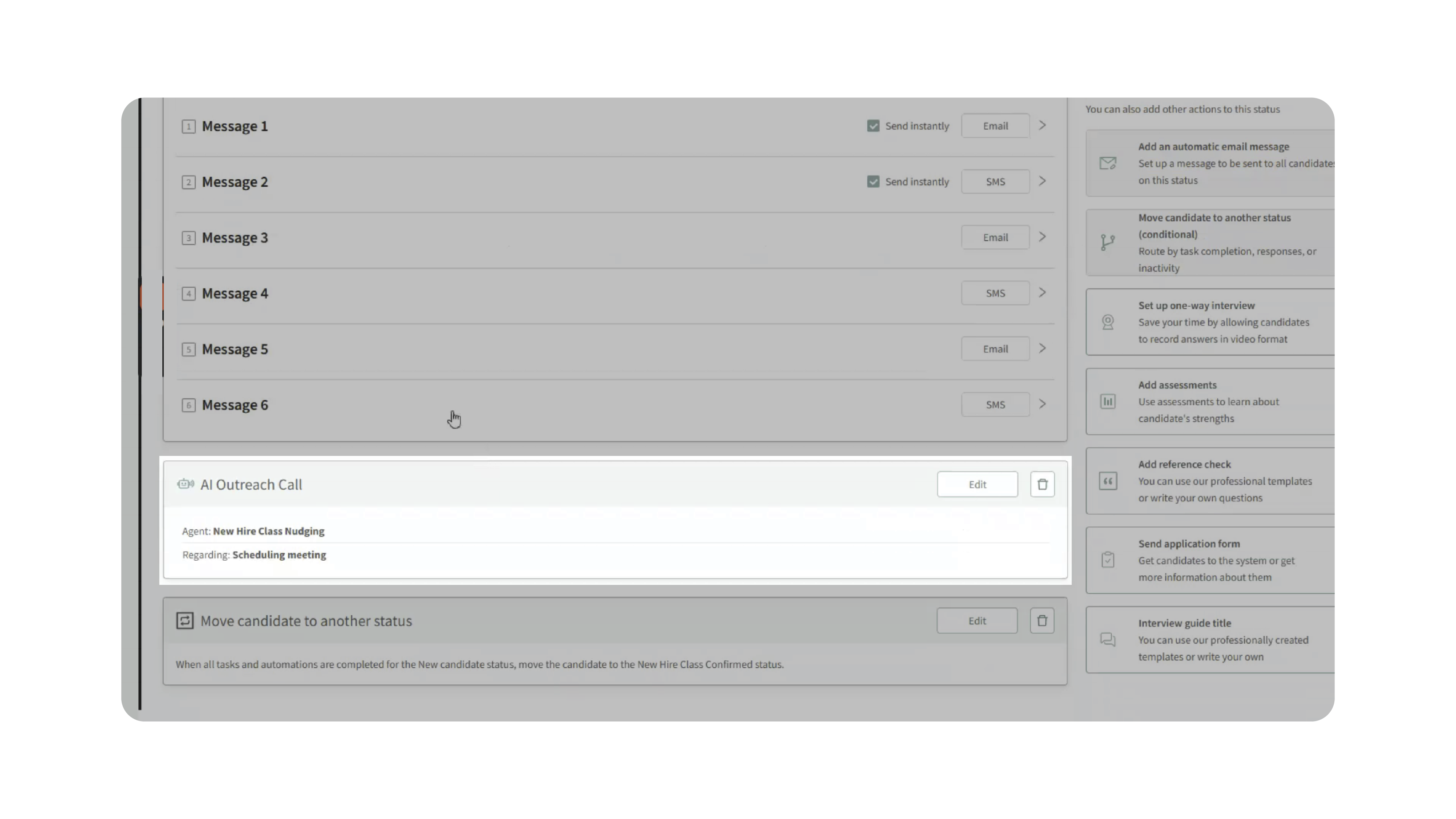
- You can also pair the outreach with message sequences or scheduling automations.
2. Select the Triggered Candidate Action
Choose the action the AI should encourage the candidate to complete.
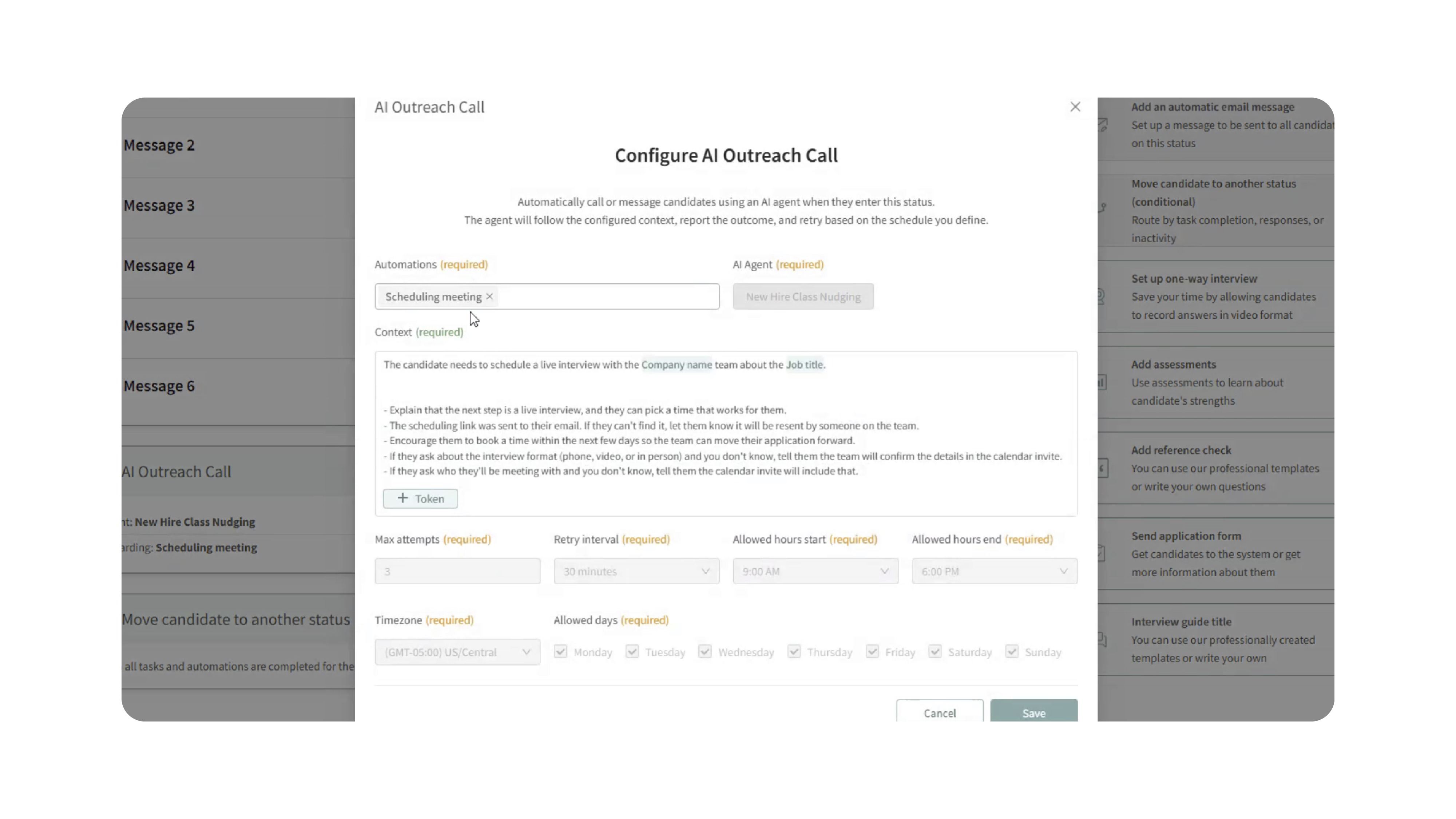
Example:
- Schedule a meeting
- Complete an assessment
- Respond to outreach
Once selected, Discovered will monitor for that action automatically.
3. Launch the Outreach Campaign
- When candidates enter the configured workflow status, the AI outreach campaign begins automatically.
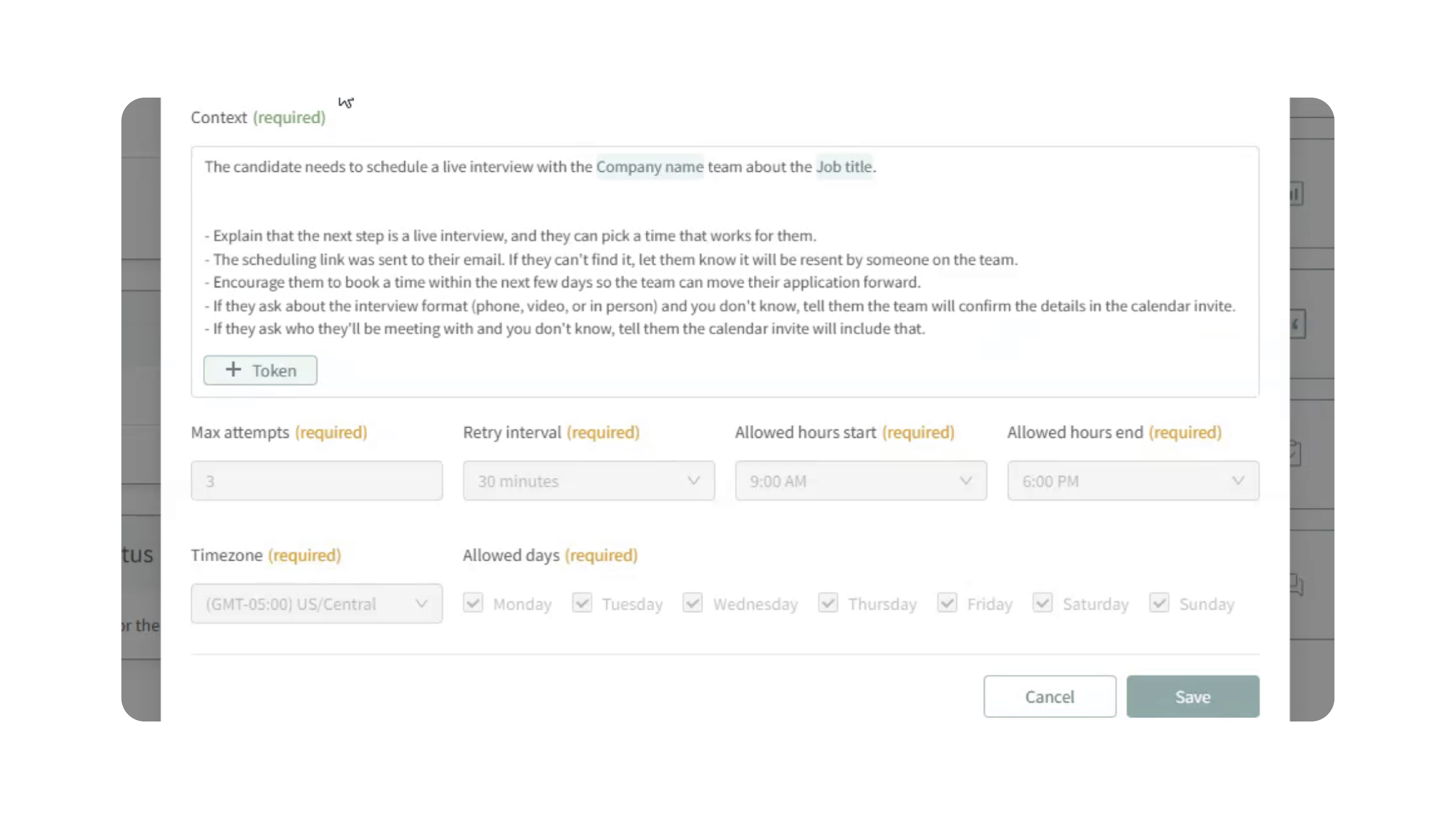
- The AI caller will contact the candidate and attempt to guide them toward completing the selected task.
4. Review Call Activity
After a call occurs, open the candidate profile and navigate to the Communications section.
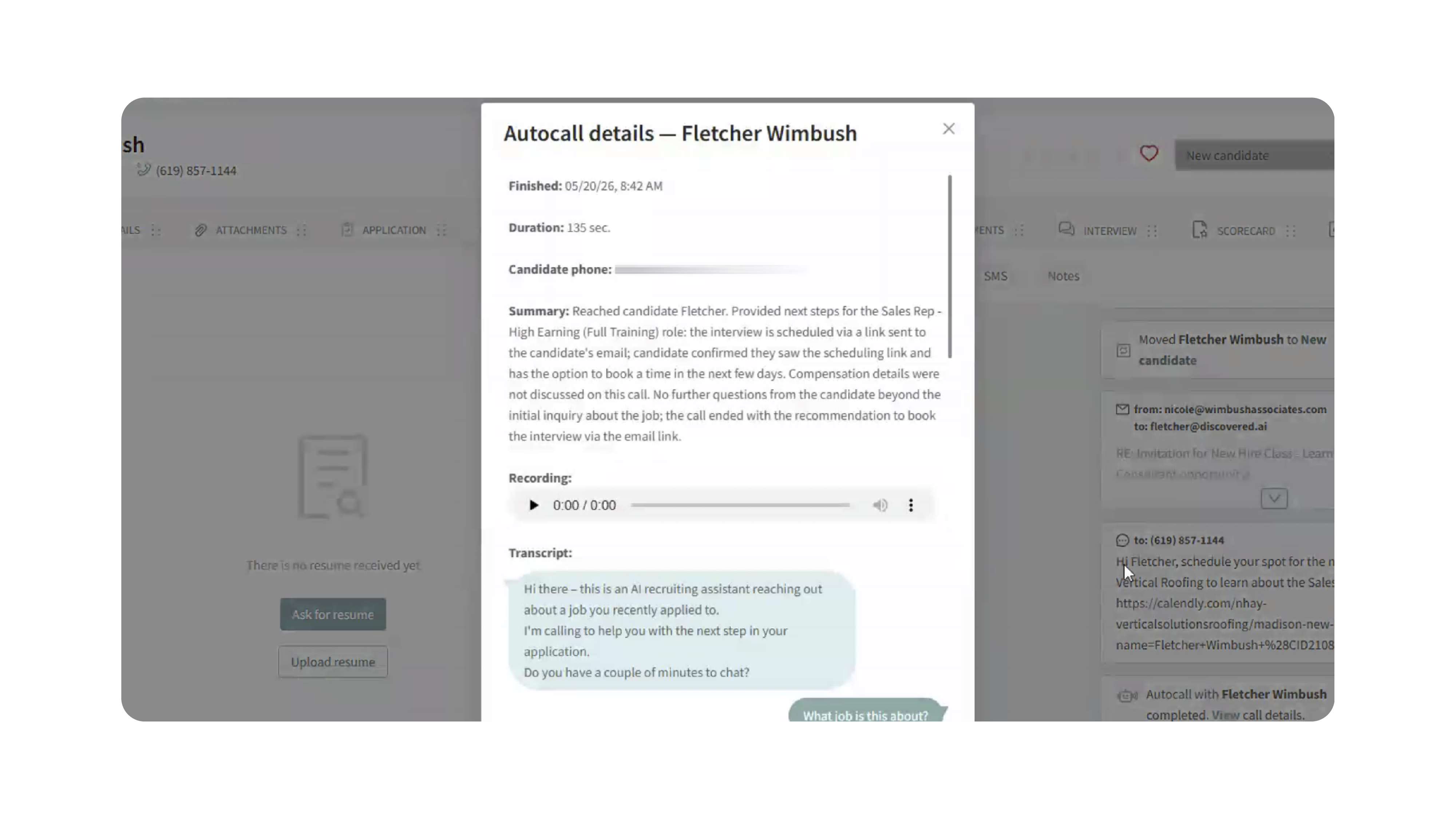
You’ll be able to review:
- Call duration
- Call timestamps
- AI-generated call summaries
- Full call transcripts
- Audio recordings
- Candidate responses and outcomes
Smart Automation Behavior
AI Autocalls intelligently stop outreach attempts when the desired action has been completed.
For example:
- If the candidate schedules a meeting, the call campaign automatically stops.
- If the candidate is moved to another workflow status where the automation no longer exists, the campaign is canceled automatically.
- If maximum call attempts are reached, no additional outreach attempts will occur.
This prevents unnecessary follow-ups and ensures candidates receive timely, relevant communication.
Why This Matters
Speed and consistency are critical when hiring top talent. AI Autocalls help recruiters engage candidates immediately while reducing manual follow-up work for hiring teams.
This ensures:
- Faster candidate response times
- Increased interview scheduling completion rates
- Reduced recruiter workload
- Consistent candidate follow-up
- Complete visibility into outreach activity
- Better engagement with hard-to-reach candidates
By automating phone outreach directly within workflows, recruiters can focus more time on evaluating talent instead of chasing responses.
Use Cases
- High-Volume Hiring: Automatically follow up with large groups of applicants without manual calling.
- Interview Scheduling: Encourage candidates to book interviews immediately after applying.
- Candidate Re-engagement: Reach out to inactive or unresponsive candidates automatically.
- Workflow Automation: Combine AI calls with sequences, assessments, and status changes for fully automated pipelines.
- Recruiting Teams: Track every candidate interaction with transcripts and recordings stored directly in Discovered.
Best Practices
- Use AI Autocalls for actions that benefit from immediate candidate engagement, such as interview scheduling.
- Pair AI outreach with email or SMS sequences for multi-channel follow-up.
- Configure workflow statuses carefully so outreach stops appropriately once candidates move forward.
- Review transcripts and summaries regularly to improve outreach messaging.
- Test automations on a small candidate group before deploying broadly.
What Happens Next
Once AI Autocalls are enabled:
- Candidates entering the configured workflow status may receive automated phone outreach.
- Call activity appears automatically in the candidate communication history.
- Campaigns stop automatically when the target action is completed or the candidate changes statuses.
- Recruiters can review recordings, transcripts, and summaries directly from the candidate profile.
With AI Autocalls, recruiting teams can automate candidate engagement at scale while maintaining visibility, responsiveness, and momentum throughout the hiring process.