
Embedding Videos in Emails
Overview
Discovered allows you to embed videos directly into candidate emails. This gives recruiting teams a more engaging way to communicate with candidates, share important information, and personalize outreach.
Instead of sending only written instructions, teams can include videos from platforms such as YouTube or Loom, or upload a video directly from their device. This can help improve candidate communication, make next steps easier to understand, and reduce repetitive manual explanations during the hiring process.
Videos can be added anywhere a candidate message can be created or edited, including candidate profiles, the processing section of a job post, message templates, and other candidate communication workflows.
Embedding a Video in a Message:
1. Open the message editor
Open the candidate message you want to create or edit.
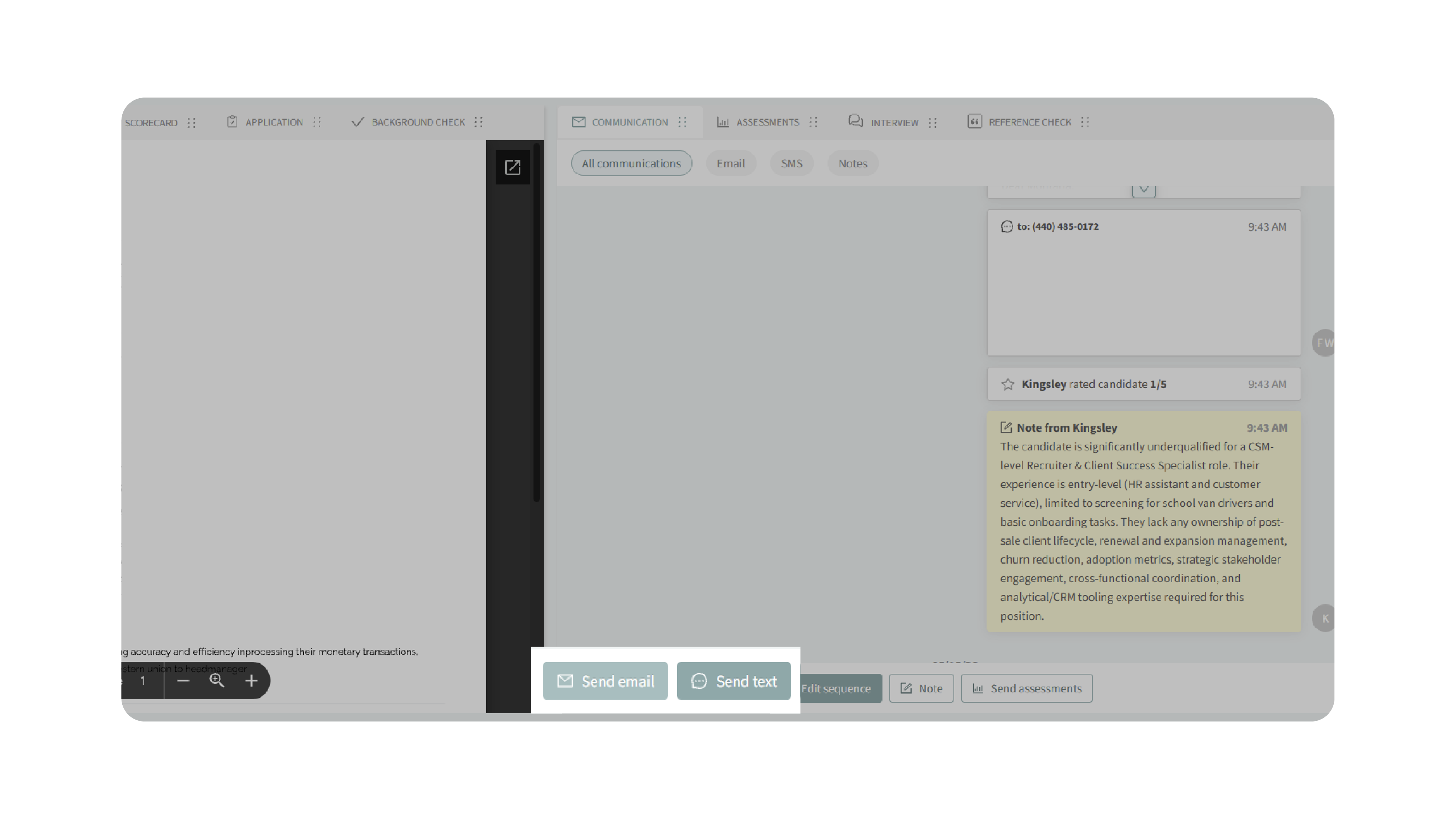
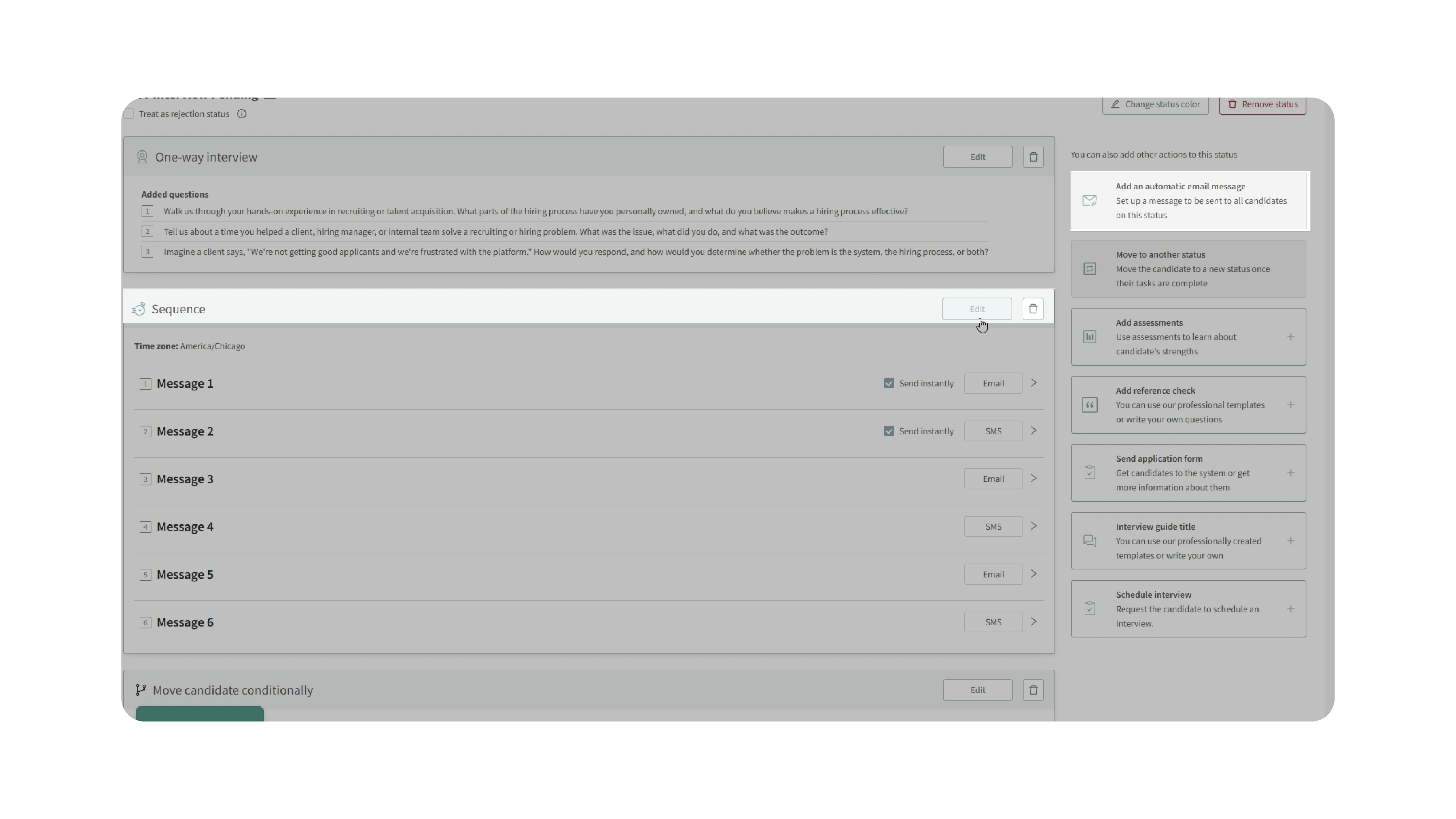
This may be from a candidate profile, the Processing section of a job post, a message template, or another area in Discovered where candidate emails can be created.
2. Add the video
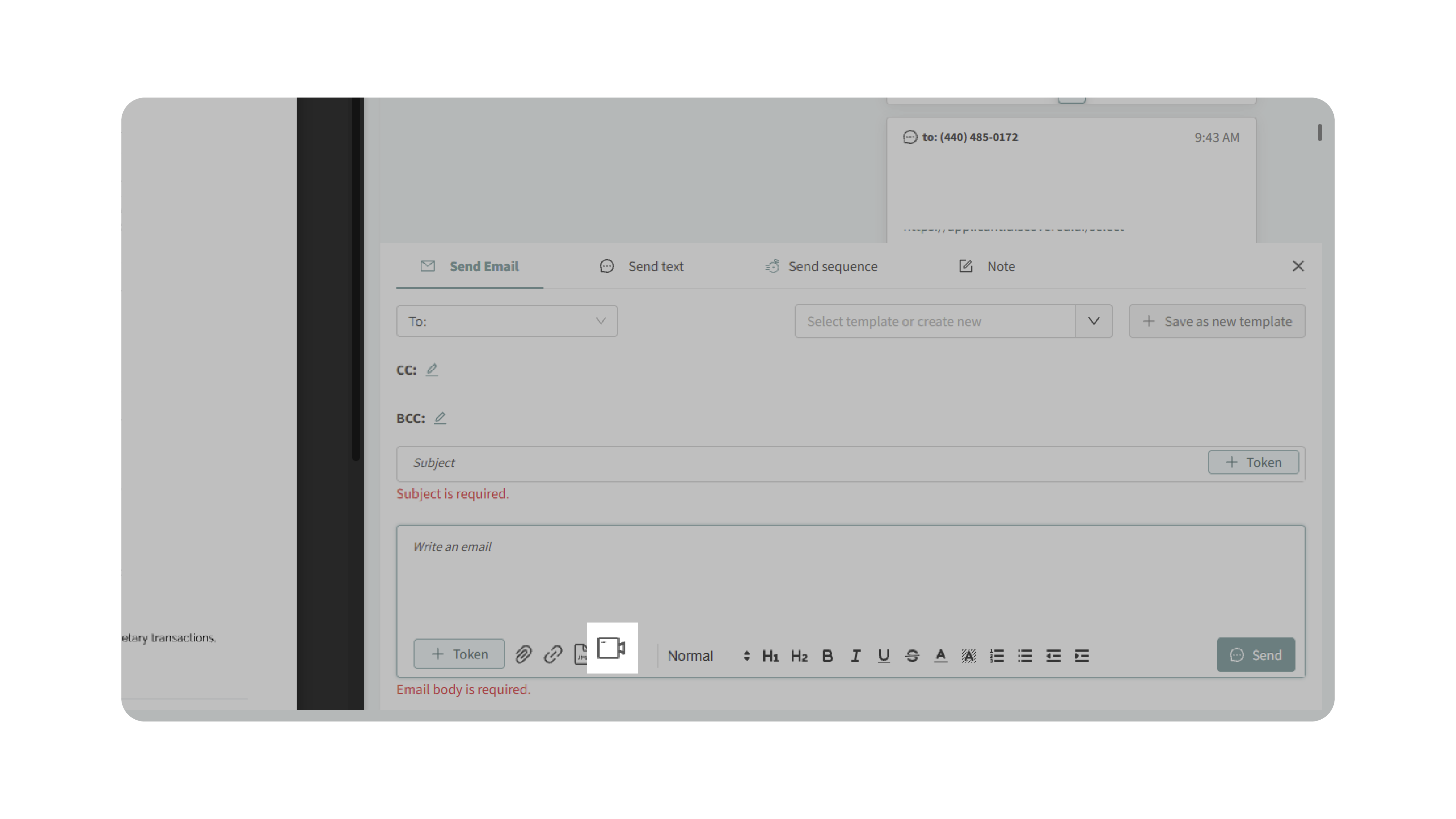
In the message editor, you can add a video in either of the following ways:
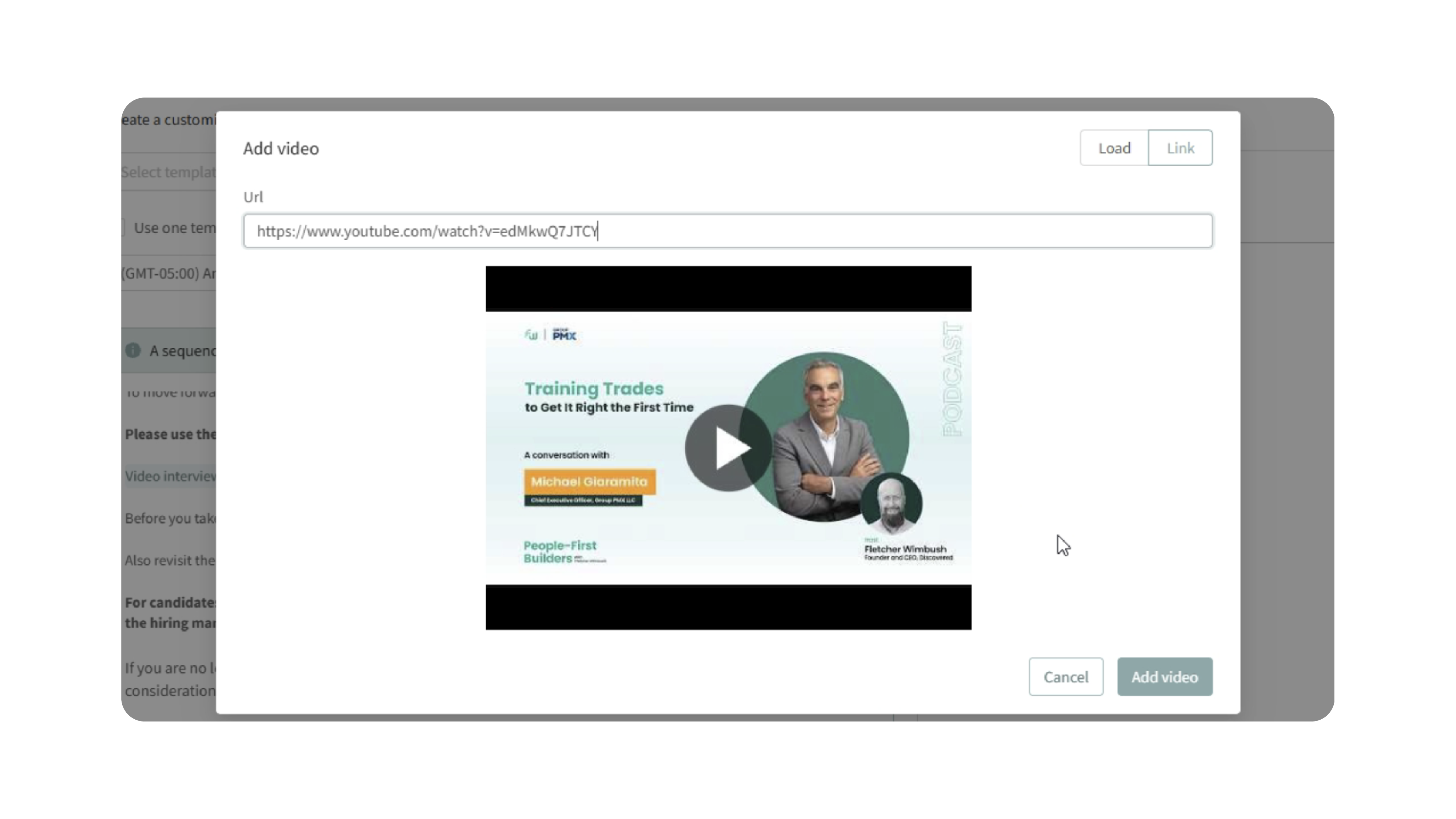
- Paste a video link directly into the message, such as a YouTube or Loom link.
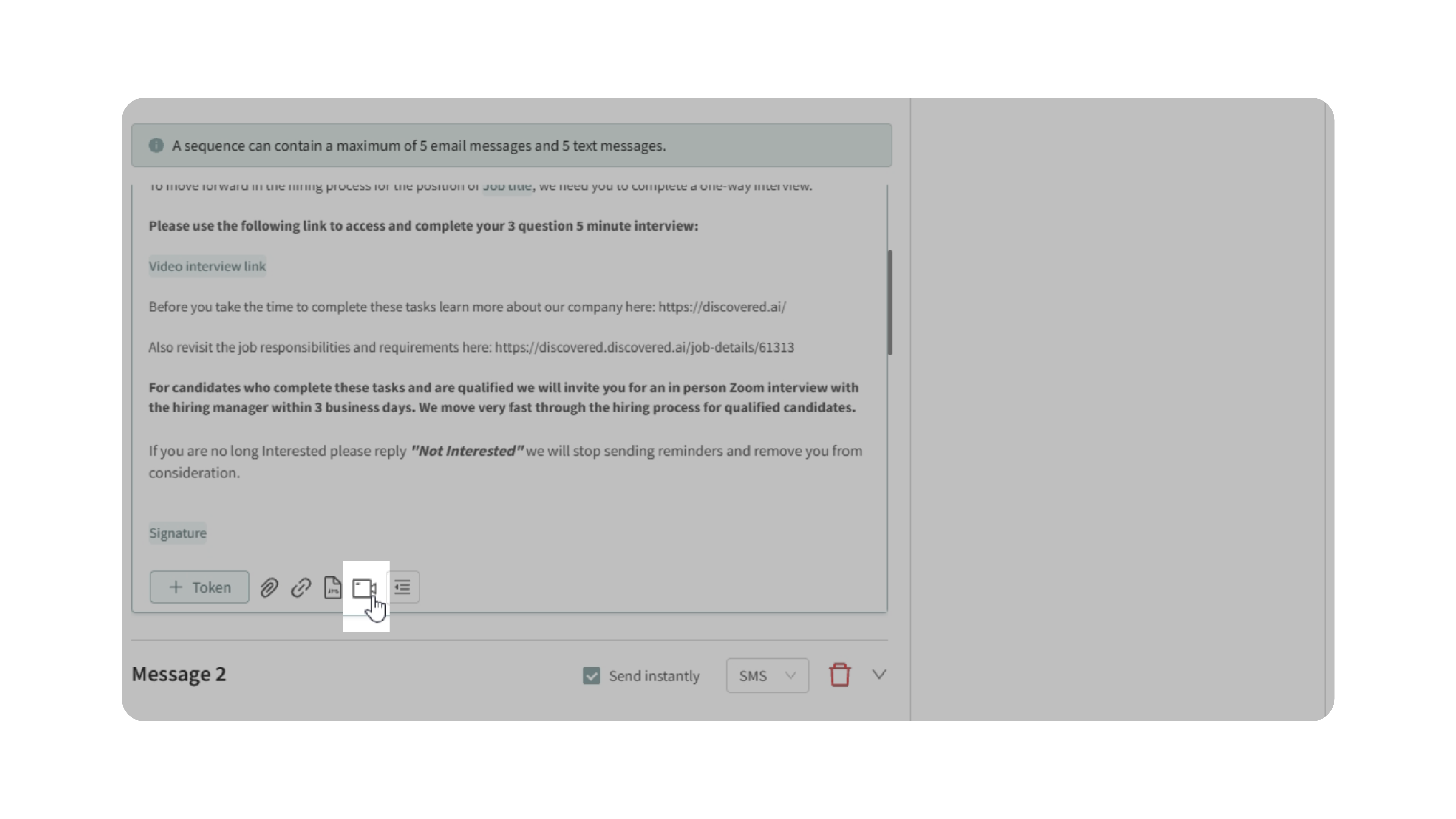
- Click the video camera icon to open additional video options.
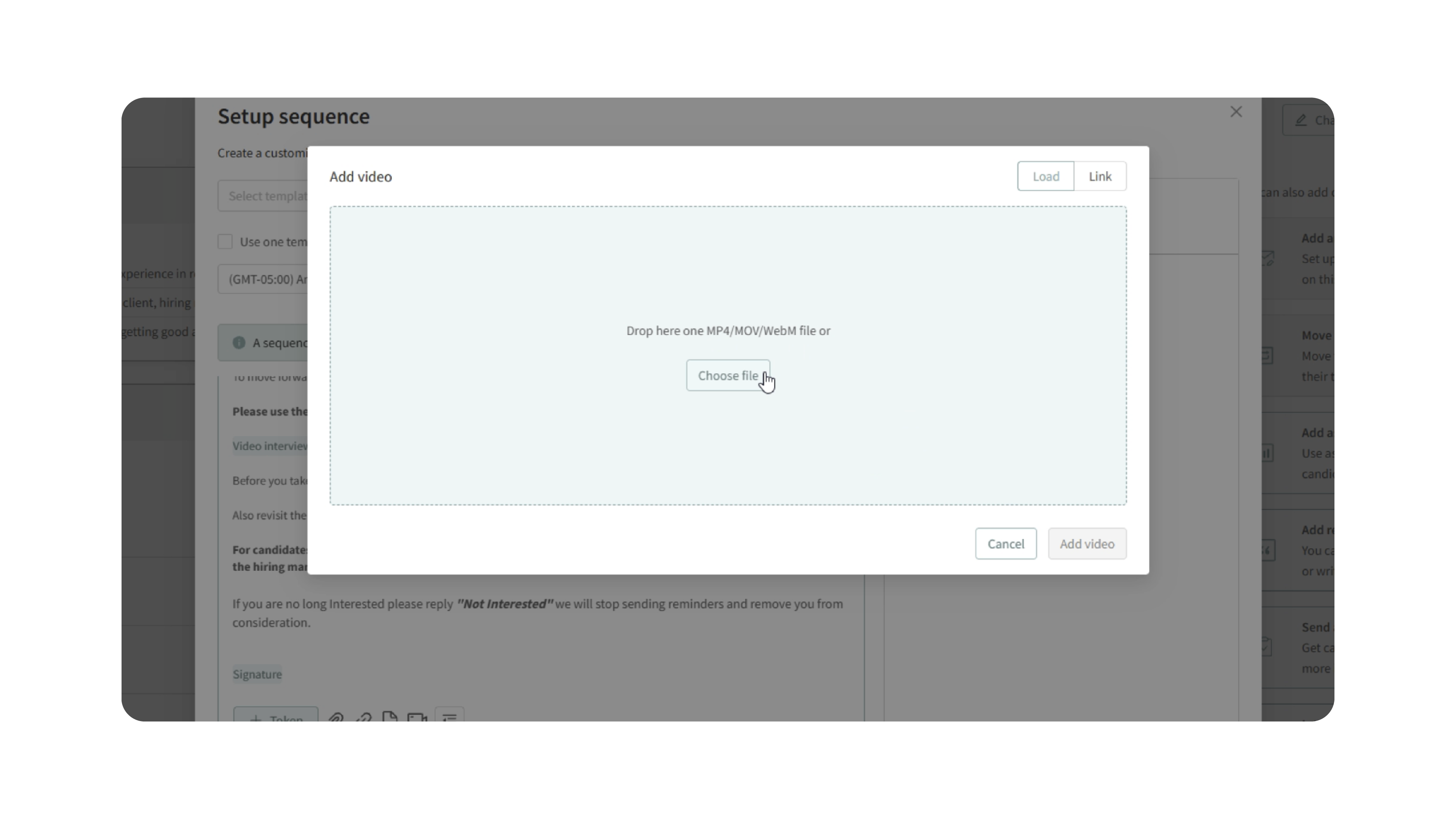
3. Upload or paste the video link
After clicking the video camera icon, you can:
- Upload a video by dragging it into the upload area.
- Select a video file from your device.
- Paste a video link.
Once added, the video will be included in the message.
Why This Matters
Videos can make candidate communication clearer and more engaging. They are useful when you need to explain next steps, introduce the company, provide instructions, or share information that is easier to understand visually.
Adding videos directly into candidate emails helps teams keep communication inside Discovered while giving candidates a more helpful and personalized experience.
Use Cases
Use embedded videos when you want to:
- Introduce your company or team
- Explain the next step in the hiring process
- Share interview instructions
- Provide assessment or onboarding guidance
- Add a personal touch to candidate messages
- Reduce repeated manual explanations from recruiters
- Reuse video content in message templates or automated workflows
Best Practices
- Keep videos short and focused.
- Test the message before sending it to candidates.
- Make sure uploaded videos or external links work correctly.
- Use videos when they add clarity, not just decoration.
- Avoid including sensitive or confidential information in candidate-facing videos.
- When using videos in templates, make sure the content applies broadly to the candidates who will receive the message.
What Happens Next
After the video is added to the message, candidates who receive that email will be able to access the video from the communication.
If the message is part of a template or automated workflow, the video will be included whenever that message is used or sent from that workflow.