
Appending Candidate Data with People Data Labs
Overview
People Data Labs can be used in Discovered to add external candidate information to an existing profile. This is helpful when a candidate profile is missing details or when you want to enrich the record with additional data from an external source.
Before you can append data from People Data Labs, your company must connect a People Data Labs account to Discovered.
→ View Source External Data guide
Once People Data Labs is connected, you can open an individual candidate profile and sync the profile with external data.
Note: Appending People Data Labs data is currently done from an individual candidate profile. Bulk append is not currently available.
How to Append Candidate Data with People Data Labs:
1. Connect People Data Labs to Discovered
- Before appending data, make sure People Data Labs is already connected to your Discovered account.
- To connect People Data Labs, you will need a People Data Labs account and API key. Once connected, Discovered can use People Data Labs as an external source.
→ View Source External Data guide

2. Open the candidate profile
- Go to the candidate profile where you want to append external data.
- You can access the candidate from a job, candidate list, or search results.
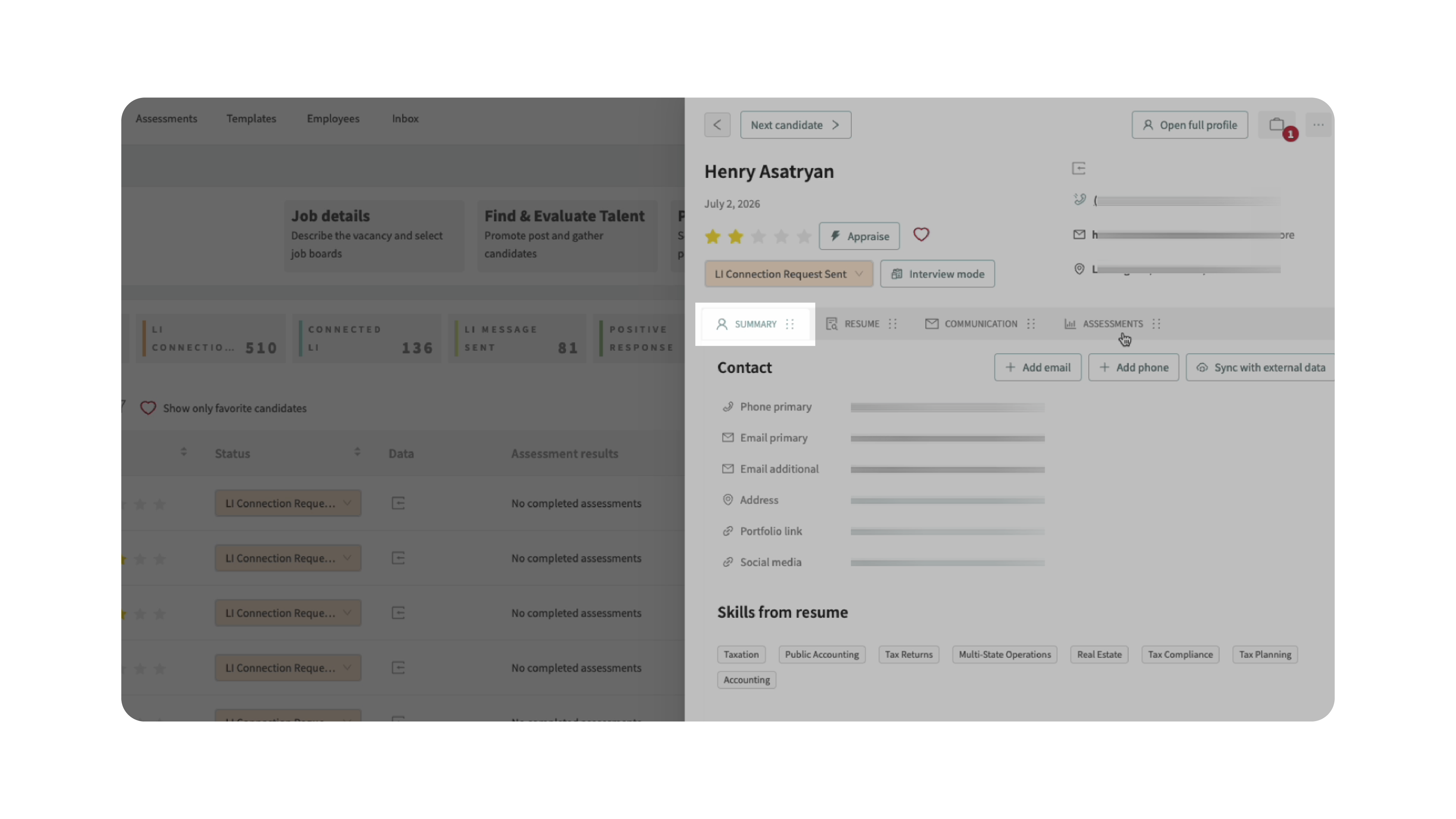
3. Open the Summary tab
- Inside the candidate profile, select the Summary tab.
- This section contains profile-level information and available data sync options.
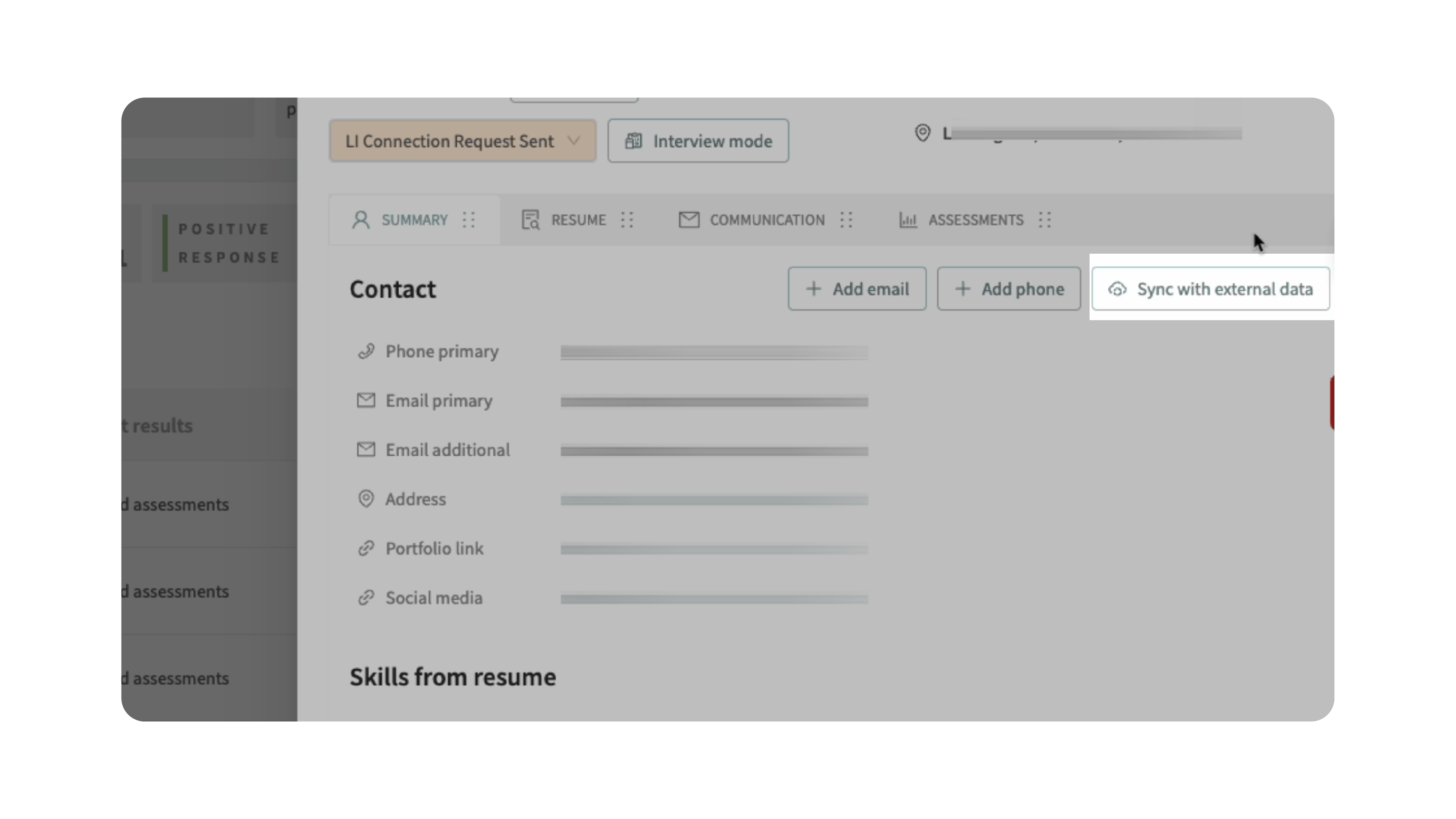
4. Sync with external data
- From the Summary tab, select Sync with External Data.
- Discovered will use the connected People Data Labs account to search for available external information and append it to the candidate profile.
5. Review the updated candidate profile
- After the sync is complete, review the candidate profile to confirm the appended information.
- Depending on what is available from People Data Labs, the profile may include additional or updated candidate details.
Why This Matters
- Appending candidate data helps teams keep candidate profiles more complete and useful. Instead of manually searching for missing information, users can sync an existing profile with external data from People Data Labs directly inside Discovered.
- This can improve sourcing, outreach, screening, and candidate review by giving recruiters and hiring teams more context in one place.
Use Cases
Use People Data Labs data append when you need to:
- Enrich an existing candidate profile
- Add missing candidate details
- Review additional external profile information
- Improve candidate context before outreach
- Support sourcing and rediscovery workflows
- Keep candidate information organized inside Discovered
Best Practices
- Connect People Data Labs before attempting to sync external data.
- Review appended information before using it for outreach or decision-making.
- Use data append for individual profiles that need more context.
- Monitor People Data Labs credit usage based on your plan.
- Keep your People Data Labs API key secure and share it only with authorized users.
- Use the existing Source External Data workflow when you need to find and add new external candidates to jobs.
What Happens Next
- After you sync a candidate profile with external data, Discovered updates the profile with available information from People Data Labs.
- If no additional data is available, the profile may remain unchanged. If you need to source new candidates from People Data Labs instead of enriching an existing profile, use the Source External Data workflow.