
Repost Jobs
Overview
The Repost Job feature helps employers refresh existing job postings by generating a revised job title and job description, temporarily removing the job from job boards, and then automatically republishing it after a short waiting period.
This feature was introduced to help address situations where jobs may have been flagged as duplicates by job boards such as Indeed, or when a job's visibility has declined and a refreshed posting may improve performance. By updating the content and republishing the job, employers can potentially increase visibility and attract new applicants without creating an entirely new job posting.
Note: This feature is currently in beta and must be enabled by a Discovered administrator before it becomes available on an account.
How to Repost a Job Automatically:
1. Open the Job and Start the Repost Process
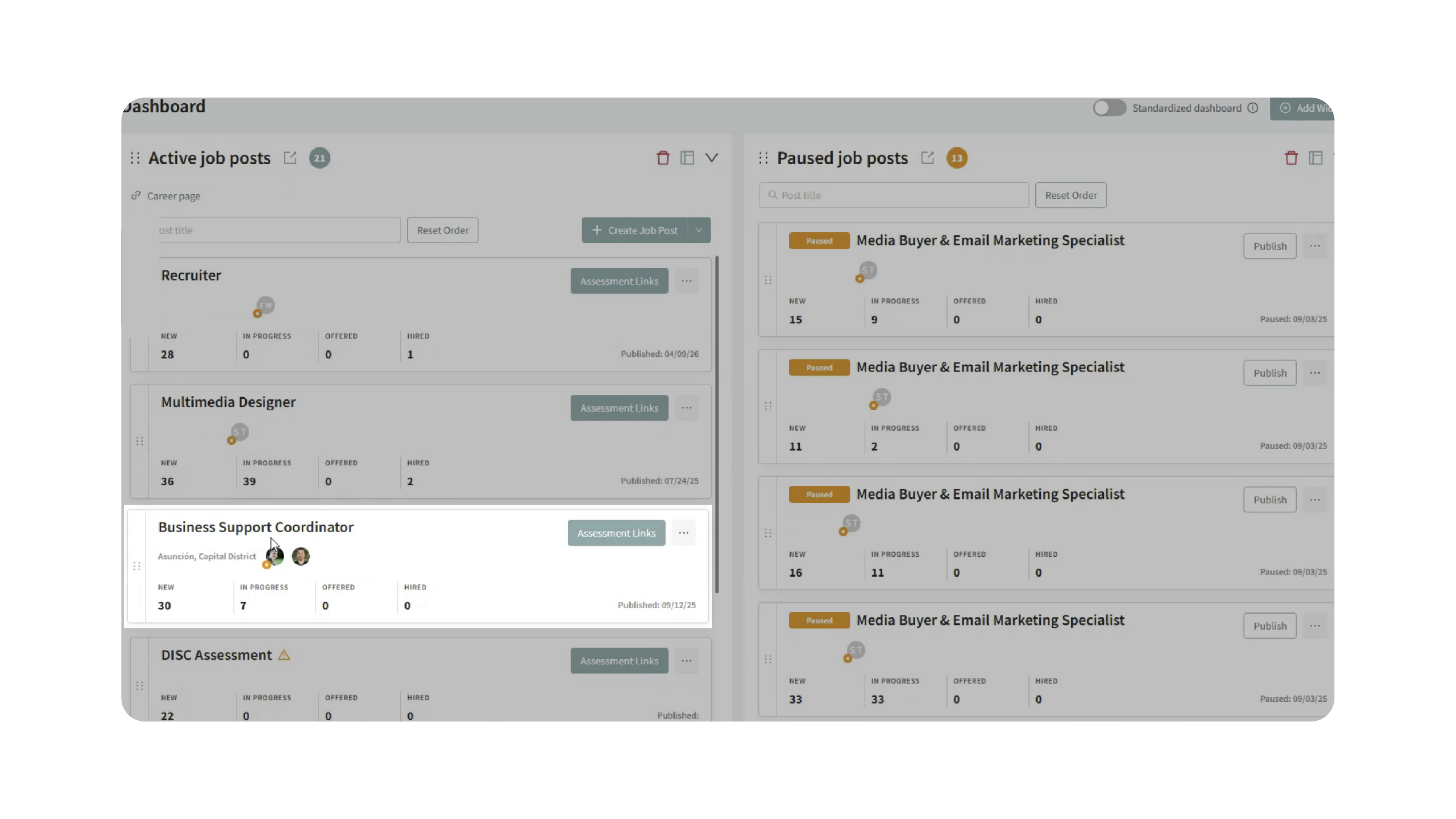
Open the job posting you want to refresh.
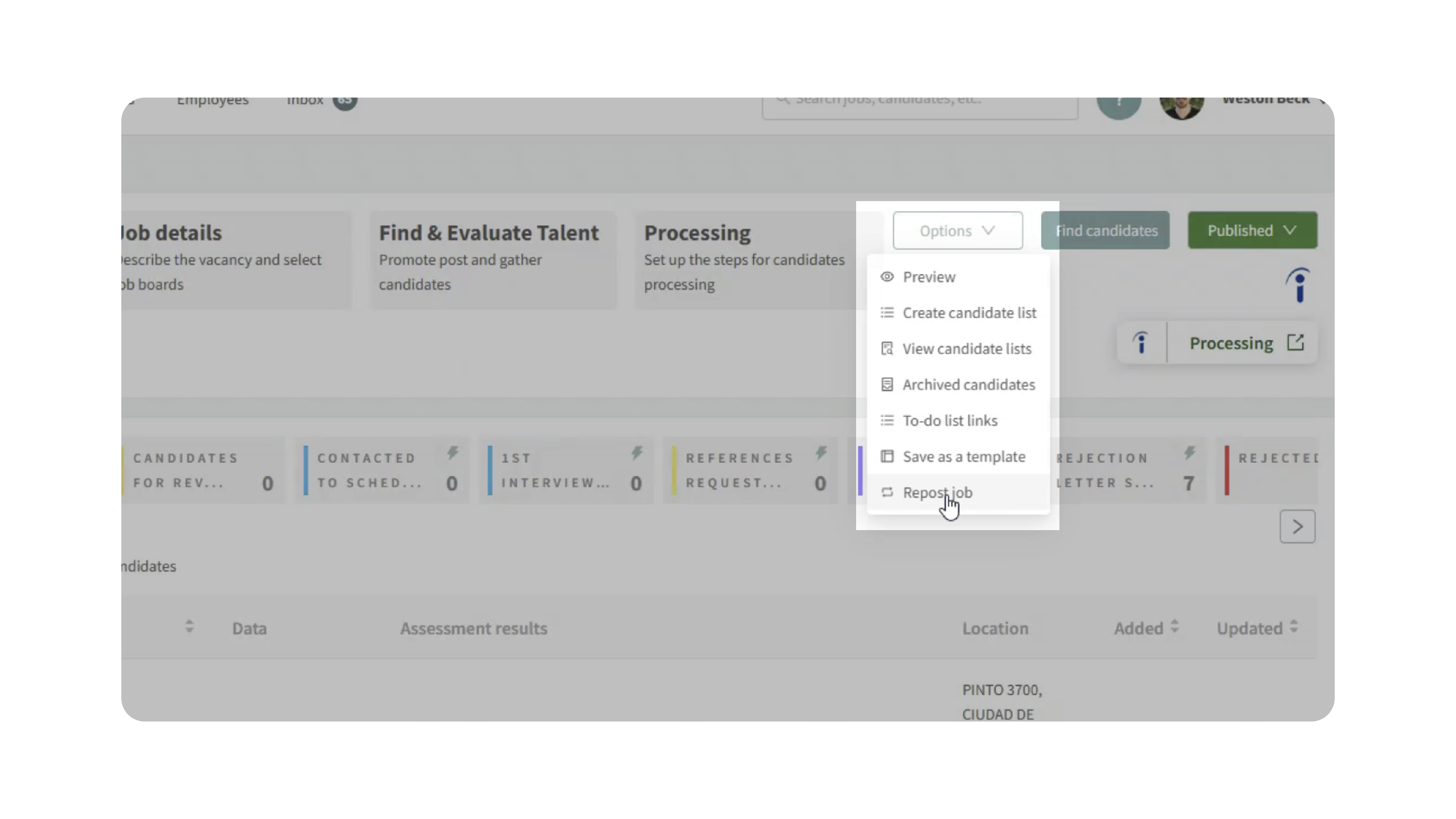
Click Options and select Repost Job.
A summary screen will explain what happens during the repost process:
- A new job title and description will be generated.
- The job will be temporarily removed from job boards and the career page.
- The job will automatically be republished.
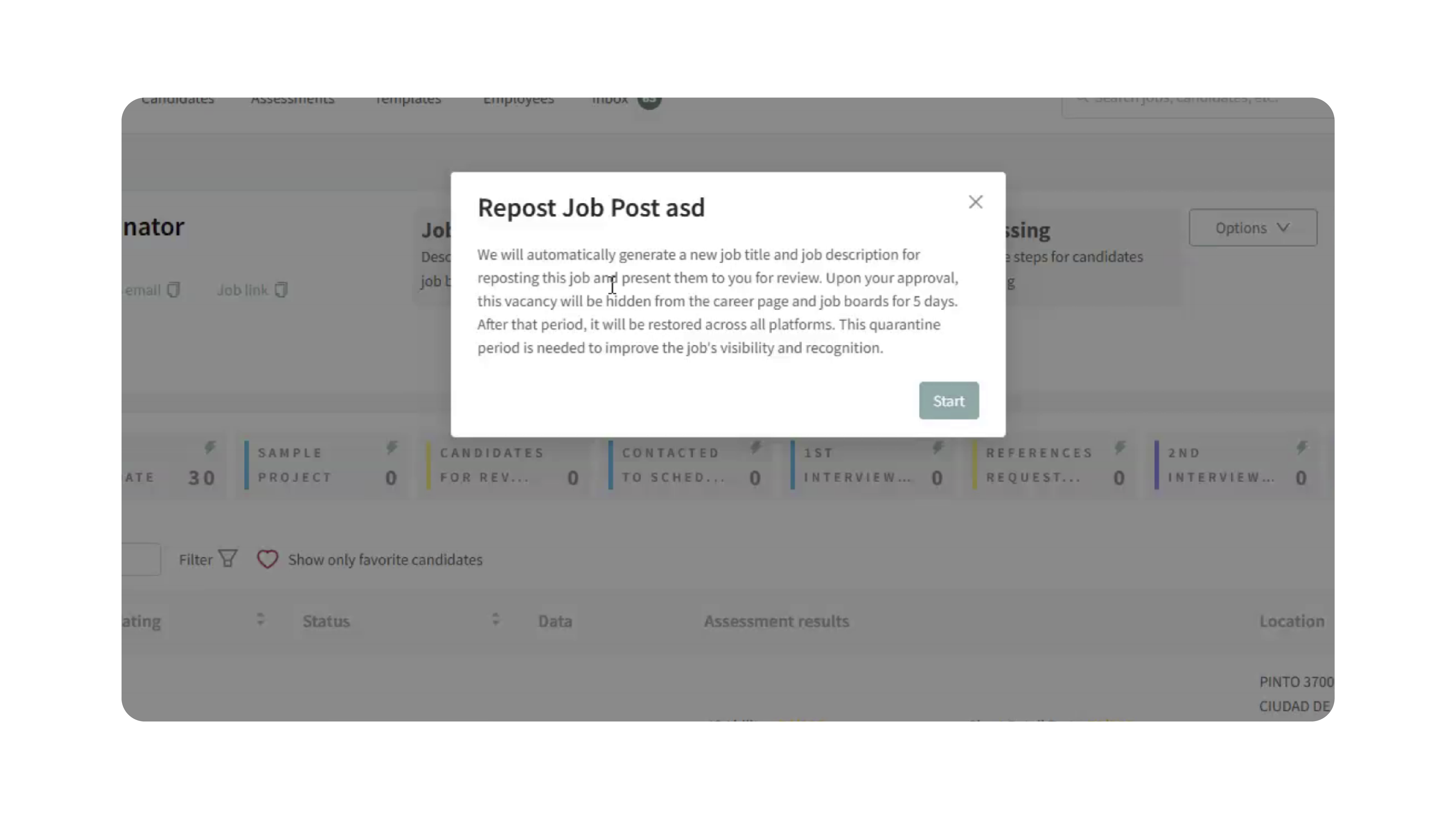
Click Start to continue.
2. Review the AI-Generated Content
Discovered will generate:
- A revised job title
- A revised job description
Review the generated content carefully.
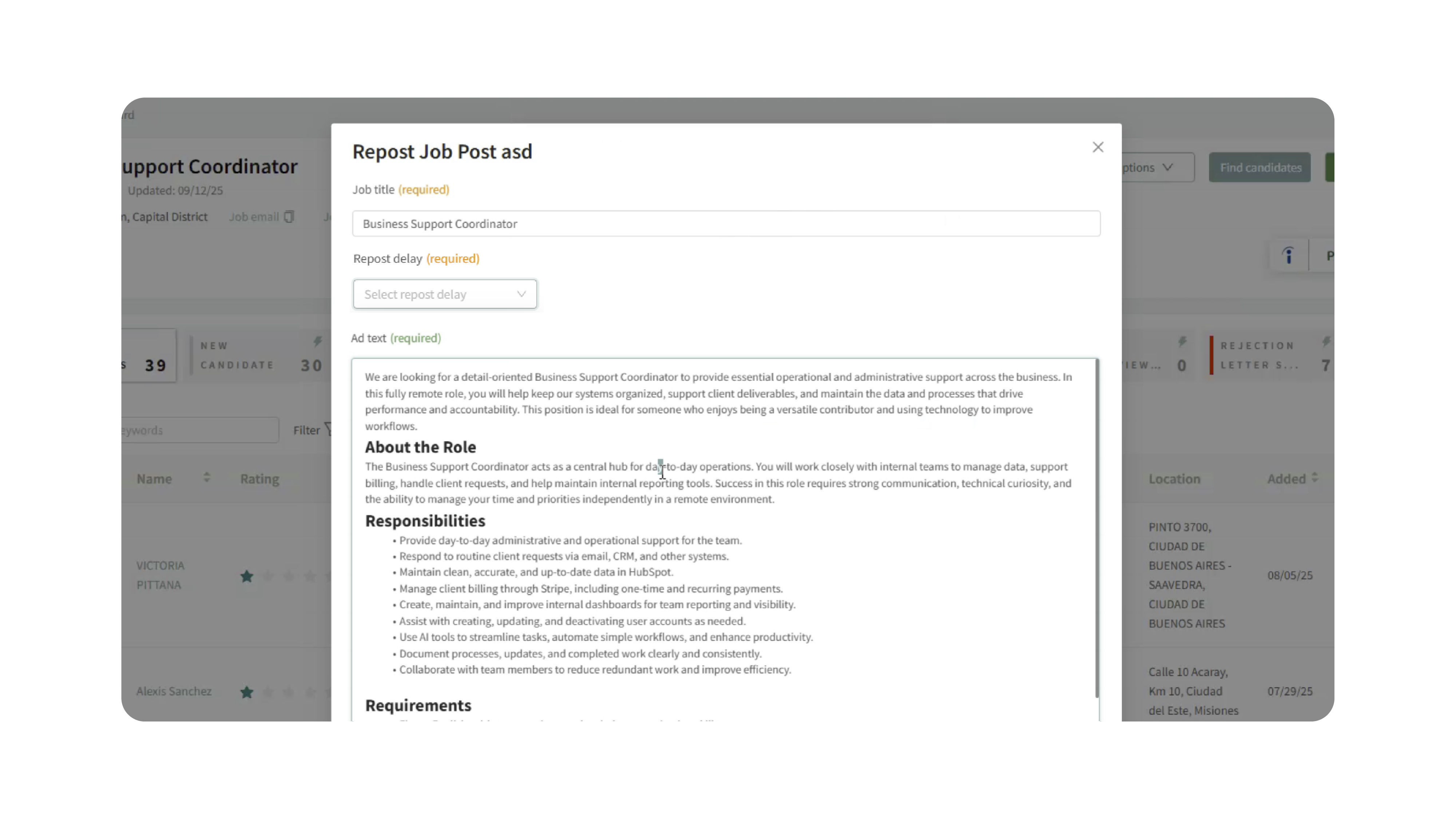
You can:
- Accept the AI-generated version
- Edit any portion of the content
- Replace the generated content entirely with your own revised title and description
- Set up how long you want the repost to be delayed (Required).
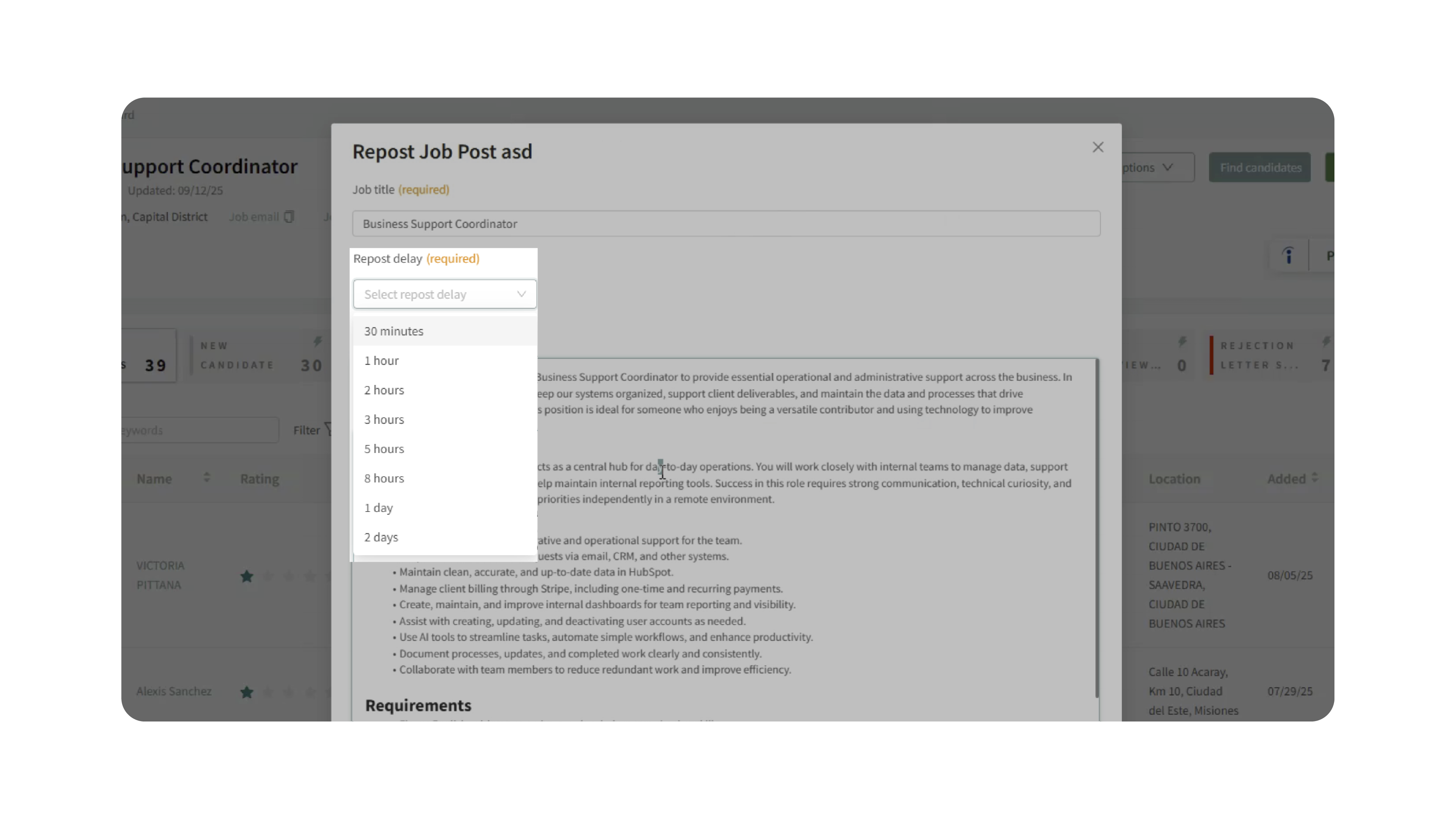
Once you're satisfied with the changes, click Apply.
3. Wait for the Repost Period
After applying the changes:
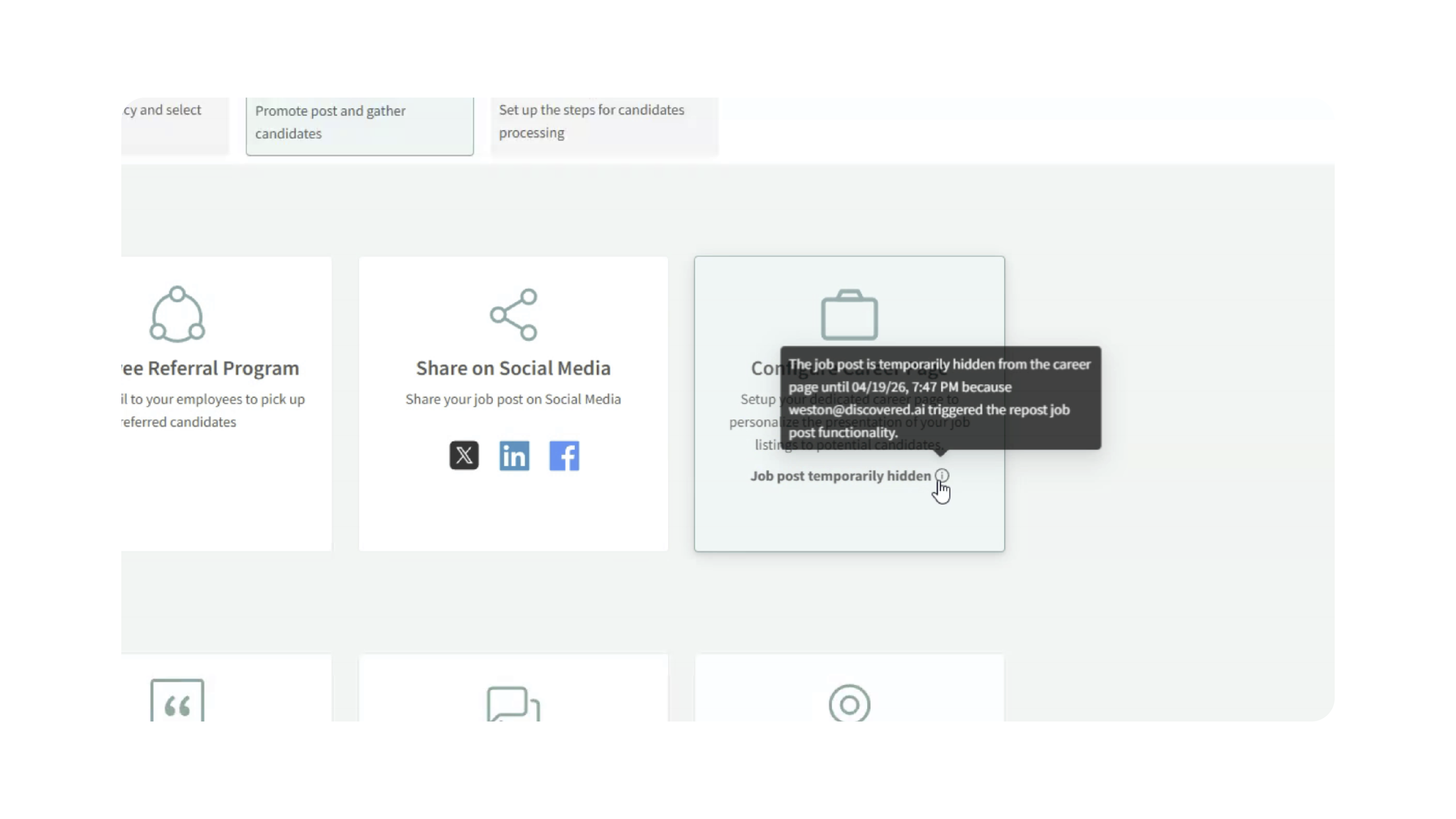
- The job is automatically unpublished from all connected job boards and career pages.
- A notification will display the date and time when the job will be reposted.
During the delayed period, the job will not be visible to candidates.
4. Automatic Republishing
After the waiting period:
- The job is automatically republished.
- The new title and description are used across all publishing channels.
- Distribution resumes on supported job boards and career pages.
No additional action is required.
Why This Matters
Job boards often evaluate job content when determining visibility and identifying potential duplicate postings. Refreshing a job posting with updated content can help improve performance while providing a simple alternative to manually recreating a posting.
This helps:
- Address potential duplicate-job issues
- Improve job visibility on supported job boards
- Refresh aging job content
- Re-engage candidate traffic
- Reduce the need to recreate jobs manually
For hiring teams focused on attracting A-players, maintaining fresh and relevant job content can improve candidate engagement and help ensure important roles continue receiving visibility.
Use Cases
- Duplicate Job Flags: Refresh jobs that may have been identified as duplicates by a job board.
- Low Visibility Jobs: Republish jobs that are receiving limited traffic or applicant activity.
- Aging Job Posts: Update older postings with refreshed content and messaging.
- Hard-to-Fill Roles: Give difficult positions another opportunity to gain visibility without creating a new job.
- Job Board Optimization: Test alternative job titles and descriptions to improve performance.
Best Practices
- Review all AI-generated content before publishing.
- Make manual adjustments to better reflect your employer brand and hiring goals.
- Use this feature selectively while it remains in beta.
- Test the feature on a small number of jobs before broader adoption.
- Monitor job performance after reposting to evaluate results.
- Consider updating job requirements, responsibilities, or candidate messaging when refreshing content.
What Happens Next
Once the repost process is initiated:
- The job is removed from job boards and career pages.
- Discovered stores the revised content.
- The job is automatically republished using the updated title and description.
- Candidate applications continue flowing into the same job posting after republication.
With Repost Job, recruiting teams can quickly refresh existing postings, improve job visibility, and respond to duplicate-job issues without rebuilding jobs from scratch.